BAND-IT-IDEX, Inc.
A Unit of IDEX Corporation
4799 Dahlia Street
Denver, CO 80216-3070 USA
P: 1-800-525-0758
F: 1-800-624-3925
Document # P47450 Rev. -
© Copyright
BAND-IT-IDEX, Inc. 2008
All rights reserved
www.BAND-IT-IDEX.com
Page 9 of 9
GRD204 Series
Imprinter
Trouble
Shooting
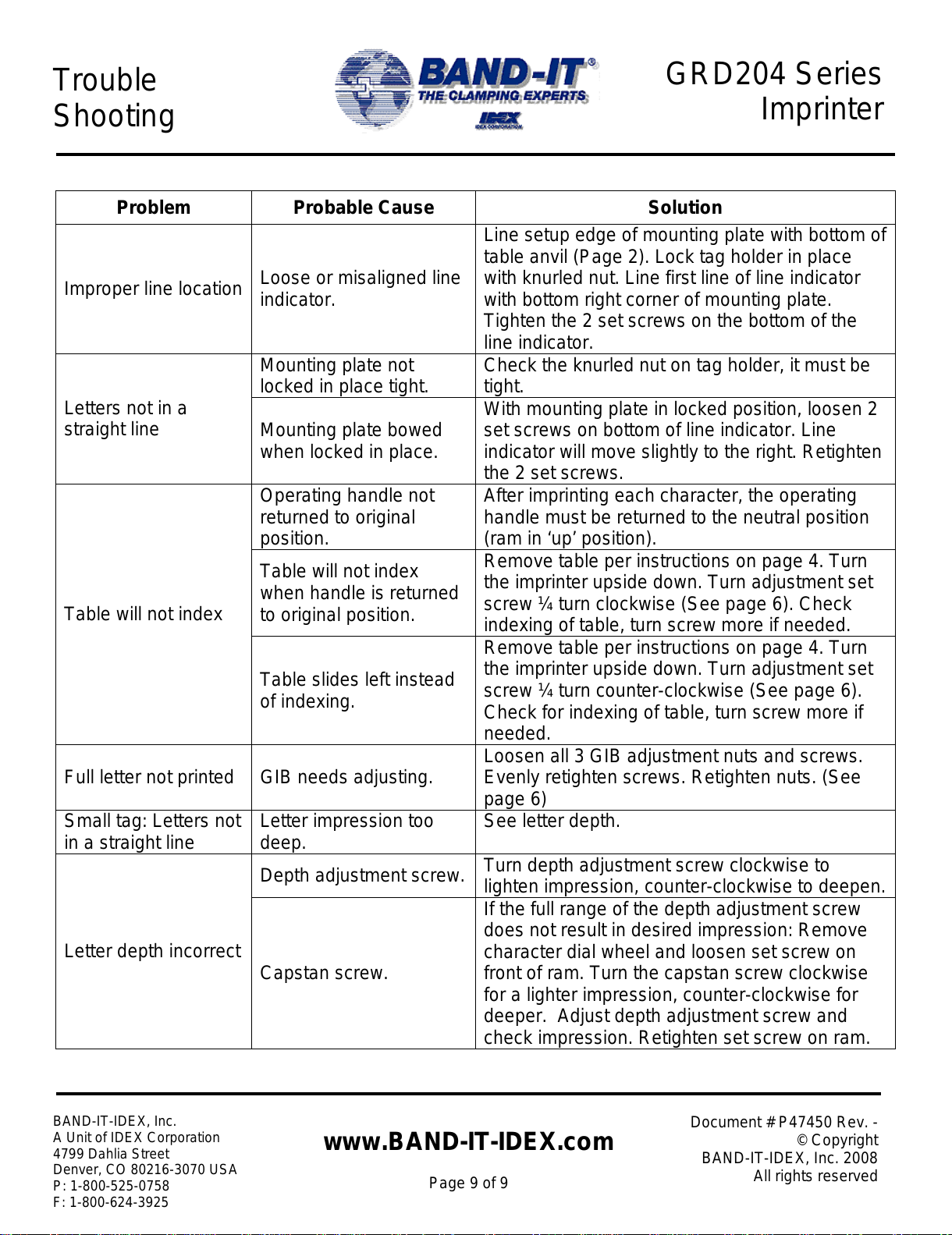
Problem Probable Cause Solution
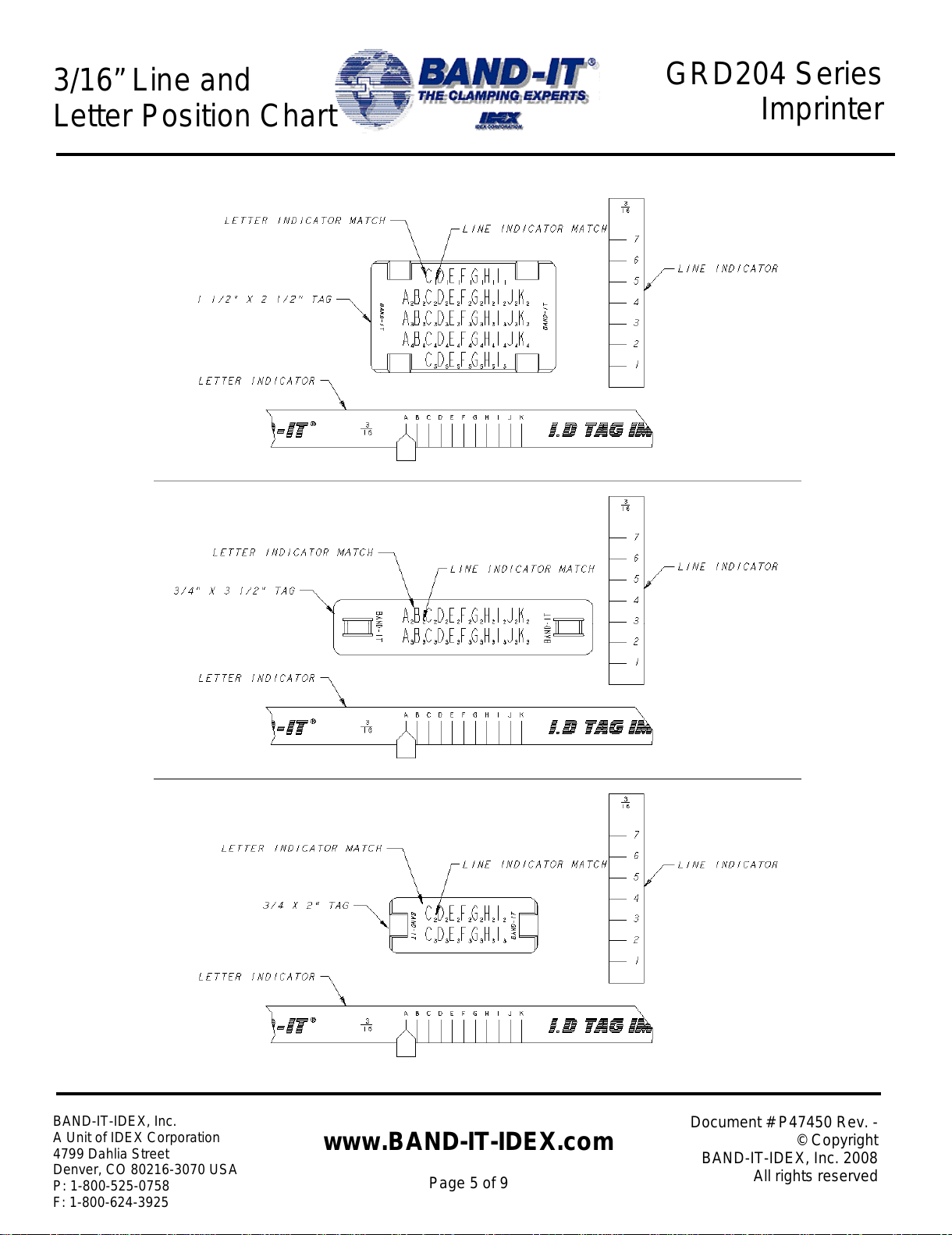
Improper line location Loose or misaligned line
indicator.
Line setup edge of mounting plate with bottom of
table anvil (Page 2). Lock tag holder in place
with knurled nut. Line first line of line indicator
with bottom right corner of mounting plate.
Tighten the 2 set screws on the bottom of the
line indicator.
Mounting plate not
locked in place tight. Check the knurled nut on tag holder, it must be
tight.
Letters not in a
straight line Mounting plate bowed
when locked in place.
With mounting plate in locked position, loosen 2
set screws on bottom of line indicator. Line
indicator will move slightly to the right. Retighten
the 2 set screws.
Operating handle not
returned to original
position.
After imprinting each character, the operating
handle must be returned to the neutral position
(ram in ‘up’ position).
Table will not index
when handle is returned
to original position.
Remove table per instructions on page 4. Turn
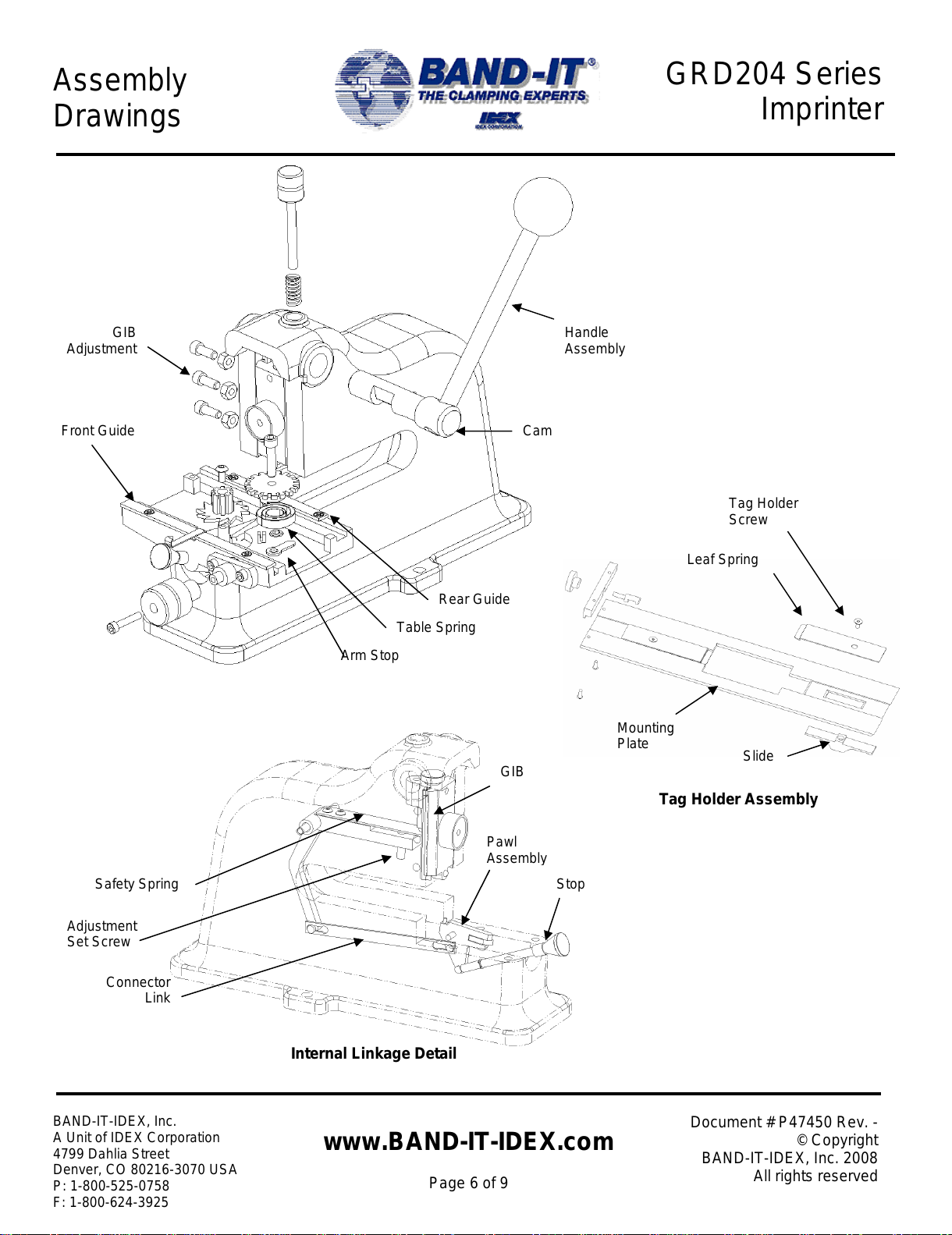
the imprinter upside down. Turn adjustment set
screw ¼ turn clockwise (See page 6). Check
indexing of table, turn screw more if needed.
Table will not index
Table slides left instead
of indexing.
Remove table per instructions on page 4. Turn
the imprinter upside down. Turn adjustment set
screw ¼ turn counter-clockwise (See page 6).
Check for indexing of table, turn screw more if
needed.
Full letter not printed GIB needs adjusting. Loosen all 3 GIB adjustment nuts and screws.
Evenly retighten screws. Retighten nuts. (See
page 6)
Small tag: Letters not
in a straight line Letter impression too
deep. See letter depth.
Depth adjustment screw. Turn depth adjustment screw clockwise to
lighten impression, counter-clockwise to deepen.
Letter depth incorrect Capstan screw.
If the full range of the depth adjustment screw
does not result in desired impression: Remove
character dial wheel and loosen set screw on
front of ram. Turn the capstan screw clockwise
for a lighter impression, counter-clockwise for
deeper. Adjust depth adjustment screw and
check impression. Retighten set screw on ram.