manuals.online logo
Brands
  1. Home
  2. •
  3. Brands
  4. •
  5. Behringer
  6. •
  7. Media Converter
  8. •
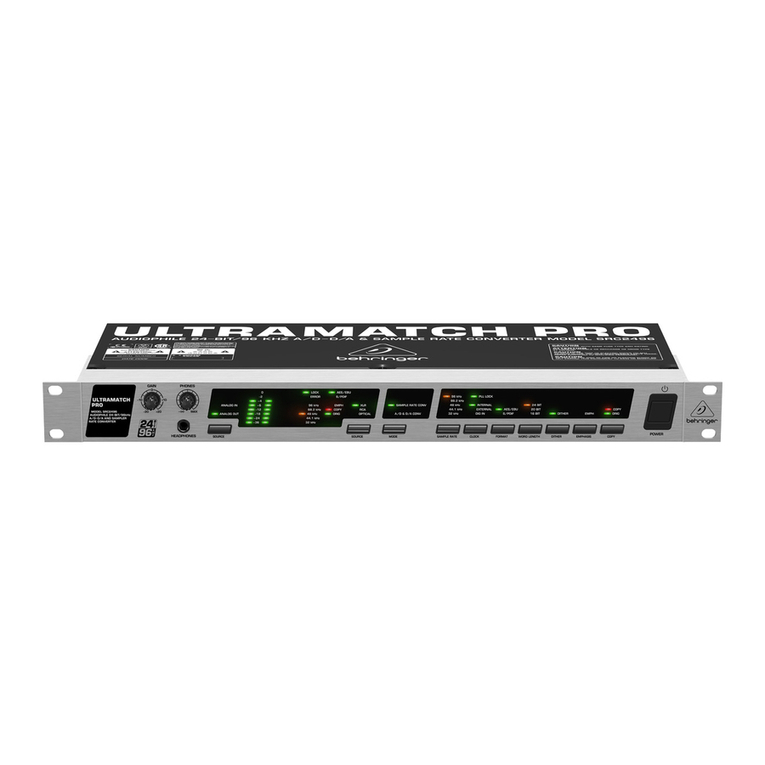
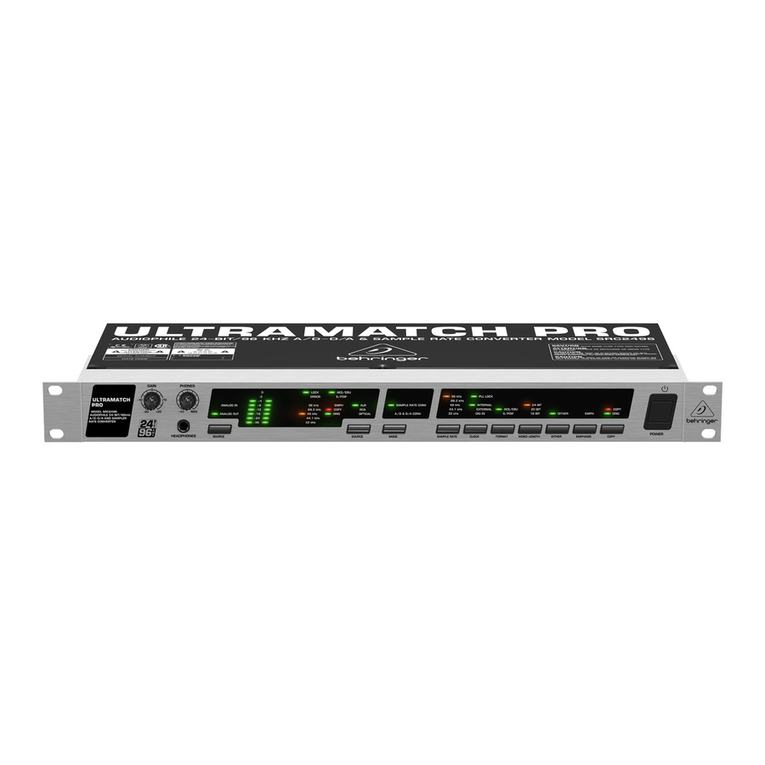
  9. Behringer Ultramatch Pro SRC2496 User manual

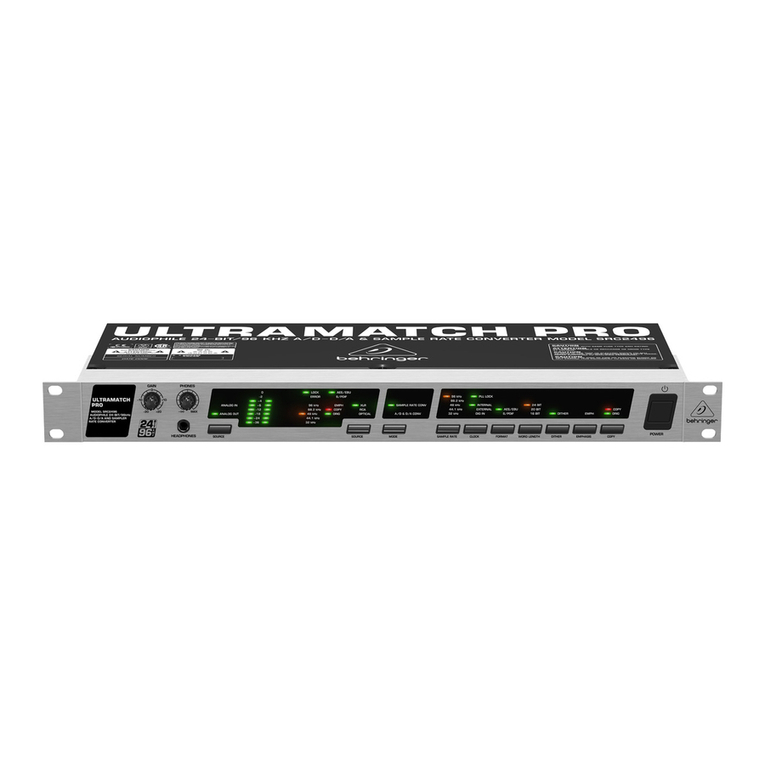
Behringer Ultramatch Pro SRC2496 User manual

Other manuals for Ultramatch Pro SRC2496

6

Other Behringer Media Converter manuals

Behringer DS2800 User manual

Behringer

Behringer DS2800 User manual

Behringer DM8008 User manual

Behringer

Behringer DM8008 User manual

Behringer ULTRA-DI PRO DI4000 User manual

Behringer

Behringer ULTRA-DI PRO DI4000 User manual

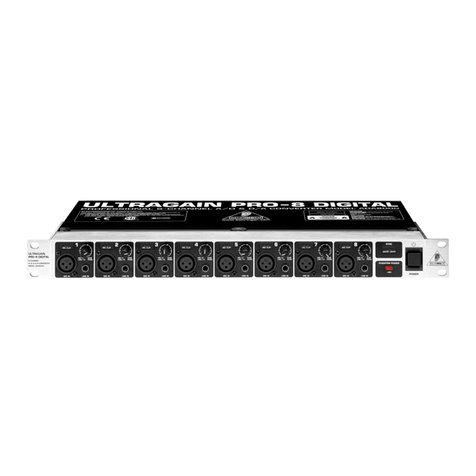
Behringer ULTRAGAIN PRO-8 DIGITAL ADA8000 User manual

Behringer

Behringer ULTRAGAIN PRO-8 DIGITAL ADA8000 User manual

Behringer ULTRAGAIN PRO-8 DIGITAL ADA8000 User manual

Behringer

Behringer ULTRAGAIN PRO-8 DIGITAL ADA8000 User manual

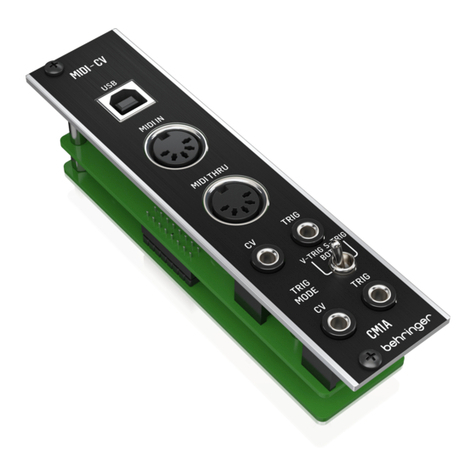
Behringer CM1A User manual

Behringer

Behringer CM1A User manual

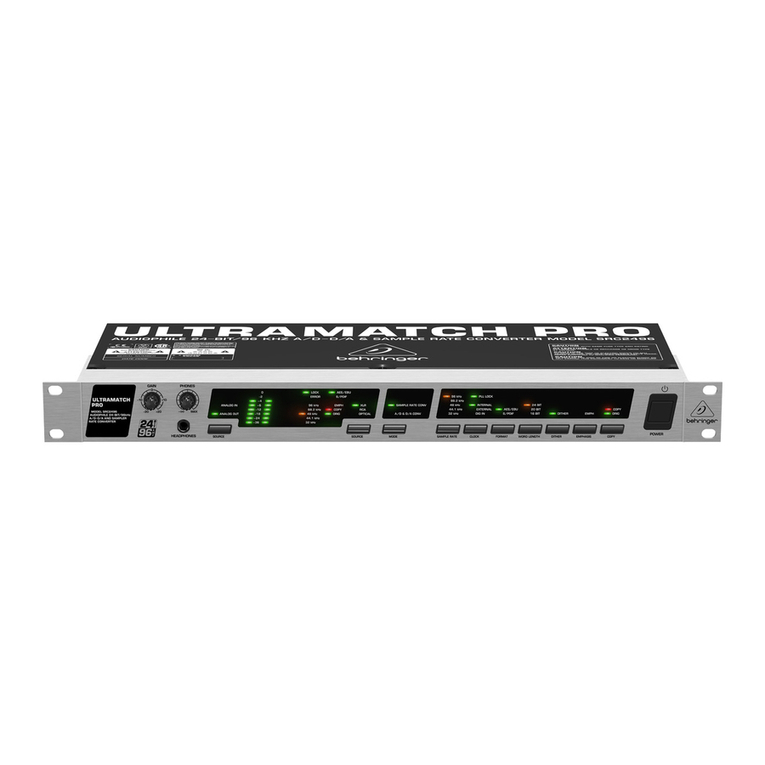
Behringer Ultramatch Pro SRC2496 User manual

Behringer

Behringer Ultramatch Pro SRC2496 User manual

Behringer Ultramatch Pro SRC2496 User manual

Behringer

Behringer Ultramatch Pro SRC2496 User manual

Behringer Ultramatch Pro SRC2496 User manual

Behringer

Behringer Ultramatch Pro SRC2496 User manual

Behringer Ultramatch Pro SRC2496 User manual

Behringer

Behringer Ultramatch Pro SRC2496 User manual

Behringer DI20 User manual

Behringer

Behringer DI20 User manual

Behringer ULTRAGAIN PRO-8 DIGITAL ADA8000 User manual

Behringer

Behringer ULTRAGAIN PRO-8 DIGITAL ADA8000 User manual

Behringer Ultramatch Pro SRC2496 User manual

Behringer

Behringer Ultramatch Pro SRC2496 User manual

Behringer DI20 User manual

Behringer

Behringer DI20 User manual

Behringer Ultralink Pro MX882 User manual

Behringer

Behringer Ultralink Pro MX882 User manual

Behringer Ultralink Pro MX882 User manual

Behringer

Behringer Ultralink Pro MX882 User manual

Behringer ULTRAGAIN PRO-8 DIGITAL ADA8000 User manual

Behringer

Behringer ULTRAGAIN PRO-8 DIGITAL ADA8000 User manual

Behringer ULTRALINK MS8000 User manual

Behringer

Behringer ULTRALINK MS8000 User manual

Behringer CM1A User manual

Behringer

Behringer CM1A User manual

Behringer ULTRAGAIN PRO-8 DIGITAL ADA8000 User manual

Behringer

Behringer ULTRAGAIN PRO-8 DIGITAL ADA8000 User manual

Behringer DS2800 User manual

Behringer

Behringer DS2800 User manual

Behringer ULTRAGAIN PRO-8 DIGITAL ADA8000 User manual

Behringer

Behringer ULTRAGAIN PRO-8 DIGITAL ADA8000 User manual

Behringer ULTRA-DI DI120 User manual

Behringer

Behringer ULTRA-DI DI120 User manual

Behringer ULTRALINK MS8000 User manual

Behringer

Behringer ULTRALINK MS8000 User manual

Popular Media Converter manuals by other brands

TR-Electronic CMS582M-4096/4096 IOL DMS 14H7 KRF Assembly instructions

TR-Electronic

TR-Electronic CMS582M-4096/4096 IOL DMS 14H7 KRF Assembly instructions

Korenix JetCon 2301S user manual

Korenix

Korenix JetCon 2301S user manual

StarTech.com ET91000LCOAM manual

StarTech.com

StarTech.com ET91000LCOAM manual

Alesis AI-3 Reference manual

Alesis

Alesis AI-3 Reference manual

Caton Vpro 5100 user guide

Caton

Caton Vpro 5100 user guide

Cypress CSC-5500 Operation manual

Cypress

Cypress CSC-5500 Operation manual

H&B TX-100 Installation and instruction manual

H&B

H&B TX-100 Installation and instruction manual

Bolin Technology D Series user manual

Bolin Technology

Bolin Technology D Series user manual

IFM Electronic Efector 400 RN30 Series Device manual

IFM Electronic

IFM Electronic Efector 400 RN30 Series Device manual

GRASS VALLEY KUDOSPRO ULC2000 user manual

GRASS VALLEY

GRASS VALLEY KUDOSPRO ULC2000 user manual

Linear Technology DC1523A Demo Manual

Linear Technology

Linear Technology DC1523A Demo Manual

Lika ROTAPULS I28 Series quick start guide

Lika

Lika ROTAPULS I28 Series quick start guide

Weidmuller IE-MC-VL Series Hardware installation guide

Weidmuller

Weidmuller IE-MC-VL Series Hardware installation guide

Optical Systems Design OSD2139 Series Operator's manual

Optical Systems Design

Optical Systems Design OSD2139 Series Operator's manual

Tema Telecomunicazioni AD615/S product manual

Tema Telecomunicazioni

Tema Telecomunicazioni AD615/S product manual

KTI Networks KGC-352 Series installation guide

KTI Networks

KTI Networks KGC-352 Series installation guide

Gira 0588 Series operating instructions

Gira

Gira 0588 Series operating instructions

Lika SFA-5000-FD user guide

Lika

Lika SFA-5000-FD user guide

manuals.online logo
manuals.online logoBrands
  • About & Mission
  • Contact us
  • Privacy Policy
  • Terms and Conditions

Copyright 2025 Manuals.Online. All Rights Reserved.

ENGLISH
Version 1.1 May 2003
Users Manual
ENGLISH
ULTRAMATCH PRO SRC2496
2
ULTRAMATCH PRO SRC2496
This symbol, wherever it appears, alerts you to the
presence of uninsulated dangerous voltage inside
the enclosurevoltage that may be sufficient to
constitute a risk of shock.
This symbol, wherever it appears, alerts you to
important operating and maintenance instructions
in the accompanying literature. Please read the
manual.
IMPORTANT SAFETY INSTRUCTIONS
CAUTION: To reduce the risk of electric shock, do not remove
the top cover (or the rear section). No user
serviceable parts inside refer servicing to qualified
personnel.
WARNING: To reduce the risk of fire or electric shock, do not
expose this appliance to rain and moisture.
DETAILED SAFETY INSTRUCTIONS:
1) Read these instructi ns.
2) Keep these instructi ns.
3) Heed all warnings.
4) F ll w all instructi ns.
5) D n t use this device near water.
6) Clean nly with a dry cl th.
7) D n t bl ck any ventilati n penings. Install in acc rdance
with the manufacturers instructi ns.
8) D n t install near any heat s urces such as radiat rs,
heat registers, st ves, r ther apparatus (including
amplifiers) that pr duce heat.
9) D n t defeat the safety purp se f the p larized r
gr unding-type plug. A p larized plug has tw blades with
ne wider than the ther. A gr unding type plug has tw
blades and a third gr unding pr ng. The wide blade r the
third pr ng are pr vided f r y ur safety. If the pr vided plug
d es n t fit int y ur utlet, c nsult an electrician f r
replacement f the bs lete utlet.
10) Pr tect the p wer c rd fr m being walked n r pinched
particularly at plugs, extensi n c rds, and the p int at which
they exit the unit.
11) Only use attachments/access ries specified by the
manufacturer.
12) Use nly with the cart, stand, trip d, bracket, r table
specified by the manufacturer, r s ld with the device. When
a cart is used, use cauti n when m ving the cart/device
c mbinati n t av id injury fr m stumbling ver it.
13) Unplug this device during lightning st rms r when n t
used f r l ng peri ds f time.
14) Refer all servicing t qualified service pers nnel. Servicing
is required when the unit has been damaged in any way, such
as p wer supply c rd r plug is damaged, liquid has been
spilled r bjects have fallen int the device, the unit has been
exp sed t rain r m isture, d es n t perate n rmally, r
has been dr pped.
3
ULTRAMATCH PRO SRC2496
SRC2496
ULTRAMATCH PRO
Ultra high-resolution 24-bit/96 kHz A/D-D/A, sample rate and format onverter
sHigh-end 24-bit/96 kHz A/D and D/A onverters for ultimate signal purity
sConverts any sample rate between 31 and 100 kHz into 32, 44.1, 48, 88.2 or 96 kHz sample rates
sFlexible format onversion between AES/EBU and S/PDIF ( oaxial or opti al)
sUltra high-quality signal output with 16-, 20- or 24-bit resolution
sUniversal sample rate syn hronization via word lo k or digital input
sAllows parallel A/D and D/A onversion at identi al sample rate
sPre ise metering for input/output signal as well as powerful headphone monitoring
sDithering automati ally adapted for word length onversion
sAllows dire t manipulation of emphasis and opy-prote tion bits
sHigh-pre ision quartz lo k generator removes jitter and orre ts off-tune, in orre t sample rates
sExtremely fast tra king supports varispeed appli ations
sSelf-adjusting anti-aliasing filter with ex eptionally steep edge
sConsumer devi es (e.g. DAT re orders) an be syn hronized with the studio lo k
sAll three outputs (XLR, RCA, opti al) simultaneously operational (splitter)
sInputs separately sele table (pat hbay fun tionality)
sAll digital inputs/outputs balan ed and galvani ally isolated
sAll analog inputs/outputs servo-balan ed
sManufa tured under ISO9000 ertified management system
* We want to point out that the opyright of third parties must not be infringeddespite the possibility of
removing the opy prote t bit with the help of the ULTRAMATCH PRO! This devi e was not developed to
produ e unauthorized opies!
4
ULTRAMATCH PRO SRC2496
FOREWORD
Dear Customer,
welcome to the team of BEHRINGER users and thank you
very much for expressing your confidence in us by purchasing the
SRC2496. Writing this foreword for you gives me great pleasure,
because it represents the culmination of many months of hard
work delivered by our engineering team to achieve a very ambitious
goal: considerable improvement of an excellent piece of equipment.
The ULTRAMATCH SRC2000 has for quite a long time been a
standard tool used by numerous studios. The task of designing
our new ULTRAMATCH PRO SRC2496 certainly meant a great
deal of responsibility which we assumed by focusing on you, the
discerning user and musician. Meeting your expectations also
meant a lot of work and night shifts. But it was fun, too. Developing
a product usually brings a lot of people together, and what a great
feeling it is when all who participated in such a project can be
proud of what theyve achieved.
It is our philosophy to share our enjoyment with you, because
you are the most important member of the BEHRINGER team.
With your highly competent suggestions for new products youve
made a significant contribution to shaping our company and making
it successful. In return, we guarantee you uncompromising quality
as well as excellent technical and audio properties at an extremely
reasonable price. All of this will enable you to give free rein to
your creativity without being hampered by budget constraints.
We are often asked how we manage to produce such high-quality
devices at such unbelievably low prices. The answer is quite
simple: its you, our customers! Many satisfied customers mean
large sales volumes enabling us to get better purchasing terms
for components, etc. Isnt it only fair to pass this benefit on to you?
Because we know that your success is our success too!
I would like to thank all of you who have made the
ULTRAMATCHPRO possible. You have all made your own
personal contributions, from the developers to the many other
employees at this company, and to you, the BEHRINGER user.
My friends, its been worth the effort!
Thank you very much,
Uli Behringer
TABLE OF CONTENTS
1. INTRODUCTION ........................................................ 5
1.1 The design concept ....................................................... 5
1.2 Before you begin ........................................................... 5
2. CONTROL ELEMENTS ............................................. 5
2.1 Front panel of the
ULTRAMATCH PRO SRC2496 .................................... 5
2.1.1 Monitor and input sections ................................... 6
2.1.2 Mode section ........................................................ 6
2.1.3 Output section ...................................................... 6
2.2 Rear panel of the ULTRAMATCH PRO ........................ 7
3. APPLICATIONS ......................................................... 8
3.1 A/D and D/A conversion with the ULTRAMATCH PRO 8
3.1.1 Converting analog to digital ................................. 8
3.1.2 Converting digital to analog ................................. 9
3.1.3 Parallel A/D and D/A conversion .......................... 9
3.2 Sample rate conversion .............................................. 10
3.2.1 Typical studio application with DAT ................... 10
3.2.2 Hard-disk recording ........................................... 10
3.2.3 Master/slave problem solver .............................. 10
3.2.4 Bridging unformatted passages ......................... 10
3.3 Removing copy protect information ............................ 10
3.4 Noise reduction with emphasis ................................... 10
3.5 Line booster, signal refresher ..................................... 11
3.6 Correcting incorrect sample rates ............................... 11
3.7 Vari-speed application ................................................. 11
3.8 Format converter ......................................................... 11
3.9 Format interface .......................................................... 11
3.10 Patchbay/splitter ......................................................... 11
4. TECHNICAL BACKGROUND ................................. 11
4.1 A short digression into digital sample rate conversion 11
4.2 AES/EBU and S/PDIF standards ................................ 12
5. INSTALLATION ....................................................... 12
5.1 General connection notes ........................................... 12
5.2 Analog inputs and outputs .......................................... 13
5.3 Digital inputs and outputs ............................................ 13
5.3.1 Balanced XLR connection ................................. 13
5.3.2 Unbalanced coaxial RCA connection ................ 13
5.3.3 Optical connection ............................................. 13
5.3.4 Wordclock .......................................................... 14
5.3.5 Connecting with an adapter ............................... 14
5.4 Headphones output ..................................................... 14
6. SPECIFICATIONS ................................................... 15
7. WARRANTY ............................................................. 16
5
ULTRAMATCH PRO SRC2496
1. INTRODUCTION
1. INTRODUCTION
The BEHRINGER ULTRAMATCH PRO is a fully digital signal
processor integrating 24-bit A/D and D/A converters. With its wide
range of features, it provides a powerful state-of-the-art interface
between the physical reality of music and its recording in the form
of digital values. To retain the true authenticity of your music, we
not only developed a strong link between analog recording
technology and the huge variety of signal processing possi-
bilities available in the digital world, but also designed the
ULTRAMATCH PRO SRC2496 to function as a universal inter-
face between the various digital formats and sampling rates.
Thus, incompatibilities between different devices and equipment
with regard to modified connectors, transmitted signals and applied
standards are definitely a thing of the past.
+This manual first describes the termin l gy used, s
that y u can fully understand the SRC2496 and its
functi ns. Please read the manual carefully and keep it
f r future reference.
1.1 The design concept
The philosophy behind BEHRINGER products guarantees no-
compromise circuit design and the best choice of components.
We only use low-tolerance resistors and capacitors, high-grade
switches and buttons as well as other select components to make
sure that you can fully benefit from state-of-the-art 24-bit/96 kHz
technology with regard to low noise and high dynamics. With
the ULTRAMATCH PRO you have purchased cutting-edge
technology. Today, many hi-fi devices are already equipped with
a digital interface, so the SCR2496 can not only be used as a
high-end A/D and D/A converter in your studio, but also raises
your home hi-fi system to a new level in terms of dynamics, low
distortion and definition. It is thus possible to replace one of the
weak points in the signal chain with an absolutely powerful device.
The SRC2496 provides you with the functionality of a first-class
A/D and D/A converter, an outstanding sampling rate converter
and a digital patchbay. Additionally, it can be deployed as a format
converter, to set or remove copy bits, and as a signal refresher
but is still easy to operate.
The front panel of your ULTRAMATCH PRO features a strictly
functional and easily understandable layout. On the left-hand half
of the panel you will find the monitor (left) and input sections (right),
the right-hand half includes the mode (left) and output sections
(right). Just imagine the signal passing through the unit from left
to right and the design logic becomes clear.
The monitor section enables you to monitor analog input/output
signals. The level meter reads the analog input level and allows
you to adjust it optimally. The status LEDs in the input section
make it easy to check which type of digital signal (AES/EBU or
S/PDIF) is being received and also display its sampling rate. Since
the ULTRAMATCH PRO is automatically synchronized to any input
signals within a range from 31 Hz to 100 kHz, there is no need for
dedicated sampling rate selector switches on the input side.
In the mode section you can see which of the SRC2496s two
basic functions (A/D and D/A converter or sampling rate converter)
is currently active. Select the function of your choice at the touch
of a button. The output section gives you the buttons and displays
to adjust a variety of parameters for the digital output signal.
The ULTRAMATCH PRO stores the last setting made before
power-down, so you can continue from where you stopped when
you turn the unit back on again.
In a later section of this manual we will give you a detailed des-
cription of how you can use your ULTRAMATCH PRO in various
applications.
1.2 Before you begin
Your ULTRAMATCH PRO was carefully packed at the factory
and the packaging is designed to protect the unit from rough
handling. Nevertheless, we recommend that you carefully examine
the packaging and its contents for any signs of physical damage
which may have occurred during transit.
+If the unit is damaged, please d NOT return it t
BEHRINGER, but n tify y ur dealer and the shipping
c mpany immediately, therwise claims f r damage r
replacement may n t be granted. Shipping claims must
be made by the c nsignee.
The BEHRINGER ULTRAMATCH PRO requires one rack unit
for installation in a 19" rack. Please allow for an additional 4" of
rack depth for the rear panel connectors.
For rack mounting, please use M6 metal nuts and bolts.
Be sure that there is enough air space around the unit for
cooling. For example, to avoid overheating, do not place the
ULTRAMATCH PRO on power amps.
+Bef re y u c nnect y ur ULTRAMATCH PRO t the
mains, please make sure that y ur l cal v ltage matches
the supply v ltage required by the unit!
The fuse holder at the AC power connector has 3 triangular
markings. Two of these three triangles will be aligned with one
another. The ULTRAMATCH PRO is set to the voltage shown
next to these markings and can be switched over by twisting the
fuse holder by 180°. IMPORTANT: This d es n t apply t exp rt
m dels designed exclusively f r 120 V perati n!
+If y u set the unit t a different mains v ltage, be sure
t use a fuse f the c rrect type and rating! In chapter 6
TECHNICAL SPECIFICATIONS y u will find the
matching fuse type f r y ur l cal mains v ltage.
The mains connection is made by using the enclosed power
cord and a standard IEC receptacle. It meets all of the international
safety certification requirements.
+Please make sure that all units have a pr per gr und
c nnecti n. F r y ur wn safety, never rem ve r disable
the gr und c nduct r f the unit r f the AC p wer c rd.
+Please ensure that nly qualified pers ns install and
perate the SRC2496. During installati n and perati n
the user must have sufficient electrical c ntact t earth.
Electr static discharges might affect the perati n f
the unit.
2. CONTROL ELEMENTS
2.1 Front panel of the
ULTRAMATC PRO SRC2496
Fig. 2.1: Front panel control elements
Monitor and input sections. The monitor section enables you
to adjust the signal level applied to the analog input and
features a controllable headphones connector. A clearly
structured LED array provides you with detailed information
on the various parameters of the digital input signal.
Mode section. Here, you can determine whether your
ULTRAMATCH PRO works as a sampling rate converter or
A/D-D/A converter.
Output section. The buttons in the output section allow you
to tailor the output signal to meet your requirements.
6
ULTRAMATCH PRO SRC2496
2. CONTROL ELEMENTS
Similarly to the input section, the display provides you with
all the information on the output signal.
2.1.1 M nit r and input secti ns
Fig. 2.2: Input section control elements
Use the GAIN control to adapt the signal level perfectly to
the circuitry of your ULTRAMATCH PRO. The level should
be as high as possible, but the 0 dB LED should only light
up occasionally or never at all to avoid distortion.
The PHONES control governs the headphones volume. You
can monitor either the analog output or input by setting the
SOURCE switch accordingly. The analog output always
provides the signal applied to the selected digital input, so
this signal can be monitored with the headphones, too.
+When the ULTRAMATCH PRO perates as an A/D-D/A
c nverter, the digital input signal is applied t the anal g
utput nly in DIG IN m de (see , ).
This is the stereo 1/4" TRS connector for your headphones.
The ANALOG IN and/or ANALOG OU LEDs indicate which
signal (input or output) is being displayed by the level meter.
The SOURCE switch routes the analog input or output signal
to the level meter.
LEVEL ME ER. The signal shown here can always be
monitored with the headphones.
Fig. 2.3: Input section control elements
This LED array displays the sampling rate of the digital
input signal. One LED lights up constantly when the sampling
rate is kept accurately or does not deviate from the nominal
value by more than approx. 2 kHz. Otherwise, the LED for
the next value starts flashing.
The LOCK LED lights up when a valid digital signalto which
the ULTRAMATCH PRO can be synchronizedis applied
to the active input. When digital input signals are being
processed, this LED should be on all the time, showing the
presence of a stable input signal.
The ERROR LED warns you of erroneous (or the absence
of any) input signals. It displays various error modes, such
as Unlock, Parity Error, Bi-Phase Error and Confidence
Error. The signal is then checked as to whether or not it is
an audio signal. Any detected error makes the SRC2496
mute all of its outputs to protect down-stream audio devices.
As long as the ERROR LED is lit, the ULTRAMATCH PRO
cannot process any input signals.
The EMPH LED shows you whether or not the input signal
includes an emphasis marker. Emphasis is a high-frequency
boost function that is applied during the digital recording but
is undone during playback. When the LED lights up, the signal
was emphasis-processed during recording. You should always
make sure that the EMPH LEDs in the input and output
sections read the same status.
The COPY LED (= copyright) lights up when the input signal
was supplied from a copy-protected data carrier.
The ORIG LED (= original) informs you that the audio signal
received is an original signal, i.e. that it can be copied (see
chapter 2.1.3, section ).
The AES/EBU LED lights up when an AES/EBU signal has
been applied at the active input connector.
The same holds true for the S/PDIF LED, i.e. when a
consumer-format signal has been applied.
If the unit is set to A/D and D/A converter mode, the S/PDIF
LED lights up even when no digital signal is present. This is
due to the circuitry used and does not indicate a malfunction
of the unit. Further information on the formats AES/EBU and
S/PDIF can be found in chapter 4.2.
Use the SOURCE switch to select the active input. Only one
digital input can be activated at a time. However, in A/D-D/A
converter mode, you can use one digital input and the analog
inputs simultaneously (parallel A/D and D/A conversion). For
further information please refer to chapter 3.1.3.
The LEDs XLR, RCA and OP ICAL indicate the input
activated by the user.
2.1.2 M de secti n
Fig. 2.4: Mode section
The two LEDs SAMPLE RA E CONV and A/D & D/A CONV
inform you about the operating mode of your SRC2496, i.e.
sampling rate converter or A/D-D/A converter.
Use the MODE switch to switch over between these two
operating modes.
2.1.3 Output secti n
Fig. 2.5: Output section
The SAMPLE RA E switch selects the sampling rate which
the input signal is to be converted to or made available at
the outputs. For this purpose, the SRC2496 must be set to
internal mode, i.e. it has to function as a master unit (see
sections and ).
7
ULTRAMATCH PRO SRC2496
2. CONTROL ELEMENTS
The LEDs 32 kHz, 44.1 kHz, 48 kHz, 88.2 kHz and 96 kHz
read the sampling rate selected with the SAMPLE RATE
switch. If the sampling rate is preset by an external wordclock
or generated via the digital input signal, the LEDs light up
constantly, thus reading the external sampling rate (with a
deviation of ± 2 kHz). The next value (= deviation of >2 kHz)
is displayed by one of the LEDs flashing.
The CLOCK switch allows you to select the source
determining the sampling rate at the digital output of your
ULTRAMATCH PRO.
The PLL LOCK LED shows you that your SRC2496 is
processing properly the wordclock signals applied.
The IN ERNAL LED lights up when the SRC2496 generates
the sampling rate by itself (master), which is the preferred
mode for the ULTRAMATCH PRO acting as an A/D converter.
The EX ERNAL LED lights up when the sampling rate is
governed by an external wordclock signal. The external mode
also allows you to generate sampling rates at the output
which could not be generated by the SRC2496 as a master
unit.
When the DIG IN LED lights up, your SRC2496 uses the
wordclock signal included in the digital audio signal fed into
the unit. This setting is useful if you do not want to convert
the sampling rate, but only the format of the digital output
signal (S/PDIF to AES/EBU or vice versa).
The FORMA switch determines the format of the digital
data stream on the output side, as defined in the Channel
Status data. Available formats are AES/EBU and S/PDIF.
The LEDs AES/EBU and S/PDIF show the adjusted output
format, which is present at all three digital outputs. Using an
appropriate cable (see chapter 5.3.5) you could also route
an S/PDIF signal from the XLR output to a second unit, in
case the RCA output is already in use.
Use the WORDLENG H switch to select the digital word
length of your choice (16, 20 or 24 bits).
+If y u want t set the digital w rd length t a l wer value
(e.g. t rec rd 24-bit signals with 16 bits n CD, MD r
DAT), we rec mmend that y u switch n the dither
functi n, s as t limit the dist rti n resulting fr m the
missi n f the additi nal bits t an inaudible minimum.
The LEDs 24 BI , 20 BI and 16 BI read the word length
selected.
The DI HER switch enables/disables the dither function. The
corresponding LED lights up when this function is active. Heres
a concise explanation of the dither function: Whenever analog
signals are converted to digital (numerical values!), the finite
number of digits available for the mathematical description of
the analog signals (electrical voltages that are constant in the
time and value domains) inevitably result in rounding errors
and misinterpretations of the analog signals (quantization
errors). In particular, signals with a very small amplitude are
affected by an audible system error known as granular noise.
Such errors can be suppressed by adding white noise. This
type of noise has an exactly defined amplitude (minimum
amplitude that can be detected only by measuring instruments
and by no means affects the audio signal) and broadband
frequency distribution and is called a dither signal. Combine
this with the high internal resolution of 24 bits, and you can
generate an audio signal of excellent quality.
Reducing the digital word length (e.g. from 24 bits to 20 bits)
also means a reduction of the resolution. The resulting
misinterpretations, which are more likely to result by this word
length reduction can be purposefully suppressed with the
dither function.
The EMPH LED lights up when the emphasis bit has been
set in the output signal. Use the EMPHASIS switch to enable/
disable this function. To avoid sound deterioration, the LED
in the output section should read the same status as the
EMPH LED in the input section. In the rare case of a signal
containing an emphasis bit without any treble boost applied,
you can correct this here and switch off the emphasis bit
(detailed information can be found in chapter 3.4).
The COPY switch (= copyright) allows you to set the status
of the copy bits in the transmitted data stream. The LEDs
COPY and ORIG inform you about the current status of the
copy protection:
COPY-LED on
ORIG-LED on
COPY-LED on
ORIG-LED off
COPY-LED off
ORIG-LED off
COPY-LED off
ORIG-LED on
digital recording only once
digital recording not possible
digital recording unlimited
ab. 2.1: Overview of copy bit settings
If both COPY and ORIG light up, you can make one copy only.
Subsequently, the data will be copy protected. If only COPY lights
up, digital copies cannot be made. If both LEDs are out, you can
make digital recordings without any limitations. Press the switch
to change the status of the determining bits and allow for
unrestricted copying.
+This pti n applies exclusively t S/PDIF signals,
because the Serial C py Management System (SCMS)
exists in this f rmat nly. Signals based n the
pr fessi nal AES/EBU f rmat can be c pied freely.
2.2 Rear panel of the ULTRAMATC PRO
Fig. 2.6: Mains connector/fuse holder
MAINS CONNEC OR/FUSE HOLDER. Use the power cord
supplied with the SRC2496 to connect the unit to the mains.
Please note the instructions given in chapter 1.2. Blown fuses
should only be replaced by a fuse of the same type and
rating.
Fig. 2.7: Serial number on the cover
SERIAL NUMBER. Please take the time to fill in and return
the warranty card within 14 days after the date of purchase,
so as to benefit from our extended warranty. Or register
online at www.behringer.com.
8
ULTRAMATCH PRO SRC2496
3. APPLICATIONS
Fig. 2.8: Wordclock connector
The BNC connector WORDCLOCK is a high-impedance
connector with no internal terminating impedance (75 ohms).
Use it to connect devices for the external synchronization of
your ULTRAMATCHPRO. Please note the instructions given
in chapter 3.2.3.
Fig. 2.9: Digital outputs
The digital XLR output is the standard output connector for
AES/EBU signals (AES/EBU LED lights up). When S/PDIF is
selected, the XLR output also provides this signal. Further
information on these connectors can be found in chapter 5.3.
This is the OP ICAL (Toslink) output connector of the
ULTRAMATCHPRO. When the unit is shipped, the optical
Toslink input/output connectors have dummy plugs attached
to protect them from dirt and to prevent the emission of light.
These dummy plugs can be removed easily if you wish to use
the connectors. The digital standard format for this output is
S/PDIF. However, you can also transmit AES/EBU signals
via this output.
RCA output. The digital standard format for this output is
also S/PDIF. If AES/EBU has been selected in the output
section, this output also provides AES/EBU signals. Unlike
the XLR connector, however, this output allows for
unbalanced signal transmission.
Fig. 2.10: Digital inputs
- DIGI AL INPU S.
The RCA input is the digital standard input for S/PDIF signals.
The OP ICAL input (Toslink) is also used for S/PDIF signals.
XLR input. The digital XLR input is the standard input
connector for AES/EBU signals. It can also be used to feed
in S/PDIF signals, like the RCA and OPTICAL inputs which
can be used to process AES/EBU signals in addition to the
S/PDIF format.
Fig. 2.11: Analog outputs and inputs
ANALOG OU PU S. These balanced analog XLR outputs
(stereo) provide the analog signal generated by conversion
from a digital format.
ANALOG INPU S. Use these balanced analog XLR inputs
(stereo) to feed in analog line level signals. Please note the
instructions on level adjustment given in chapter 2.1.1
(section ).
3. APPLICATIONS
Your ULTRAMATCH PRO will soon prove to be a practical tool
of valuable help in almost any situation. Its straightforward user

interface is fun to work with. Dont be misled by the plain design:

this device is a really flexible tool in a variety of applications.
You dont need to own a professional recording studio to benefit
from the wide range of features and functions implemented in the
SRC2496. Problems with the interfacing of optical and coaxial
connectors, removing copy protect bits, converting sampling rates
from 48 to 44.1 or 32 kHzall of these tasks are quite common
daily routines even in a home recording environment.
Additionally, the ULTRAMATCHPRO suggests itself as a
high-end A/D and D/A converter or enhanced source selector for
digital inputswhenever you need an inexpensive and reliable
alternative to equipment with considerably higher prices.
3.1 A/D and D/A conversion with the
ULTRAMATC PRO
3.1.1 C nverting anal g t digital
The ULTRAMATCH PRO is equipped with high-grade A/D and
D/A converters. With the SRC2496 you own an excellent tool for
preparing your analog audio data for digital processing or for
converting analog signals directly and storing them on a digital
medium. The analog input is set for studio levels (+4 dBu), but
can be adapted to low-level signals with the GAIN control. Please
use the level meter to adapt the level of the input signal, as
described in chapter 2.1.1. The illustrations 3.1 and 3.2 below
show you how to connect the unit.
9
ULTRAMATCH PRO SRC2496
3. APPLICATIONS
Fig. 3.1: Example: A/D conversion of a microphone signal
Fig. 3.1 shows a typical setup for recording a signal source on a
digital recording device (here: hard-disk recording system). If your
HD recording system is equipped with a digital interface, you can
use the ULTRAMATCH PRO to circumvent the A/D converter
on the sound card and thus avoid interference signals generated
by the computer. By taking the signals from the subgroup outputs
on your mixing console, you can record several signal sources at
the same time by assigning (routing) them to the corresponding
subgroups.
In practice, the ingenious design of the SRC2496 proves to be
versatile to the point that you can also solve problems which are
not directly related to a normal studio environment. For example,
digital hi-fi recording devices such as MD recorders (Mini Disc)
have met with widespread popularity in home systems.
Unfortunately, however, such devices cannot record with 32 kHz
using their digital input.
Thus, it is impossible to record digital broadcasting programs
directly to digital D/A and A/D conversion steps are inevitable.
Not so with the ULTRAMATCH PRO, as it can convert the
broadcast signal from 32 kHz to any other common sampling rate
and also remove any form of copy protect information.
A second wiring setup shows how to copy tape recordings for
restoring and subsequent archiving purposes on digital media.
Fig. 3.2: Example: A/D conversion of tape recordings
+Since subgr up utputs n mixing c ns les, as well as
tape and line utputs n hi-fi amplifiers, usually pr vide
unbalanced signals nly, please n te the c rresp nding
instructi ns n h w t c nnect the SRC2496 (chapter 5
INSTALLATION).
3.1.2 C nverting digital t anal g
Using the ULTRAMATCH PRO as a digital-to-analog converter
is interesting in all applications, where signals must be made audible
again after digital processing, e.g. to circumvent D/A converters
of inferior quality in devices with a digital output (sound card).
This can be useful if your sound card is not shielded from
electromagnetic interference generated by power supplies or
graphics cards for example. You can feed the audio signal from
the digital interface of the sound card to one of the digital inputs
on the SRC2496 and then take it from the analog outputs. The
type of cable required for connecting the sound card to the
ULTRAMATCH PRO depends on the output connector used.
+Detailed inf rmati n n wiring setups can be f und in
chapter 5 INSTALLATION.
3.1.3 Parallel A/D and D/A c nversi n
The SRC2496 offers you the possibility to simultaneously convert
analog signals into digital, and vice versa. In A/D and D/A c nverter
m de, you can only convert from digital to analog if the CLOCK
switch in the output section has been set to DIG IN. In this case, the
sampling rate will be determined by the digital signal applied.
Otherwise, the ULTRAMATCHPRO can only be operated as an
A/D converter, and the D/A converter function will be muted. In
SRC m de the D/A converter is always active.
10
ULTRAMATCH PRO SRC2496
3. APPLICATIONS
3.2 Sample rate conversion
No matter which type of digital audio signal you feed into the
ULTRAMATCH PRO, it will convert it to a common standard format.
Numerous conversion examples can be found in daily studio
practice:
sConversion of 48 kHz DAT recordings to the CD standard of
44.1 kHz.
sConversion of older digital recordings from 44.056 kHz to
32, 44.1, 48, 88.2 or 96 kHz.
sConversion of foreign material with 32 kHz to 44.1, 48,
88.2 or 96 kHz.
sConversion of audio data with a word length of 24 bits to 20
or 16 bits for recording on a digital medium.
sConversion of S/PDIF format to AES/EBU for easy mani-
pulation of various parameters and improved (balanced)
signal transmission.
sSetting or removing copy protect bits for further processing
of recordings in a studio environment.
3.2.1 Typical studi applicati n with DAT
Only recently has it become possible to use less expensive DAT
recorders for direct recording from analog sources with a sampling
rate of 44.1 kHz. Most consumer-level DAT recorders, however,
record at 48 kHz. Usually, such recordings have to be transferred
via an analog connection from DAT to a professional recorder.
This process results in an unnecessary deterioration of the original
quality of the material due to the additional D/A and A/D converters
involved. With the ULTRAMATCH PRO you can eliminate this
problem by converting the sampling rate purely in the digital
domain, which allows for a considerably higher quality than you
could achieve with analog converters.
Further problems, such as incorrect formats, significantly deviating
or unstable sampling rates (as long as they do not deviate by more
than ±12.5% from the current sampling rate), will also be corrected
by the ULTRAMATCH PRO in real time, thus ensuring the
successful transfer of your audio data.
3.2.2 Hard-disk rec rding
Hard-disk recording applications also require a uniform sampling
rate, if possible the one used by the subsequent playback medium
(CD). As it can convert audio material from 32, 48, 88.2 or 96 kHz
to the standard 44.1 kHz, the ULTRAMATCH PRO makes sure
that any sources can be used to feed audio material by way of a
digital connection.
Of course, the ULTRAMATCH PRO can be inserted at any point
in the audio processing path, i.e. also between the PC and
DAT recorder. With uncritical audio material, you can thus process
the material at 32 kHz in the recording system (or higher, depending
on which sampling rates can be processed by the HD recording
system), and subsequently convert the completely edited material
while transferring it to a DAT recorder at 44.1 kHz (or even 48 kHz).
3.2.3 Master/slave pr blem s lver
When a digital mixing console is used, it is at this pointif not
beforethat master/slave problems will be encountered. The
explanation is simple: When using CD players, DAT recorder and
HD recording systems in their normal applications, the
responsibilities are clearly defined. The playback device is the
master, the recording device is the slave, i.e. the CD player
provides a clock rate of 44.1 kHz to which the DAT recorder is
synchronized.
When using a mixing console, the CD player is the master, the
console is the slave. However, this model collapses all of a sudden
as soon as a DAT recorder is hooked up, which does not record
but plays back too. The console can synchronize to one source
only, the audio data from the other source would be processed
incorrectly, because the two devices are not in sync.
The need for synchronization in a digital studio is met by
connecting the equipment to one central sync source. For example,
the console could be the master supplying the remaining devices
with a reference signal (wordclock). However, this will only work if
these other devices have a sync input, i.e. can be used as slaves.
In a studio with a digital tape machine, digital effects and hard-
disk recording system it is impossible to connect commercially
available CD players or DAT recorders to the mixing section of
the console, simply because they cannot be synchronized.
By inserting the BEHRINGER ULTRAMATCHPRO SRC2496
between the device to be synchronized and the mixing console input,
however, the SRC2496 can deliver the audio signal with the studio
clock rate entered via the external sync input (WORDCLOCK, ).
In this case, the ULTRAMATCH PRO works as a kind of intermediate
gear whose toothed transmission always ensures that there is an
appropriate gap in the gearwheel. It synchronizes the signal coming
from the devices to be synchronized, while converting to the desired
sampling rate in compliance with the wordclock signal.
In a studio with a central clock generator, it is therefore possible
to use the ULTRAMATCH PRO to connect any device to any other,
irrespective of any other options available.
+Even if the central cl ck d es n t c rresp nd exactly t
ne f the sampling rates, the ULTRAMATCH PRO will
assign a c rresp nding marker t the utput signal! This
marker depends n the aut matically detected and
displayed sampling rate, which is imp rtant, because
DAT rec rders usually refuse t enter rec rd m de if
an inc rrect sampling rate has been indicated.
3.2.4 Bridging unf rmatted passages
DAT recorders, in particular, produce tiny format gaps between
individual recorded passages on the tape when intermittent recordings
are made. Also when you transfer older recordings it can happen
that short passages with a different sampling rate than that of the
current recording remain stored on tape. In such a case, the
ULTRAMATCHPRO converts this host of single pieces of information
into a continuous data stream with a fixed sampling rate. Even if the
DAT recorder or any other digital source is stopped or switched off,
the ULTRAMATCHPRO will continue to generate a continuous signal
(depending on the digital signal, if synchronized to it).
3.3 Removing copy protect information
The original copy protect mechanism used in DAT recorders
was simple but effective: It was impossible to make digital
recordings from a CD. Later, a step-by-step mechanism was
introduced with SCMS, which allowed at least for one digital copy
from CD. The routine implemented in SCMS depends on the
generation (xth copy) and the origin (category) of the digital audio
material. In professional studio engineering a copy protect
mechanism does not make any sense, which is why there is none
defined in the AES/EBU standard.
Since many studios use inexpensive consumer devices for cost
reasons, copy protect and/or format incompatibility problems
(professional/consumer) are encountered frequently. The
SRC2496 can ignore all types of copy protect information and
generate a new, completely free marker that allows for multiple
copying. Thus, you can use your ULTRAMATCH PRO to copy
material from one consumer DAT to another. Further information
on this subject can be found in chapter 2.1.3, section .
+We want t p int ut again that the c pyright f third
parties must n t be infringeddespite the p ssibility f
rem ving the c py pr tect bit with the help f the
ULTRAMATCHPRO! This device was n t devel ped t
pr duce unauth rized c pies!
3.4 Noise reduction with emphasis
A very special feature is the option to influence the set emphasis
bit. Emphasis here means a noise reduction process with a treble