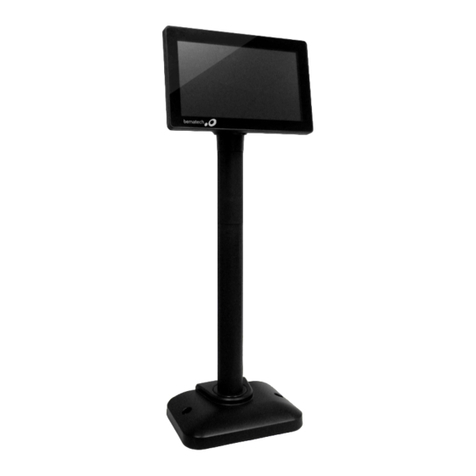
Bematech LE1015 User manual

LE1015 True-flat LCD Touch Monitor
USER MANUAL

1
Table of Contents
1Introduction..........................................................................................2
1.1 Safety Information ........................................................................................ 2
1.2 Precaution....................................................................................................... 2
1.3Electromagnetic compatibility statement................................................. 3
2Overview................................................................................................4
2.1 Package Contents........................................................................................... 4
2.2Features........................................................................................................... 4
3Hardware Installation..........................................................................5
3.1 Connections .................................................................................................... 5
3.2 Screw Specification for VESA Plate Stand or Wall Mount........................ 6
3.3 Magnetic Stripe Reader Module Installation (Optional) ...........................7
3.4 Second Display Installation (Optional) ....................................................... 8
4Setup and Driver Installation............................................................ 10
4.1 Control Buttons.............................................................................................10
4.2On-Screen Display Menu ...............................................................................11
4.3 Touch screen driver installation.................................................................. 12
5Troubleshooting ................................................................................. 17
6Supported Timings ............................................................................. 19
7Specifications .................................................................................... 20

2
1 Introduction
The Bematech LE1015 true-flat TFT 15" color LCD touch monitor is designed and
manufactured to meet the requirements of retail and restaurant operations with
their POS system. The highly rugged touch monitor includes a solid base with extra
wide hinge for maximum stability. The LE1015 also facilitates quick and professional
mounting of integrated magnetic stripe reader and customer display.
Bematech is committed to continuously improve product quality and provide better
after-sales service. We strongly recommend that you take the time to read this
manual before setting up software solution.
Note: Information in this manual may change without prior notice.
1.1 Safety Information
Do not place anything wet on the monitor or the power cord.
Be sure to turn the monitor off before plugging the power cord into the
socket.
Be sure to check the power cord and other cords to be connected correctly.
Do not attempt to open the monitor. You may be hurt by electric shock. For
service, call your place of purchase.
1.2 Precaution
Do not expose the monitor to direct sunlight or heat.
Do not spill liquid on the monitor.
Do not use your monitor when magnets or electronic products are operating
nearby.
Do not use harsh chemicals or strong cleaning solvents to clean the monitor
screen. Wipe it clean with a soft terry cloth applied with a mild solution.
Do not place anything on your monitor. Bad ventilation may elevate
temperature in the monitor.
Do not use your fingers to touch the LCD Screen directly. Fingerprint that
contains oil and may be difficult to clean.

3
1.3 Electromagnetic compatibility statement
FCC NOTICE
This device complies with Part 15 of FCC Rules. Operations are subject to the
following two conditions: (1) this device may not cause harmful interference,
and (2) this device must accept any interference received, including interference
that may cause undesired operation.
EUROPEAN COMMUNITY (CE) MARK OF CONFORMITY
This product is in conformity with the protection requirements of EU Council
Directive 89/336/EEC on the approximation of the laws of the Member States
relating to electromagnetic compatibility. Bematech / Logic Controls cannot
accept responsibility for any failure to satisfy the protection requirements
resulting from a non-recommended modification of the product. This product
has been tested and found to comply with the limits for Class A Information
Technology Equipment according to CISPR 22 / European Standard EN 55022.
The limits for Class A equipment were derived for commercial and industrial
environments to provide reasonable protection against interference with
licensed communication equipment.

4
2 Overview
2.1 Package Contents
1. LE1015 LCD Touch Monitor
2. Power cord
3. VGA cable
4. Audio cable
6. USB cable
5. User manual
7. Driver CD
2.2 Features
True-flat, bezel-free design
Durable and sturdy base
Support integrated MSR and 2nd display
Proven reliable performance
Standard DB15 VGA connector
Built-in universal power supply
Built-in speakers
USB touch interface

5
3 Hardware Installation
3.1 Connections
1. Connect VGA cable from monitor to computer VGA port
2. Connect USB cable to computer USB port
3. Connect power cord to touch monitor
4. Plug power cord to wall AC power outlet
Connectors:
1 AC in: AC power input
2 VGA port: D-Sub 15 pin VGA video input
3 Audio in: Stereo phone jack audio input
4 Touch interface: USB touch input
2
3
4
1

6
3.2 Screw Specification for VESA Plate Stand or Wall Mount
(B)+5mm ≦Screw Length (A) ≦(B)+6mm
Mechanical Screw Φ4 mm
Caution: Please follow the Screw Specification in diagram for assembling VESA plate
stand or Wall mounts plate into monitor back cover. Otherwise, it may cause
mechanical damage.

7
3.3 Magnetic Stripe Reader Module Installation (Optional)
1. Remove the MSR mount cover from the monitor.
2. Insert the MSR module into the MSR USB port on the monitor.
3. Make sure the MSR module is properly inserted and then install the 2
screws to secure it.

8
3.4 Second Display Installation (Optional)
1. Connect USB cable to second display and Install VESA bracket set to the
second display with 4x M4 screws.
2. Remove the display mount cover from the monitor.

9
3. Mount the second display set to the touch monitor and install screws to
secure. Plug USB cable into monitor USB port.
USB port
Table of contents
Other Bematech Monitor manuals