ENGLISH
(Original instructions)
7
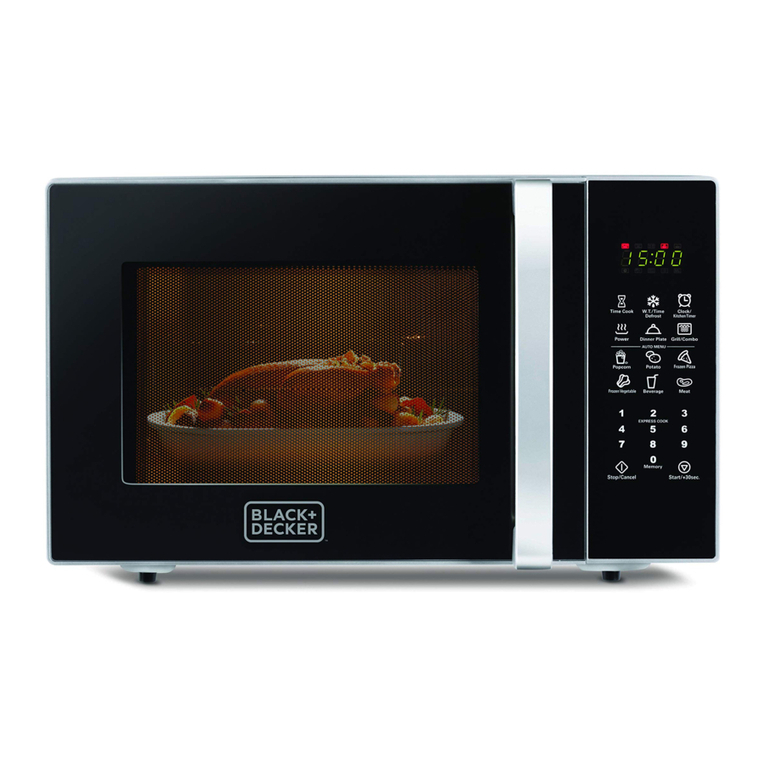
First connection
♦ The rst time connected, beep will sound and LED
screen will show 1:01
♦During Cooking, if press stop/cancel button, the program
will be paused, and then you will have to press start to
resume, but pressing twice stop/cancel button will stop
completely the microwave.
♦In the process of operation, pressing a valid pad will
make a beep, but if you miss to follow the step, the
microwave will do 2 beeps.
Open the door
♦Push the opening button and the door will open auto-
matically.
♦To close, just push the door until it’s fully closed.
Setting the time on the clock
♦Press and hold the timer/clock button (2) for 3 seconds
to select the 12h format. If you want it 24h clock, just
press it again.
♦Press number pads to set the correct time.
♦ Press timer/clock to conrm.
Microwave:
♦Place the food in the appliance and close the door.
♦In standby mode, press the power level selector (7)
repeatedly to select the power level you want to use.
♦Press number pads to set the cooking time. Maximum
time is 99min and 99sec
♦ Press start pad to conrm
Grill Cooking
Grill function is useful for cooking thin slices of meat,
kebabs, sausages or chicken. Also, to gratin dishes.
-In standby mode press the grill button (3) once.
-Press number pads to set cooking time. The longest
time is 99min and 99 sec.
-Press start button to start.
Combined Cooking
This model has 2 combined functions that can help you
cook the best dishes:
-In standby mode, press Combi button (4) once for
C-1 or twice for C-2.
-Press number pads to set cooking time. The longest
time is 99min and 99 sec.
-Press start button to start.
Defrost Cooking
This model has two ways on defrosting food:
Defrost by time
-In standby mode, press the time defrost button (5)
-Press the number pads to select a cooking time. The
longest time is 99 min and 99 sec.
-Press start button (10) to start.
Defrost by weight
-In standby mode, press the weight defrost button (6)
-Press the number pads to select the weight. The
frozen food maximum weight is 2000g.
-Press start button (10) to start.
NOTE: During defrosting process, the system will sound
and pause to remind the user to turn food over, if neces-
sary. After that, pres start button to resume.
Stop the Microwave
♦In order to stop the microwave temporarily, open the
door. Once you close it press the start button to retake
the function.
♦In order to stop it completely, Press the button stop/
cancel two times.
Multi stage cooking
♦This microwave oven can be programmed up to 2
automatic sequences. In order to explain let us show you
an example:
♦Suppose you want to set the following cooking program:
Microwave cooking at 70% power during 10 minutes and
Grill cooking during 5 minutes afterwards.
♦In stand by mode, press the power level 4 times, until
display show P-70.
♦Insert 10 minutes by using the number pad. DO NOT
PRESS START YET.
♦After setting the time, press the grill button.
♦Set the time for the grill, in this case, 5 minutes.
♦Press the start button.
♦NOTE: The microwave will start grilling function after
nishing with the microwave function.
♦NOTE: Time defrost, Weight defrost and auto-cook
menus can’t be set in multistage cooking.
Child lock
♦This appliance has a child lock function to prevent
unsupervised operation of the oven by children.