COMMUNICATIONS ADAPTER PLUS (CAP)
4
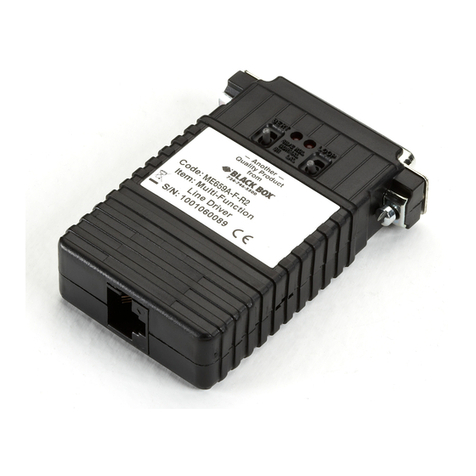
The Communications Adapter Plus (CAP) lets two
incompatible devices that use RS-232 interfaces
communicate with each other. The CAP is
programmed for your application through internal
DIP switches and jumpers. The CAP's 32K of RAM
can be allocated in different amounts for each port.
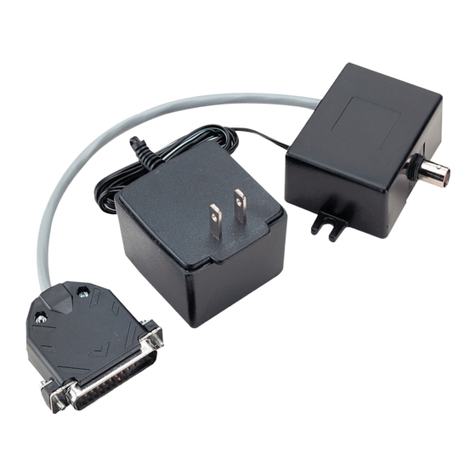
Below is a list of optional equipment you can use to
integrate the CAP into your application. See
Appendix A for the pinouts of the listed cables.
• Card Rack (RM010—CAP)
• Power Supply (PS154)
• Cables:
CAP-to DTE Cable (EHN023)
CAP-to-Modem Cable (EHN024)
CAP-to-AT Cable (EHN025)
Straight 9-Pin Cable (ECN12D*)
CAP-to-PC Cable (EHN026)
*Specify gender and length.
2.1 Conversions Possible with the CAP
The CAP can convert between two devices for any of
the following parameters:
•Word Structure — Defines the structure of the
asynchronous characters transmitted and
received over the RS-232C interface. The CAP's
communication ports can be set individually for
your devices' word structure.
CAP Word Structure Options:
a) 5, 6, 7, or 8 Data Bits
b) Even, Odd, or No Parity Bit (in some cases
Mark and Space)
c) 1, 1.5, or 2 Stop Bits
•Buffer Flow Control — The CAP can provide
the protocol for stopping and starting data
transfer between two devices.
CAP Buffer Flow Control Options:
1. Hardware Flow Control — A pin of the
RS-232 interface in used for buffer flow
control. If the pin being monitored by the
sending device is +12 V, the device can
transmit data. If the pin is -12 V, the device
cannot transmit data. A device attached to
the CAP is asked to stop transmitting when
only 256 bytes of unused space remain in
the buffer. The CAP permits the device
to transmit again when 512 bytes of
unused space remain in the buffer. It
will source DTR (Pin 20) and monitor
CTS (Pin 5).
2. ENQ/ACK Flow Control — Some devices
request permission to transmit a block of
asynchronous data by sending an "ENQ"
control code (05H). The device can
transmit the block only if it receives an
"ACK" control code (06H) in response.
A block may be anywhere from 1 to 256
bytes. If a larger block size is required, you
will have to do custom programming.
NOTE
The CAP will not initiate ENQ for
ENQ/ACK protocol; it only responds
with ACK to an ENQ. In some
applications, custom firmware can be
configured to have CAP initiate ENQ.
3. X-ON/X-OFF Flow Control — The
sending device is allowed to transmit
data until it receives an "X-OFF" control
character (13H). After it receives this
character, it must wait until it receives an
"X-ON" control character (11H) before it
can transmit again. The device attached to
the CAP is asked to stop transmitting when
only 256 bytes of unused space remains in
the CAP's buffer. The CAP permits the
device to transmit again when 512 bytes of
unused space remain in the CAP's buffer.
4. No Flow Control — For those situations in
which a device uses no flow control, the
CAP can be configured to always receive
and transmit data without any protocol.
•Baud Rate — A unit of signaling speed equal to
the number of signal events per second. The
CAP's communication ports' baud rate must be
set to match that of the device attached to that
port.
2 Introduction