manuals.online logo
Brands
  1. Home
  2. •
  3. Brands
  4. •
  5. Blitz
  6. •
  7. Crossover
  8. •
  9. Blitz BZX7 User manual

Blitz BZX7 User manual

Other Blitz Crossover manuals

Blitz BZX6 User manual

Blitz

Blitz BZX6 User manual

Blitz BZX3 User manual

Blitz

Blitz BZX3 User manual

Blitz BZX8 User manual

Blitz

Blitz BZX8 User manual

Blitz BZX4 User manual

Blitz

Blitz BZX4 User manual

Popular Crossover manuals by other brands

DAPAudio DCX-36 MKII manual

DAPAudio

DAPAudio DCX-36 MKII manual

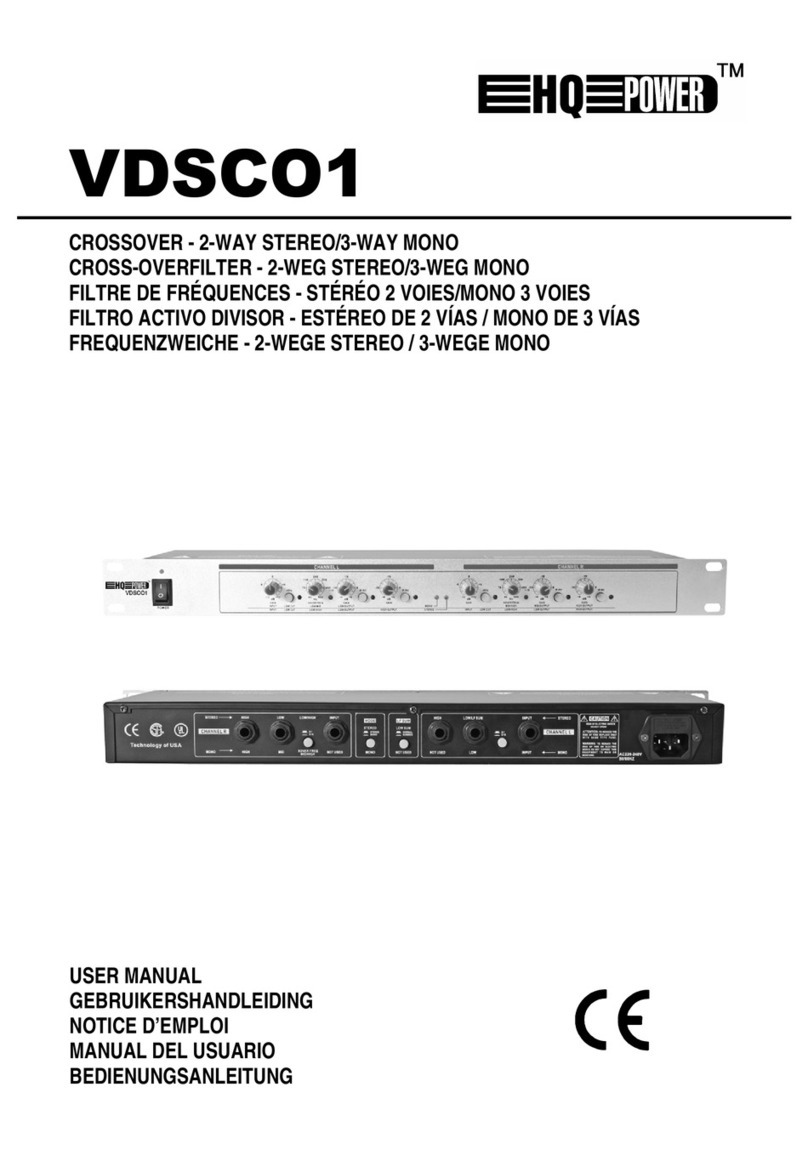
Velleman HQ POWER VDSCO1 user manual

Velleman

Velleman HQ POWER VDSCO1 user manual

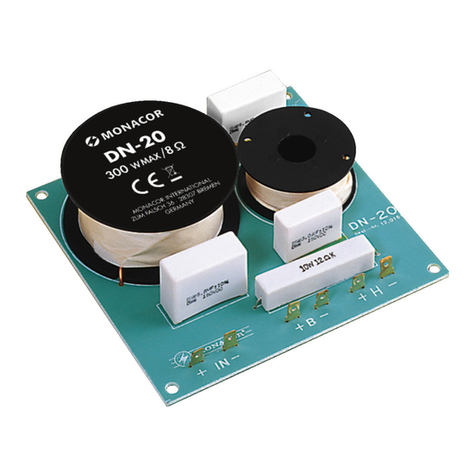
Monacor DN-20 manual

Monacor

Monacor DN-20 manual

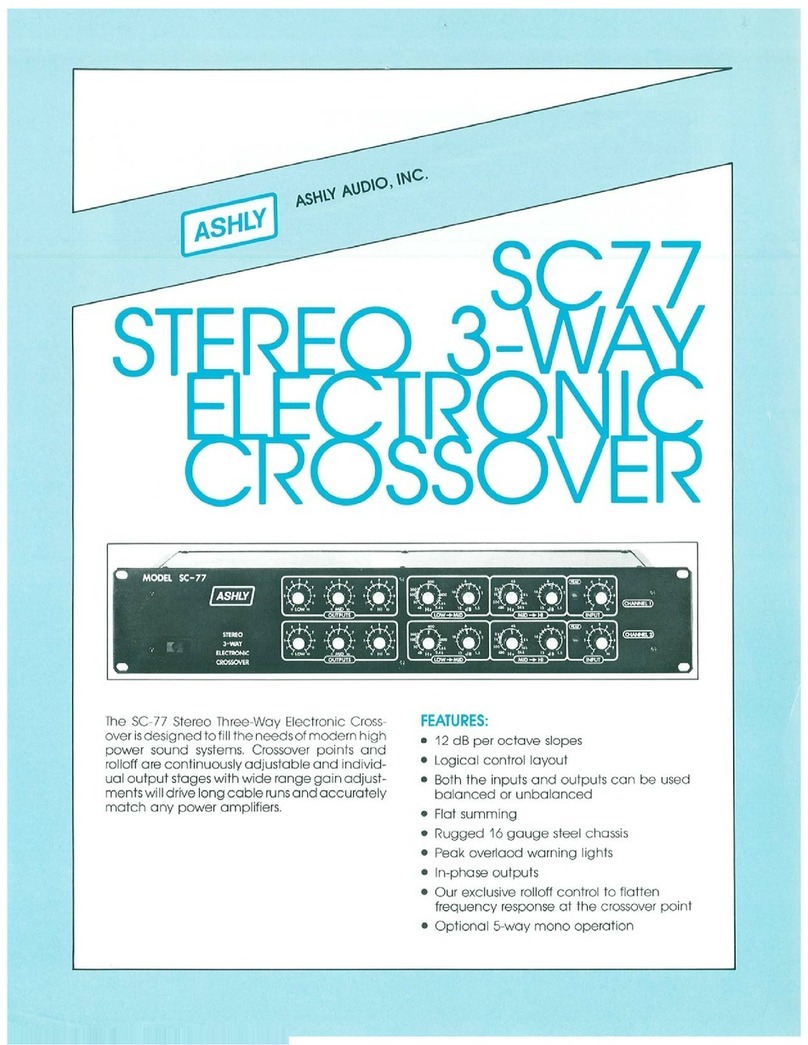
Ashly SC77 product manual

Ashly

Ashly SC77 product manual

Electro-Voice XEQ-2 Specifications

Electro-Voice

Electro-Voice XEQ-2 Specifications

NAIM SNAXO 362BMR owner's manual

NAIM

NAIM SNAXO 362BMR owner's manual

Ranea DC 24 Schematic diagram

Ranea

Ranea DC 24 Schematic diagram

Alto X34 user manual

Alto

Alto X34 user manual

Crown VFX-2 instruction manual

Crown

Crown VFX-2 instruction manual

Soundstream DX-5 owner's manual

Soundstream

Soundstream DX-5 owner's manual

Kenwood KEC-600 instruction manual

Kenwood

Kenwood KEC-600 instruction manual

Lab.gruppen DSP 24B brochure

Lab.gruppen

Lab.gruppen DSP 24B brochure

Kenwood KEC-301 instruction manual

Kenwood

Kenwood KEC-301 instruction manual

QSC XL-1 owner's manual

QSC

QSC XL-1 owner's manual

Rane AC 23B datasheet

Rane

Rane AC 23B datasheet

AudioBahn AX206X operating instructions

AudioBahn

AudioBahn AX206X operating instructions

Zeck Audio CCR24 Service manual

Zeck Audio

Zeck Audio CCR24 Service manual

Peavey VSX user guide

Peavey

Peavey VSX user guide

manuals.online logo
manuals.online logoBrands
  • About & Mission
  • Contact us
  • Privacy Policy
  • Terms and Conditions

Copyright 2025 Manuals.Online. All Rights Reserved.

BZX-7
3-Way Electronic Crossover Network
with Su woofer Level Control
user’s manual
Thank you for purchasing the Blitz High performance Electronic Crossover. Rest assured you have
purchased a quality product designed and engineered to give you many years un-compromised
musical service. The Blitz Electronic Crossover has been designed using the latest in electronic
technology available today.
When you check the list of features offered by the BZX-7, you'll know you made the right choice
with a Blitz Electronic Crossover network.
INTRODUCTION...
general features
precautions
features and specifications
system wiring
mounting and installation
noise check and system adjustment
troubleshooting
2
3
4-5
6
7
8
9
ta le of contents
Chrome Plated Chassis
Clear Acrylic Protective Cover
Green Light Illumination
LED Power On Indicator
Front and Rear Inputs
In Subwoofer)/ Out Crossover/Amp) Selector and Ports
Subwoofer, Mid-Range, and High Pass Outputs with Gain Controls
Slope Rate: 12dB/Octave
Band Pass/ High Pass Selector on Mid-Range
Sub Level and Q. Selector 2-20 Variable) Remote Control
Subwoofer Stereo/Mono Selector
Subwoofer Selectable Phase Shifter
Adjustable Bass Boost and Bass Frequency 25 -250Hz) Controls
Adjustable Frequency Selector,
Low Pass: 40-400Hz, Mid Range: 40-7kHz, High Pass: 40-8kHz
Frequency Multiplier x1, x10) on High Pass Output
2
general features
3
Precautions
To prevent short circuits, be sure to disconnect the negative battery ground lead before wiring the system up.
When you finish the installation, be sure to make one more check to be sure everything is done correctly.
Reinstate all car parts that were removed.
Reconnect the negative battery ground lead.
4
features and specifications
5
features and specifications
Adjustable bass boost
and bass frequency
(25Hz- 25 Hz)
Quality factor
Selectable crossover
frequency
-
Subwoofer (Low Pass)
- Mid high pass
- Mid low pass
- High Pass
Power supply
Input impedance
S/N ratio
Slope Rate
Max output signal level
Channel separation
Distortion
Dimensions
20-2 (Variable
40Hz-400Hz
40Hz-800Hz
2KHz-7KHz
40Hz-8KHz
10-16V DC, negative ground
10K Ohm
more than 85dB
12dB/Octave
7.0V RMS
60dB
less than 0.05%
1.8"H x 9.3"W x 6.4"D
1. INPUT LEVEL CONTROL
2. SUBWOOFER FREQUENCY CONTROL
3. BASS BOOST FREQUENCY LEVEL
CONTROLS
4. MID RANGE / HIGH PASS FREQUENCY
SELECTOR
5. MID RANGE / LOW PASS FREQUENCY
SELECTOR
6. HIGH PASS FREQUENCY SELECTOR
7. HIGH PASS / BAND PASS SELECTOR
8. FREQUENCY MULTIPLIER
9. IN / OUT SWITCH
1 . SUBWOOFER SELECTABLE PHASE
SHIFTER
11. SUBWOOFER STEREO/MONO SELECTOR
12. SUBWOOFER GAIN CONTROL
13. MID RANGE GAIN CONTROL
14. HIGH PASS GAIN CONTROL
15. REAR CHANNEL INPUT PORT
16. FRONT CHANNEL INPUT PORT
17. IN / OUT PORT
18. SUBWOOFER OUTPUT PORT
19. MID RANGE OUTPUT PORT
2 . HIGH PASS OUTPUT PORT
21. POWER TERMINALS
22. LED POWER ON INDICATOR
Turning this control to adjust the input sensitivity of the set to match the radio's output.
For selection of the Low-pass crossover frequency for the subwoofer channel between 40Hz and
400Hz.
For increasing the bass boost level up to +12dB from 25Hz to 250Hz.
By turning the selector you can choose a high pass crossover point for the mid output between
40Hz-800Hz
By turning the selector you can choose a low pass crossover point for the mid output between
2-7KHz
This adjustment only applies when switch number 7 is placed on BAND PASS.
By turning the selector you can choose the high-pass crossover points from 40Hz-8kHz.
Positioning this switch is at high pass mode, the low pass filter cannot be used.
Positioning this switch at the"10" changes crossover points from 40Hz-800Hz to 400Hz-8kHz for
high frequency high channel drivers.
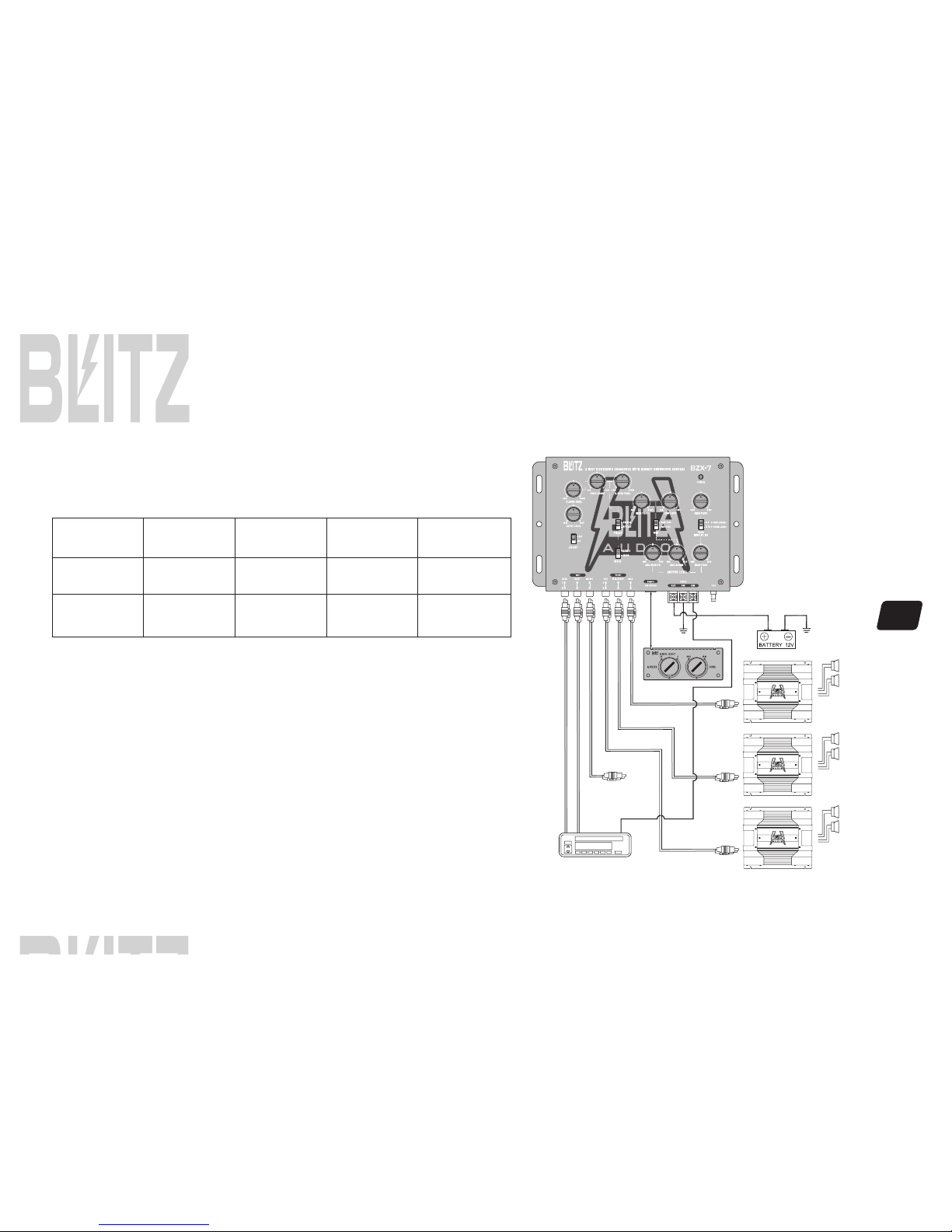
See page 6 (signal connection diagram
Allows you to change the phase of your subwoofer 0 or 180 degrees to help compensate for timing
differences between drivers.
For selection of stereo or mono mode subwoofer output.
For adjusting the subwoofer channel output signal level.
For adjusting the mid range channel output signal level.
For adjusting the high pass channel output signal level.
To be connected to the rear channel outputs of the source unit.
To be connected to the front channel outputs of the source unit.
You can use this connection if you have a third pre-amp audio source for the subwoofer in or
connect two or more BZX-7 modules out to create a system with an unlimited number of amplifiers.
To be connected to the subwoofer channel amplifier left/right inputs.
To be connected to the rear channel amplifier input.
To be connected to the front channel amplifier left/right inputs.
Use these connectors to deliver power, ground and remote turn-on control to the unit.
The LED indicator lights up when the internal switching power supply is activated and the unit
is operational.
REMOTE CONTROL UNIT
1 SUBWOOFER LEVEL CONTROL
This control sets the subwoofer level control.
2 Q SELECT
This control will narrow or widen the boost frequency bandwidth (Q=factor being
sent to the amplifier for each band from Q=20(Narrow bandwidth, steep slope to
Q=2 (Wide bandwidth, gentle slopes .

6
System wiring
IN/OUT SIGNAL CONNECTION DIAGRAM
IN/OUT SWITCH
SWITCH
POSITION
IN
OUT
VIA INPUT
SOURCE
FRONT
REAR
FRONT
REAR
OUTPUT
SUBWOOFER
ON
ON
ON
ON
MID
ON
OFF
OFF
ON
HIGH
ON
OFF
OFF
ON
TWEETER
SUBWOOFER
MID-RANGE
7
Mounting and installation
Your new Blitz Series crossover comes complete with all required mounting
hardware.
Mark the location for the mounting screw holes by positioning the crossover
where you wish to install it and use a scribe (or one of the mounting screws
inserted in each of the mounting holes to mark the mounting surface. If the
mounting surface is carpeted, measure the hole centers and mark with a felt
tip pen.
Before attempting to drill the mounting holes, take note of any wires, lines or
other devices in your vehicle which may be located behind the mounting surface!
Then drill pilot in the mounting surface for the mounting screws and insert
then. Tighten the screws securely.
BTS-1 4øx12N x 4
SW 4ø(B) x 4
PW 4ø(B) x 4
8
Noise check and system adjustment
NOISE CHECK
Check the entire audio system for noise before permanently securing the CROSSOVER mounting
1. Start the engine.
2. Turn the audio system on.
3. Rev the engine and vary the VOLUME of the audio system to determine if there is any unwanted noise.
If so, turn both the audio system and the engine off. Do not secure the CROSSOVER mounting screws. Refer to the "Trouble Shooting Guide" at this
manual.
4. If the audio system does not have any noise, securely tighten the CROSSOVER mounting screw and double check the wiring cables for safe placement.
SYSTEM ADJUSTMENT
Preliminary Adjustments
Pre-setting the system provides a necessary starting point for fine-tuning the entire audio system to maximum performance.
NOTE: DO NOT MOUNT CROSSOVER UNTIL THE FOLLOWING PROCEDURES HAVE BEEN COMPLETED.
1. Preset each amplifier input gain adjustment at the amplifier to half of maximum.
2. Before turning the audio system on, preset-adjust the front, rear and sub-woofer output level controls, as well as the front channel high-pass and sub-
woofer channel low-pass crossover points.
3. Slowly turn the volume up and listen carefully for: obvious trouble in sound (distortion, no sound, no hiss, total silence . Turn the system off refer to
"Trouble Shooting Guide" at this manual.
Caut on
DO NOT ROUTE AUDIO CABLES AND POWER CABLES TOGETHER! THIS CAN CAUSE ENGINE NOISE IN YOUR AUDIO SYSTEM.
ALWAYS DISCONNECT THE SYSTEM FROM THE BATTERY BEFORE ATTEMPTING TO MAKE OR ALTER ANY CONNECTIONS. THIS
PRODUCT IS DESIRED FOR USE IN ANY 12 VOLTS NEGATIVE GROUND ELECTRICAL SYSTEM ONLY. INSTALLING THIS PRODUCT
IN ANY POSITIVE GROUND ELECTRICAL SYSTEM COULD SERIOUSLY DAMAGE THE AUDIO SYSTEM.