SPECIFICATIONS
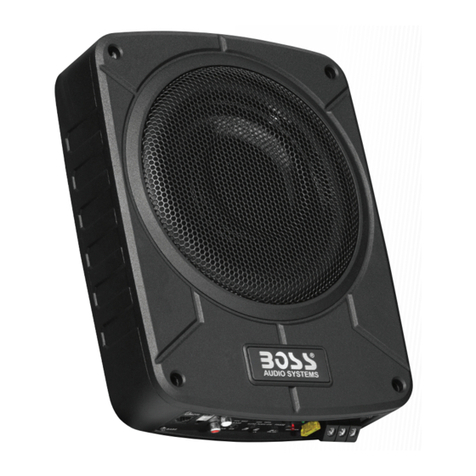
Amplifier Power: SBP10AMP (700W MAX OUTPUT)
SBP12AMP (800W MAX OUTPUT)
Frequency Response: 20Hz to 200Hz
Fuse: 15A
Max. Current Draw: 15A
Idle Current Draw: < 500mA
Crossover Frequency: 50Hz to 200Hz
Crossover Slope: 12dB per octave
Bass Boost: 0dB to 18dB @ 45Hz
Dimensions (SBP10AMP):
16-1/16” x 18-1/4” x11-1/2”
(L x W x H)
Dimensions (SBP12AMP):
14-1/4” x 16-1/4” x10-7/8”
(L x W x H)
Input Sensitivity: 100mV to 2V
Line-level input
0.4V to 8V
High-level input
1
POWER CONNECTIONS
Connect power to SBP10AMP / SBP12AMP, as shown in Figure 1. Also observe
these installation tips:
Use at least #10 AWG wire for the +BATT (+12Vdc) and GND (ground) connections.
lf needed, use at least a #20 AWG wire for the REM (remote) connection.
Route all power wires through a grommet in the vehicle’s firewall. lf a factory
grommet is unavailable, install one.
Connect a short GND wire from SBP10AMP / SBP12AMP to the nearest bare metal
surface. For a good connection, scrape away paint from the metal surface and
use a screw with a lock (star) washer.
Install a fuse holder with a 15A fuse within 18” of the battery’s positive (+) terminal
(see Figure 1).
Figure 1. Power connections for SBP10AMP / SBP12AMP.
The REM connection requires +5 to +12 Vdc signal to turn on SBP10AMP /
SBP12AMP. Most head units with preamp outputs provide this remote voltage signal.
2
LINE INPUT PHASE
-0
-180
HIGH
REM GND +12V
LEVEL
FREQ
50 200Hz
BASS
GAIN
INPUT
FUSE 15A
0 18dB
MIN MAX
SBP10AMP
SBP12AMP
Fuse 15A
Source Unit
Remote
Turn -On
Battery
(Control Panel)
Chassis Ground
(Bare Metal)
Figure 1
APPLICATIONS
SBP10AMP / SBP12AMP is equipped with two line-level (RCA) inputs and two
speaker-level inputs.
Figure 2. SBP10AMP / SBP12AMP audio connections for a head unit with two
line-level or subwoofer (RCA) outputs.
To help you plan your installation, we have included two system applications in
Figures 2 and 3 on pages 3 and 4. For more system ideas, see your authorized
BOSS car audio dealer.
3
LINE INPUT PHASE
-0
-180
HIGH
REM GND +12V
LEVEL
FREQ
50 200Hz
BASS
GAIN
INPUT
FUSE 15A
0 18dB
MIN MAX
LINE INPUT PHASE
-0
-180
HIGH
REM GND +12V
LEVEL
FREQ
50 200Hz
BASS
GAIN
INPUT
FUSE 15A
0 18dB
MIN MAX
Subwoofer or
Line-Level
Outputs
(on Source Unit) LF speaker
LR speaker
RF speaker
RR speaker
Source Unit
RCA Stereo Cables
(not supplied)
Figure 2
APPLICATIONS (CONTINUED)
Figure 3. SBP10AMP / SBP12AMP audio connections for a head unit equipped with
two speaker-level outputs.
4
LINE INPUT PHASE
-0
-180
HIGH
REM GND +12V
LEVEL
FREQ
50 200Hz
BASS
GAIN
INPUT
FUSE 15A
0 18 dB
MIN MAX
LINE INPUT PHASE
-0
-180
HIGH
REM GND +12V
LEVEL
FREQ
50 200Hz
BASS
GAIN
INPUT
FUSE 15A
0 18 dB
MIN MAX
Speaker Wires
+
L Speaker R Speaker
Source Unit
-
- +
(spliced)
Figure 3
CONTROLS AND FUNCTIONS
SBP10AMP / SBP12AMP provides
several controls and indicators that
simplify sonic integration with virtually any
vehicle’s unique acoustic properties. They
are located on the top control panel, as
shown in Figure 4.
PHASE Control: Use this switch to
reverse the phase of SBP10AMP//
SBP12AMP’s output with respect to its
input. Choose the position (0 or 180 )
that sounds the best.
NOTE: Depending on SBP10AMP /
SBP12AMP’s orientation and location in
a vehicle, reversing the phase may (or may
not) increase or decrease the amount
of perceived upper bass being reproduced.
POWER LED: This indicator will glow
when SBP10AMP / SBP12AMP is
operational.
GAIN Control: Use this control to adjust
the relative volume (loudness) of
SBP10AMP / SBP12AMP with respect
to the other speakers in the vehicle.
CROSSOVER: Use this control to adjust
the amount of high-frequency information
present in SBP10AMP / SBP12AMP’s
output. A lower value means more of the
high frequencies are filtered out.
BASS BOOST: Use this control to correct
any perceived peak or dip in the bass
response (typically around 40Hz in most
vehicles). set the control to any value
between 0dB and 18dB, according to
your preference.
5
LINE INPUT PHASE
-0
-180
HIGH
REM GND +12V
LEVEL
FREQ
50 200 Hz
BASS
GAIN
INPUT
FUSE 15A
0 18 dB
MIN MAX
Figure 4
TROUBLESHOOTING
PROBLEM:
POWER LED is not lit.
PROBLEM:
POWER LED is lit but there is no
bass.
CAUSES and SOLUTIONS:
1. Fuse is blown and needs replacement.
2. Head unit is not functioning properly.
Check remote voltage, and power,
ground or remote connections.
CAUSES and SOLUTIONS:
1. Inputs are not connected. Check
connections.
2. Head-unit fader control is not set
properly. Adjust head-unit fader control
to feed audio signals to SBP10AMP /
SBP12AMP.
PROBLEM:
SBP10AMP / SBP12AMP sounds
muddy or distorted.
CAUSES and SOLUTIONS:
1. Gain is set too high. Readjust GAIN
control (see Tuning SBP10AMP /
SBP12AMP on page 6).
2. Bass is set too high, Readjust BASS
BOOST control (see Tuning
SBP10AMP / SBP12AMP on page 6).
3. Head-unit output is distorted or blown.
see your authorized BOSS car audio
dealer.
7
PROBLEM:
No output from SBP10AMP /
SBP12AMP when head-unit fader
control is set to front or rear.
CAUSE and SOLUTION:
Input connections are improperly wired.
Verify all connections (see Applications,
starting on page 3 & 4 ).
PROBLEM:
SBP10AMP / SBP12AMP turns on
before head unit is completely on
and produces a “thump” sound.
CAUSE and SOLUTION:
For speaker-level connections,
SBP10AMP / SBP12AMP is receiving
a false turn-on signal. On SBP10AMP /
SBP12AMP’s top panel, use the
Remote (REM) connection.
PROBLEM:
SBP10AMP / SBP12AMP’s POWER
LED remains on after head unit is
turned off.
CAUSE and SOLUTION:
For speaker-level connections, this is
normal operation. SBP10AMP /
SBP12AMP will remain on another 5 to
10 minutes after sensing that audio signals
are not present before shutting down.
SBP10AMP
SBP12AMP
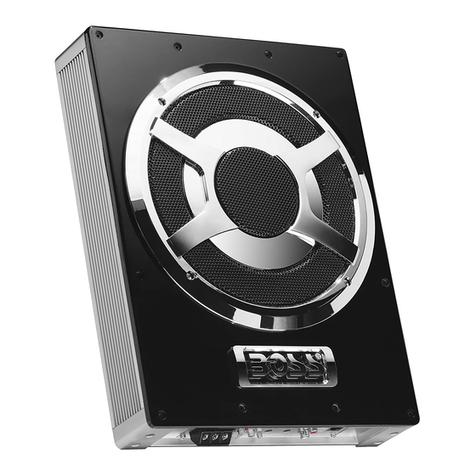
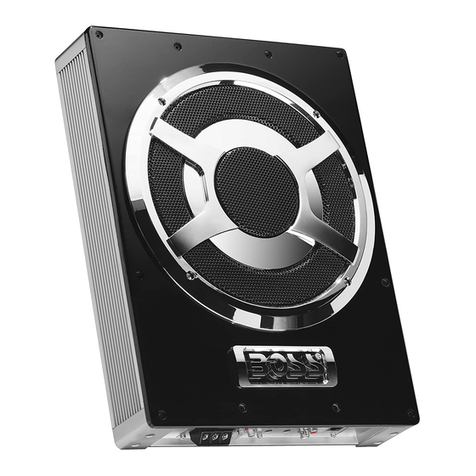
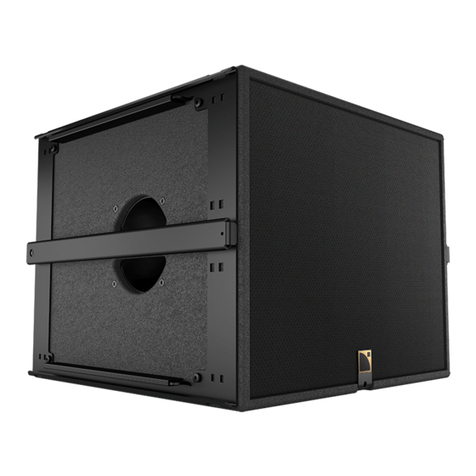
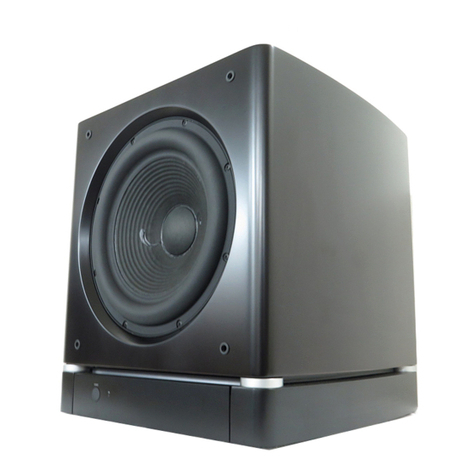
BANDPASS AMPLIFIED ENCLOSURE
HIGH POWER HANDLING
TUNING SBP10AMP / SBP12AMP
1. Make sure the head unit is off and its
volume control is set to minimum.
8. Adjust the BASS-BOOST control
clockwise or counterclockwise to suit
your taste.
NOTE: In most cases, the above steps
will provide satisfactory tuning.
However, the actual process
may require several readjustments
of each control, since the
settings will interact with each
other.
6. Switch the PHASE control to 180 and
listen again for upper bass content.
There may be more upper bass, less
upper bass, or no change at all. The
position that provides the most upper
bass is correct, but choose either setting
according to your taste.
2. On SBP10AMP / SBP12AMP’s top
panel, initially set all controls to their
midpoint positions, as shown in Figure 5.
On SBP10AMP / SBP12AMP top
panel, initially set PHASE to 0.
3. Turn on the head unit and play a favorite
music track that has substantial
bass. set the head unit’s volume control
to 75 percent of the total output
(approximately 3 o’
clock on rotary controls).
4. Adjust the GAIN control clockwise until
distortion is heard and turn it back a little.
7. Adjust the CROSSOVER control clockwise
or counterclockwise until you hear only
low frequency information. For example,
you should NOT hear any vocals coming
from when seated in the normal listening
position.
5. Listen to your system, making a mental
note of the amount of upper bass being
reproduced.
6
LINE INPUT PHASE
-0
-180
HIGH
REM GND +12V
LEVEL
FREQ
50 200 Hz
BASS
GAIN
INPUT
FUSE 15A
0 18 dB
MIN MAX
Figure 5