manuals.online logo
Brands
  1. Home
  2. •
  3. Brands
  4. •
  5. Broadcast Electronics
  6. •
  7. Transmitter
  8. •
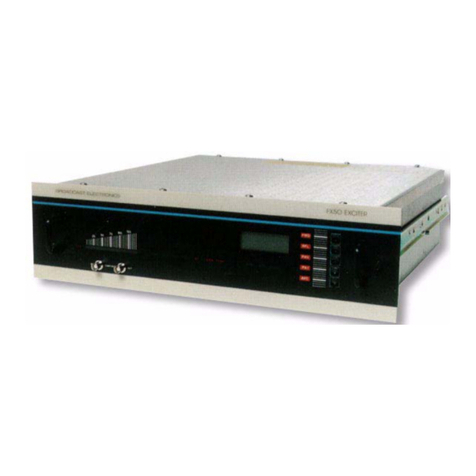
  9. Broadcast Electronics FM-10T User manual

Broadcast Electronics FM-10T User manual

This manual suits for next models

1

Other Broadcast Electronics Transmitter manuals

Broadcast Electronics AM-6A User manual

Broadcast Electronics

Broadcast Electronics AM-6A User manual

Broadcast Electronics AM-500A 500 WATT User manual

Broadcast Electronics

Broadcast Electronics AM-500A 500 WATT User manual

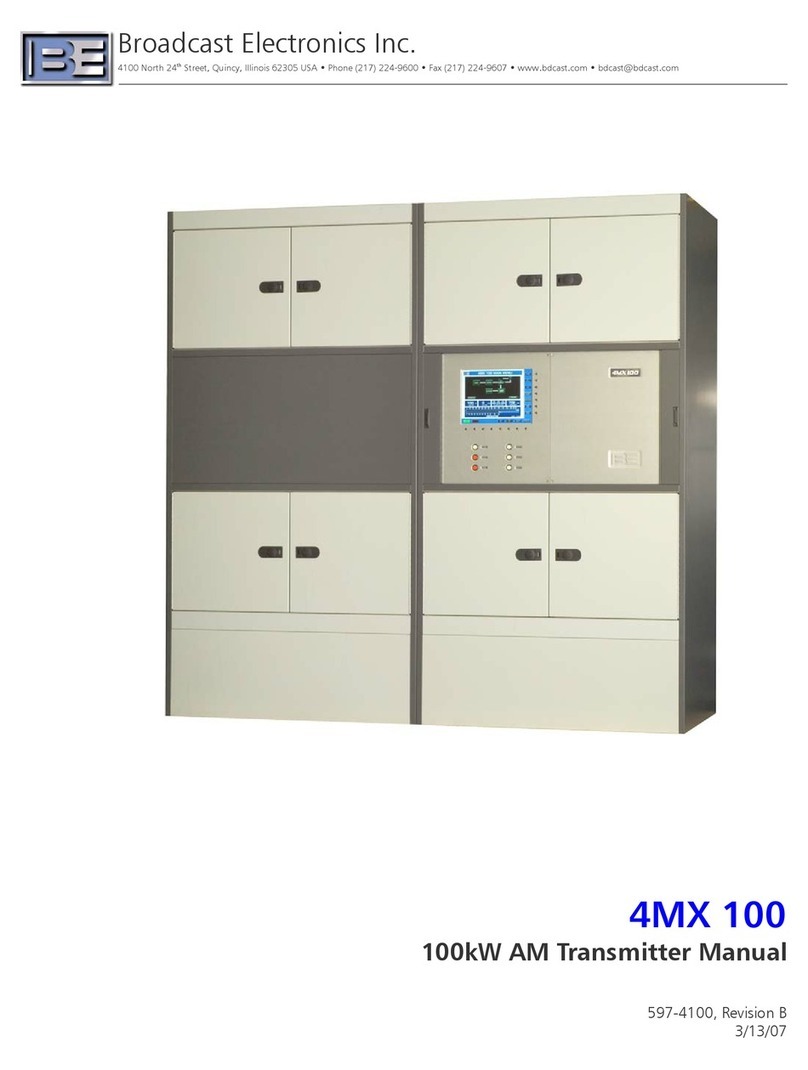
Broadcast Electronics 4MX 100 User manual

Broadcast Electronics

Broadcast Electronics 4MX 100 User manual

Broadcast Electronics AM-2.5E User manual

Broadcast Electronics

Broadcast Electronics AM-2.5E User manual

Broadcast Electronics PNP 1000 User manual

Broadcast Electronics

Broadcast Electronics PNP 1000 User manual

Broadcast Electronics FM-5T User manual

Broadcast Electronics

Broadcast Electronics FM-5T User manual

Broadcast Electronics AM-500A User manual

Broadcast Electronics

Broadcast Electronics AM-500A User manual

Broadcast Electronics FX-50 User manual

Broadcast Electronics

Broadcast Electronics FX-50 User manual

Broadcast Electronics STXe Series User manual

Broadcast Electronics

Broadcast Electronics STXe Series User manual

Popular Transmitter manuals by other brands

Seneca K120RTD installation manual

Seneca

Seneca K120RTD installation manual

Nautel GV40 installation manual

Nautel

Nautel GV40 installation manual

HumanTechnik cm-light operating instructions

HumanTechnik

HumanTechnik cm-light operating instructions

INOR APAQ C130 TC User instructions

INOR

INOR APAQ C130 TC User instructions

Linear DXS-64 operating instructions

Linear

Linear DXS-64 operating instructions

FeinTech ABT00102 instruction manual

FeinTech

FeinTech ABT00102 instruction manual

Geo Web Pack quick start guide

Geo

Geo Web Pack quick start guide

Inovonics EchoStream EN1210W installation instructions

Inovonics

Inovonics EchoStream EN1210W installation instructions

IKONNIK KA-6 quick start guide

IKONNIK

IKONNIK KA-6 quick start guide

Rohde & Schwarz SR8000 Series System manual

Rohde & Schwarz

Rohde & Schwarz SR8000 Series System manual

Audio Technica UniPak ATW-T93 Installation and operation

Audio Technica

Audio Technica UniPak ATW-T93 Installation and operation

NIVELCO EasyTREK SCA-300 Series Programming manual

NIVELCO

NIVELCO EasyTREK SCA-300 Series Programming manual

Honeywell 5816WMBR installation instructions

Honeywell

Honeywell 5816WMBR installation instructions

Kamstrup READy MTU Installation and operation guide

Kamstrup

Kamstrup READy MTU Installation and operation guide

Omega ZW Series user guide

Omega

Omega ZW Series user guide

ABB Field 264H Instructions for installation

ABB

ABB Field 264H Instructions for installation

Dejero EnGo 3x manual

Dejero

Dejero EnGo 3x manual

Rosemount 4600 Reference manual

Rosemount

Rosemount 4600 Reference manual

manuals.online logo
manuals.online logoBrands
  • About & Mission
  • Contact us
  • Privacy Policy
  • Terms and Conditions

Copyright 2025 Manuals.Online. All Rights Reserved.

FM–10T
FM–10TS
10 KILOWATT
FM TRANSMITTERS
November, 1998 IM No. 597–0098–014
IMPORTANT INFORMATION
EQUIPMENT LOST OR DAMAGED IN TRANSIT.
When delivering the equipment to you, the truck driver or carrier’s agent will present a receipt for your signature.
Do not sign it until you have: 1) inspected the containers for visible signs of damage and 2) counted the containers
and compared with the amount shown on the shipping papers. If a shortage or evidence of damage is noted, insist
that notation to that effect be made on the shipping papers before you sign them.
Further, after receiving the equipment, unpack it and inspect thoroughly for concealed damage. If concealed dam-
age is discovered, immediately notify the carrier, confirming the notification in writing, and secure an inspection re-
port. This item should be unpacked and inspected for damage WITHIN 15 DAYS after receipt. Claims for loss or
damage will not be honored without proper notification of inspection by the carrier.
RF PRODUCT TECHNICAL ASSISTANCE – REPAIR SERVICE – REPLACEMENT PARTS.
Technical assistance is available from Broadcast Electronics by letter, prepaid telephone, fax, or E–mail. Equip-
ment requiring repair or overhaul should be sent by common carrier, prepaid, insured, and well protected. If proper
shipping materials are not available, contact the Customer Service Department for a shipping container. Do not the
mail equipment. We can assume no liability for inbound damage, and necessary repairs become the obligation of
the shipper. Prior arrangement is necessary. Contact the Customer Service Department for a Return Authoriza-
tion.
Emergency and warranty replacement parts may be ordered from the following address. Be sure to include the
equipment model number, serial number, part description, and part number. Non–emergency replacement parts
may be ordered directly from the Broadcast Electronics stock room by fax at the number shown below.
FACILITY CONTACTS –
Broadcast Electronics, Inc. – Quincy Facility
4100 N. 24th St. P.O. BOX 3606
Quincy, Illinois 62305
Telephone: (217) 224–9600
Fax: (217) 224–9607
E–Mail: General – [email protected]
Web Site: www.bdcast.com
RF PRODUCT TECHNICAL ASSISTANCE – REPAIR – EMERGENCY/WARRANTY REPLACEMENT PARTS –
Telephone: (217) 224–9600
E–Mail: [email protected]
Fax: (217) 224–9607
NON–EMERGENCY REPLACEMENT PARTS –
Fax: (217) 224–9609
RETURN, REPAIR, AND EXCHANGES.
Do not return any merchandise without our written approval and Return Authorization. We will provide special ship-
ping instructions and a code number that will assure proper handling and prompt issuance of credit. Please furnish
complete details as to circumstances and reasons when requesting return of merchandise. All returned merchan-
dise must be sent freight prepaid and properly insured by the customer.
WARRANTY ADJUSTMENT.
Broadcast Electronics, Inc. warranty is included in the Terms and Conditions of Sale. In the event of a warranty
claim, replacement or repair parts will be supplied F.O.B. factory. At the discretion of Broadcast Electronics, the
customer may be required to return the defective part or equipment to Broadcast Electronics, Inc. F.O.B. Quincy,
Illinois. Warranty replacements of defective merchandise will be billed to your account. This billing will be cleared
by a credit issued upon return of the defective item.
PROPRIETARY NOTICE.
This document contains proprietary data of Broadcast Electronics, Inc. No disclosure, reproduction, or use of any
part thereof may be made except by prior written permission.
MODIFICATIONS.
Broadcast Electronics, Inc. reserves the right to modify the design and specifications of the equipment in this manu-
al without notice. Any modifications shall not adversely affect performance of the equipment so modified.
WARNING
OPERATING HAZARDS
READ THIS SHEET AND OBSERVE ALL SAFETY PRECAUTIONS
ALL PERSONS WHO WORK WITH OR ARE EXPOSED TO POWER TUBES, POWER TRANSISTORS, OR EQUIP-
MENT WHICH UTILIZES SUCH DEVICES MUST TAKE PRECAUTIONS TO PROTECT THEMSELVES AGAINST
POSSIBLE SERIOUS BODILY INJURY. EXERCISE EXTREME CARE AROUND SUCH PRODUCTS. UNIN-
FORMED OR CARELESS OPERATION OF THESE DEVICES CAN RESULT IN POOR PERFORMANCE, DAMAGE
TO THE DEVICE OR PROPERTY, SERIOUS BODILY INJURY, AND POSSIBLY DEATH.
DANGEROUS HAZARDS EXIST IN THE OPERATION OF POWER TUBES AND POWER TRANSISTORS
The operation of power tubes and power transistors involves one or more of the following hazards, any one of which,
in the absence of safe operating practices and precautions, could result in serious harm to personnel.
A. HIGH VOLTAGE – Normal operating voltages can be deadly. Additional information follows.
B. RF RADIATION – Exposure to RF radiation may cause serious bodily injury possibly resulting in
blindness or death. Cardiac pacemakers may be affected. Additional information follows.
C. BERYLLIUM – OXIDE POISONING – Dust or fumes from BeO ceramics used as thermal links with
conduction cooled power tubes and power transistors are highly toxic and can cause serious injury or
death. Additional information follows.
D. HOT SURFACES – Surfaces of air–cooled radiators and other parts of tubes can reach temperatures of
several hundred degrees centigrade and cause serious burns if touched. Additional information follows.
E. RF BURNS – Circuit boards with RF power transistors contain high RF potentials. Do not operate an RF
power module with the cover removed.
HIGH VOLTAGE
Many power tubes operate at voltages high enough to kill through electrocution. Personnel should always break the
primary circuits of the power supply and discharge high voltage capacitors when direct access to the tube is required.
RADIO FREQUENCY RADIATION
Exposure of personnel to RF radiation should be minimized, personnel should not be permitted in the vicinity of open
energized RF generating circuits, or RF transmission systems (waveguides, cables, connectors, etc.), or energized
antennas. It is generally accepted that exposure to “high levels” of radiation can result in severe bodily injury includ-
ing blindness. Cardiac pacemakers may be affected.
The effect of prolonged exposure to “low level” RF radiation continues to be a subject of investigation and controver-
sy. It is generally agreed that prolonged exposure of personnel to RF radiation should be limited to an absolute mini-
mum. It is also generally agreed that exposure should be reduced in working areas where personnel heat load is
above normal. A 10 mW/cm2per one tenth hour average level has been adopted by several U.S. Government agen-
cies including the Occupational Safety and Health Administration (OSHA) as the standard protection guide for em-
ployee work environments. An even stricter standard is recommended by the American National Standards Institute
which recommends a 1.0 mW/cm2per one tenth hour average level exposure between 30 Hz and 300 mHz as the
standard employee protection guide (ANSI C95.1–1982).
RF energy must be contained properly by shielding and transmission lines. All input and output RF connections, such
as cables, flanges and gaskets must be RF leakproof. Never operate a power tube without a properly matched RF
energy absorbing load attached. Never look into or expose any part of the body to an antenna or open RF generating
tube or circuit or RF transmission system while energized. Monitor the tube and RF system for RF radiation leakage
at regular intervals and after servicing.
DANGER –– BERYLLIUM OXIDE CERAMICS (BeO) – AVOID BREATHING DUST OR FUMES
BeO ceramic material is used as a thermal link to carry heat from a tube or transistor to the heat sink. Do not perform
any operation on any BeO ceramic which might produce dust or fumes, such as grinding, grit blasting, or acid clean-
ing. Beryllium oxide dust or fumes are highly toxic and breathing them can result in serious personal injury or death.
BeO ceramics must be disposed of only in a manner prescribed by the device manufacturer.
HOT SURFACES
The anode portion of power tubes is often air–cooled or conduction–cooled. The air–cooled external surface normally
operates at a high temperature (up to 200°to 300°C). Other portions of the tube may also reach high temperatures,
especially the cathode insulator and the cathode/heater surfaces. All hot surfaces may remain hot for an extended
time after the tube is shut off. To prevent serious burns, take care to prevent and avoid any bodily contact with these
surfaces both during and for a reasonable cooling down period after tube operation.

-1 -
PUBLICATION ADDENDUM
SPECIAL ASSEMBLY REQUIREMENTS
FM-10T/FM-10TS TRANSMITTER
1-1. INTRODUCTION.
1-2. Due to special shipping requirements, selected components of the Broadcast Electronics
FM-10T/FM-10TS transmitter have been disassembled to prevent damage during ship
ment. This publication addendum provides information required for the re-assembly of
the transmitter IN ADDITION TO the information provided in SECTION II, INSTALLA
TION. Perform the following assembly instructions before proceeding to the procedures
described in this manual.
1-3. SPECIAL ASSEMBLY.
1-4. GENERAL. Components removed from the transmitter for shipment contain identification
tags to permit reinstallation. Items such as interconnecting wires, cables, and miscellane
ous small parts are taped or tied in for shipment. Remove all tape, string, and packing ma
terial used for shipping purposes as each item is installed.
1-5. Terminal blocks and wires contain identification tags with information regarding reconnec
tion. Mounting hardware will be placed in small bags attached to each removed compo
nent or inserted in the component mounting holes.
WARNING
WARNING
ENSURE NO PRIMARY POWER IS CONNECTED TO
THE TRANSMITTER BEFORE PROCEEDING.
1-6. FM-10T HIGH VOLTAGE POWER SUPPLY CABINET. Install components removed from
the FM-10T high voltage power supply cabinet by performing the following procedures.
Ensure no primary power is connected to the transmitter before attempting any component
installation.
1-7. 220V AC Power Supply Operation. For 220V ac power supply transmitters, refer to Fig
ure 1 and install the components in the power supply cabinet by performing the following
procedures.
1-8. Install the plate choke as follows:
A. Place the plate choke in the proper position on the power supply cabinet
base-plate.
B. Connect wires 540, 546, and 565 to the plate choke as shown.
1-9. Install the plate transformer as follows:
A. Place the plate transformer in the proper position on the power
supply cabinet base-plate.
-2-
COPYRIGHT 1997 BROADCAST ELECTRONICS, INC
597-0098-411
FIGURE 1. FM-10T POWER SUPPLY BASE-PLATE INSTALLATION, 220V POWER SOURCE
-3 -
WARNING
WARNING
ENSURE THE GROUND STRAP ON THE PLATE
TRANSFORMER IS PROPERLY INSTALLED.
B. Mount the plate transformer to the base-plate as shown. Ensure the
ground strap is properly installed on the transformer mounting bracket.
C. Connect wires 505 through 507 to the plate transformer primary as shown.
D. Connect wires 541 through 543 to the plate transformer secondary as shown.
1-10. Remove the jumper wires between the terminals on plate supply capacitors C5 and C18.
1-11. 380V AC Power Supply Operation. For 380V ac power supply transmitters, refer to Fig
ure 2 and install the components in the power supply cabinet by performing the following
procedures.
1-12. Install the plate choke as follows:
A. Place the plate choke in the proper position on the power supply
cabinet base-plate.
B. Connect wires 540, 546, and 565 to the plate choke as shown.
1-13. Install the plate transformer as follows:
A. Place the plate transformer in the proper position on the power
supply cabinet base-plate.
WARNING
WARNING
ENSURE THE GROUND STRAP ON THE PLATE
TRANSFORMER IS PROPERLY INSTALLED.
B. Mount the plate transformer to the base-plate as shown. Ensure the
ground strap is properly installed on the transformer mounting bracket.
C. Connect wires 505, 506, 507, and 580 to the plate transformer primary
as shown.
D. Connect wires 541, 542, 543, and 578 to the plate transformer
secondary as shown.
1-14. Remove the jumper wires between the terminals on plate supply capacitors C5 and C18.
WARNING
WARNING
ENSURE NO PRIMARY POWER IS CONNECTED TO
THE TRANSMITTER BEFORE PROCEEDING.
1-15. FM-10TS HIGH VOLTAGE POWER SUPPLY CABINET. Install components removed from
the FM-10TS high voltage power supply cabinet by performing the following procedures.
Ensure no primary power is connected to the transmitter before attempting any component
installation.
-4-
COPYRIGHT 1990 BROADCAST ELECTRONICS, INC
597-0098-100
FIGURE 2. POWER SUPPLY BASE-PLATE INSTALLATION, 380V POWER SOURCE
-5 -
1-16. Plate Supply Chokes. Refer to Figure 3 and install the plate chokes as follows:
A. Place plate supply chokes L2 and L3 in the proper position on the power supply
cabinet base-plate.
B. Connect wires 584, 546, and 565 to L2 as shown.
C. Connect wires 543, 580, 583, and 582 to L3 as shown.
FIGURE 3. FM-10TS POWER SUPPLY BASE-PLATE INSTALLATION
597-0098-32
COPYRIGHT 1990 BROADCAST ELECTRONICS, INC
1-17. Plate Supply Transformer. Refer to Figure 3 and install the plate transformer as follows:
A. Place the plate transformer in the proper position on the power supply cabinet
base-plate.
WARNING
WARNING
ENSURE THE GROUND STRAP ON THE PLATE
TRANSFORMER IS PROPERLY INSTALLED.
B. Mount the plate transformer to the base-plate as shown. Ensure the
ground strap is properly installed on the transformer mounting bracket.
C. Connect wires 502 and 503 to the plate transformer primary as shown.
D. Connect wires 541 and 542 to the plate transformer secondary as shown.
1-18. Plate Supply Capacitors. Remove the jumper wires between the terminals on plate supply
capacitors C5 and C18.
-6-
WARNING
WARNING
ENSURE NO PRIMARY POWER IS CONNECTED TO
THE TRANSMITTER BEFORE PROCEEDING.
1-19.PA/DRIVER CABINET. Install components removed from the PA/driver cabinet by per
forming the following procedures. Ensure no primary power is connected to the transmit
ter before attempting any component installation.
1-20. FM-250C Exciter. Remove the exciter from the shipping container.
1-21. If required, refer to the FM-10T/FM-10TS installation diagram in SECTION II, INSTAL
LATION of the instruction manual for the location of the FM-250C exciter in the PA/driver
cabinet. Install the exciter by lifting the unit onto the slide rails.
1-22. Refer to Figure 4 and attach the following cables to the exciter rear-panel receptacles.
WIRE OR CABLE IDENTIFICATION EXCITER REAR-PANEL RECEPTACLE
133 RF OUTPUT
EXCITER AC INPUT AC INPUT
EXCITER CABLE HARNESS TB1
1-23. Blower Assembly. Unpack the blower assembly by removing the shipping strap securing
the assembly to the cabinet chassis.
-7 -
COPYRIGHT 1990 BROADCAST ELECTRONICS, INC
597-0098-408
FIGURE 4. FM-250C REAR-PANEL CONNECTIONS