* Después de la vinculación WPS, por razones de seguridad de la red, por favor, conecte su dispositivo
inalámbrico a las nuevas redes extendidas y visite http://brostrendwifi.com en un navegador para
establecer una contraseña de inicio de sesión para sus nuevas redes extendidas. De lo contrario, la interfaz
web estará abierta a cualquier dispositivo conectado a las redes extendidas.
* Après l'appariement WPS, pour des raisons de sécurité réseau, veuillez connecter votre appareil
sans fil aux nouvelles réseaux étendus et visiter http://brostrendwifi.com sur un navigateur pour
configurer un mot de passe de connexion pour vos nouveaux réseaux étendus. Sinon, l'interface Web
sera ouverte à tous les appareils connectés aux réseaux étendus.
* Dopo l'accoppiamento WPS, per motivi di sicurezza della rete, collega il tuo dispositivo wireless alle
nuove reti estese e visita http://brostrendwifi.com su un browser per impostare una password di
accesso per le tue nuove reti estese. In caso contrario, l'interfaccia web sarà aperta a tutti i dispositivi
collegati alle reti estese.
* Po sparowaniu przez WPS, ze względów bezpieczeństwa sieci, proszę podłączyć swoje urządzenie
bezprzewodowe do nowo rozszerzonych sieci i odwiedzić http://brostrendwifi.com w przeglądarce, aby
ustawić hasło logowania dla swoich nowo rozszerzonych sieci. W przeciwnym razie interfejs WWW będzie
otwarty dla wszystkich urządzeń podłączonych do rozszerzonych sieci.
Français
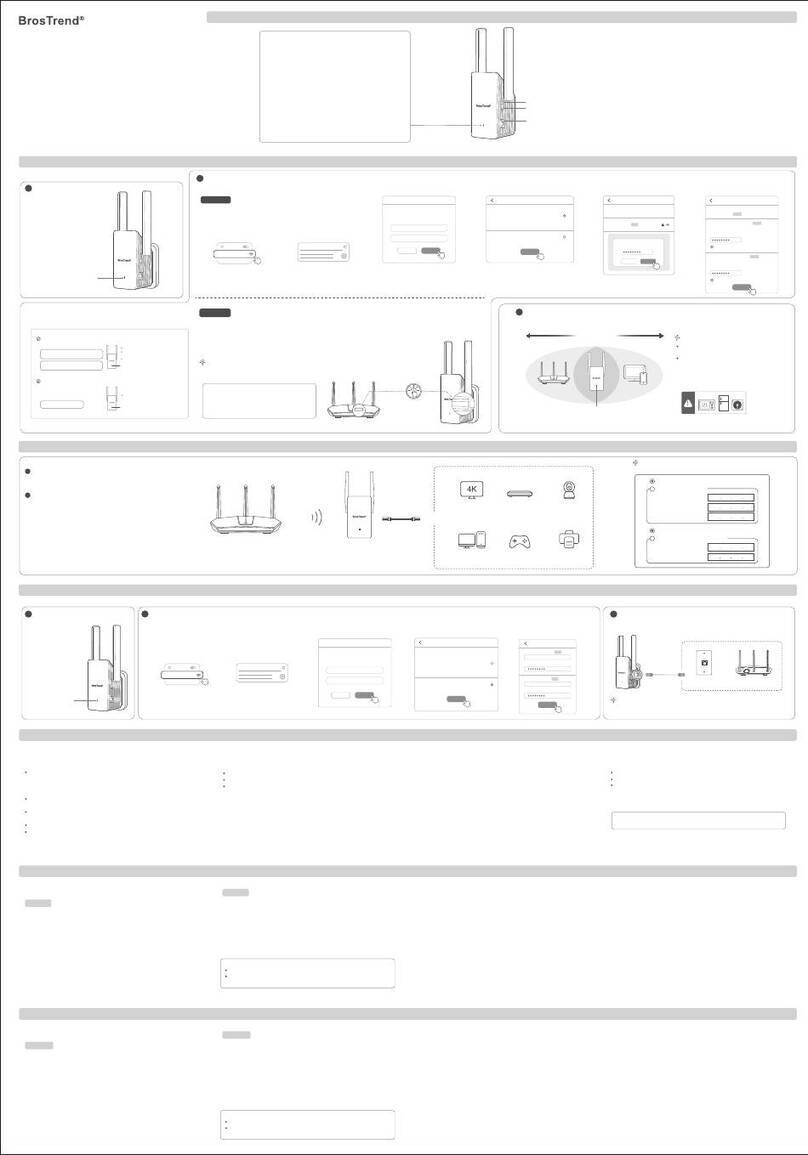
Mode de fonctionnement 1 : Configuration en tant que répéteur WiFi Mode de fonctionnement 2 : Configurer l'appareil comme un
adaptateur universel WiFi vers Ethernet
Méthode 1: Configuration via l'interface de gestion web
1. Mettez sous tension. Branchez le répéteur sur une prise de courant près du routeur.
2. Connectez votre appareil WiFi au réseau WiFi par défaut du répéteur : BrosTrend_EXT, ou
connectez votre ordinateur au port Ethernet du répéteur avec un câble Ethernet.
3. Ouvrez un navigateur web, saisissez http://brostrendwifi.com ou 192.168.0.254 dans la barre
d'adresse (PAS dans la boîte de recherche) pour accéder à l'interface web..
4. Créez un mot de passe de connexion pour les futures connexions (recommandé). Ensuite,
cliquez sur Suivant.
5. Sélectionnez le Mode Répéteur / Mode Adaptateur WiFi vers Ethernet et cliquez sur Suivant.
6. Choisissez le(s) réseau(x) WiFi que vous souhaitez étendre, saisissez le(s) mot(s) de passe
WiFi correct(s), puis cliquez sur OK.
7. Personnalisez les noms (SSID) et les mots de passe des réseaux WiFi étendus, puis cliquez sur Amplifier.
8. Vérifiez si le répéteur se connecte avec succès à votre réseau WiFi en fonction de l'état du témoin
lumineux LED.
9. Branchez le répéteur dans une prise de courant à mi-chemin entre votre routeur WiFi et la zone WiFi
sans signal. Terminé !
1. Veuillez vous référer à Mode de fonctionnement 1 : Configuration en tant que répéteur WiFi pour
configurer le dispositif en premier
2. Ensuite, connectez votre appareil filaire à cet appareil à l'aide d'un câble Ethernet. Configuration terminée !
(Appareils filaires : téléviseur intelligent, console de jeu, ordinateur, caméra IP, lecteur Blu-Ray, etc.)
1. Allumez. Branchez le répéteur sur une prise de courant près du routeur.
2. Connectez votre appareil WiFi au réseau WiFi par défaut du répéteur : BrosTrend_EXT, ou connectez
votre ordinateur au port Ethernet du répéteur avec un câble Ethernet.
3. Ouvrez un navigateur web, saisissez http://brostrendwifi.com ou 192.168.0.254 dans la barre d'adresse
(PAS dans la boîte de recherche) pour accéder à l'interface web.
4. Créez un mot de passe de connexion pour les futures connexions (recommandé). Ensuite, cliquez
sur Suivant.
5. Sélectionnez le Mode AP et cliquez sur Suivant.
6. Personnalisez les noms et mots de passe WiFi, cliquez sur Enregistrer. Attendez ensuite environ
1 minute jusqu'à ce que la LED clignote lentement en rouge.
7. Connectez cet appareil à un port Ethernet (port LAN) activé pour Internet avec un câble Ethernet.
Configuration terminée !
Mode de fonctionnement 3: Configuration en tant que
point d'accès sans fil
Méthode 2: Configuration via le bouton WPS
1. Mise sous tension : Branchez le répéteur sur une prise électrique près du routeur. Attendez que
le voyant LED clignote en rouge.
2. Appuyez sur le bouton WPS de votre routeur.
3. Dans les 2 minutes, appuyez sur le bouton WPS du répéteur, le voyant LED commencera à
clignoter rapidement en vert.
4. Attendez que le voyant LED s'allume en continu, ce qui indique une connexion réussie avec
votre routeur.
Italiano
Modalità di lavoro 1: Configurazione come Ripetitore WiFi Modalità di lavoro 2: Configurazione come adattatore universale
WiFi-Ethernet
Metodo 1: Configurazione tramite l'Interfaccia di Gestione Web
1. Accendere. Inserire il ripetitore in una presa di corrente vicino al router.
2. Collegare il dispositivo WiFi al network WiFi predefinito del ripetitore: BrosTrend_EXT, o collegare
il computer alla porta Ethernet del ripetitore con un cavo Ethernet.
3. Aprire un browser web, digitare http://brostrendwifi.com o 192.168.0.254 nella barra degli
indirizzi (NON nella casella di ricerca) per visitare l'interfaccia web.
4. Creare una password di accesso per i futuri accessi (consigliato). Quindi fare clic su Avanti.
5. Selezionare la Modalità Ripetitore / Modalità Adattatore WiFi-Ethernet e fare clic su Avanti.
6. Scegliere il/i network WiFi che si desidera estendere, inserire le corrette password WiFi,
quindi fare clic su OK.
7. Personalizzare i nomi WiFi estesi (SSID) e le password, quindi fare clic su Estendere.
8. Verificare se il ripetitore si connette con successo al tuo network WiFi in base allo stato del LED.
9. Inserire il ripetitore in una presa di corrente a metà strada tra il tuo router WiFi e la zona senza
segnale WiFi. Completato!
1. Si prega di fare riferimento a Modalità di lavoro 1: Configurazione come Ripetitore WiFi per configurare
il dispositivo per primo.
2. Successivamente, collegare il dispositivo cablato a questo dispositivo con un cavo Ethernet. Configurazione
completata!
(Dispositivi cablati: TV intelligente, console di gioco, computer, telecamera IP, lettore Blu-Ray, ecc.)
Modalità di lavoro 3: Configurazione come Punto di Accesso
Wireless
1. Accendere. Collegare il ripetitore a una presa di corrente vicino al router.
2. Collegare il dispositivo WiFi al network WiFi predefinito del ripetitore: BrosTrend_EXT, o collegare il
computer alla porta Ethernet del ripetitore con un cavo Ethernet.
3. Aprire un browser web, digitare http://brostrendwifi.com o 192.168.0.254 nella barra degli indirizzi
(NON nella casella di ricerca) per visitare l'interfaccia web.
4. Creare una password di accesso per i futuri accessi (consigliato). Quindi fare clic su Successivo.
5. Selezionare la Modalità AP e fare clic su Successivo.
6. Personalizzare i nomi e le password WiFi, fare clic su Salva. Quindi attendere circa 1 minuto fino a
quando il LED lampeggia lentamente in rosso.
7. Collegare questo dispositivo a una porta Ethernet abilitata per Internet (porta LAN) con un cavo
Ethernet. Installazione completata!
Metodo 2: Configurazione tramite il pulsante WPS
1. Accensione: Inserisci l'extender in una presa elettrica vicino al router. Attendi finché il LED indicatore
lampeggia in rosso.
2. Premi il pulsante WPS sul tuo router.
3. Entro 2 minuti, premi il pulsante WPS sull'extender. Il LED indicatore inizierà a lampeggiare rapidamente
in verde.
4. Attendi finché il LED indicatore diventa fisso, il che indica una connessione riuscita con il tuo router.
Polski
Tryb pracy 1: Konfiguracja jako wzmacniacz WiFi Pracujący tryb 2: Ustaw jako Uniwersalny Adapter
WiFi do Ethernet
Metoda 1: Konfiguracja za pomocą interfejsu zarządzania internetowego
1. Włącz zasilanie. Podłącz wzmacniacz do gniazdka elektrycznego w pobliżu routera.
2. Podłącz urządzenie WiFi do domyślnej sieci WiFi wzmacniacza: BrosTrend_EXT, lub podłącz komputer
do portu Ethernet wzmacniacza za pomocą kabla Ethernet.
3. Otwórz przeglądarkę internetową, wpisz http://brostrendwifi.com lub 192.168.0.254 w pasku adresu
(NIE w polu wyszukiwania), aby odwiedzić interfejs internetowy.
4. Utwórz hasło logowania na przyszłe logowania (zalecane). Następnie kliknij Dalej.
5. Wybierz Tryb wzmacniacza / Tryb adaptera WiFi do Ethernet i kliknij Dalej.
6. Wybierz sieć(y) WiFi, którą(ch) chcesz rozszerzyć, wprowadź poprawne hasło WiFi, a następnie kliknij OK.
7. Dostosuj nazwy WiFi (SSID) i hasła dla rozszerzonej sieci, a następnie kliknij Wzmocnij.
8. Sprawdź, czy wzmacniacz poprawnie łączy się z Twoją siecią WiFi zgodnie ze stanem wskaźnika LED.
9. Podłącz wzmacniacz do gniazdka elektrycznego w połowie drogi między routerem WiFi a obszarem
bez sygnału WiFi. Zakończone!
1. Proszę odnieść się do Tryb pracy 1: Konfiguracja jako wzmacniacz WiFi, aby najpierw skonfigurować
urządzenie.
2. Następnie podłącz swój urządzenie przewodowe do tego urządzenia za pomocą kabla Ethernet.
Konfiguracja zakończona!
(Urządzenia przewodowe: smart TV, konsola do gier, komputer, kamera IP, odtwarzacz Blu-Ray, itp.)
Pracujący tryb 3: Konfiguracja jako Punkt Dostępowy
Bezprzewodowy
1. Włącz urządzenie. Podłącz wzmacniacz do gniazdka w pobliżu routera.
2. Podłącz urządzenie WiFi do domyślnej sieci WiFi wzmacniacza: BrosTrend_EXT,
lub podłącz komputer do portu Ethernet wzmacniacza za pomocą kabla Ethernet.
3. Otwórz przeglądarkę internetową, wpisz http://brostrendwifi.com lub 192.168.0.254 w pasku adresu
(NIE w polu wyszukiwania), aby odwiedzić interfejs internetowy.
4. Utwórz hasło logowania na przyszłe logowania (zalecane). Następnie kliknij Dalej.
5. Wybierz Tryb AP i kliknij Dalej.
6. Dostosuj nazwy i hasła WiFi, kliknij Zapisz. Następnie poczekaj około 1 minuty, aż dioda zacznie
powoli migać na czerwono.
7. Podłącz to urządzenie do portu Ethernet z dostępem do Internetu (port LAN) za pomocą kabla Ethernet.
Konfiguracja zakończona!
Metoda 2: Konfiguracja za pomocą przycisku WPS
1. Włączanie: Podłącz wzmacniacz do gniazdka zasilania w pobliżu routera. Poczekaj, aż wskaźnik LED
zacznie migać na czerwono.
2. Naciśnij przycisk WPS na swoim routerze.
3. W ciągu 2 minut naciśnij przycisk WPS na wzmacniaczu, wskaźnik LED zacznie migać szybko
na zielony.
4. Poczekaj, aż wskaźnik LED zapali się na stałe, co oznacza udane połączenie z Twoim routerem.
Español
Modo de trabajo 1: Configuración como Extensor de WiFi Modo de trabajo 2: Configuración como adaptador universal de
WiFi a Ethernet
Método 1: Configuración a través de la Interfaz de Gestión Web
1. Encienda. Conecte el extensor a un enchufe de corriente cerca del enrutador.
2. Conecte su dispositivo WiFi a la red WiFi predeterminada del extensor: BrosTrend_EXT, o conecte
su computadora al puerto Ethernet del extensor con un cable Ethernet.
3. Abra un navegador web, escriba http://brostrendwifi.com o 192.168.0.254 en la barra de
direcciones (NO en la caja de búsqueda) para visitar la interfaz web.
4. Cree una contraseña de inicio de sesión para futuros inicios de sesión (recomendado). Luego,
haga clic en Siguiente.
5. Seleccione el Modo extensor / Modo adaptador de WiFi a Ethernet y haga clic en Siguiente.
6. Elija la(s) red(es) WiFi que desea ampliar, ingrese la(s) contraseña(s) WiFi correcta(s), luego haga
clic en OK.
7. Personalice los nombres (SSID) y contraseñas de la red WiFi ampliada, luego haga clic en Ampliar.
8. Verifique si el extensor se conecta con éxito a su red WiFi según el estado del indicador LED.
9. Conecte el extensor a un enchufe de corriente a medio camino entre su enrutador WiFi y la zona sin
señal de WiFi. ¡Completo!
1. Consulte Modo de trabajo 1: Configuración como Extensor de WiFi para configurar el dispositivo primero.
2. Luego, conecte su dispositivo con cable alámbrico a este dispositivo con un cable Ethernet.
¡Configuración completa!
(Dispositivos con cable: televisor inteligente, consola de juegos, computadora, cámara IP, reproductor
de Blu-Ray, etc.)
Modo de trabajo 3: Configuración como Punto de
Acceso Inalámbrico
1. Encienda. Conecte el extensor a un enchufe de corriente cerca del enrutador.
2. Conecte su dispositivo WiFi a la red WiFi predeterminada del extensor: BrosTrend_EXT,
o conecte su computadora al puerto Ethernet del extensor con un cable Ethernet.
3. Abra un navegador web, escriba http://brostrendwifi.com o 192.168.0.254 en la barra de direcciones
(NO en la caja de búsqueda) para visitar la interfaz web
4. Cree una contraseña de inicio de sesión para futuros inicios de sesión (recomendado). Luego, haga
clic en Siguiente.
5. Seleccione el Modo AP y haga clic en Siguiente.
6. Personalice los nombres y contraseñas de la red WiFi, haga clic en Guardar. Luego, espere unos
1 minutos hasta que el LED parpadee lentamente en rojo.
7. Conecte este dispositivo a un puerto Ethernet habilitado para Internet (puerto LAN) con un cable
Ethernet. ¡Configuración completada!
Método 2: Configuración mediante el botón WPS
1. Encendido: Conecte el extensor a un enchufe cercano al router. Espere hasta que el indicador LED
parpadee en rojo.
2. Presione el botón WPS en su router.
3. Dentro de 2 minutos, presione el botón WPS en el extensor. El indicador LED comenzará a parpadear
rápidamente en verde.
4. Espere hasta que el indicador LED se encienda de manera sólida, lo que indica una conexión exitosa
con su router.
FCC Statement
This equipment has been tested and found to comply with the limits for a Class B digital device, pursuant to Part
15 of the FCC Rules. These limits are designed to provide reasonable protection against harmful interference in a
residential installation. This equipment generates, uses and can radiate radio frequency energy and, if not installed
and used in accordance with the instructions, may cause harmful interference to radio communications. However,
there is no guarantee that interference will not occur in a particular installation. If this equipment does cause harmful
interference to radio or television reception, which can be determined by turning the equipment off and on, the user
is encouraged to try to correct the interference by one or more of the following measures:
-Reorient or relocate the receiving antenna.
-Increase the separation between the equipment and receiver.
-Connect the equipment into an outlet on a circuit different from that to which the receiver is connected.
-Consult the dealer or an experienced radio/TV technician for help.
This device is restricted to be used in the indoor.
Operation is subject to the following two conditions: (1) this device may not cause harmful interference, and
(2) this device must accept any interference received, including interference that may cause undesired operation.
Radiation Exposure Statement
This device complies with FCC radiation exposure limits set forth for an uncontrolled environment and it also
complies with Part 15 of the FCC RF Rules.
This equipment should be installed and operated with minimum distance 20cm between the device and your body.
Caution:
Any changes or modifications not expressly approved by the party responsible for compliance could void the user's
authority to operate this equipment.
This transmitter must not be co-located or operating in conjunction with any other antenna or transmitter.
NOTE:
(1) The manufacturer is not responsible for any radio or TV interference caused by unauthorized modifications to this
equipment.
(2) To avoid unnecessary radiation interference, it is recommended to use a shielded RJ45 cable.
IC RSS warning
Industry Canada(RSS-Gen Issue 4)
The device for operation in the band 5150-5250 MHz is only for indoor use to reduce the potential for harmful interference
to co-channel mobile satellite systems.
les dispositifs fonctionnant dans la bande 5150-5250 MHz sont réservés uniquement
pour une utilisation à l'intérieur afin de réduire les risques de brouillage préiudiciable aux systèmes de satellites mobiles
utilisant les mêmes canaux.
This device complies with Industry Canada's licence-exempt RSSs. Operation is subject to the following two conditions:
(1) This device may not cause interference; and
(2) This device must accept any interference, including interference that may cause undesired operation of the device.
Le présent appareil est conforme aux CNR d'Industrie Canada applicables aux appareils radio exempts de licence.
L'exploitation est autorisée aux deux conditions suivantes:
(1) l'appareil ne doit pas produire de brouillage;
(2) l'utilisateur de l'appareil doit accepter tout brouillage radioélectrique subi, même si le brouillage est susceptible d'en
compromettre le fonctionnement.
IC Radiation Exposure Statement:
This transmitter must not be co-located or operating in conjunction with any other antenna or transmitter. This equipment
should be installed and operated with a minimum distance of 20 centimeters between the radiator and your body.
Cet émetteur ne doit pas être Co-placé ou ne fonctionnant en même temps qu'aucune autre antenne ou émetteur.
Cet équipement devrait être installé et actionné avec une distance minimum de 20 centimètres entre le radiateur et votre
corps.
The device meets the exemption from the routine evaluation limits in section 2.5 of RSS 102 and compliance with
RSS-102 RF exposure, users can obtain Canadian information on RF exposure and compliance.
Le dispositif rencontre l'exemption des limites courantes d'évaluation dans la section 2.5 de RSS 102 et la conformité à
l'exposition de RSS-102 rf, utilisateurs peut obtenir l'information canadienne sur l'exposition et la conformité de rf.
Operating Temperature: 0°C - 40°C
Operating Humidity: (10% - 90%) RH, non-condensing
Alimentador de Energía:
Alimentación:
Salida:
Producto
PAIS DE ORIGEN: CHINA
NOMBRE DEL PRODUCTO: Extensor de WiFi / Adaptador
de WiFi a Ethernet
MODELO: E2/AX2
LA OPERACIóN DE ESTE DISPOSITIVO ESTA SUJETA A LAS SIGUIENTES CONDICIONES:
a) Es posible que este equipo o dispositivo no cause interferencia perjudicial.
b) Este equipo o dispositivo debe aceptar cualquier tipo de interferencia, incluyendo la que pueda causar su operación
no deseada.
Estimado usuario: Antes de utilizar este producto lo invitamos a leer el siguiente manual para que conozca todas sus
funciones y caracteristicas.
GNU General Public License Notice
This product includes software code developed by third parties,including software code subject to the GNU General Public License
( “GPL” ). For GPL inquiries, please contact us at support@brostrend.com or 8 The Green,Suite A, Dover City, DE, U.S.A., Zip code 19901.
Additionally,BrosTrend provides for a GPL-Code-Center under https://brostrend.me/gpl where machine readable copies of the GPL
source codes used in BrosTrend products are available for free to download.Please note,that the GPL-Code-Center is only provided as a
courtesy to BrosTrend’s customer but may neither offer a full set of source codes used in all products nor always provide for the latest or
actual version of such source codes.
The GPL Code used in these products is distributed WITHOUT ANY WARRANTY and is subject to the copyrights of one or more authors.
Please refer to the following GNU Public License for further information.
GNU GENERAL PUBLIC LICENSE
Version 2,June 1991
Copyright (C) 1989,1991 Free Software Foundation, Inc.
51 Franklin Street,Fifth Floor,Boston, MA 02110-1301,USA
Everyone is permitted to copy and distribute verbatim copies
of this license document,but changing it is not allowed.
Preamble
The licenses for most software are designed to take away your freedom to share and change it.By contrast, the GNU General
Public License is intended to guarantee your freedom to share and change free software--to make sure the software is free for all
its users. This General Public License applies to most of the Free Software Foundation's software and to any other program whose
authors commit to using it.(Some other Free Software Foundation software is covered by the GNU Lesser General Public License
instead.) You can apply it to your programs,too.
When we speak of free software, we are referring to freedom,not price. Our General Public Licenses are designed to make sure
that you have the freedom to distribute copies of free software (and charge for this service if you wish),that you receive source
code or can get it if you want it,that you can change the software or use pieces of it in new free programs; and that you know you
can do these things.
To protect your rights, we need to make restrictions that forbid anyone to deny you these rights or to ask you to surrender the rights.
These restrictions translate to certain responsibilities for you if you distribute copies of the software,or if you modify it.
For example,if you distribute copies of such a program, whether gratis or for a fee,you must give the recipients all the rights that
you have.You must make sure that they,too,receive or can get the source code.And you must show them these terms so they
know their rights.
We protect your rights with two steps: (1) copyright the software,and (2) offer you this license which gives you legal permission
to copy, distribute and/or modify the software.
Also,for each author's protection and ours,we want to make certain that everyone understands that there is no warranty for this
free software. If the software is modified by someone else and passed on,we want its recipients to know that what they have is
not the original, so that any problems introduced by others will not reflect on the original authors' reputations.
Finally,any free program is threatened constantly by software patents.We wish to avoid the danger that redistributors of a free
program will individually obtain patent licenses, in effect making the program proprietary. To prevent this,we have made it clear that
any patent must be licensed for everyone's free use or not licensed at all.
The precise terms and conditions for copying,distribution and modification follow.
TERMS AND CONDITIONS FOR COPYING,DISTRIBUTION AND MODIFICATION
0. This License applies to any program or other work which contains a notice placed by the copyright holder saying it may be
distributed under the terms of this General Public License.The "Program", below, refers to any such program or work, and a "work
based on the Program" means either the Program or any derivative work under copyright law: that is to say, a work containing the
Program or a portion of it,either verbatim or with modifications and/or translated into another language.(Hereinafter,translation is
included without limitation in the term "modification".) Each licensee is addressed as "you".
Activities other than copying,distribution and modification are not covered by this License; they are outside its scope.The act of
running the Program is not restricted,and the output from the Program is covered only if its contents constitute a work based on
the Program (independent of having been made by running the Program).Whether that is true depends on what the Program does.
1. You may copy and distribute verbatim copies of the Program's source code as you receive it,in any medium, provided that you
conspicuously and appropriately publish on each copy an appropriate copyright notice and disclaimer of warranty; keep intact all the
notices that refer to this License and to the absence of any warranty; and give any other recipients of the Program a copy of this
License along with the Program.
You may charge a fee for the physical act of transferring a copy, and you may at your option offer warranty protection in exchange
for a fee.
These requirements apply to the modified work as a whole. If identifiable sections of that work are not derived from the Program,
and can be reasonably considered independent and separate works in themselves,then this License, and its terms, do not apply to
those sections when you distribute them as separate works.But when you distribute the same sections as part of a whole which is
a work based on the Program,the distribution of the whole must be on the terms of this License, whose permissions for other
licensees extend to the entire whole, and thus to each and every part regardless of who wrote it.
Thus, it is not the intent of this section to claim rights or contest your rights to work written entirely by you; rather, the intent is to
exercise the right to control the distribution of derivative or collective works based on the Program.
In addition, mere aggregation of another work not based on the Program with the Program (or with a work based on the Program)
on a volume of a storage or distribution medium does not bring the other work under the scope of this License.
5. You are not required to accept this License,since you have not signed it.However,nothing else grants you permission to modify
or distribute the Program or its derivative works.These actions are prohibited by law if you do not accept this License.Therefore,
by modifying or distributing the Program (or any work based on the Program),you indicate your acceptance of this License to do so,
and all its terms and conditions for copying, distributing or modifying the Program or works based on it.
6. Each time you redistribute the Program (or any work based on the Program), the recipient automatically receives a license from
the original licensor to copy, distribute or modify the Program subject to these terms and conditions.You may not impose any
further restrictions on the recipients' exercise of the rights granted herein.You are not responsible for enforcing compliance by third
parties to this License.
7. If,as a consequence of a court judgment or allegation of patent infringement or for any other reason (not limited to patent issues),
conditions are imposed on you (whether by court order, agreement or otherwise) that contradict the conditions of this License, they
do not excuse you from the conditions of this License. If you cannot distribute so as to satisfy simultaneously your obligations under
this License and any other pertinent obligations, then as a consequence you may not distribute the Program at all. For example,if a
patent license would not permit royalty-free redistribution of the Program by all those who receive copies directly or indirectly
through you,then the only way you could satisfy both it and this License would be to refrain entirely from distribution of the Program.
If any portion of this section is held invalid or unenforceable under any particular circumstance,the balance of the section is
intended to apply and the section as a whole is intended to apply in other circumstances.
It is not the purpose of this section to induce you to infringe any patents or other property right claims or to contest validity of any
such claims; this section has the sole purpose of protecting the integrity of the free software distribution system, which is
implemented by public license practices.Many people have made generous contributions to the wide range of software distributed
through that system in reliance on consistent application of that system; it is up to the author/donor to decide if he or she is willing
to distribute software through any other system and a licensee cannot impose that choice.
This section is intended to make thoroughly clear what is believed to be a consequence of the rest of this License.
8. If the distribution and/or use of the Program is restricted in certain countries either by patents or by copyrighted interfaces,the
original copyright holder who places the Program under this License may add an explicit geographical distribution limitation
excluding those countries,so that distribution is permitted only in or among countries not thus excluded.In such case, this License
incorporates the limitation as if written in the body of this License.
9. The Free Software Foundation may publish revised and/or new versions of the General Public License from time to time.Such
new versions will be similar in spirit to the present version,but may differ in detail to address new problems or concerns.
Each version is given a distinguishing version number. If the Program specifies a version number of this License which applies to
it and "any later version", you have the option of following the terms and conditions either of that version or of any later version
published by the Free Software Foundation.If the Program does not specify a version number of this License,you may choose any
version ever published by the Free Software Foundation.
10. If you wish to incorporate parts of the Program into other free programs whose distribution conditions are different,write to the
author to ask for permission.For software which is copyrighted by the Free Software Foundation,write to the Free Software
Foundation; we sometimes make exceptions for this.Our decision will be guided by the two goals of preserving the free status of
all derivatives of our free software and of promoting the sharing and reuse of software generally.
NO WARRANTY
11. BECAUSE THE PROGRAM IS LICENSED FREE OF CHARGE, THERE IS NO WARRANTY FOR THE PROGRAM, TO THE
EXTENT PERMITTED BY APPLICABLE LAW.EXCEPT WHEN OTHERWISE STATED IN WRITING THE COPYRIGHT HOLDERS
AND/OR OTHER PARTIES PROVIDE THE PROGRAM "AS IS" WITHOUT WARRANTY OF ANY KIND,EITHER EXPRESSED OR
IMPLIED,INCLUDING, BUT NOT LIMITED TO, THE IMPLIED WARRANTIES OF MERCHANTABILITY AND FITNESS FOR A
PARTICULAR PURPOSE. THE ENTIRE RISK AS TO THE QUALITY AND PERFORMANCE OF THE PROGRAM IS WITH YOU.
SHOULD THE PROGRAM PROVE DEFECTIVE, YOU ASSUME THE COST OF ALL NECESSARY SERVICING,REPAIR OR
CORRECTION.
12. IN NO EVENT UNLESS REQUIRED BY APPLICABLE LAW OR AGREED TO IN WRITING WILL ANY COPYRIGHT HOLDER,
OR ANY OTHER PARTY WHO MAY MODIFY AND/OR REDISTRIBUTE THE PROGRAM AS PERMITTED ABOVE,BE LIABLE TO
YOU FOR DAMAGES,INCLUDING ANY GENERAL, SPECIAL, INCIDENTAL OR CONSEQUENTIAL DAMAGES ARISING OUT
OF THE USE OR INABILITY TO USE THE PROGRAM (INCLUDING BUT NOT LIMITED TO LOSS OF DATA OR DATA BEING
RENDERED INACCURATE OR LOSSES SUSTAINED BY YOU OR THIRD PARTIES OR A FAILURE OF THE PROGRAM TO
OPERATE WITH ANY OTHER PROGRAMS), EVEN IF SUCH HOLDER OR OTHER PARTY HAS BEEN ADVISED OF THE
POSSIBILITY OF SUCH DAMAGES.
END OF TERMS AND CONDITIONS
How to Apply These Terms to Your New Programs
If you develop a new program, and you want it to be of the greatest possible use to the public, the best way to achieve this is to
make it free software which everyone can redistribute and change under these terms.
To do so,attach the following notices to the program. It is safest to attach them to the start of each source file to most effectively
convey the exclusion of warranty; and each file should have at least the "copyright" line and a pointer to where the full notice is
found.
one line to give the program's name and an idea of what it does.
Copyright (C) yyyy name of author
This program is free software; you can redistribute it and/or
modify it under the terms of the GNU General Public License
as published by the Free Software Foundation; either version 2
of the License,or (at your option) any later version.
This program is distributed in the hope that it will be useful,
but WITHOUT ANY WARRANTY; without even the implied warranty of
MERCHANTABILITY or FITNESS FOR A PARTICULAR PURPOSE. See the
GNU General Public License for more details.
You should have received a copy of the GNU General Public License
along with this program; if not,write to the Free Software
Foundation,Inc., 51 Franklin Street,Fifth Floor,Boston,MA 02110-1301, USA.
Also add information on how to contact you by electronic and paper mail.
If the program is interactive,make it output a short notice like this when it starts in an interactive mode:
CE Mark Warning
This is a Class B product. In a domestic environment, this product may cause radio interference, in which case the
user may be required to take adequate measures.
Operations in the 5.15-5.25GHz band are restricted to indoor use only.
This equipment should be installed and operated with minimum distance 20cm between the device and your body.
The mains plug is used as disconnect device, the disconnect device shall remain readily operable.
For passthrough devices, plug the power strips into the integrated electrical sockets of the devices, but devices of
the same or another type not be stacked in normal use.
NOTE: (1) The manufacturer is not responsible for any radio or TV interference caused by unauthorized
modifications to this equipment.
(2) To avoid unnecessary radiation interference, it is recommended to use a shielded RJ45 cable.
Declaration of Conformity
Hereby, BrosTrend Technology LLC declares that the radio equipment type E2/AX2 are in compliance
with Directive 2014/53/EU and 2014/30/EU. The full text of the EU declaration of conformity is available at the
following Internet address:https://brostrend.me/regulatory
EIRP Power (Max.):
2.4GHz: < 20dBm
5 GHz: < 23dBm
Software Version: V16.04.41.16_multi
Manufacturer: BrosTrend Technology LLC
Address: 8 The Green, Suite A, Dover City, DE, U.S.A., Zip code 19901
Website: www.brostrend.com
Telephone: +86-17796126768
For EU/EFTA, this product can be used in the following countries:
Authorized U.K. Representative Information
Name: APEX CE SPECIALISTS LIMITED
Address: 89 Princess Street, Manchester, M1 4HT, UK
Contact: Wells
Telephone No.: 00441616371080
Authorized European Representative Information
Name: Apex CE Specialists GmbH
Address: Ravolzhauser str.3la 63543 Neuberg Germany
Contact: Wells
Telephone No.: +353212066339
E
I
F
Remarques concernant la protection de l’environnement:
Conformément à la directive européenne 2012/19/EU et 2006/66/CE, et afin d‘atteindre un certain nombre
d‘objectifs en matière de protection de l‘environnement, les règles suivantes doivent être appliquées: Les
appareils électriques et électroniques ainsi que les batteries ne doivent pas être éliminés avec les déchets
ménagers. Le pictogramme “picto” présent sur le produit, son manuel d‘utilisation ou son emballage indique que
le produit est soumis à cette réglementation. Le consommateur doit retourner le produit/la batterie usager aux
points de collecte prévus à cet effet. Il peut aussi le remettre à un revendeur. En permettant enfin le recyclage des
produits ainsi que les batteries, le consommateur contribuera à la protection de notre environnement. C‘est un
acte écologique.
Informazioni per protezione ambientale:
Dopo l’implementazione della Direttiva Europea 2012/19/EU e 2006/66/EU nel sistema legale nazionale, ci sono
le seguenti applicazioni: Le apparecchiature elettriche ed elettroniche e le batterie non devono essere smaltite
con i rifiuti domestici. I consumatori sono obbligati dalla legge a restituire I dispositivi elettrici ed elettronici e le
batterie alla fine della loro vita utile ai punti di raccolta pubblici preposti per questo scopo o nei punti vendita.
Dettagli di quanto riportato sono definiti dalle leggi nazionali di ogni stato. Questo simbolo sul prodotto, sul
manuale d’istruzioni o sull’imballo indicano che questo prodotto è soggetto a queste regole. Riciclando,
ri-utilizzando i materiali o utilizzando sotto altra forma i vecchi prodotti/le batterie, darete un importante contributo
alla protezione dell’ambiente.
The hypothetical commands `show w' and `show c' should show the appropriate parts of the General Public License.Of course, the
commands you use may be called something other than `show w' and `show c'; they could even be mouse-clicks or menu
items--whatever suits your program.
You should also get your employer (if you work as a programmer) or your school, if any,to sign a "copyright disclaimer" for the
program,if necessary. Here is a sample; alter the names:
Yoyodyne,Inc., hereby disclaims all copyright
interest in the program `Gnomovision'
(which makes passes at compilers) written
by James Hacker.
signature of Ty Coon, 1 April 1989
Ty Coon,President of Vice
This General Public License does not permit incorporating your program into proprietary programs.If your program is a subroutine
library,you may consider it more useful to permit linking proprietary applications with the library. If this is what you want to do,use
the GNU Lesser General Public License instead of this License.
Gnomovision version 69,Copyright (C) year name of author
Gnomovision comes with ABSOLUTELY NO WARRANTY; for details
type `show w'. This is free software, and you are welcome
to redistribute it under certain conditions; type `show c'
for details.
Hinweis zum Umweltschutz:
Ab dem Zeitpunkt der Umsetzung der europäischen Richtlinien 2012/19/EU und 2006/66/EG in nationales Recht
gilt folgendes: Elektrische und elektronische Geräte sowie Batterien dürfen nicht mit dem Hausmüll entsorgt
werden. Der Verbraucher ist gesetzlich verpflichtet, elektrische und elektronische Geräte sowie Batterien am Ende
ihrer Lebensdauer an den dafür eingerichteten, öffentlichen Sammelstellen oder an die Verkaufsstelle
zurückzugeben. Einzelheiten dazu regelt das jeweilige Landesrecht. Das Symbol auf dem Produkt, der
Gebrauchsanleitung oder der Verpackung weist auf diese Bestimmungen hin. Mit der Wiederverwertung, der
stofflichen Verwertung oder anderen Formen der Verwertung von Altgeräten/Batterien leisten Sie einen wichtigen
Beitrag zum Schutz unserer Umwelt.
Note on environmental protection:
After the implementation of the European Directive 2012/19/EU and 2006/66/EU in the national legal system,
the following applies: Electric and electronic devices as well as batteries must not be disposed of with household
waste. Consumers are obliged by law to return electrical and electronic devices as well as batteries at the end of
their service lives to the public collecting points set up for this purpose or point of sale. Details to this are defined
by the national law of the respective country. This symbol on the product, the instruction manual or the package
indicates that a product is subject to these regulations. By recycling, reusing the materials or other forms of
utilising old devices/Batteries, you are making an important contribution to protecting our environment.
GB
D
Ochrana životního prostředí:
Evropská směrnice 2012/19/EU a 2006/66/EU ustanovujete následující: Elektrická a elektronická zařízení stejně
jako baterie nepatří do domovního odpadu. Spotřebitel se zavazuje odevzdat všechna zařízení a baterie po
uplynutí jejich životnosti do příslušných sběren. Podrobnosti stanoví zákon příšlušné země. Symbol na produktu,
návod k obsluze nebo balení na toto poukazuje. Recyklací a jinými způsoby zužitkování přispíváte k ochraně
životního prostředí.
CZ
2. You may modify your copy or copies of the Program or any portion of it,thus forming a work based on the Program,and copy and
distribute such modifications or work under the terms of Section 1 above, provided that you also meet all of these conditions:
a) You must cause the modified files to carry prominent notices stating that you changed the files and the date of any change.
b) You must cause any work that you distribute or publish, that in whole or in part contains or is derived from the Program or any
part thereof, to be licensed as a whole at no charge to all third parties under the terms of this License.
c) If the modified program normally reads commands interactively when run,you must cause it,when started running for such
interactive use in the most ordinary way, to print or display an announcement including an appropriate copyright notice and
a notice that there is no warranty (or else,saying that you provide a warranty) and that users may redistribute the program under
these conditions, and telling the user how to view a copy of this License.(Exception: if the Program itself is interactive but does
not normally print such an announcement, your work based on the Program is not required to print an announcement.)
3. You may copy and distribute the Program (or a work based on it,under Section 2) in object code or executable form under the
terms of Sections 1 and 2 above provided that you also do one of the following:
a) Accompany it with the complete corresponding machine-readable source code,which must be distributed under the terms
of Sections 1 and 2 above on a medium customarily used for software interchange; or,
b) Accompany it with a written offer, valid for at least three years,to give any third party, for a charge no more than your cost of
physically performing source distribution,a complete machine-readable copy of the corresponding source code,to be
distributed under the terms of Sections 1 and 2 above on a medium customarily used for software interchange; or,
c) Accompany it with the information you received as to the offer to distribute corresponding source code.(This alternative is
allowed only for noncommercial distribution and only if you received the program in object code or executable form with
such an offer, in accord with Subsection b above.)
The source code for a work means the preferred form of the work for making modifications to it. For an executable work,complete
source code means all the source code for all modules it contains,plus any associated interface definition files,plus the scripts
used to control compilation and installation of the executable.However,as a special exception,the source code distributed need
not include anything that is normally distributed (in either source or binary form) with the major components (compiler, kernel, and
so on) of the operating system on which the executable runs, unless that component itself accompanies the executable.
If distribution of executable or object code is made by offering access to copy from a designated place,then offering equivalent
access to copy the source code from the same place counts as distribution of the source code,even though third parties are not
compelled to copy the source along with the object code.
4. You may not copy,modify,sublicense, or distribute the Program except as expressly provided under this License.Any attempt
otherwise to copy, modify, sublicense or distribute the Program is void,and will automatically terminate your rights under this
License. However, parties who have received copies,or rights, from you under this License will not have their licenses terminated
so long as such parties remain in full compliance.
Nota sobre la protección medioambiental:
Después de la puesta en marcha de la directiva Europea 2012/19/EU y 2006/66/EU en el sistema legislativo
nacional, se aplicara lo siguiente: Los aparatos eléctricos y electrónicos, así como las baterías, no se deben
evacuar en la basura doméstica. El usuario está legalmente obligado a llevar los aparatos eléctricos y
electrónicos, así como pilas y pilas recargables, al final de su vida útil a los puntos de recogida comunales o a
devolverlos al lugar donde los adquirió. Los detalles quedaran definidos por la ley de cada país. El símbolo en el
producto, en las instrucciones de uso o en el embalaje hace referencia a ello. Gracias al reciclaje, al reciclaje del
material o a otras formas de reciclaje de aparatos/pilas usados, contribuye Usted de forma importante a la
protección de nuestro medio ambiente.
PL
Wskazówki dotyczące ochrony środowiska:
Od czasu wprowadzenia europejskiej dyrektywy 2012/19/EU i 2006/66/EU do prawa narodowego obowiązują
następujące ustalenia: Urządzeń elektrycznych, elektronicznych oraz baterii jednorazowych nie należy wyrzucać
razem z codziennymi odpadami domowymi! Użytkownik zobowiązany prawnie do odniesienia zepsutych,
zniszczonych lub niepotrzebnych urządzeń elektrycznych i elektronicznych do punktu zbiórki lub do sprzedawcy.
Szczegółowe kwestie regulują przepisy prawne danego kraju. Informuje o tym symbol przekreślonego kosza
umieszczony na opakowaniu. Segregując odpady pomagasz chronić środowisko!
Email address:
Operating Frequency:
2.4GHz: EU/2412-2472 MHz
5 GHz: EU/5151-5250 MHz
Material No.: 0050
Aquí lo configuramos en un teléfono móvil como ejemplo. Los pasos reales de configuración en una computadora de escritorio o tableta podrían ser ligeramente diferentes.
Nous configurons ici sur un téléphone portable à titre d'exemple. Les étapes réelles de configuration sur un ordinateur de bureau ou une tablette pourraient être légèrement différentes.
Qui lo configuriamo su un telefono cellulare come esempio. I passaggi effettivi di configurazione su un desktop o tablet potrebbero essere leggermente diversi.
Tutaj konfigurujemy to na przykładzie telefonu komórkowego. Rzeczywiste kroki konfiguracji na komputerze stacjonarnym lub tablecie mogą się nieco różnić.
Consejos: Para garantizar la calidad de la señal del extensor:
El extensor debe instalarse dentro del alcance de su enrutador WiFi.
Por favor, mantenga el extensor alejado de dispositivos electrónicos con fuertes interferencias,
como el horno de microondas, la cocina de inducción y el refrigerador, etc.
Conseils : Pour garantir la qualité du signal du répéteur :
Le répéteur doit être installé dans la plage de votre routeur WiFi.
Veuillez éloigner le répéteur des appareils électroniques générant des interférences puissantes,
tels que le four à micro-ondes, la cuisinière à induction et le réfrigérateur, etc.
Suggerimenti: Per garantire la qualità del segnale del ripetitore:
Il ripetitore deve essere installato all'interno del raggio del tuo router WiFi.
Si prega di tenere il ripetitore lontano da apparecchi elettronici con forti interferenze, come il
forno a microonde, la piastra a induzione e il frigorifero, ecc.
Porady: Aby zapewnić jakość sygnału wzmacniacza:
Wzmacniacz musi być zainstalowany w zasięgu routera WiFi.
Proszę trzymać wzmacniacz z dala od elektroniki o silnych zakłóceniach, takiej jak kuchenka
mikrofalowa, kuchenka indukcyjna i lodówka, itp.