manuals.online logo
Brands
  1. Home
  2. •
  3. Brands
  4. •
  5. Cascade TEK
  6. •
  7. Oven
  8. •
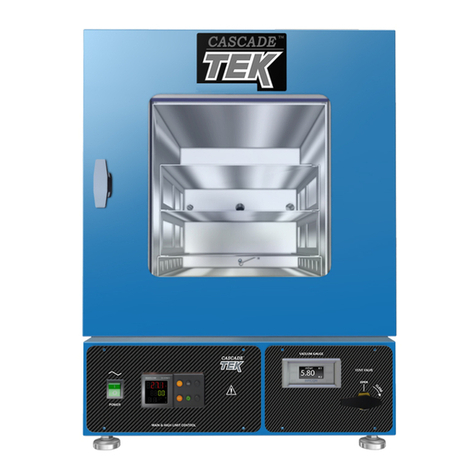
  9. Cascade TEK TFO-1 Quick start guide

Cascade TEK TFO-1 Quick start guide

Other manuals for TFO-1

1

This manual suits for next models

4

Other Cascade TEK Oven manuals

Cascade TEK TFO-28 User manual

Cascade TEK

Cascade TEK TFO-28 User manual

Cascade TEK SVO-5-T User manual

Cascade TEK

Cascade TEK SVO-5-T User manual

Cascade TEK SVO-10-VC User manual

Cascade TEK

Cascade TEK SVO-10-VC User manual

Cascade TEK TVO-2-A User manual

Cascade TEK

Cascade TEK TVO-2-A User manual

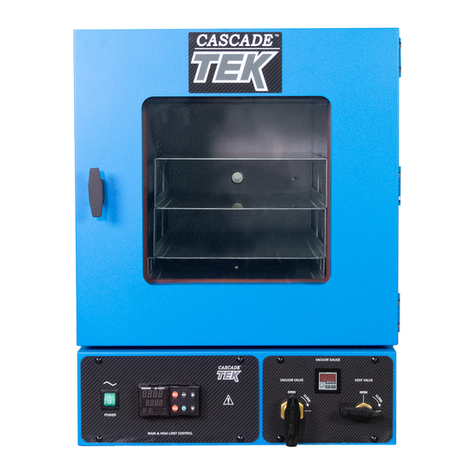
Cascade TEK Tek TFO-1 User manual

Cascade TEK

Cascade TEK Tek TFO-1 User manual

Cascade TEK TFO-1 User manual

Cascade TEK

Cascade TEK TFO-1 User manual

Cascade TEK TVO-5-VC Setup guide

Cascade TEK

Cascade TEK TVO-5-VC Setup guide

Cascade TEK TVO-2-SV User manual

Cascade TEK

Cascade TEK TVO-2-SV User manual

Cascade TEK TVO-2-2 User manual

Cascade TEK

Cascade TEK TVO-2-2 User manual

Cascade TEK SVO-10-VC-2P User manual

Cascade TEK

Cascade TEK SVO-10-VC-2P User manual

Cascade TEK SVO-5-T-1P User manual

Cascade TEK

Cascade TEK SVO-5-T-1P User manual

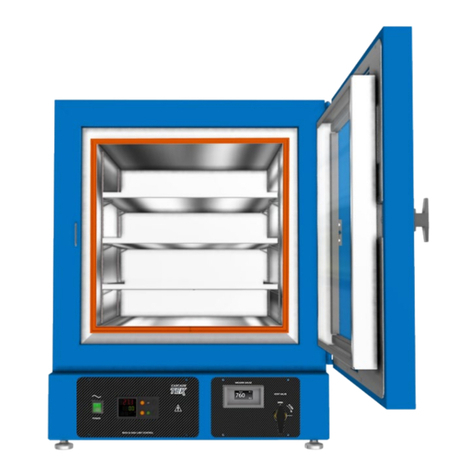
Cascade TEK TFO-1-2 User manual

Cascade TEK

Cascade TEK TFO-1-2 User manual

Popular Oven manuals by other brands

Brandt FC 222 user manual

Brandt

Brandt FC 222 user manual

aumate TOA20M04N-1E instruction manual

aumate

aumate TOA20M04N-1E instruction manual

Maytag CWE4100AC - 24" Single Electric Wall Oven Dimension Guide

Maytag

Maytag CWE4100AC - 24" Single Electric Wall Oven Dimension Guide

Kernau KBO 1076 S PT B instruction manual

Kernau

Kernau KBO 1076 S PT B instruction manual

Bosch HB 37 N Series User manual and installation instructions

Bosch

Bosch HB 37 N Series User manual and installation instructions

Electrolux EOD5420AA user manual

Electrolux

Electrolux EOD5420AA user manual

Mx Onda MX-HC2183 instruction manual

Mx Onda

Mx Onda MX-HC2183 instruction manual

Daewoo F6EV19SM2 Service manual

Daewoo

Daewoo F6EV19SM2 Service manual

Blodgett MT3870 Specifications

Blodgett

Blodgett MT3870 Specifications

GE ZET2F owner's manual

GE

GE ZET2F owner's manual

GE JK3000DF3WW owner's manual

GE

GE JK3000DF3WW owner's manual

eka EKF 523 NT Operating and instruction manual

eka

eka EKF 523 NT Operating and instruction manual

AEG Electrolux E3191-5 user manual

AEG Electrolux

AEG Electrolux E3191-5 user manual

Pratica Rocket Express quick start guide

Pratica

Pratica Rocket Express quick start guide

Viking Professional VGSO260T user guide

Viking

Viking Professional VGSO260T user guide

FM RX203 instruction manual

FM

FM RX203 instruction manual

Bosch HBN331 9B Series instruction manual

Bosch

Bosch HBN331 9B Series instruction manual

NEFF B95M42N0MK Instructions for use

NEFF

NEFF B95M42N0MK Instructions for use

manuals.online logo
manuals.online logoBrands
  • About & Mission
  • Contact us
  • Privacy Policy
  • Terms and Conditions

Copyright 2025 Manuals.Online. All Rights Reserved.

FORCED AIR
OVENS
MICROPROCESSOR
CONTROLLED
MODELS:
TFO-1, TFO-3, TFO-5, TFO-10, TFO-28
INSTALLATION AND OPERATIONAL MANUAL
REV 01.07
F O R C E D A I R O V E N M A N U A L
Cascade TEK 5245-A NE Elam Young Parkway Hilllsboro Oregon 97124
Toll Free 888-835-9250 503-648-1818 FAX 503-648-1798 i[email protected]m www.cascadetek.com
REV 01.08
2
TABLE OF CONTENTS
SECTION 1.0 RECEIVING AND INSPECTION
SECTION 2.0 GRAPHIC SYMBOLS
SECTION 3.0 INSTALLATION
SECTION 4.0 PRECAUTIONS
SECTION 5.0 CONTROL PANEL OVERVIEW
SECTION 6.0 OPERATION
SECTION 7.0 MAINTENANCE
SECTION 8.0 TROUBLESHOOTING
SECTION 9.0 PARTS LIST
SECTION 10.0 WARRANTY
SECTION 11.0 OPTIONAL EQUIPMENT
SECTION 12.0 UNIT SPECIFICATIONS
SECTION 13.0 SCHEMATICS
These are general purpose, forced air ovens for professional, industrial or educational
use where the preparation or testing of materials is done at approximately atmospheric
pressure and no flammable, volatile or combustible materials are being heated. These
units are not intended for hazardous or household locations or use.
F O R C E D A I R O V E N M A N U A L
Cascade TEK 5245-A NE Elam Young Parkway Hilllsboro Oregon 97124
Toll Free 888-835-9250 503-648-1818 FAX 503-648-1798 i[email protected]m www.cascadetek.com
REV 01.08
3
Section 1
RECEIVING AND INSPECTION
Your satisfaction and safety require a complete understanding of this unit. Read
the instructions thoroughly and be sure all operators are given adequate training
before attempting to put the unit in service. NOTE: This equipment must be used
only for its intended application; any alterations or modifications will void your
warranty.
1.1 Inspection: The carrier, when accepting shipment, also accepts responsibility for
safe delivery and is liable for loss or damage. On delivery, inspect for visible
exterior damage, note and describe on the freight bill any damage found, and
enter your claim on the form supplied by the carrier.
1.2 Inspect for concealed loss or damage on the unit itself, both interior and exterior.
If necessary, the carrier will arrange for official inspection to substantiate your
claim.
1.3 Return Shipment: Save the shipping crate until you are sure all is well. If for any
reason you must return the unit, first contact your customer service representative
for authorization. Supply nameplate data, including model number and serial
number.
1.4 Accessories: Verify that all of the equipment indicated on the packing slip is
included with the unit. Carefully check all packaging before discarding.
F O R C E D A I R O V E N M A N U A L
Cascade TEK 5245-A NE Elam Young Parkway Hilllsboro Oregon 97124
Toll Free 888-835-9250 503-648-1818 FAX 503-648-1798 i[email protected]m www.cascadetek.com
REV 01.08
4
Section 2
GRAPHIC SYMBOLS
Your oven may contain a variety of graphic symbols which should help in
identifying the use and function of the available user adjustable components.
2.1 This symbol indicates that you should consult your
manual for further description or discussion of a control
or user item.
2.2 Indicates “AC Power”
2.3 Indicates “Manual Control”
2.4 Indicates “Timer”
2.5
°
°°
°C
Indicates “Degrees Celsius”
2.6 Indicates “Temperature”
2.7 Indicates “Over Temperature Safety”
2.8 Indicates “Earth Ground”
2.9 Indicates “Potential Shock Hazard” behind partition
Indicates “Unit should be recycled” (Not disposed of in land-fill)
2.10
F O R C E D A I R O V E N M A N U A L
Cascade TEK 5245-A NE Elam Young Parkway Hilllsboro Oregon 97124
Toll Free 888-835-9250 503-648-1818 FAX 503-648-1798 i[email protected]m www.cascadetek.com
REV 01.08
5
Section 3
INSTALLATION
Local city, county or other ordinances may govern the use of this equipment. If you have any
questions about local requirements, please contact the appropriate local agency. Installation
may be performed by the end user. Under normal circumstances this unit is intended for use
indoors, at room temperatures between 5°and 40°C, at no greater than 80% Relative
Humidity (at 25°C) and with a supply voltage that does not vary by more than 10%.
3.1 Power Source: The electrical supply circuit to the oven must conform to all
national and local electrical codes. Consult the serial data plate for the voltage,
cycle wattage and ampere requirements before making connection. VOLTAGE
SHOULD NOT VARY MORE THAN 10% FROM THE SERIAL PLATE RATING.
This unit is intended for 50/60 Hz application. A separate circuit is recommended
to prevent possible loss of product due to overloading or failure of other
equipment on the same circuit.
3.2 Location: When selecting a site for the oven, consider all conditions which may
affect performance, such as extreme heat from steam radiators, stoves, ovens
autoclaves, etc. Avoid direct sun, fast-moving air currents, heating/cooling ducts,
and high traffic areas. To ensure air circulation around the unit allow a minimum
of 30 cm between the unit and any walls or partitions which might obstruct free
airflow.
3.3 Lifting / Handling: These units are heavy and care should be taken to use
appropriate lifting devices that are sufficiently rated for these loads. Units should
only be lifted from their bottom surfaces. Doors, handles and knobs are not
adequate for lifting or stabilization. The unit should be completely restrained from
tipping during lifting or transport. All moving parts, such as shelves and trays
should be removed and doors need to be positively locked in the closed position
during transfer to prevent shifting and damage.
3.4 Leveling: The unit must sit level and solidly. Leveling feet are supplied and must
be installed in the four holes in the bottom corners of the unit. With the unit
standing upright, turn the leveling feet counterclockwise to raise level. If the unit
must be moved, turn the leveling feet in all the way to prevent damage.

F O R C E D A I R O V E N M A N U A L
Cascade TEK 5245-A NE Elam Young Parkway Hilllsboro Oregon 97124
Toll Free 888-835-9250 503-648-1818 FAX 503-648-1798 i[email protected]m www.cascadetek.com
REV 01.08
6
3.5 Cleaning: The oven interior was cleaned at the factory, but not sterilized.
Remove all interior parts if assembled and clean with a disinfectant that is
appropriate to your application. DO NOT USE chlorine-based bleaches or
abrasives as this will damage the stainless steel interior. DO NOT USE spray
cleaners that might leak through openings and cracks and get on electrical parts or
that may contain solvents that will harm the coatings. A similar periodic cleaning is
recommended.
WARNING: Never clean the unit with alcohol or flammable cleaners with the unit
connected to the electrical supply. Always disconnect the unit form the electrical
service when cleaning and assure all volatile or flammable cleaners are evaporated
and dry before reattaching the unit to the power supply.
3.6 Burn In: It is recommended that the unit go through a “burning in” process prior
to operation. This is to eliminate the smoking of protective coatings on the
element. Read sections 4, 5 and 6 carefully to understand operating
requirements. To burn in, turn the Over-Temperature Safety to maximum and set
the digital display to 200°C. Run a minimum of one (1) hour until smoke
dissipates.
F O R C E D A I R O V E N M A N U A L
Cascade TEK 5245-A NE Elam Young Parkway Hilllsboro Oregon 97124
Toll Free 888-835-9250 503-648-1818 FAX 503-648-1798 i[email protected]m www.cascadetek.com
REV 01.08
7
Section 4
PRECAUTIONS
4.1 These units have been designed with vents on top of the chamber. In order to
work effectively and safely, some precautions will need to be taken by the
operator.
A. In most applications, the vent will need to
be opened during drying or degassing for
best results.
B. THIS OVEN IS NOT DESIGNED TO
HANDLE COMBUSTIBLE GASSES
AND IS NOT AN EXPLOSION PROOF
UNIT. Do not place explosive, combustible, or flammable materials
into the chamber.
C. Some of the outgassed by-products may be hazardous or unpleasant to
operating personnel. If this is the case, the exhausts should be positively
ventilated to the outside and dealt with according to local regulations.
4.2 Do not operate near noxious fumes.
4.3 Do not place sealed or filled containers in the oven chamber.
4.4 Do not cut or remove the ground prong from the power cord.
4.5 Be sure that the power supply is of the same voltage as specified.
4.6 Disconnect the unit from the electrical source before proceeding to make any
electrical repairs or replacements.
4.7 If a mercury thermometer is used and breakage should occur, all spilled mercury
MUST be completely removed from the chamber before continuing operation.
4.8 This oven is NOT designed for use in Class I, II, or III locations as defined by the
National Electrical Code.
4.9 This oven is not intended, nor can it be used, as a patient connected device.
F O R C E D A I R O V E N M A N U A L
Cascade TEK 5245-A NE Elam Young Parkway Hilllsboro Oregon 97124
Toll Free 888-835-9250 503-648-1818 FAX 503-648-1798 i[email protected]m www.cascadetek.com
REV 01.08
8
Section 5
CONTROL PANEL OVERVIEW
5.1 Power Switch: The main power switch on the control panel (green lighted I/O)
controls all power to the unit and must be in the I/ON position before any systems
are operational. The switch will be lighted when in the I/ON position.
5.2 Main Temperature Control: This controller consists of the digital display and
UP/DOWN arrow pads for inputting set point temperatures and calibration.
5.4 Over-Temperature Safety Thermostat: This control is marked with a graduated
dial. It is independent of the Main Controller and guards against any failure which
would allow the temperature to rise past the Main Controllers set point. This
allows continued operation of the oven until the problem can be corrected or
service can be arranged. It is not recommended that the unit be operated for
extended periods of time using only the Over-Temperature Safety as the
controller as temperature uniformity will suffer. See Section 6 on how to set the
Over-Temp Safety Thermostat.
5.5 Over-Temperature Safety Light: This pilot lamp is directly below the Over-
Temperature Safety Thermostat. The light will come on when the Safety
Thermostat has been activated and taken control of the oven temperature. Under
normal operating conditions this pilot lamp should never be on.
Power Switc
h
Over
-
Temperature Safety
Thermostat
Over
-
Temperature
Safety Light
Main Temperature
Controller
F O R C E D A I R O V E N M A N U A L
Cascade TEK 5245-A NE Elam Young Parkway Hilllsboro Oregon 97124
Toll Free 888-835-9250 503-648-1818 FAX 503-648-1798 i[email protected]m www.cascadetek.com
REV 01.08
9
Section 6
OPERATION
6.1 Connection to Power Supply: Assure that the electrical power supply is
properly configured and rated for the oven.
6.2 Flip the POWER switch to the ON position. The digital temperature display will
indicate a temperature value. It should light up if properly connected to the power
supply.
6.3 Set Main Temperature Controller: Please refer to the Watlow Controller
Manual supplied with your oven for programming and more detailed information
regarding the controller. Two important points of reference are the sections
pertaining to KEY FUNCTIONS and SIMPLE SET POINT OPERATION.
6.4 Set Over-Temperature Safety Thermostat (OTP):
(A) The OTP should be initially set to its maximum position to allow the unit to
stabilize.
(B) Once the oven is stabile at the desired set point, turn the OTP knob left
(counterclockwise) until the OTP light turns ON.
(C)Next, turn the OTP knob back to the right (clockwise) just until the OTP light
turns OFF and continue turning the OTP knob to the right another hash mark.
This sets the Safety Thermostat at a temperature approximately 10°C above
the Main Temperature set point. Note that the OTP Safety is in series with the
output from the control relay, and the OTP light will be blinking when the Main
Temperature Controller is calling for heat.
(D)Please note the scale is for reference only and does not correlate to the
temperature reading of the main controller.
6.5 Using Exhaust Vent(s): The slide damper vent(s) on
the top of the oven control volume of ventilation. If you
want moderate ventilation in the oven, open the vent at
the top. Maximum flow thru the vent(s) will slightly
increase heat up and recovery time.
F O R C E D A I R O V E N M A N U A L
Cascade TEK 5245-A NE Elam Young Parkway Hilllsboro Oregon 97124
Toll Free 888-835-9250 503-648-1818 FAX 503-648-1798 i[email protected]m www.cascadetek.com
REV 01.08
10
6.6 Recommended Burn-In: The Refer to Section 3.5 and 3.6 for information on
recommended cleaning and burn in process prior to operation.
6.7 Quick Start
Operation Example
1. Turn on the power switch
(located at the left of the
instrument panel) It should
glow with a green
light if it is
connected to the power
correctly.
2. The “Process” window
(upper window on your
Watlow 981controller) will
display the current chamber
temperature.
3. The lower window of your controller will indicate the current
temperature set point.
4. To increase the set point, press the UP arrow key until the desired set
point is displayed in the lower controller window.
5. To decrease the set point, press the down arrow key until the desired
set point is displayed in the lower controller window.
6. The oven will heat to your selected set point and remain there until
changed. Note: The set point will not change even if the power is
turned on and off.
7. Please refer to the enclosed Controller manual for complete
instructions.
Power Switch
Current
Temp
Display
Temp Set
-
Point Display
UP
&
DOWN
Arrows