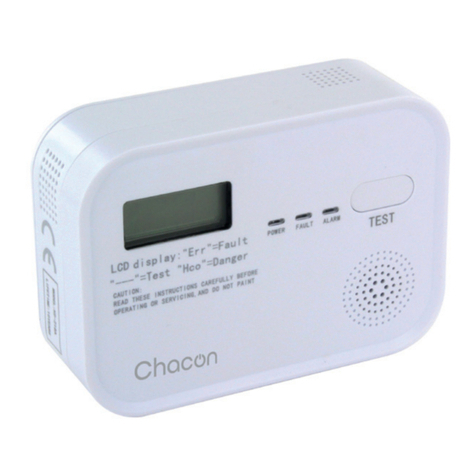
Chacon 34272 User manual

User manual / Mode d’emploi / Gebruiksaanwijzing / Manual de uso
Manual de instruções / Gebrauchsanweisung / Manuale d’uso
Ref. : 34272
v1.0 220209
www.chacon.com


0. Introduction
2. Power supply
1. Product overview
Thank you for using this product.
• Please read all instructions carefully before using the product.
• Do not attempt to disassemble or repair the product yourself, as this will invalidate the warranty.
• The CO2 sensor detects temperature, humidity and CO2 concentration. When the CO2 concen-
tration in the room reaches a certain level, the alarm sounds an 80dB tone.
When using the device for the rst time, please fully charge it for 6 hours. Once the battery is fully
charged, the device can be used for about 12 hours.
1. Speaker
2. Battery level
3. PPM level
4. Temperature
5. Humidity level
6. Power / brightness button
7. Mute button
1x 1x 1x
1x 2x
EN
1
2
3
4
7
5
6
Note: When the battery icon turns yellow, it means that the battery is medium and the
battery will still work for about 1.5 hours in low light. When the battery icon turns red,
it means that the battery is low and will work for about 30 minutes with low brightness
(see point 5_adapting the brightness).

Wall mounting:
3. Operating instructions
4. Detector installation
5. Adjusting the brightness
There are two possibilities, either wall mounting or simply placing it on your furniture using the
integrated support foot.
To change your lighting, simply press the power/brightness button once (see diagram). You can
choose between 3 lighting levels.
Note: The CO2 concentration is 550ppm at start-up, please wait 30s for self-calibration
before using.
Note: When your device is plugged in, the temperature level is higher than normal.
BUTTONS ON MODE OFF MODE
LONG PRESS SHORT PRESS LONG PRESS SHORT PRESS
At least 1.5sec. for
switching o
Brightness
adjustment
At least 1.6sec.
to switch on No operation
At least 1.5sec. to
decrease volume
Mute or unmute
the alarm No operation No operation
1. Using a pencil and the magnetic wall plate, mark the drilling
points for better accuracy.
2. Add the dowels to the holes.
3. Place the mounting plate and tighten with the screws.
4. Place the Co2 sensor on the plate. The plate will stick magneti-
cally due to the built-in magnets.

7. Low battery warning
8. Mute alarm
If the battery icon turns yellow and the device beeps twice every 10 seconds, the battery is half
discharged. The time to power o is approximately 1.5 hours in low light conditions.
In case of low battery, the battery icon will turn red and the alarm will beep twice every 5
seconds. The time to power o will be approximately 30 minutes with low light.
The mute button allows you to slightly lower the volume of the device or to mute the alarm when
it is sounding.
To lower the volume when you press the buttons on the device, simply hold the mute button for
about 1.6 seconds.
If you want to deactivate the alarm when it sounds, press quickly 1x.
6. Battery indicator
Battery status Charger connected Charger not connected
ON mode OFF mode ON mode OFF mode
Battery full Green No battery icon Green
High battery Green Green Green
Medium battery Green (ashing) Green (ashing) Yellow No battery icon
Low battery Green (ashing) Green (ashing) Red
No battery Green (ashing) Green (ashing) O
Note: The device will automatically turn o when the battery is too low. The battery indicator
ashes red 3 times with a beep when trying to switch on if there is no battery, and the
charger is not connected.
Note: Please note that the mute mode cannot be activated when the battery is low. The
alarm will only stop after connecting the charger.

9. Failure warning
12. Safety advice
10. What is carbon dioxide?
11. Symptoms following high CO2 exposure
• The unit displays 0000 and recalls the CO2 sensor weakness when it detects that the sensor is
damaged.
• The unit displays 25°C, 30% when it detects that the temperature and humidity sensor is
damaged.
• As the coverage area of CO2 detection is limited, we recommend that you install CO2 detectors
in every room of your home to eectively protect the whole family.
• Do not spray chemical sprays such as deodorant, hairspray, perfume, insecticide or spray paint
near the alarm.
• Clean with a soft, damp cloth, without using solvents or detergents that will damage the device.
• Please recharge the device regularly if it is stored for a long time.
• Do not paint the CO2 alarm and do not block or cover the alarm’s ventilation hole with glue or
other objects.
• Do not attempt to disassemble or repair the product yourself.
• The control panel is not waterproof. Do not expose it to rain or immerse it in water.
• Please keep these instructions for use in a safe place.
• In case of carbon dioxide poisoning, call the emergency services for help. Do not return home
until the alarm has stopped and the air has returned to normal.
Not to be confused with carbon monoxide (CO), CO2 is produced by the human body and is
found in the air when we exhale. CO2 is a colourless, odourless gas that humans cannot detect,
so having a CO2 meter is useful in oces, schools, homes where many people are present
together. The CO2 meter tells you when you need to ventilate a room.
At high concentrations, carbon dioxide can displace oxygen from the air, thus depriving the body
of oxygen, which can cause loss of consciousness. A lack of oxygen can cause a variety of symp-
toms including rapid breathing, rapid heart rate, dizziness, emotional reaction, fatigue, nausea
and vomiting, collapse or in more severe cases; convulsions, coma or death.
Note: Elderly people and those at risk (diabetics, thrombosis risks...) may be more vulne-
rable. If you experience even mild symptoms, please consult your doctor immediately!

Don’t throw batteries or out of order products with the household waste (garbage).
The dangerous substances that they are likely to include may harm health or the
environment. Make your retailer take back these products or use the selective collect
of garbage proposed by your city.
For indoor use only
13. Technical specications
• Power supply: DC 5V/1A (micro USB)
• Battery cell: Built-in 3.7V lithium battery
• Battery capacity: 2000mAh
• Battery life: 12 hours
• Product lifetime : 10 years
• CO2 measurement range: 400 ~ 5000ppm
• CO2 measurement accuracy: 1ppm
• CO2 measurement tolerance: ±50ppm + ±5%.
• Temperature measuring range: 0 ~ 65°C
• Temperature measurement tolerance: ±1°C
• Humidity measuring range: 0 ~ 100%RH
• Humidity measurement tolerance: ±5%RH
• Button type: Touch button
• Display type: LED
• Size: 100*100*30.5mm

0. Introduction
2. Alimentation
1. Présentation du produit
Merci d’utiliser ce produit.
• Veuillez lire attentivement toutes les instructions avant d’utiliser l’appareil.
• N’essayez pas de démonter ou de réparer vous-même le produit, faute de quoi le produit ne
sera plus sous garantie.
• Le détecteur de Co2 détecte la température, l’humidité et la concentration de CO2. Lorsque la
concentration de CO2 dans la pièce atteint une certaine concentration, l’alarme émet un signal
sonore 80dB.
Lors de la première utilisation, veuillez charger complètement l’appareil pendant 6h. Une fois la
batterie totalement chargée, l’appareil à une durée d’utilisation d’environ 12h.
1. Haut-parleur
2. Niveau de batterie
3. Niveau de PPM
4. Température
5. Taux d’humidité
6. Bouton d’alimentation / luminosité
7. Bouton sourdine
FR
1
2
3
4
7
5
6
Remarque : Lorsque l’icône de la batterie devient jaune, cela signie que la batterie est
moyenne et que la batterie fonctionnera encore pendant environ 1,5 heure avec
une luminosité faible. Lorsque l’icône de la batterie devient rouge, cela signie
que la batterie est faible et qu’elle fonctionnera encore pendant environ 30
minutes, avec une luminosité faible (voir point 5_adaptation de la luminosité).

Fixation murale :
3. Instructions de fonctionnement
4. Installation du détecteur
5. Adaptation de la luminosité
Deux possibilités s’orent à vous, soit une xation murale, soit simplement le déposer sur votre
meuble via le pied support intégré.
Pour modier votre éclairage, il vous sut d’appuyer 1x sur le bouton d’alimentation/ luminosité
(voir schéma). Vous pouvez choisir entre 3 niveaux d’éclairage.
Remarque : la concentration de CO2 est de 550ppm à la mise en marche, veuillez attendre
30s pour l’auto-calibration avant de l’utiliser.
Note : Lorsque votre appareil est branché, le niveau de température est supérieur à la
normal.
BOUTONS EN MODE ON EN MODE OFF
PRESSION
LONGUE
PRESSION
COURTE
PRESSION
LONGUE
PRESSION
COURTE
Au moins 1,5sec.
pour l’arrêt de
l’appareil
Adaptation de la
luminosité
Au moins 1,6s
mise en marche
Pas de fonction-
nement
Au moins 1,5sec.
pour diminuer le
volume
Mettre l’alarme
en sourdine ou
non
Pas de fonction-
nement
Pas de fonction-
nement
1. À l’aide d’un crayon et de la plaque murale magnétique, mar-
quez les points de forage pour une meilleure précision.
2. Ajoutez les chevilles dans les trous.
3. Placez la plaque de montage, puis serrez avec les vis.
4. Déposez le détecteur de Co2 sur la plaque. Celle-ci collera de
manière magnétique grâce aux aimants intégrés.

7. Alerte de batterie faible
8. Mettre l’alarme en sourdine
Si l’icône de la batterie devient jaune et que l’appareil émet 2x bips toutes les 10 secondes, cela
signie que la batterie est à moitié déchargée. La durée avant extinction est d’environ 1,5h en
ayant une luminosité faible.
Dans le cas de batterie faible, l’icône de la batterie deviendra rouge et l’alarme émettra 2x bips
toutes les 5 secondes. La durée avant extinction sera d’environ 30 minutes, avec une luminosité
faible.
Le bouton sourdine vous permet de diminuer légèrement le volume de l’appareil ou de
désactiver l’alarme lorsque qu’elle sonne.
Pour diminuer le volume lorsque vous appuyez sur les touches de l’appareil, il vous sut de
6. Témoin batterie
Statut batterie Chargeur connecté Chargeur non connecté
Mode « ON » Mode « OFF » Mode « ON » Mode « OFF »
Batterie pleine Vert Pas d’icône de
batterie Vert
Batterie élevée Vert Vert Vert
Batterie
moyenne Vert (clignote) Vert (clignote) Jaune Pas d’icône de
batterie
Batterie faible Vert (clignote) Vert (clignote) Rouge
Pas de batterie Vert (clignote) Vert (clignote) Arrêt
Remarque : L’appareil s’éteint automatiquement lorsque la batterie est trop faible. L’indi-
cateur de la batterie clignote en rouge 3 fois avec un bip lorsqu’on essaie de
l’allumer s’il n’y a pas de batterie, et qu’on ne branche pas le chargeur.
Note : Veuillez noter que le mode sourdine ne peut pas être activée en cas de batterie faible.
L’alarme s’arrêtera uniquement après avoir connecté le chargeur.
Table of contents
Languages:
Other Chacon Security Sensor manuals