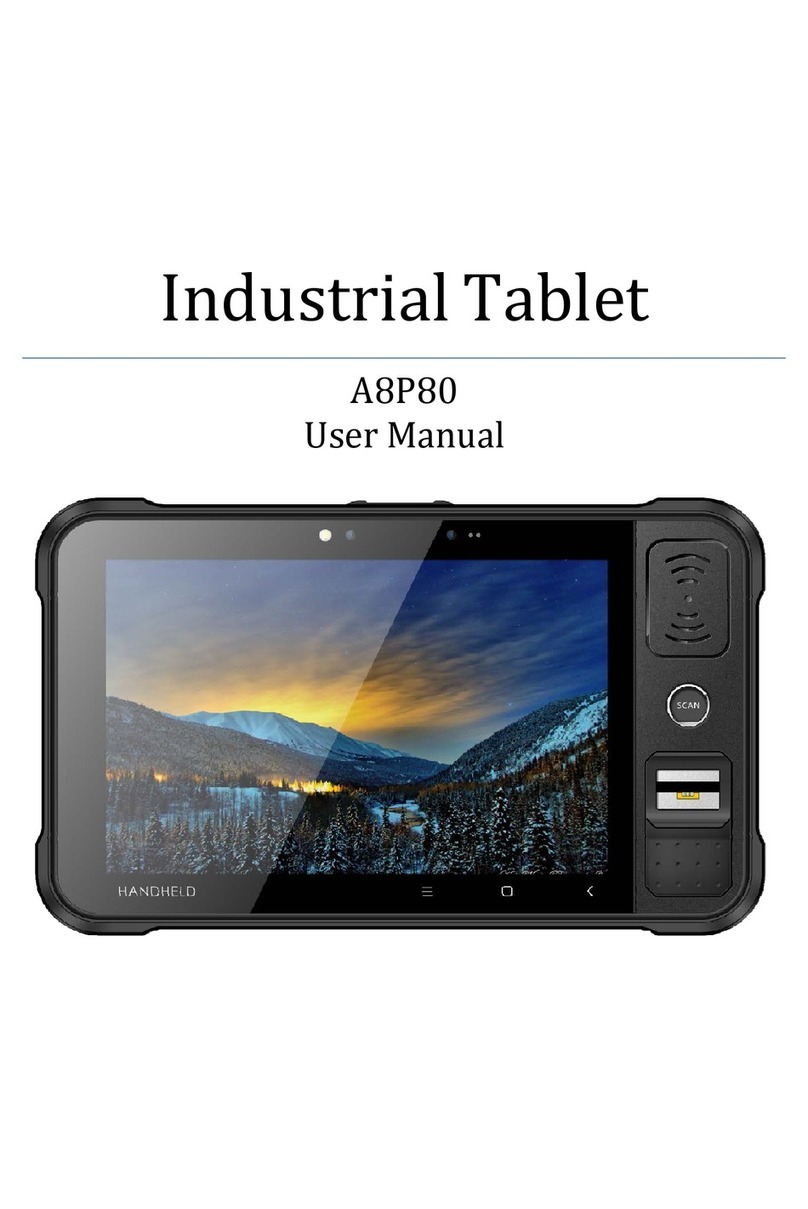
Chainway P80 User manual

Industrial Tablet
P80 User Manual

2
Catalog
Chapter 1 Product Intro ......................................................................................................3
1.1 Intro....................................................................................................................... 3
1.2 Precaution before using battery........................................................................... 4
1.3 Charger................................................................................................................. 5
1.4 Notes ....................................................................................................................6
Chapter 2 Installation instructions ......................................................................................7
2.1 Appearance.......................................................................................................... 7
2.2 Install Micro SD and SIM cards............................................................................9
2.3 Battery charge....................................................................................................10
Chapter 3 Call function.....................................................................................................11
3.1 Calling numbers .................................................................................................11
3.2 Contacts .............................................................................................................11
3.3 SMS and MMS ...................................................................................................11
Chapter 4 Barcode reader-writer......................................................................................12
Chapter 5 RFID reader .....................................................................................................15
Chapter 6 Other functions.................................................................................................16
6.1 PING tool............................................................................................................16
6.2 Bluetooth ............................................................................................................17
6.3 GPS....................................................................................................................18
6.4 Volume setup .....................................................................................................19
6.5 Network ..............................................................................................................20
Chapter 7 Device characteristic........................................................................................21

3
Chapter 1 Product Intro
1.1 Intro
P80 device is a industrial tablet that integrated with various features
such as UHF RFID, barcode scanning, HF RFID/NFC, Iris and
fingerprint recognition etc. It is configured with Andriod 7.1 OS and it
possesses high reliability and expansibility. With a set of advanced
data acquisition options, P80 can be operated in various industries to
acquire precise and abundant datum automatically. Meanwhile, the
device can match the options with staffs accordingly. The corporation
which deployed P80 will realize the deployment work is simple and
maintenance work will be remarkably decreased.
P80 is highly rugged, compact and durable. With IP65 water and dust
proof capability, the device has met IEC sealing standard. Therefore,
it can be operated by staffs such as railway inspector, road toll
operator, vehicle inspector, delivery postman, power supply inspector,
storage administrator, financial & insurance, police officers, security
tracing etc. Wherever your staff’ locations are, P80 can remain its
connectivity with the system to make sure business in high-effective
operating.
P80 industrial tablet adopted 4G LTE technology to realize multipath
communication and calling function for field work, data exchange
efficiency has been enhanced simultaneously. Therefore, P80 will
bring the largest investment return for enterprises.

4
1.2 Precaution before using battery
Do not leave battery unused for long time, no matter it is in
device or inventory. If battery has been used for 6 months
already, it should be check for charging function or it should be
disposed correctly.
The lifespan of Li-ion battery is around 2 to 3 years, it can be
circularly charged for 300 to 500 times. (One full battery charge
period means completely charged and completely discharged.)
When Li-ion battery is not in used, it will continue discharge
slowly. Therefore, battery charging status should be checked
frequently and take reference of the related battery charging
information on the manuals.
Observe and record the information of a new unused and non-
fully charged battery. On the basis of operating time of new
battery and compare with a battery that has been used for long
time. According to product configuration and application
program, the operating time of battery would be different.
Check battery charging status at regular intervals.
When battery operating time drops below about 80%, charging
time will be increased remarkably.
If a battery is stored or otherwise unused for an extended period,
be sure to follow the storage instructions in this document. If
you do not follow the instructions, and the battery has no charge
remaining when you check it, consider it to be damaged. Do not
attempt to recharge it or to use it. Replace it with a new battery.
Store the battery at temperatures between 5 °C and 20 °C
(41 °F and 68 °F).

5
1.3 Charger
The charger type is GME10D-050200FGu,output voltage/current is
5V DC/2A. The plug considered as disconnect device of adapter.

6
1.4 Notes
Note:
Using the incorrect type battery has danger of explosion.
Please dispose the used battery according to instructions.
Note:
Due to the used enclosure material, the product shall only be
connected to a USB Interface of version 2.0 or higher. The
connection to so called power USB is prohibited.
Note:
The adapter shall be installed near the equipment and shall be
easily accessible.
Note:
The suitable temperature for the product and accessories is 0-
10℃to 50℃.
Note:
CAUTION RISK OF EXPLOSION IF BATTERY IS REPLACED
BY AN INCORRECT TYPE. DISPOSE OF USED BATTERIES
ACCORDING TO THE INSTRUCTIONS.

7
Chapter 2 Installation instructions
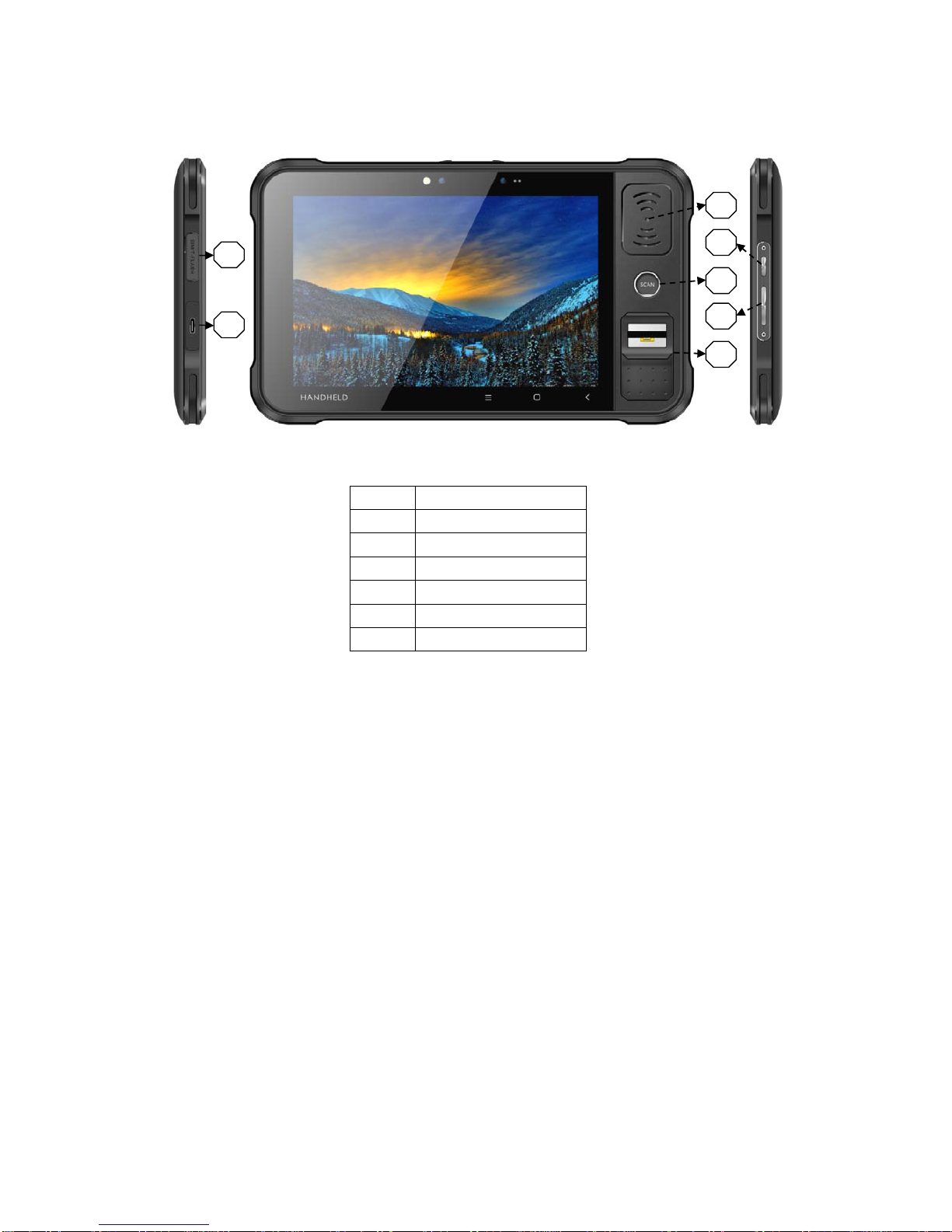
2.1 Appearance

8
Function Guide
1 NFC
2 Power Button
3 SCAN Button
4 Volume Setup
5 Fingerprint
6 SIM/TF Card Slot
7 TYPE-C Port
1
2
3
4
5
6
7

9
2.2 Install Micro SD and SIM cards
The cards sockets are showing as follows:

10
2.3 Battery charge
By using USB Type-C contact, the original adaptor should be used for
charging the device. Make sure not to use other adaptors to charge
the device.
Table of contents
Other Chainway Tablet manuals