2
CAMARO – CRUZE – EQUINOX
MALIBU – SS – VOLT
Camaro, Cruze, Equinox, Malibu, SS and Volt with MyLink
raise the radio’s connectivity with:
• Text Message Alerts – play a text message over the
audio system and respond with a preset message
• Siri Eyes Free – gives compatible iPhone users hands-
free access to some of their phone’s features, like
the calendar and text messaging; Chevy is the first
manufacturer in-market with Siri Eyes Free
These features are intended to prioritize safety for
driver and passengers. Driver focus should always remain
on driving, and GM strongly recommends that drivers
never input text using a handheld device while driving.
TEXT MESSAGE ALERTS
If your Camaro, Cruze, Equinox, Malibu, SS or Volt with
MyLink is paired with a Bluetooth device that supports
Text Message Alerts, the system:
• Can display important text messages
• Can play them back over the audio system
• Can send preset or create new preset messages
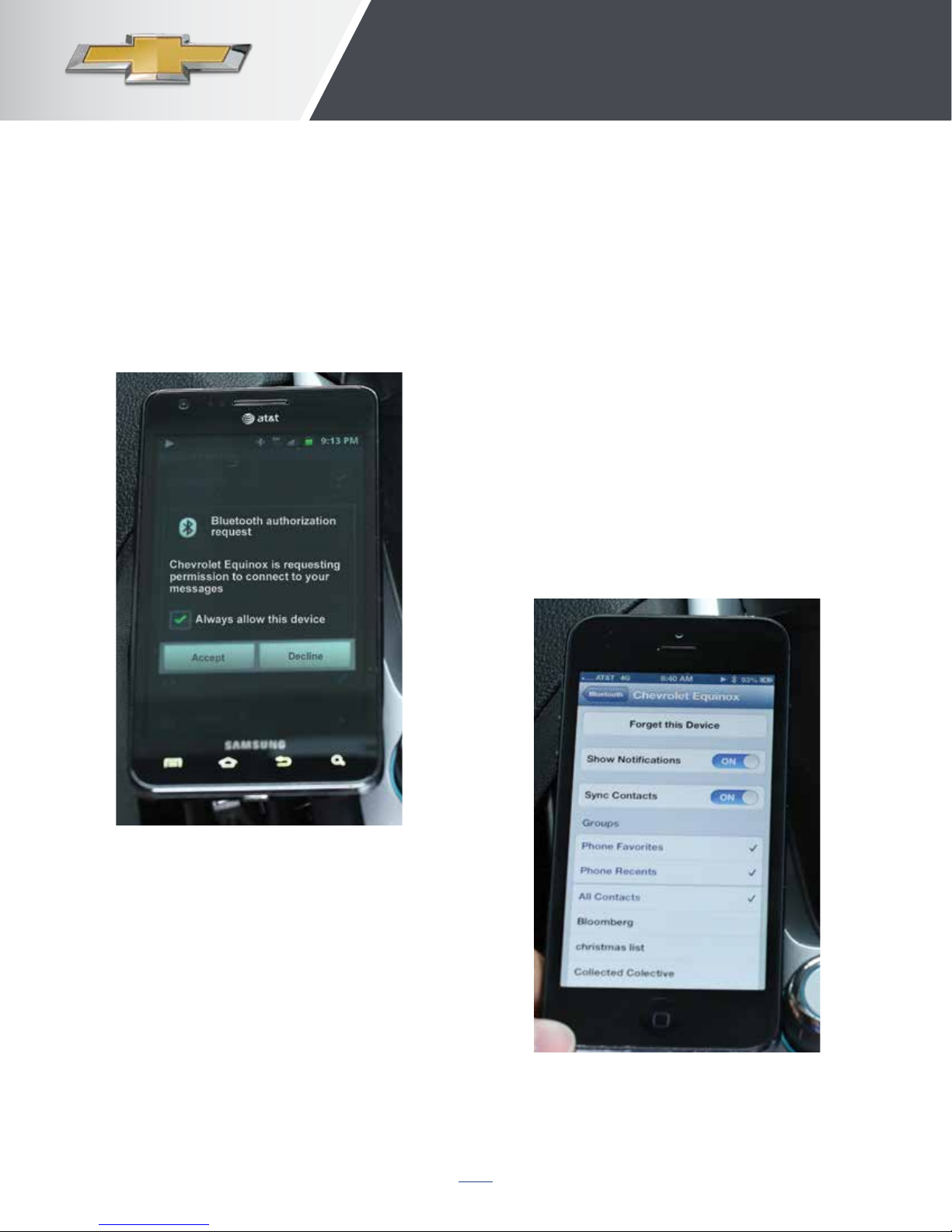
• Requires a compatible smartphone with Bluetooth
profile (M.A.P.) and applicable text messaging
features. For more information about varying
capabilities, go to gmtotalconnect.com. For example,
iPhones require unique set up requirements and offer
limited Text Message Alert capabilities
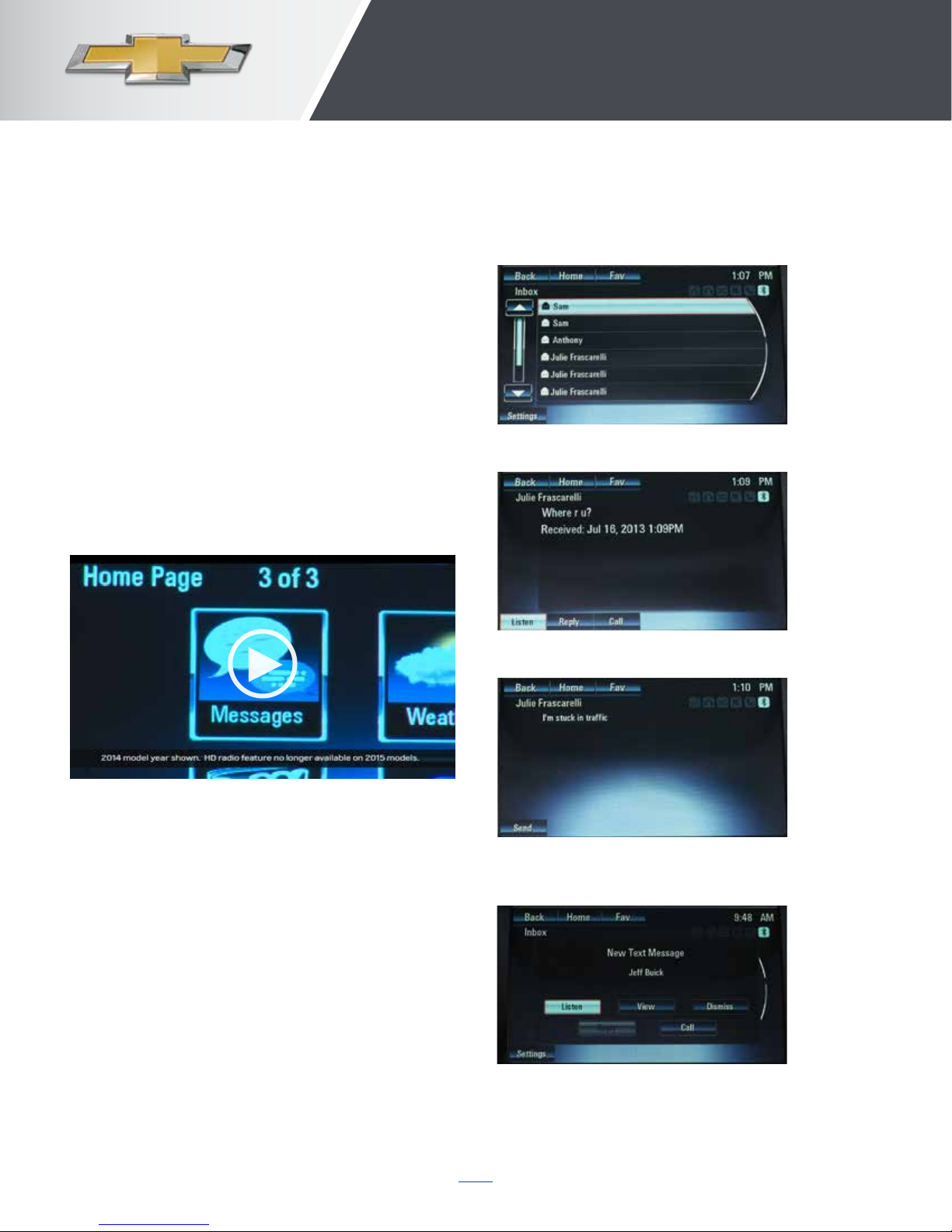
HOW TO USE TEXT MESSAGING
• Press “Messages” button on
Home Page
featUres helP keeP cUstomers connected
• When messages are retrieved, “Text Message”
inbox displays
• Select message for viewing (only available
when vehicle is not moving)
• Select “Reply” to reply and select desired message
from display of preset messages, then select “Send”
(this function is not available for iPhones)
• Incoming text messages
– Pop-up screen displays
– Select listen, view, dismiss or call
– Turn off display alerts from the “Settings” button
Video: Text Message Alerts