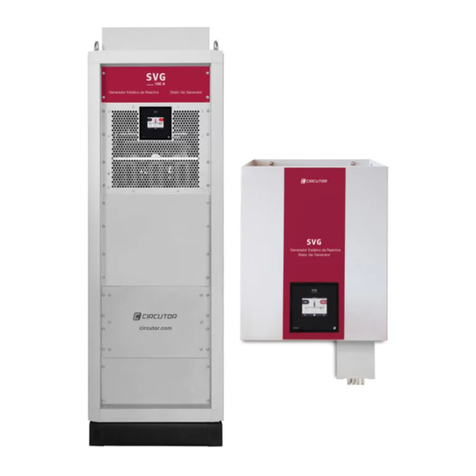
Circutor SVGm User manual

SVGm
(M248B01-03-22A)
Static var generator
INSTRUCTION MANUAL

2
SVGm
Instruction Manual

3
Instruction Manual
SVGm
SAFETY PRECAUTIONS
DANGER
Warns of a risk, which could result in personal injury or material damage.
ATTENTION
Indicates that special attention should be paid to a specific point.
Follow the warnings described in this manual with the symbols shown below.
If you must handle the unit for its installation, start-up or maintenance, the following should be
taken into consideration:
Incorrect handling or installation of the unit may result in injury to personnel as well as damage to the
unit. In particular, handling with voltages applied may result in electric shock, which may cause death
or serious injury to personnel. Defective installation or maintenance may also lead to the risk of fire.
Read the manual carefully prior to connecting the unit. Follow all installation and maintenance in-
structions throughout the unit’s working life. Pay special attention to the installation standards of the
National Electrical Code.
Refer to the instruction manual before using the unit
In this manual, if the instructions marked with this symbol are not respected or carried out correctly, it can result
in injury or damage to the unit and/or installations.
CIRCUTOR, SA reserves the right to modify features or the product manual without prior notification.
DISCLAIMER
CIRCUTOR, SA reserves the right to make modifications to the device or the unit specifications set
out in this instruction manual without prior notice.
CIRCUTOR, SA on its web site, supplies its customers with the latest versions of the device specifica-
tions and the most updated manuals.
www.circutor.com
CIRCUTOR, recommends using the original cables and accessories that are supplied
with the device.

4
SVGm
Instruction Manual
CONTENTS
SAFETY PRECAUTIONS .........................................................................................................................................................3
DISCLAIMER ..........................................................................................................................................................................3
CONTENTS.............................................................................................................................................................................4
REVISION LOG .......................................................................................................................................................................6
SYMBOLS...............................................................................................................................................................................6
1. VERIFICATION UPON RECEPTION....................................................................................................................................7
1.1.- RECEPTION PROTOCOL.............................................................................................................................................7
1.2.- TRANSPORT AND HANDLING...................................................................................................................................7
1.3.- STORAGE..................................................................................................................................................................9
2. PRODUCT DESCRIPTION ...............................................................................................................................................10
3. DEVICE INSTALLATION.................................................................................................................................................. 14
3.1.- PRELIMINARY RECOMMENDATIONS ...................................................................................................................... 14
3.2.- INSTALLATION LOCATION...................................................................................................................................... 15
3.2.1.- VENTILATION REQUIREMENTS....................................................................................................................... 15
3.3.- STORAGE FOR LONG PERIODS .............................................................................................................................. 17
3.4.- INSTALLATION ....................................................................................................................................................... 17
3.4.1.- WALL-TYPE SVGm ........................................................................................................................................... 17
3.4.2.- RACKTYPE SVGm .........................................................................................................................................18
3.4.3.- CABINETTYPE SVGm..................................................................................................................................... 19
3.5.- CONNECTION........................................................................................................................................................ 20
3.6.- DEVICE TERMINALS...............................................................................................................................................22
3.6.1.- WALL-TYPE SVGm: SVGm-3WF-xxxM and SVGm-4WF-xxxM......................................................................22
3.6.2.- RACKTYPE SVGm: SVGm-3WF-100R and SVGm-4WF-069R.......................................................................24
3.6.3.- CABINETTYPE SVGm.....................................................................................................................................25
3.7.- CONNECTION DIAGRAMS .......................................................................................................................................29
3.7.1.- 4WIRE CONNECTION AND CURRENT MEASUREMENT ON THE MAINS SIDE................................................29
3.7.2.- 4WIRE CONNECTION AND CURRENT MEASUREMENT ON THE LOAD SIDE................................................ 30
3.7.3.- 3WIRE CONNECTION AND CURRENT MEASUREMENT ON THE MAINS SIDE............................................... 31
3.7.4.- 3WIRE CONNECTION AND CURRENT MEASUREMENT ON THE LOAD SIDE.................................................32
3.7.5.- 3WIRE CONNECTION AND 2 CURRENT TRANSFORMERS ON THE MAINS SIDE...........................................33
3.7.6.- 3WIRE CONNECTION AND 2 CURRENT TRANSFORMERS ON THE LOAD SIDE.............................................34
3.8.- PARALLEL CONNECTION OF 2 TO 100 SVGm ........................................................................................................35
3.8.1.- CONNECTING INDIVIDUAL DEVICES ................................................................................................................36
3.8.2.- CONNECTING CABINETS .................................................................................................................................37
4. OPERATION .................................................................................................................................................................. 38
4.1.- OPERATING PRINCIPLE ......................................................................................................................................... 38
4.2.- MEDIUM VOLTAGE .................................................................................................................................................39
4.3.- REMOTE CONTROL ............................................................................................................................................... 40
4.4.- TIME PROGRAMMER............................................................................................................................................. 40
4.5.- SELF-TEST............................................................................................................................................................. 41
4.6.- THERMAL PROTECTION......................................................................................................................................... 41
4.7.- DISPLAY .................................................................................................................................................................42
4.7.1.- UPPER AREA ....................................................................................................................................................42
4.7.2.- CENTRAL AREA ...............................................................................................................................................43
4.7.3.- LOWER AREA...................................................................................................................................................43
5. STARTUP......................................................................................................................................................................44
6. DISPLAY.........................................................................................................................................................................45
6.1.- MAIN SCREEN ........................................................................................................................................................45
6.1.1.- SINGLE OR MASTER DEVICE............................................................................................................................45
6.1.2.- SLAVE DEVICE .................................................................................................................................................46
6.2.- VOLTAGE, CURRENT AND FREQUENCY..................................................................................................................47
6.3.- MAINS POWER AND COS ɸ..................................................................................................................................47
6.4.- LOAD POWER AND COS ɸ...................................................................................................................................48
6.5.- MAINS PHASORS...................................................................................................................................................49
6.6.- LOAD PHASORS.....................................................................................................................................................49
6.7.- ALARMS ................................................................................................................................................................ 50
6.8.- WARNINGS ............................................................................................................................................................52
6.9.- TEMPERATURE ......................................................................................................................................................55
6.10.- ETHERNET COMMUNICATIONS............................................................................................................................55

5
Instruction Manual
SVGm
6.11.- DEVICE INFORMATION .........................................................................................................................................56
6.12.- SLAVE DEVICE STATUS.........................................................................................................................................57
7. CONFIGURATION............................................................................................................................................................58
7.1.- LANGUAGE .............................................................................................................................................................59
7.2.- DEVICE SPECIFICATIONS........................................................................................................................................59
7.3.- INSTALLED DEVICES ............................................................................................................................................. 60
7.4.- OPERATING LIMITS ................................................................................................................................................ 61
7.5.- cos Φ.....................................................................................................................................................................62
7.6.- REACTIVE POWER OFFSET.....................................................................................................................................63
7.7.- TRANSFORMER CONFIGURATION...........................................................................................................................64
7.8.- MEDIUM VOLTAGE..................................................................................................................................................65
7.9.- REMOTE CONTROL ................................................................................................................................................66
7.10.- REMOTE CONTROL (COMMUNICATIONS) .............................................................................................................67
7.11.- TIME PROGRAMMER .............................................................................................................................................68
7.12.- TIME PROGRAMMER: cos Φ................................................................................................................................68
7.13.- ETHERNET COMMUNICATIONS.............................................................................................................................70
7.14.- RS-485 COMMUNICATIONS.................................................................................................................................70
7.15.- DATE /TIME.......................................................................................................................................................... 71
7.16.- PASSWORD........................................................................................................................................................... 71
7.17.- SAVE DATA ............................................................................................................................................................72
8. RS485 COMMUNICATIONS ..........................................................................................................................................73
8.1.- CONNECTIONS .......................................................................................................................................................73
8.2.- PROTOCOL ............................................................................................................................................................. 74
8.2.1.- EXAMPLE OF MODBUS QUERY........................................................................................................................74
8.2.2.- MODBUS MAP ................................................................................................................................................. 74
9. ETHERNET COMMUNICATIONS.....................................................................................................................................78
9.1.- CONNECTION..........................................................................................................................................................78
9.2.- WEB SITE...............................................................................................................................................................78
10. MAINTENANCE ........................................................................................................................................................... 80
10.1.- STANDARD MAINTENANCE ................................................................................................................................. 80
10.2.- COOLING FANS.....................................................................................................................................................82
10.3.- CHANGE OF COOLING FANS: SVGm OF 20.7 and 30 kvar ...................................................................................82
10.4.- CHANGE OF COOLING FANS: SVGm OF 41.4 and 60 kvar....................................................................................85
10.5.- CHANGE OF COOLING FANS: SVGm type RACK .................................................................................................. 88
10.6.- CHANGE OF COOLING FANS: SVGm OF 69 and 100 kvar WALL .......................................................................... 91
10.7.- CHANGE OF COOLING FANS: CABINET TYPE SVGm ............................................................................................92
10.8.- MAINTENACE OF SURGE PROTECTIVE DECIVES: SVGm-3WF-xxxC-690 AND SVGm-4WF-xxxC-550................93
11. TECHNICAL FEATURES.................................................................................................................................................94
12. TECHNICAL SERVICE.................................................................................................................................................. 104
13. GUARANTEE............................................................................................................................................................... 104
14. CE CERTIFICATE .........................................................................................................................................................105

6
SVGm
Instruction Manual
REVISION LOG
Table 1: Revision log.
Date Revision Description
03/19 M248B01-03-19A Initial Version
11/19 M248B01-03-19B Changes in the following sections:
4.3.2.- 6.7.- 6.9.- 7.4.- 7.5.- 7.9.- 8.2.2.4.- 11.
05/20 M248B01-03-20A Changes in the following sections:
3.2.1.- 4.2.- 4.4.- 6.5.- 6.6.- 6.7.- 7.4.- 7.5.- 7.7.
02/21 M248B01-03-21A
Changes in the following sections:
2.- 3.2.1.3.- 3.5.- 3.6.1.- 3.6.2.- 3.6.3.- 3.6.4.- 3.8.- 3.8.2.- 7.2.- 10.
- 10.3.- 10.4.- 10.5.- 10.6.- 10.7.- 10.8.- 11.
04/22 M248B01-03-22A
Changes in the following sections:
2.- 3.5.- 3.6.3.- 3.8.- 3.8.2.- 4.1.- 4.2.- 4.3.- 4.4.- 4.7.1.- 6.1.1.- 6.3.
- 6.4.- 6.7.- 6.8.- 6.9.- 7.6.- 7.7.- 7.8.- 7.9.- 7.10.- 7.11.- 7.12.- 7.15.
- 8.1.- 8.2.2.1.- 8.2.2.2.- 8.2.2.4.-9.1.- 11.
SYMBOLS
Table 2: Symbols.
Symbol Description
Compliant with the relevant European standards.
1 min
After disconnecting the device from all power supplies, wait 1 minute before per-
forming any operations.
Torque
2Screwdriver for PH2 head screws
30 Screwdriver for Torx 30 head screws

7
Instruction Manual
SVGm
1.- VERIFICATION UPON RECEPTION
1.1.- RECEPTION PROTOCOL
Check the following points when you receive the device:
a) The device meets the specifications described in your order.
b) The device has not suffered any damage during transport.
c) Perform an external visual inspection of the device prior to switching it on.
d) Check that it has been delivered with the following:
- Instruction manual
- Communication cable for connecting devices in parallel.(Models SVGm Wall and Rac
type).
e) Perform an external and internal visual inspection of the device prior to connecting it.
If any problem is noticed upon reception, immediately contact the transport com-
pany and/or CIRCUTOR's after-sales service.
1.2.- TRANSPORT AND HANDLING
The transport, loading and unloading and handling of the device must be carried
out with proper precautions and using the proper manual and mechanical tools so
as not to damage it.
If the device is not to be immediately installed, it must be stored at a location with
a firm and level floor, and the storage conditions listed in the technical features
section must be observed. In this case, it is recommended that the device be stored
with its original protective packaging.
To move the device a short distance, the device’s floor support profiles facilitate handling with a pallet
jack or forklift. (Figure 1)
Figure 1: Transport with pallet jack.

8
SVGm
Instruction Manual
The centre of gravity of some devices may be found at a considerable height.There-
fore, when handling with a forklift, it is recommended that the device be securely
fastened and that no abrupt manoeuvres made. The device should not be lifted
more than 20 cm off the ground
When unloading and moving the device, use a forklift with forks long enough to support the entire
length of the base. Otherwise, the forks should be long enough to support at least ¾ of said depth.The
forks must be flat and supported firmly by the base. Raise the device by placing the forks underneath
the profile that supports the device. (Figure 2).
There might be an offset in the centre of gravity from the centre of the cabinet,
as a result of the uneven distribution of loads inside the device. The necessary
precautions must be taken to prevent the device from tipping over during abrupt
operations.
Figure 2: Unloading with a forklift.
When unpacking the device, pay attention to prevent damaging the device if you are using cutting
tools, such as cutters, scissors or knives.
The SVGm devices cabinet type, there are also 4 rings (diameter : 28 mm) in the top panel so that they
can be transported by a crane. The top panel is inverted, but the rings are mounted, to enable it to be
transported without any prior set-up required. The angle of the cables must be greater than 45º
Figure 3: Transport of an cabinet SVGm by crane.

9
Instruction Manual
SVGm
1.3.- STORAGE
The device should be stored according to the following recommendations:
Avoid placing them on uneven surfaces.
Do not store them in outdoor areas, humid areas or areas exposed to splashing water.
Avoid hot spots (maximum ambient temperature: 50ºC)
Avoid salty and corrosive environments.
Avoid storing the devices in areas where a lot of dust is generated or where the risk of chem-
ical or other types of contamination is present.

10
SVGm
Instruction Manual
2.- PRODUCT DESCRIPTION
The SVG static var generator can be used to correct the power factor. For both backward (inductive)
and forward (capacitive) currents.
The device features:
-3/4-wire multifunction (depending on model), for installation in three-phase mains with or
without neutral.
- Parallel installation of up to 100 devices, depending on model.
- EMI filters.
- LCD touch display, to view the parameters.
-RS-485 and Ethernet communications.
- Enclosure type Rack, Cabinet oWall (depending on model).
There are different models of the device, for different powers:
SVGm 20.7 and 30 kvar,
Table 3: Relation of models SVGm of 20.7 and 30 kvar.
Model 3 Wires
( L1, L2, L3)
4 Wires
( L1, L2, L3, N) Type Power
(kvar)
Mains voltage
(Un)
Maximum
Parallelization
SVGm-4WF-020M-400 -Wall 20.7 208 ... 400 V 100 units
SVGm-3WF-030M-480 - Wall 30 208 ... 480 V 100 units
SVGm 41.4 and 60 kvar,
Table 4: Relation of models SVGm of 41.4 and 60 kvar.
Model 3 Wires
( L1, L2, L3)
4 Wires
( L1, L2, L3, N) Type Power
(kvar)
Mains voltage
(Un)
Maximum
Parallelization
SVGm-4WF-040M-400 -Wall 41.4 208 ... 400 V 100 units
SVGm-3WF-060M-480 - Wall 60 208 ... 480 V 100 units
Other manuals for SVGm
2
Table of contents
Other Circutor Portable Generator manuals