manuals.online logo
Brands
  1. Home
  2. •
  3. Brands
  4. •
  5. Clarion
  6. •
  7. Marine Radio
  8. •
  9. Clarion CMM-30 User manual

Clarion CMM-30 User manual

Other manuals for CMM-30

2

Other Clarion Marine Radio manuals

Clarion CMS1 Repair manual

Clarion

Clarion CMS1 Repair manual

Clarion CMD7 User manual

Clarion

Clarion CMD7 User manual

Clarion CMM-10 User manual

Clarion

Clarion CMM-10 User manual

Clarion CMD4A User manual

Clarion

Clarion CMD4A User manual

Popular Marine Radio manuals by other brands

Garmin GTX 45R installation manual

Garmin

Garmin GTX 45R installation manual

Garmin GTX 33 installation manual

Garmin

Garmin GTX 33 installation manual

Thrane&Thrane TT-6222A VHF DSC user manual

Thrane&Thrane

Thrane&Thrane TT-6222A VHF DSC user manual

Vesper Cortex HV1 installation guide

Vesper

Vesper Cortex HV1 installation guide

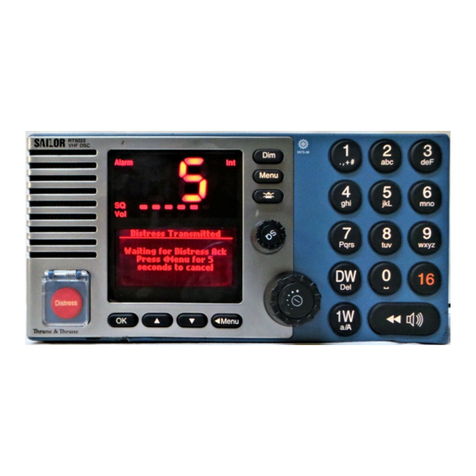
Thrane&Thrane Sailor RT5022 VHF DSC manual

Thrane&Thrane

Thrane&Thrane Sailor RT5022 VHF DSC manual

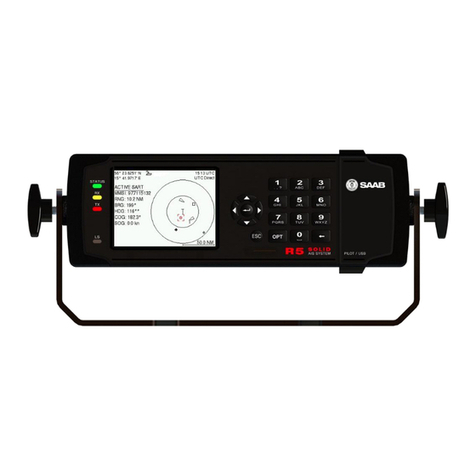
Saab R5 SUPREME AIS Operation & installation manual

Saab

Saab R5 SUPREME AIS Operation & installation manual

West Marine VHF580 owner's manual

West Marine

West Marine VHF580 owner's manual

Garmin VHF 315 Series installation instructions

Garmin

Garmin VHF 315 Series installation instructions

Barco MDSC-2226 user guide

Barco

Barco MDSC-2226 user guide

West Marine VHF490 owner's manual

West Marine

West Marine VHF490 owner's manual

GME GX800 instruction manual

GME

GME GX800 instruction manual

Garmin VHF100 - 25W VHF RADIO Declaration of conformity

Garmin

Garmin VHF100 - 25W VHF RADIO Declaration of conformity

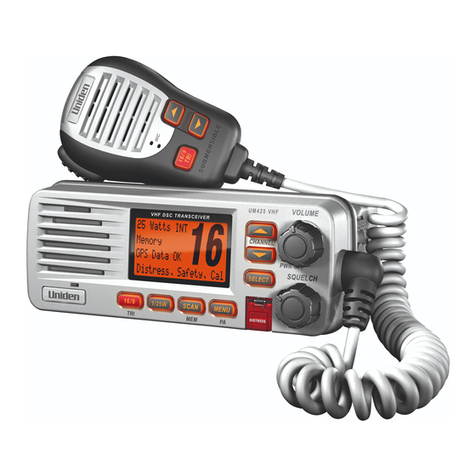
Uniden UM425 VHF DSC owner's manual

Uniden

Uniden UM425 VHF DSC owner's manual

Kongsberg cNODE MiniS LF instruction manual

Kongsberg

Kongsberg cNODE MiniS LF instruction manual

Trig Avionics TT26 installation manual

Trig Avionics

Trig Avionics TT26 installation manual

West Marine VHF500 owner's manual

West Marine

West Marine VHF500 owner's manual

Siemens SIMATIC RTLS4060T manual

Siemens

Siemens SIMATIC RTLS4060T manual

Cobra Marine MARINE MR HH330 FLOAT owner's manual

Cobra Marine

Cobra Marine MARINE MR HH330 FLOAT owner's manual

manuals.online logo
manuals.online logoBrands
  • About & Mission
  • Contact us
  • Privacy Policy
  • Terms and Conditions

Copyright 2025 Manuals.Online. All Rights Reserved.

CMM-30
Marine
Source
Unit
with
Full-Color
LCD
OWNER'S
MANUAL
MANUEL
D'UTILISATION
MANUAL
DEL
PROPIETARIO
BEDIENUNGSANLEITUNG
MANUALE
DEL
PROPRIETARIO
I • · 1
~
c
anon
MARINEAUDIO
+
+
x1
x1
x1
x1
~
#8
x 1
in
(25
mm)
2
□
:
x1
#8
x 1
in
(25
mm)
(x4)
3.68W in x
3.09H
in
(94W
mm
x
79H
mm)
✓
_
..
o,
--·
.-
-
-··
/2_
64in
(2.78
mm)
CMM-30
~-
AM
'f
FM
-
u
■
-
+-
AUX
-111~
ffi
2-
1A
/
am
□
(" i
Phone
SE]
::
::
::::
::
::
::
:
::
::~:::::::::::
::@
1~1
--
~
(
l•SiriusXl11
~)
3
-Ea-
"" ~0 - 11/JDQ
FCC
COMPLIANCE STATEMENT
This
device
complies
w
it
h Part
15
of
the
F
CC
Rules.
Ope
rati
on
is
subject
to
the
following
t
wo
condi
ti
ons:
(1)
this
device
may
no
t
cause
harmful
in
terfe
rence,
and
(2)
th
is
device
mus
t
not
accept
any
interference
re
ceived,
inclu
ding
interference
that
may
cause
undesired
operation.
T
hese
l
imits
are
designed
to
prov
ide
reasonable
protection
agains
t harmf
ul
in
te
rference
in a
residential
i
nstal
lati
on.
This
equipment
generates,
uses a
nd
can
r
adiate
radi
o
frequency
energy
and,
if
not
i
nstalled
in
accordance
wi
th
the
in
structions,
may
cause
harmful
interference
to
rad
io
communica
ti
ons.
Howeve
r,
there
is
no
guaran
tee
that in
terfere
nce
will
not
occur
in a
part
icular
insta
l
lation
.
If
th
is
equipment
does
cause
harmful
in
terfe
rence
to
radio
or
tele
vision
re
cep
ti
on, t
he
user
is
encouraged
to
try
to
correct
the
interference
by
one
or
more
of
the
fol
l
owing
measures:
-
Reor
ie
nt
or
re
locat
e
the
receiving
an
te
nna.
-
Incr
ease
separa
ti
on
betwee
n
the
equ
i
pment
and
the
receiver
.
-
Connec
t t
he
equipment
to an
ou
tlet
on
a cir
cui
t di
fferent
from
that
to
which
t
he
receiver
is
connected.
-
Consul
t t
he
dealer
or
an
exper
i
enced
rad
io/
TV
te
chnician
for
help
.
Any
changes
or
modif
i
cations
not
expressly
approved
by
the
party
resp
onsible
for
compliance
could
void
the
user's
aut
hor
it
y
to
opera
te
this
equ
i
pment.
4
SAFETY CONSIDERATIONS
•
Only
use
this
product
in vehicles
with
12
volt,
nega
ti
ve-
ground
electrical
systems. This
product
is
not
certified
or
app
r
oved
for
use in air
craf
t.
•
Mount
this
product
securely
to
prevent
damage
or
injury
in
severe
condi
ti
ons.
•
Do
no
t
replace
the
powe
r wire
fuse
with
one
of a d
iffere
nt
value.
Never
bypass
t
he
fuse
.
• Lis
te
n to
your
audio
system
at
levels
appropriate
for
opera
ti
ng
condi
ti
ons a
nd
hear
i
ng
safet
y.
INSTALLATION CONSIDERATIONS
• I
nstal
lati
on
requ
ires
approp
ri
ate
tools
and
safety
equipment
.
Professi
onal
i
nstallati
on
is
recommended.
• This
product
is
wa
ter-
resistant.
Do
no
t
submerge
or
sub
je
ct to hi
gh
-
pressure
wa
ter
spray
.
• Be
fore
ins
ta
l
lation,
turn
o
ff
t
he
audio
system
and
disconnec
t
the
battery
system
from
the
aud
io
sys
te
m.
• I
nstal
l in a
dry,
wel
l-ven
tilated
location
that
does
no
t
interfere
wi
th
your
factory
-i
nstal
led
systems
. If a
dry
environment
is
not
avai
lab
le,
a
location
that
is
not
exposed
to
heavy
splashing
may
be
used.
• Be
fore
c
utti
ng
or
dr
illi
ng,
check
for
po
te
nt
ial
obs
tacles
behind
mount
i
ng
surfaces.
• Carefully
route
all sys
te
m wiri
ng
away
moving
pa
rts
and
sharp
edges;
secure
with
cable
ties
or
wire
clamps
and
use
gromme
ts
and
loom
w
here
appropriate
to
pro
te
ct
fr
om
sharp
edges
.
GENERAL CONTROL FUNCTIONS
.......
,.......
---
----
I
cladon o~-t, ~•'ll!.-4
0
Cl
lll-30
scS>
RC
c
~
0
~
~
0* 0
M
◄
~
►
II
O
~
S.:."'"TD'65 SN:K,To'ENI.I FAVORllES
- -
----
---
----
....___
Control
0
Sour
ce/ • Short
press
to turn ON; Long
press
to
turn
OFF
SOURCE
Power
•
Whe
n on,
short
press
to display the Source: Sel
ect
menu
0 Vol
ume
/ • Rotate
to
adjust volume
Sel
ect
• Rotate
/pr
ess
for navi
gation
and
making selections
0
Sett
ings • Short
press
to
access
Tone,
Ba
lance & EQ
sett
i
ngs
SETTINGS
• Long
press
to
access
Sett
ings:
Ma
in
Menu
---
Back/
-
Menu
• Short
press
to
go
back
one
step
or
access
source
specific
menus
BA
CK/M
E
NU
* Favorites • Short
press
to
access
stored
presets
FAVOR
IT
ES
• L
ong
press
to
store
a frequency as a
preset
(up
to
18)
►
II
Mute
/ • Short
press
to
mute/unmute
audio
(A
M/FM/Si
ri
usX
M/WB/A
UX)
or
Pause
pause/resume
the
current
select
i
on
(USB/Bluetooth)
Short
press
to:
• Manually
ad
just tuner forwards (AM/FM/SiriusXM/WB)
•
Select
the
nex
t track (USB/Blue
tooth
)
_,....
Forward
Lo
ng
press
to
:
• Seek
to
t
he
next
channe
l (AM/FM/WB)
•
In
i
tiate
Ra
pid
Channel Browsing forward
(Si
riusXM
)
• Fast-forward (USB/Bluetooth)
Short
press
to
:
• Manually
ad
j
ust
tuner backwards (AM/
FM
/S
iriusXM/WB)
• Restart track/select
the
previous track (USB/Bluetoot
h)
H
◄
III
Backward
Lo
ng
press
to
:
• Seek
to
t
he
previous channel (AM/
FM
/WB)
•
In
i
tiate
Ra
pid
Channel Browsing backward
(Siri
usXM)
• Fast-rewind
(US
B
/Bluetoo
th)
5
SYSTEM
MENU
SETTINGS
0
SETT
INGS • Long
press
to
access
the
Se
t
ti
ng s:
Ma
in
Men
u
0 •
Rotate
to
navigate
•
Press
to
make
selections
Setting
I Function
Audio Zo
ne
Setup
Configures
each
set
of
audio
zone
outputs
Aux Input
Configures
AUX
input
sensit
i
vity:
2V
or
1V
RMS
(default)
Sensit ivi
ty
Diagn
os
t
ic
Displays hardware
and
software version info
Display
Configures
display
and
brightness
settings
Scro
ll
ing
text
Enables
continuous
scrolling
of
available RDS/track
text
info
Tuner
Re
gion
Configures
AM/FM
tuner
range/scale
for a specific
region
FAVORITES
MENU
SETTINGS
*
F
AVORITES
•
Short
press
to
access
settings/stored
presets
• L
ong
press
to
store
a
frequency
as a
prese
t (up
to
18)
0 •
Rotate
to
navigate
• P
ress
to
make
selec
t
ions
6
TONE, BALANCE &
EQ
MENU
SETTINGS
0
SETTINGS
•
Sho
rt pr
ess
to
access
se
tt
i
ngs
I
0 •
Ro
t
ate
to
navigate
• Press
to
make
selections
Setting I Function I
Note
T
reble
Treble level control
from-10to
+10
Mid Mid level control from -10
to
+10 EO
must
be
set
to
Off
Bass
Bass level control
from-10to
+10
Balance
Ba
l
ance
control from
ful
l left
(-10)
to
ful
l right (+
10)
EQ
S-band
equalizer control from -10
to
+10
per
band
AUDIO
ZONE
MENU
SETTINGS
0
SETTINGS
• Long
press
to
access
settings
0 •
Rotate
to
navigate
•
Press
to
make
selections
Setting 1
Var
i
ab
le (default)
Absolute
Level
Con
trol
Mode
Sub
(Zone 4 only)
Off
Z1: Z
one
1
Off
Z2: Z
one
2
80
Hz
Z3: Z
one
3 HP
Xover
Z
4:
Z
one
4 100
Hz
120
Hz
Bow,
Bridge, Cabin, Cockpit,
Ga
l
ley,
Helm,
R
ename
Z
one
Stateroom
1,
Stateroom
2,
Tower, Transom
Factory Default
Volume
Lim
it Max
Vo
l
ume
Limit
7
BLUETOOTH
MENU
SETTINGS
--
BAC
K/MENU
•
Short
press
to
access
settings
0 •
Ro
tate
to
naviga
te
•
Press
to
make
selections
Setting
I Function
Now
Playi
ng
Return
to
the
Now
Playing
Screen
Connec
t
Pa
i
red
Display
all
pa
i
red
dev
i
ces
for
connect
i
on
Dev
ic
e
P
air
New
Dev
ic
e Initiates Pairing
Mode
(current
connected
devices
wi
ll
be
disconnected)
Se
t Pri
mary
Devi
ce
Assign priority
to
a
paired
device
for
automatic
connection
De
lete a P
aired
Select
from
paired
dev
i
ces
for removal
Dev
ic
e
De
l
ete
All Pa
ir
ed
Removes all
paired
devices from
memory
dev
ic
es
8
USB
MENU
SETTINGS
BAC
K/ME
NU •
Short
press
to
access
settings
0 •
Rotate
to
navigate
•
Press
to
make
select
i
ons
Setting
I Function
N
ow
Playing Return to
the
No
w Pl
ayi
ng Sc
reen
Random Random playback of all
tra
c
ks
Repeat Repeats playback of the current track
or
a
ll
tracks
Play A
ll
Plays
al
l tracks within all folders
Folder list
Di
splays list
of
folder
s/
tracks
DI
MPORTA
N T I
•
Properly
secure
the
connected
device
before
driving
to
prevent
damage
from
dropping
or
sudden
acceleration/braking.
•
Control,
funct
i
onal
i
ty
and
di
splay
may
vary
depending
on
the
model
and
versi
on
of
iPhone
®
connected
.
•
When
connected
via USB
port,
make
sure
to
unpa
ir
or
disable
the
Bluetooth
connection
to
avoid
possib
le pl
ayback
conflicts.
• If
you
exper
i
ence
abnormal
performance
during
operation,
di
sconnect
the
i
Phone
®
and
check
i
ts
cond
i
tion.
Restart
your
iPhone
®
if
performance
does
not
i
mprove
.
•
"Made
for
iPhone"
means
that
an
electronic
accessory
has
been
des
i
gned
to
connect
specif
ically
to
an
iPhone
®
and
has
been
certif
i
ed
by
the
developer
to
meet
Apple
performance
standards.
Apple
is
not
respons
i
ble
for
the
operation
of
this
device
or
its
compliance
with
safety
and
regu
l
atory
standards
. Pl
ease
note
that
the
use
of
this
accessory
with
an
iPhone
®
may
affect
wireless
performance.
•
iPhone
®
and
all
related
marks
and
l
ogos
are
trademarks
of
App
le Inc.,
registered
in
the
U.S.
and
other
countries
.
9
I
SIR
IU
SXM
®SATELLITE
RADIO
Only
SiriusXM®
brings
you more of
w
hat
you love to listen to, all
in
one
plac
e.
Get
ov
er 140 ch
anne
l
s,
including
com
mer
c
ia
l-
free
music plus
the
best
sports,
news,
ta
lk,
com
ed
y and
en
t
erta
inm
ent.
Welcome
to
the
wo
rl
d
of
satellite radio. A SiriusXM Vehicle T
une
r
and
Subscript
ion
are
required
.
For
m
or
e
i
nfo
rmat
ion
, visit www.siriusxm.com.
(SiriusXM service
is
on
ly ava
il
ab
le in t
he
con
tine
ntal
US
and
Canada
.)
Activating Your SiriusXM Subscription
A
fte
r installing
your
SiriusXM
Connec
t
tun
er
and
an
te
nna,
power
on your
CMM
-30
and
sel
ect
SiriusXM
mode.
You
should
be
a
ble
to
he
ar t
he
SiriusXM preview channel
on
Channel
1. If you cannot hear t
he
pre
view
ch
anne
l,
pl
ease check t
he
insta
ll
at
ion
i
ns
truct
ion
s
to
make sure
your
SiriusXM
Co
nne
ct
tu
ner
is
properly
instal
led
.
A
fte
r you can hear t
he
preview channel,
tun
e to
Channe
l Oto
find
t
he
Radio ID
of your tuner.
In
addition,
the
Radio
ID
is
loc
ated
on
the
botto
m of
the
SiriusXM
Co
nne
ct
Vehicle T
un
er
and
its
packag
ing. You will
need
this numb
er
to
activa
te
your subsc
ript
ion. Write
th
e
number
down
for
refere
nc
e.
Note
:
the
SiriusXM Radio ID
does
n
ot
inclu
de
the l
etters
I,
0,
Sor
F.
In
the
USA, you
can
activate online or
by calling SiriusXM Listener care:
• Vi
si
t
www.
siriusxm.com/activat
enow
• Call SiriusXM Liste
ner
Car
e
at 1-866-
635
-2349
For Canadian Subscri
pt
i
ons
,
please contact:
• Vi
si
t www.siriusxm.ca/activate
• Call SiriusXM
Customer
Car
e
at 1-888-539-
7474
As
part
of
the
activat
ion
process, the
SiriusXM satelli
te
s will send an activat
ion
mes
sage
to your tu
ner
.
When
your
radio
10
de
te
cts
t
hat
the
tu
ner
has receiv
ed
the
act
i
va
ti
on
message, your
radio
will
disp
lay: "Subscripti
on
Upda
te
d".
Onc
e subscri
bed,
you
ca
n
tun
e to
ch
anne
ls
in
your subscript
ion
plan.
Note
: T
he
activation process usually
takes 10 to 15 minutes, b
ut
may take
up
to
an
hou
r.
Your
radio
will n
eed
to
be
powe
red on
and
recei
ving
the
SiriusXM
signal
to
re
ce
ive
the
act
i
va
t
ion
message.
Parental Controls
Some
SiriusXM channels
co
nt
ain mature
con
te
nt.
When
the
Parental
Con
trols
feature
is
enabled,
channels with mat
ur
e
con
te
nt
are rest
ri
c
ted
and
will re
qui
re a
4-
digit
lock
cod
e to access.
Enabling Parental Controls
1. Press
BACK/MENU
to access t
he
SiriusXM:
Ma
in
Menu
.
2.
Turn
VO
L/SEL
to
Pa
rental
Controls
and
press
to
enter.
3.
Press VOL/SEL
to
select
Lock
Ma
ture Channels. After, you
must
enter
a 4-
dig
it l
ock
code
to
lock
mature
con
te
nt
channe
l
s.
(
Pa
rental
Control
default
passcode: 0000)
4.
Use VOL/SEL
to
enter
the
4-
dig
it
lock
code
and
select Save
when
finished.
Changing
the
Lock
Code
1. Press
BACK/MENU
to access t
he
SiriusXM:
Ma
in
Menu
.
2.
Turn VOL/SEL
to
Pa
rental
Con
tr
ols
and
press
to
enter.
3.
Turn VOL/SEL
to
Edit L
ock
Code
and
press enter.
4.
Use VOL/SEL
to
enter
the
current
4-
digit
lock
code
and
select
En
ter
when
finished.
5.
Use
VO
L/S
EL
to
enter
the
new
l
ock
code
and
select
Ente
r
to
conf
irm.
Make
sure
to
save
your
4-digit
lock
code
for
future
reference.