5
ENGLISH
3. Inserting batteries
Remove thebattery cover (5) and insert
3 x AA/LR6 batteries (sold separa-
tely) observing thepolarity markings in
thecompartment. Refit thebattery cover
and ensure it sits securely.
Warning! Always switch thelaser off
before changing batteries.
• Change batteries when either of
theindicator lights, (8) or (9) begin
flashing red on thecontrol panel.
• Never mix old and new batteries or
batteries of different types.
• Remove any discharged batteries
immediately.
4. Operating instructions
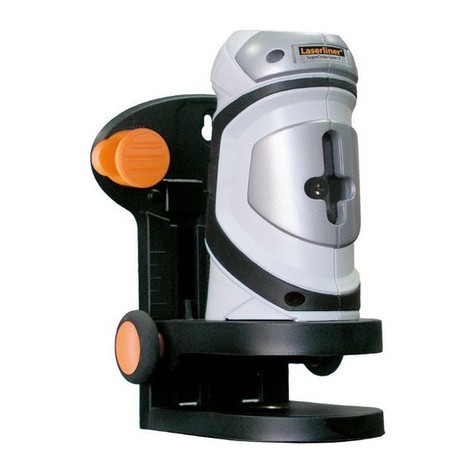
1. Place thelaser level on afirm horizontal surface or screw it onto thetripod.
2. Set the[ON/OFF] switch (1) to theON position. Select thedesired setting
by pressing [MODE]:
There are four modes to select from:
- A. Normal cross-line self-levelling mode is thedefault function when first turned
on: Cross-line laser (unlocked with self-levelling and incline warning activated).
- B. Press [MODE] once to switch to ahorizontal mode.
- C. Press [MODE] twice to switch to avertical mode.
- D. Press [MODE] athird time for cross-line locked mode (incline warning
deactivated). Depending on what is selected, indoor or outdoor mode, one of
these indicator lights, (8) or (9) will show asteady red to indicate cross-line locked
mode. Press [MODE] once again to return to normal cross-line laser mode.
3. In normal cross-line laser mode theself-levelling feature will automatically
compensate for asmall margin of incline error (within 4°). The laser beam is ready
to be referenced once thebeam is solid and still. Note! If theinstrument is inclined
more than 4° from thehorizontal, theself-levelling feature will not work.
Angles exceeding 4° will cause theindicator lights, (8) or (9) to show asteady red
and thelaser beam to flash. The angle must be within 4˚ of horizontal for theself-
levelling feature to work.