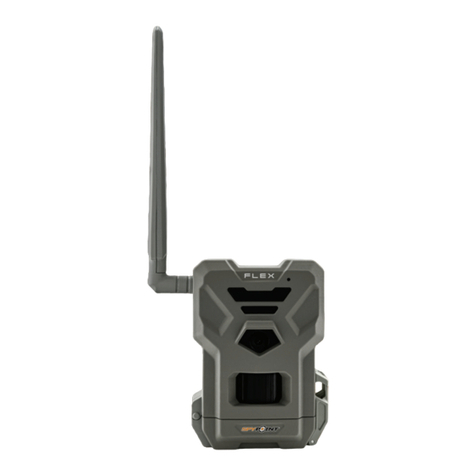
Ctronics H885 User manual

https:// www.ctronics-tech.com


1
Introduction
Congratulations on the purchase of your new device. You have s
elected a high-quality product. The operating instruction is one co
nstituent of this product. It contains important information about s
afety, use and disposal.
Before using the product, familiarise yourself with all operating an
d safety instructions. Use this product only as described and only
for the specified areas of application.
Intended Use
This device is intended only for recording digital photos and video
s, particularly for observing wildlife.
If the camera be placed in the outdoor, the changes in the weath
er could lead to error record.
Safety
Please read below safety precautions carefully before using the c
amera.
· Do not try to disassemble the product case. Only authorized tec
hnician can repair the product.
· The camera will be hot after long time used.

2
CAMERA OVERVIEW
1.Display Screen
2.Up/Video Button
3.Shot Button
4.Right Button
5.OK Button
6.Speaker
7.Menu Button
8.Left Button
9.Playback Button
10.Down/Photo
Button
11.Micro SD Card Slot
12.AV Jack
13.USB Jack
14.OFF-TEST-ON Mode
Button
15.Infrared LEDs
16.Lens
17.Front Motion Sensor
18.Side Motion Sensor

3
Power Supply
Please install batteries before using the camera.
♦ Open the camera case and remove the battery cover. Install 8
pieces of 1.5V AA batteries. Please make sure the electrode is
correct.
♦ If the camera is in low power, please connect the camera to the
Ctronics solar panel.
Storage Media
Please prepare a Micro SD card and insert it into the camera for
saving more files.
♦ Support Micro SD card, up to 512GB.
♦ To avoid malfunction, the memory card should be far away
water, strong vibration,dust, hot source and direct sunlight.
♦ Do not insert the memory card forcibly. Please refer to the
marking on the camera.
♦ For the first time use, please wait a moment.The camera will be
short-circuit, caused by the change of environment's temperature
and humidity.
♦ If the capacity of memory card is full, the camera will stop
recording automatically and the LED lights off.
♦ Press the edge of the SD card gently to pop-up the TF card.

4
Operation
Turn On / Off The Camera
Switch the Mode Button to“Test/On”to turn on the camera.
Switch the Mode Button to “Off” to turn off the camera.
System Setup
Switch Mode Button to “Test”, then you can set the camera‘s
parameters as your need.
1. Press Video/Photo button to switch the two modes.
2. Press Menu button to open the setup menu.
3. Press Up/Down button to scan all menu. Then press OK button
to enter the options interface.
4. Press Up/Down button to scan all options. And press OK button
to confirm options.
5. Press Menu button again to turn back to last menu or exit the
setup menu.
Tips before running the camera
1. ♦Please make sure the SD card has been inserted
2. ♦Please install the batteries (both remote control and camera)

5
Setup menu are as below:
Mode
Set the working mode. In photo mode,the camera just take
pictures. In Video mode,the camera just record video. In
photo&video mode,the camera will take a photo first, then start to
record video.
Options:【Photo】/【Video】/【Photo&Video】.
Photo Resolution
Set the image resolution.
Options:【20MP(5200x3900P)】/【16MP(4608x3456P)】/
【12MP(4000x3000P)】/【8MP(3264x2448P)】/
【5MP(2592x1944P)】
/
【3MP(2048x1536P)】
/
【1MP(1280x960P)】
.
Photo Series
Set the photo number of continuous shooting. In photo mode, the
camera will take photos continuously.
Options:【1 photo】/【2 photos in series】/【3 photos in series】
/【10 photos in series】.
Video Resolution
Set the video resolution. The bigger the resolution is, the longer
video time can be stored.
Options:【3840x2160P】
/
【2688x1520P 20fps】
/
【1920x1080P】
/
【1280x720P】
/
【1280x720P 60fps】
/
【848x480P】
/
【720x480P】
/【640x480P】/【320x240P】.

6
TL Video Resolution
Set the resolution of time lapse video.
Options:【5200x3900P】/【4608x3456P】/【4416x3312P】/
【4000x3000P】/【3648x2736P】/【3264x2448P】/【3072x2304P】
/【2592x1944P】/【2048x1536P】.
Video Length
The shortest time is 3 seconds and the longest time is 10 minutes.
Options:3 seconds~10 minutes.
Audio Recording
The camera will record audio when recording video.
Options:【On】/【Off】.
Shot Lag
Set the time of delay shooting when the camera detects the
motion. Within the selected time, the camera will not record any
image or video. It will avoid store too much the same events.
Options:5 seconds~60 minutes.
Side Motion Sensors
Open/close the side motion sensors.
Options:【On】/【Off】.
Sensitivity Motion Sensors

7
Set
Target recording time
Start:Stop:
Hr:Min Hr:Min
00 00 00 00
MENU Back OK Select
Settings
Set time lapse
Hr:Min :Sec
00 00 30
Notification:Motion
sensors deactivated
MENU Back OK Select
Set the sensitivity of the sensors. “High Sensitivity”applies to
mild environment. ”
Low Sensitivity ”
applies to cold environment.
Options:【Low】/【Middle】/【High】.
Target Recording Time
Set the target recording time. As
shown in below picture, you can set
the start and stop time. The camera
will work just in the stated time slot. In other time, the camera will
keep in standby state.Options:【On】/【Off】.
Time Lapse
In Time lapse menu, there are three options as below.
[Normal]: The camera will take pictures automatically as per set
time interval. For example,set the interval time to 1 hour, the
camera will take a photo each hour.
[TL Video]: You can set the interval time.The time range is from 1
second to 24 hours. For example, set the interval to 1 hour, the
camera will take a photo each hour.
If the camera works for 24 hours,
there will be 24 photos. These
photos will be converted into a
video.

8
[Off]: Close the time lapse function.
Language
Set the language display on screen.
Options:【English】
/
【German】
/
【Danish】
/
【Finnish】
/
【Swedish】
【Spanish】/【French】/【Italian】/【Dutch】/【Portuguese】/
【Simplified Chinese】/【Traditional Chinese】/【Japanese】.
Endless Capture
Set the camera to record video in loop.
Options:【On】/【Off】.
Time & Date
Set the date and time of camera.
The date format: dd/mm/yyyy, yyyy/mm/dd,mm/dd/yyyy.
The time format: 24h,12h.
Options:【Set time&date】/【Time format】/【Date format】.
Photo Stamp
Stamp the date&time on the photos or not.
Options:【Time&date】/【Date】/【Off】.
Password Protection
Set the power-on password of the camera. The password is four
digits, each digit ranges from 0 to 9 or A to Z.
If you forget the password, please reset the camera.
Table of contents