logo
Brands
  1. Home
  2. •
  3. Brands
  4. •
  5. Dell
  6. •
  7. Laptop
  8. •
  9. Dell Latitude CPi R User manual

Dell Latitude CPi R User manual

This manual suits for next models

3

Other Dell Laptop manuals

Dell Latitude E6430s User manual

Dell

Dell Latitude E6430s User manual

Dell Latitude D410 User manual

Dell

Dell Latitude D410 User manual

Dell P35E002 Operation and maintenance manual

Dell

Dell P35E002 Operation and maintenance manual

Dell Inspiron 13 5000 User manual

Dell

Dell Inspiron 13 5000 User manual

Dell Latitude CPt V User manual

Dell

Dell Latitude CPt V User manual

Dell Inspiron 7590 Operation and maintenance manual

Dell

Dell Inspiron 7590 Operation and maintenance manual

Dell P152G User manual

Dell

Dell P152G User manual

Dell P29E User manual

Dell

Dell P29E User manual

Dell Latitude D830 - Core 2 Duo Laptop User manual

Dell

Dell Latitude D830 - Core 2 Duo Laptop User manual

Dell Inspiron 11 3148 User manual

Dell

Dell Inspiron 11 3148 User manual

Dell Inspiron 14 3000 Series User manual

Dell

Dell Inspiron 14 3000 Series User manual

Dell XPS 15 User manual

Dell

Dell XPS 15 User manual

Dell G3 3590 User manual

Dell

Dell G3 3590 User manual

Dell NOT21988 User manual

Dell

Dell NOT21988 User manual

Dell Inspiron 27 7710 All-in-One Operation and maintenance manual

Dell

Dell Inspiron 27 7710 All-in-One Operation and maintenance manual

Dell Inspiron 7520 User manual

Dell

Dell Inspiron 7520 User manual

Dell Vostro A840 User manual

Dell

Dell Vostro A840 User manual

Dell G5 15 5500 User manual

Dell

Dell G5 15 5500 User manual

Dell Latitude 5300 2-in-1 Chrome Operation and maintenance manual

Dell

Dell Latitude 5300 2-in-1 Chrome Operation and maintenance manual

Dell Latitude L400 User manual

Dell

Dell Latitude L400 User manual

Dell Inspiron 14 700 Operation and maintenance manual

Dell

Dell Inspiron 14 700 Operation and maintenance manual

Dell G3 3590 Operation and maintenance manual

Dell

Dell G3 3590 Operation and maintenance manual

Dell Latitude D520 User manual

Dell

Dell Latitude D520 User manual

Dell Inspiron 3800 User manual

Dell

Dell Inspiron 3800 User manual

Popular Laptop manuals by other brands

Lenovo ThinkPad X201 Tablet null

Lenovo

Lenovo ThinkPad X201 Tablet null

Lenovo THINKPAD X31 null

Lenovo

Lenovo THINKPAD X31 null

Lenovo THINKPAD X60S null

Lenovo

Lenovo THINKPAD X60S null

Lenovo ThinkPad X230 Tablet null

Lenovo

Lenovo ThinkPad X230 Tablet null

Lenovo IdeaPad N585 null

Lenovo

Lenovo IdeaPad N585 null

Lenovo ThinkPad Z61E null

Lenovo

Lenovo ThinkPad Z61E null

Lenovo ThinkPad Edge E220s null

Lenovo

Lenovo ThinkPad Edge E220s null

Lenovo V200 null

Lenovo

Lenovo V200 null

Lenovo ThinkPad Edge E120 null

Lenovo

Lenovo ThinkPad Edge E120 null

Lenovo ThinkPad X230 Tablet null

Lenovo

Lenovo ThinkPad X230 Tablet null

Lenovo V200 null

Lenovo

Lenovo V200 null

Lenovo ThinkPad L430 null

Lenovo

Lenovo ThinkPad L430 null

Lenovo ThinkPad R61e null

Lenovo

Lenovo ThinkPad R61e null

Lenovo ThinkPad Edge E320 null

Lenovo

Lenovo ThinkPad Edge E320 null

Lenovo THINKPAD R40 null

Lenovo

Lenovo THINKPAD R40 null

Lenovo ThinkPad Edge E335 null

Lenovo

Lenovo ThinkPad Edge E335 null

Lenovo R50 null

Lenovo

Lenovo R50 null

Lenovo ThinkPad T430s null

Lenovo

Lenovo ThinkPad T430s null

https://manuals.online logo
https://manuals.online logoBrands
  • About & Mission
  • Contact us
  • Privacy Policy
  • Terms and Conditions

Copyright 2025 Manuals.Online. All Rights Reserved.

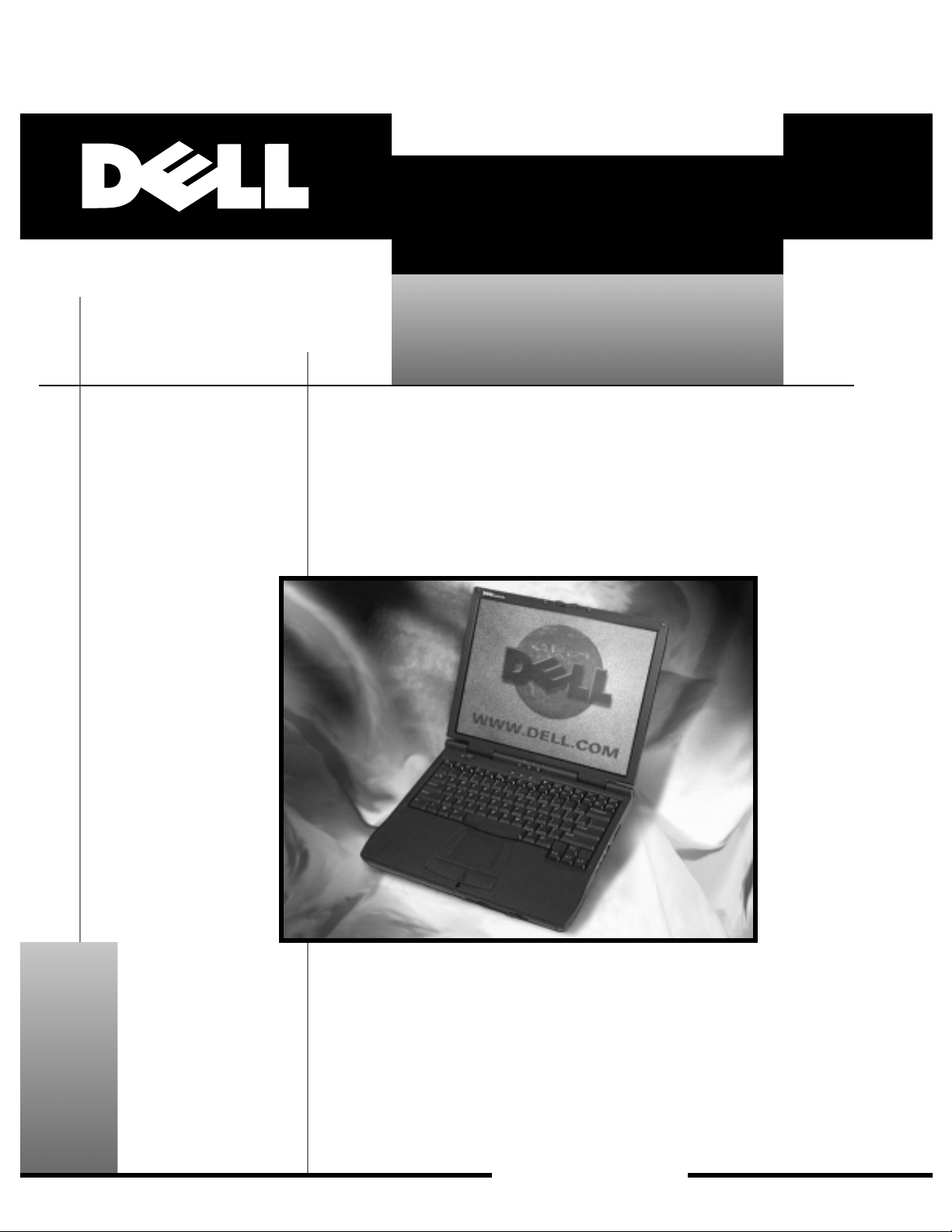
Thank you for purchasing this Factory Service
Manual CD/DVD from servicemanuals4u.com.
Please check out our eBay auctions for more great
deals on Factory Service Manuals:
servicemanuals4u
ZZZGHOOFRP
™
'HOO/DWLWXGH&3W&6HULHV&3L56HULHV
6(59,&(0$18$/
ZZZGHOOFRP
™
'HOO/DWLWXGH&3W&6HULHV&3L56HULHV
6(59,&(0$18$/
____________________
Information in this document is subject to change without notice.
© 1999 Dell Computer Corporation. All rights reserved.
Reproduction in any manner whatsoever without the written permission of Dell Computer Corporation is strictly forbidden.
Trademarks used in this text:
Dell
,the
DELL
logo, and
Latitude
are trademarks of Dell Computer Corporation;
IBM
is a registered trademark of
International Business Machines Corporation.
Other trademarks and trade names may be used in this document to refer to either the entities claiming the marks and names or th eir products.
Dell Computer Corporation disclaims any proprietary interest in trademarks and trade names other than its own.
May 1999 P/N 5648P Rev. A00
v
&RQWHQWV
Recommended Tools............................................ 2
Preparing to Work Inside Your Computer ............................ 2
Screw Identification and Tightening ................................ 3
ZIF Connectors . . . ............................................. 5
Field-Replaceable Parts and Assemblies ............................ 6
Removing Field-Replaceable Parts and Assemblies ................... 12
Hard-Disk Drive Assembly . . . ................................. 13
Memory Module Cover ...................................... 13
MemoryModules .......................................... 14
Keyboard Assembly ......................................... 15
Display Assembly .......................................... 17
Display Assembly Bezel...................................... 18
Display Assembly Latch...................................... 19
LCD Panel . . . ............................................ 19
Removing the LCD Panel Cable............................. 20
Palmrest Assembly ......................................... 20
Reserve Battery ........................................... 22
BottomAssembly .......................................... 22
Modular Bay Devices (Diskette Drive, CD-ROM Drive,
DVD-ROM Drive, SuperDisk LS-120 Drive, Battery,
or Travel Module ........................................... 23
Module Latch Assemblies . . . ................................. 24
System Board Assembly ..................................... 26
Thermal Cooling Assembly . . ................................. 28
,QGH[
)LJXUHV
Figure 1. Computer Orientation .................................. 1
Figure 2. Main Battery Assembly Removal. . . ....................... 3
Figure 3. Screw Identification . . .................................. 3
Figure 4. Disconnecting an Interface Cable . . ....................... 5
Figure 5. Exploded ViewComputer ............................. 12
Figure 6. Hard-Disk Drive Assembly Removal ...................... 13
Figure 7. Memory Module Removal .............................. 14

vi
Figure 8. Removing the Keyboard Assembly Screws................. 15
Figure 9. Keyboard Assembly Removal ........................... 16
Figure 10. Display Assembly..................................... 17
Figure 11. Display Assembly Bezel Removal ........................ 18
Figure 12. Removing the Palmrest Assembly Screws ................. 20
Figure 13. Palmrest Assembly Removal ............................ 21
Figure 14. Bottom Assembly .................................... 23
Figure 15. Modular Bay Device Removal ........................... 23
Figure 16. Module Latch Assemblies Removal . . . ................... 24
Figure 17. Left Slider. . ......................................... 25
Figure 18. System Board Assembly Removal........................ 26
Figure 19. Microprocessor Module . . .............................. 27
Figure 20. Thermal Cooling Assembly Removal . . . ................... 28
7DEOHV
Table 1. Screw Placement Mat with Component
Screw Counts and Sizes . ............................... 4
Table 2. Parts and Assemblies . . . ............................... 6
vii
viii
5HDG7KLV)LUVW
A prerequisite for using this manual to service Dell computer systems is a basic
knowledge of IBM-compatible PCs and prior training in IBM-compatible PC
troubleshooting techniques. In addition to information provided in this manual,
Dell provides the
Users Guide
for troubleshooting procedures and instructions
on using the Dell Diagnostics to test the computer system.
1RWHV&DXWLRQVDQG:DUQLQJV
Throughout this guide, blocks of text may be accompanied by an icon and printed
in bold type or in italic type. These blocks are notes, cautions, and warnings,and
they are used as follows:
NOTE: A NOTE indicates important information that helps you make better use
of your computer system.
&$87,21 $ &$87,21 LQGLFDWHV HLWKHU SRWHQWLDO GDPDJH WR
KDUGZDUH RU ORVV RI GDWD DQG WHOOV \RX KRZ WR DYRLG WKH SUREOHP
:$51,1* $ :$51,1* LQGLFDWHV WKH SRWHQWLDO IRU ERGLO\ KDUP DQG
WHOOV \RX KRZ WR DYRLG WKH SUREOHP
DellLatitudeCPtC-Series/CPiR-SeriesServiceManualDellLatitudeCPtC-Series/CPiR-SeriesServiceManual
'HOO/DWLWXGH&3W&6HULHV
&3L56HULHV6HUYLFH0DQXDO
This manual provides instructions for removing and replacing field-replaceable
components, assemblies, and subassemblies in your Dell Latitude portable
computer. Unless otherwise noted, each procedure in this manual assumes
the following conditions:

The computer and any attached peripherals are turned off, and the
peripherals are disconnected from the I/O panel on the back of the
computer.

A part can be replaced by performing the removal procedure in reverse
order.
When the display assembly is open nearly 180 degrees, use a book or
something similar to support it. The angle of the display assembly with
respect to the bottom case should never be allowed to exceed 180 degrees.
Also, when performing the procedures in this manual, the locations or
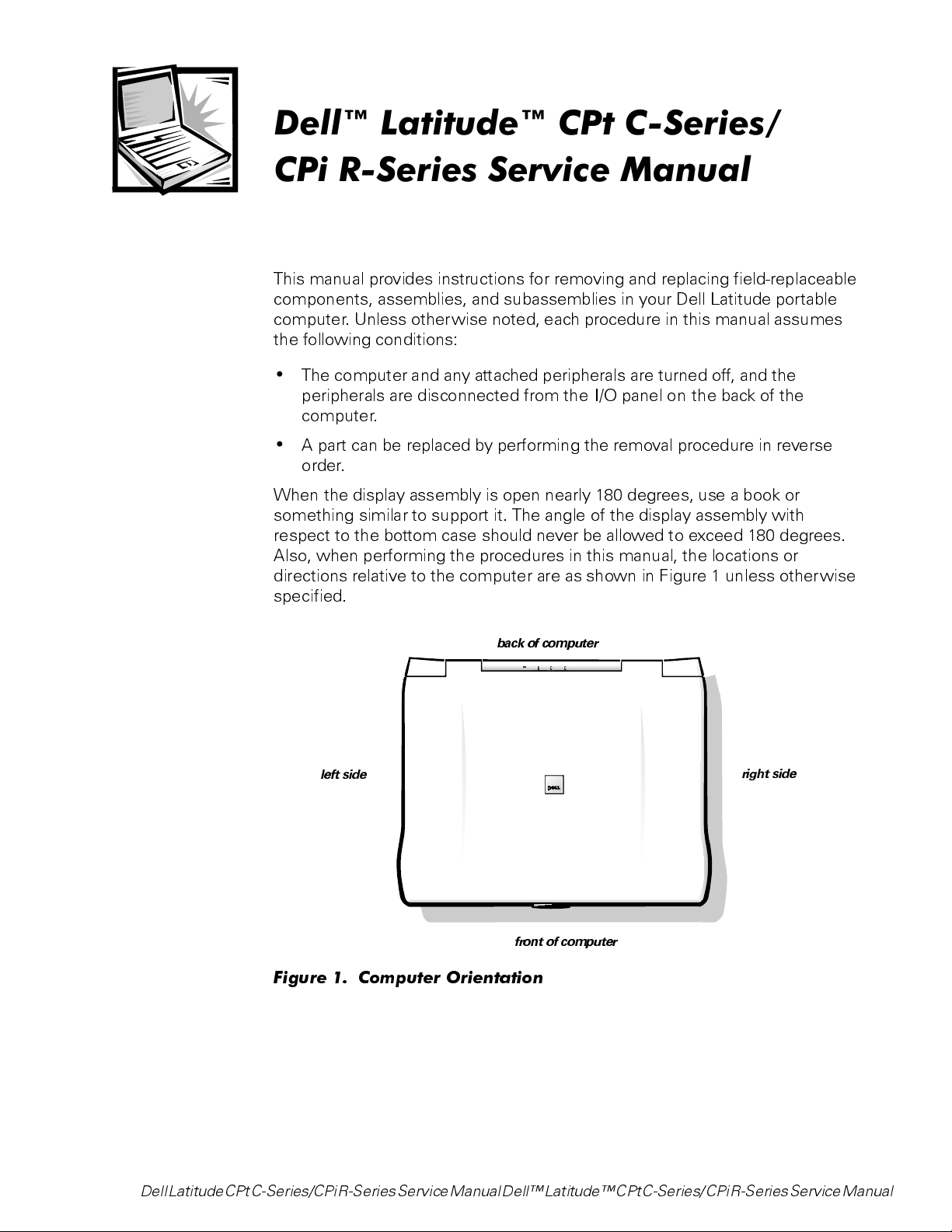
directions relative to the computer are as shown in Figure 1 unless otherwise
specified.
)LJXUH  &RPSXWHU 2ULHQWDWLRQ
right side
left side
back of computer
front of computer