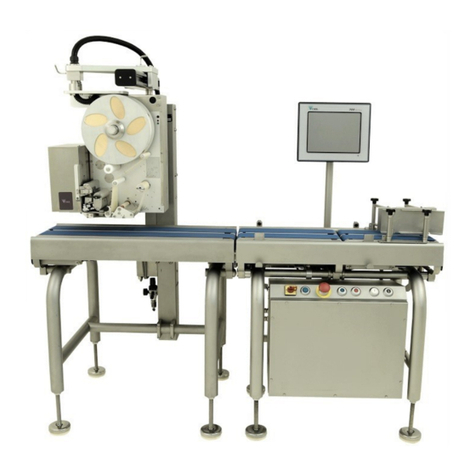
HI-700HS service manual
Issue 2 06/2020
4 - Servicing - continued
Touch screen
LED screen & touch panel - 12.1'' 4-44
Calibration of touch panel - 12.1'' 4-35
LED screen & touch panel - 15'' 4-36
Calibration of touch panel - 15'' 4-52
HS style 15’’ screen 4-53
Labeller – Signature - servicing 4-55
Removal of thermal head 4-56
Replacement of wear strip 4-58
Replacement of Platen roller 4-60
Thermal head pressure 4-61
Thermal head horizontal position 4-62
Thermal head horizontal position - fine adjustment 4-66
Thermal head vertical position 4-67
Air cylinder position on head assembly 4-68
Label gap sensor sensitivity adjustment 4-69
Labeller electronic board (Signature & Classic) 4-72
Take-up motor torque setting 4-74
Brake arm - position & adjustment 4-75
Brake arm - setup for inside wound labels 4-77
Updating labeller board software 4-80
Air flow adjustment & position of blow bar 4-87
Touch applicator - Replace touch finger pads & general care 4-88
Multi jet air box 4-89
HS blow applicator set up 4-90
Base labeller belt applicator 4-100
Labeller - changing thermal head size 4-103
Labeller - Signature - Change label reel to centralizer type 4-104
Fit web centralizer 4-107
Centralization of label reels 4-109
Ball plunger lock tension 4-110
Central knob resistance adjustment 4-112
Labeller - Signature - fitting printer door 4-113
Side labelling applicator 4-119
Speed control of applicator 4-119
End stop cushioning 4-120
Air pressure / vacuum 4-121
Pneumatic value access 4-121
Proximity sensor 4-122
Software settings 4-123
Access to rear of labeller 4-125
Labeller height adjustment 4-128
Pneumatics layout diagram 4-129
Labeller - Classic - servicing 4-130
Thermal head change 4-131
Platen roller change 4-133
Thermal head position & pressure 4-135
Drive and pinch roller adjustment 4-136
Take-up motor 4-137
Stepper motor belt tension 4-139
9 finger touch applicator 4-140
PLC - updating plc program 4-142
Option part - Outfeed sensor for label application position 4-146
Option part - Barcode scanner (Keyence) - Console software settings 4-152
Option part - Barcode scanner (Keyence) - Scanner configuration 4-154