www.dtec.net.au 3
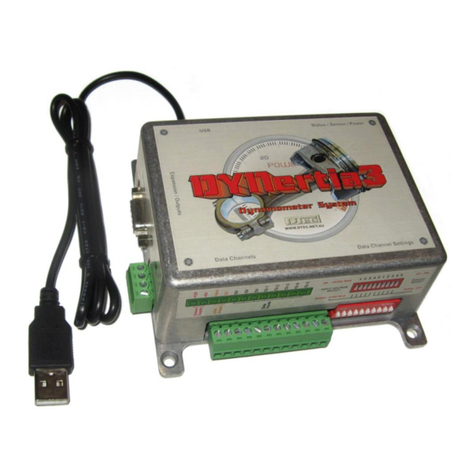
DYNertia3 Quick Start (Inertia- Chassis type)
Table of Contents
Concept.............................................................................................................................................................................3
Hardware Mounting & Basic Wiring for Initial Setup ...................................................................................................4
Mounting the DYNertia3 Sensor and Magnet...........................................................................................................4
DYNertia3 Control Unit Mounting..............................................................................................................................5
Basic wiring .................................................................................................................................................................6
‘Linking’ Hardware to PC ................................................................................................................................................7
Two Main DYNertia3 Windows (DYNO / GRAPH) .........................................................................................................8
Basic Hardware Settings.................................................................................................................................................9
First time use, Hardware setup..................................................................................................................................9
Basic Software settings (default).................................................................................................................................10
Quick Test of Dyno Speed Sensor...............................................................................................................................10
Displaying Engine RPM (One Method)........................................................................................................................11
Performing a Basic Inertia Test ‘Run’..........................................................................................................................12
You are now ready to perform a test!......................................................................................................................12
Observing the engine data during a test ................................................................................................................13
Viewing/Loading of Runs (‘Graph’ Window)...............................................................................................................14
Loading test Runs into the Graph Window to view and analyze .........................................................................14
Finding Folders to view or to save tests into.........................................................................................................15
Creating/Deleting new Folders to save tests into..................................................................................................15
Basic Analysis of Saved Data ......................................................................................................................................16
Windows for Further Analysis of Saved Data.............................................................................................................17
Shortcuts........................................................................................................................................................................18
Troubleshooting ................................................................................................................. Error! Bookmark not defined.
Assessing test results- Poor settings.......................................................................... Error! Bookmark not defined.
Assessing test results- Signal issues.......................................................................... Error! Bookmark not defined.