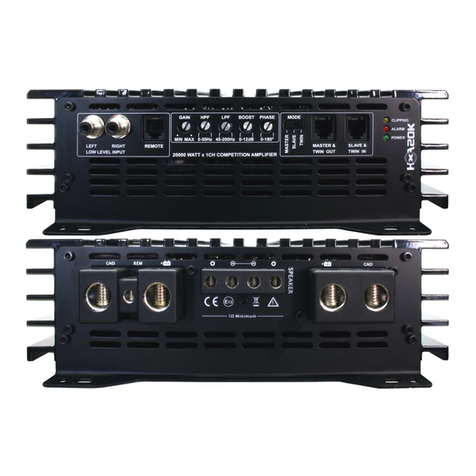
EXCURSION HXA20 User manual

HXA AMPLIFIER SERIESHIGH POWER
...is all you need

CONGRATULATIONS !
Dealer's Name____________________________
Date of Purchase__________________________
Installaon Shop__________________________
Installaon Date __________________________
CAUTION !
Connous exposure to sound pressure levels in excess of 100dB can cause permanent hearing loss. EXCURSION Products are capable
of producing sound pressure levels well over 170dB. Please observe all local sound ordinances while listening to your EXCURSION System.
EXCURSION Intl. acceptss no liability for hearing loss, bodily injury, or property damage due to the result of use or missuse of this product.
CONGRATULATIONS !
Dealer's Name____________________________
Date of Purchase__________________________
Installaon Shop__________________________
Installaon Date __________________________
CAUTION !
1
EXCURSION
You now own an EXCURSION HXA High Power Series Amplifier, the product of an
uncompromising design and german engineering philosophy. A product made
from Car Audio fanacs who truely believe in the relentless pursuit of perfecon.
EXCURSION amplifiers are the result of several decades of product improvements,
compeon, innovaon and highest quality parts and control standards in industry.
When properly installed these amplifiers will provide you with many years of
listening pleasure and are the perfect balance between high fidelity, extreme
performance and long-lasng reliabilty.
Should your amplifier ever need a service, Please record your informaon on
the following lines to refer to in the event that you may need it later.
At EXCURSION Intl. we are confident you will have many years of outstanding
enjoyment from your high performance investment. For maximum performance
we recommend that you have your new EXCURSION HXA Amplifier installed by
an exclusive Authorizied EXCURSION Dealer
To learn more about EXCURSION, please visit us on the World Wide Web at
hp://www.excursion.us

2
HXA SPECIFICATIONS

3
EXCURSION
FRONT PANEL LAYOUT
Fig 2. 2-ch amplifier panel layout
90RMS x 4CH HIGH POWER MINI CAR AMP
Fig 1. 4-ch amplifier panel layout
Fig 3. Mono amplifier panel layout
1 2 4 5 6 7 13
3 4 5 6 7 14
1 2 4 5 6 7 13
14
14
38
4 11 6 12 131 7
2 3
10
9

4
REAR PANEL LAYOUT
Fig 2. 2-ch amplifier panel layout
Fig 1. 4-ch amplifier panel layout
Fig 3. Mono amplifier panel layout
16 17 1815
16 17 1815
16 17 1815
(HXA65 / HXA 85 - 8GA SPK and 4GA POWER allen screw Terminal)
(HXA30 / HXA 40 - 8GA SPK and 4GA POWER allen screw Terminal)
(HXA2K / HXA3K - 8GA SPK and 4GA POWER allen screw Terminal)
(HXA4K / HXA5K - 8GA SPK and 0GA POWER allen screw Terminal)
2

CONTROL FUNCTIONS
5
EXCURSION
1. RCA Audio Input
These RCA Input jacks connect with your source unit RCA Low Level Outputs or via optional
Adapter (XML/XFM) with your source unit Speaker High Level Outputs. The use of high quality
twisted pair car audio cables is recommended to mind possibility of disturbance the audio signal.
2. Input Mode Switch
This Switch select the operating Signal input Voltage of your Excursion HXA Amplifier
2.1 Low Level Signal (RCA Output Headunit) operate Input within a range of 0.2 - 5.0V.
2.2 High Level Signal (Speaker Out Headunit) operate Input within a range of 0.5 - 15V.
3. TURN ON/OFF Mode Switch
This Switch select between 3 Options to Turn ON/OFF your Excursion HXA Amplifier
3.1 Automatic via DC provided at RCA Input via SPEAKER High Level Input from Headunit.
3.2 Switched via (+)12V REM Signal is provided and connected with REM Terminal (see 17).
3.3 Automatic via music signal impuls provided at RCA Input (Turn ON/OFF time delayed)
4. GAIN Control
The Gain controle will match the amplifiers sensitivity to the provided source unit signal voltage.
5. X-Over Mode Switch
This Switch select between 3 Options of operating frequency range of your Excursion Amplifer
5.1 HPF - High Pass filter the unwanted low frequency range from your audio signal.
5.2 FULL - Fullrange setting route your audio signal without any Filter direct to amplification.
5.3 BPF - operating High Pass and Low Pass filter high and low FQ from your audio signal.
6. HIGH PASS FILTER Control
This knob controls the frequency x-over point from where Low Frequency can be cut out.
7. LOW PASS FILTER Control
This knob controls the frequency x-over point from where High Frequency can be cut out.
8. RCA Audio Output
These RCA Audio Output Jacks offer the possibility to route the audio signal to further Amplifier.
Welcome for example if Headunit offer only one Output and an additinal HXA Mono Amplifier with
external REMOTE Controle need to share same signal. Function is to compare with Y-RCA Adapter.
9. BRIDGE IN
This RCA jack receives signal from the master amplifier when this amplifier is bridged as slave.
jacks (see 1) when the amplifier is working as slave.DO NOT USE RCA AUDIO INPUT
All functions will be adjusted by the master amplifier. Please see the drawing of bridging at page 12.
10. BRIDGE OUT
This RCA output send out bridge signal to another same HXA Amplifier in bridging configuration.
All functions will be adjusted by the master amplifier. Please see the drawing of bridging at page 12.
11. REMOTE - Bass Level Control (Optional)
The Volume of your HXA Mono Amplifier can get adjusted via remote controle from driver seat.
12. BASS BOOST
This knob adjust the 45Hz signal boost level from 0 up to 12dB. Preferable for small size cars.

6
CONTROL FUNCTIONS
13. POWER Indicator
This LED will light up when amplifier works properly.
It will flash or shut down once amplifier in self-testing or malfunction.
14. ALARM Indicator
This LED will light up if amplifier has detected a fault or has shut down to protect itselvs.
This may caused - for example - at excessive heat, reverse polarity, short circuit or overload.
This case please turn off the amplifier, disconnect and resolve the problem before continue.
15. Speaker Terminals
Connect you speaker to these terminals with proper polarity.
Never connect the speaker cables with chassis ground, effect short circuit and damage amplifier.
Note: We have designed 8GA Terminals to fit Hollywood Energetic HPST Adapters = DUAL OUT
16. (+)12 Volt Battery Terminal
Connect this terminal with proper AWG size OFC Power Cable through a Fuse to the positive
terminal of the car battery or the positive terminal of an isolated external car audio battery.
WARNING: Always protect the Power Cable via Fuse less than 12inch (30cm) from battery terminal.
WARNING: HXA Amplifiers need external Fuse not less than 12inch (30cm) from Power terminal.
Please follow the maximum Fuse recommendation from Excursion HXA Specifications. See Page 2
Note: We have designed 4GA+0GA Terminals to fit Hollywood Energetic HPST Adapters = DUAL IN.
17. REM Terminal
This Remote terminal is to connect with headunit 12V remote output to turn ON/OFF the amplifier
according operating of headunit - if Turn ON/OFF Switch Option set on REM (see 3). If there are more
amplifier connected to this terminal it might be necessary, depending on REM performance of headunit,
to install an additional relay. If amplifier turn ON/OFF Mode is set DC or AUDIO, than 12V Remote is
not demanded, but REM terminal can provide and work as a 12V Remote Output distributor.
18. GND Terminal
This terminal is to connect directly to the frame of vehicle. Use shortest distance possible and equal
or larger AWG OFC Cable size than +12Volt Battery Cable. Asure frame has been cleaned to bar metal.
INSTALLATION PRECAUTIONS
Before you install the amplifier, investigate your car`s layout very carefully. Take special care when you
work near the gas tank, fuel lines, hydraulic lines and electrical wiring. Before making or breaking power
connections in your system, disconnect the car battery. Confirm that your headunit or other equipment is
turned off while connecting the input jacks and speakers terminals. If you need to replace the power
fuse, replace it only with a fuse identical to that suggested by this manual. Using a fuse of a different
type or rating may result in damage to your system or your amplifier which is not covered by warranty.
CONNECTING THE AMPLIFIER
Connect the amplifiers ground cable to a close, bare metal part of the frame or chassis.1.
Use a nut and bolt. The ground cable must be at least the same size as the +12Volt.
Connect the remote terminal to remote output of the head unit using upper 16GA wire if the remote 2.
turn ON/OFF Mode is set on REM.
Connect the fuse holder within 15" (30cm) of the car battery and run the selected cable from this fuse3.
to the amplifier via additional fuse within max. 15" (30cm) distance to the amplifier.
Connect all the inputs with high quality car audio cables to asure the performance of your amplifier.4.
Connect Remote Control if necessary 5.
Insert fuse(s) into the battery fuse holder(s).6.

7
EXCURSION
90RMS x 4CH HIGH POWER MINI CAR AMP
WIRING DIAGRAM
Fig 1. HXA 45 / HXA 65 / HXA 85 wiring
( 4 Channel Mode)
RCA LOW LEVEL or SPEAKER HIGH LEVEL signals via optional XML Adapter

8
90RMS x 4CH HIGH POWER MINI CAR AMP
WIRING DIAGRAM
Fig 2. HXA 45 / HXA 65 / HXA 85 wiring
( 3 Channel Mode)
RCA LOW LEVEL or SPEAKER HIGH LEVEL signals via optional XML Adapter

9
EXCURSION
WIRING DIAGRAM
Fig 3. HXA 20 / HXA 30 / HXA 40 wiring
( 2 Channel Mode)
RCA LOW LEVEL or SPEAKER HIGH LEVEL signals via optional XML Adapter
Other manuals for HXA20
1
This manual suits for next models
10
Table of contents
Other EXCURSION Amplifier manuals