Introduction:
THE GOOD: WHAT'S POSSIBLE
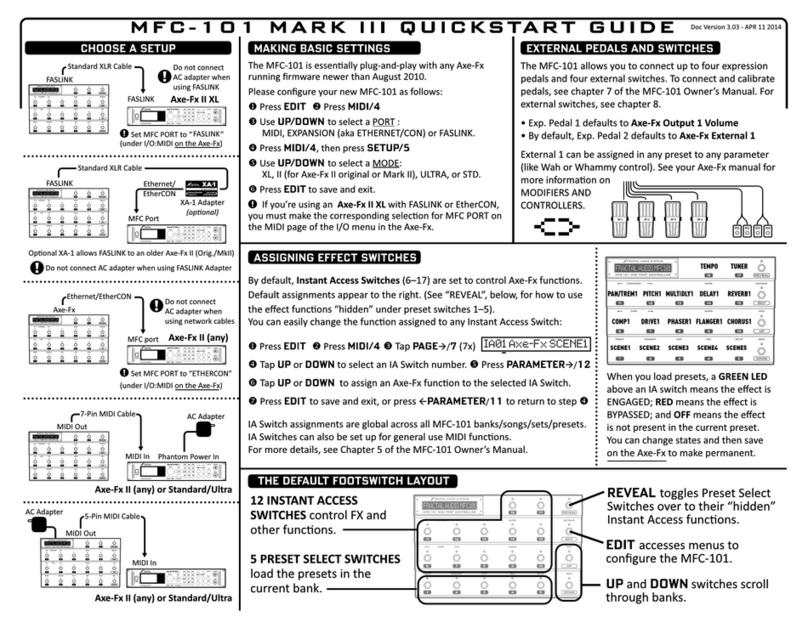
Anyone who thinks that the MFC-101 can no longer be used to control the Axe-Fx
III in a practical way is mistaken. Besides the MFC-101 `Axe-Fx Mode` for
bidirectional communication, the MFC-101 is also an extremely powerful generic
MIDI controller. And we take advantage of this:
In this tutorial you will find step-by-step instructions in 5 steps on how to
configure the MFC-101 so that you can control the following functions of the Axe-
Fx III and always keep track of current switching states.
•Call up any 48 Axe-Fx III Presets
•8 Axe-Fx III scenes Switches
•17 IA Axe-Fx III FX bypass, FX channel or Tempo TAP switches
All functions `IN SYNC` with the Axe-Fx III: MFC-101 IA switch LEDs always display
the current bypass or channel status of assigned Axe-Fx III FX blocks.
The physical connection is via a One-Way MIDI connection:
MFC-101 MIDI OUT -> AXE-FX III MIDI IN.
On the last page you will find for download:
MFC-101 Original/MKII default configuration.syx and matching Axe-Fx III
Systemdaten.syx in a ZIP file. You can install both on your devices with Axe-fx
Fractal-Bot and you are ready to go.
THE BAD: WHAT DOESN'T WORK
Fractalaudio's MFC-101 does not support `Axe-Fx mode` for the latest Axe-Fx III,
eliminating the possibility of bi-directional data communication, which means that
the following functions of the MFC-101 are not supported in conjunction with the
Axe-Fx III:
No MFC-101 support for the Axe-Fx III for the following settings: