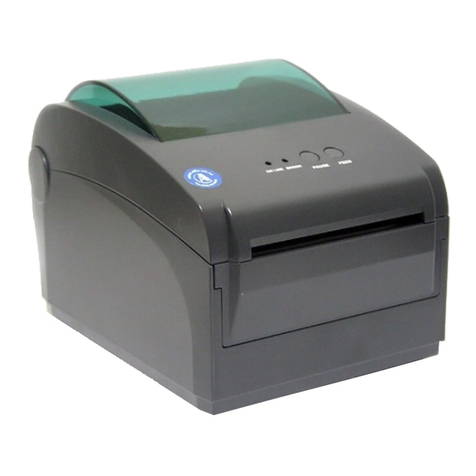
Button Function
Feed
When the printer is ready (LED blue fixed), click the button, label paper into the front end of a paper label.
Print job timeout
The printer in the print, click the PAUSE button to print suspended. At this time power indicator is
blue flashing. Just click the button, the print job resume normal.
Start function
The printer has five kinds of power function can be used to set or test the printer hardware. In the
boot and press the button with lamp signal release key can start these functions.
Five Power-up Functions:
Function Descriptions
Self-test page A.Turn off the printer.
B.Make sure the paper roll is installed correctly and the printer
top cover is closed.
C.Press and hold FEED button and turn on the printer. Self-
test page will be printed, then release FEED button.
You can use this function to check if printing function is normal or not.
Print DIP Switch page
Debugging Mode
A.Turn off the printer.
B.Make sure the paper roll is installed correctly and the printer
top cover is closed.
C.Press and hold PAUSE button and turn on the printer. When
paper feed and then release PAUSE button, DIP switch page
will be printed out.
A.Turn off the printer.
B.Make sure the paper roll is installed correctly and printer
top cover is closed.
C.Press and hold PAUSE and FEED button, and turn on the
printer. When Power indicator(blue) and Error indicator
(red) are on at the same time, release PAUSE and FEED
button, printer goes to Debugging Mode, and you will find
below page printed out:
Printer Initialization A.Turn off the printer.
B.Press and hold PAUSE and FEED button, then turn on the
printer. When Power indicator(blue)is on and Error indi
-cator (red) is off, release PAUSE and FEED button, all
data in printer DRAM will be cleared and printer setting
will be restored to factory default setting. Then power
indicator will be on and printer goes to ready status.
9
Skip AUTO.BAS program
User can use TSPL2 command to save a code auto-
running file (AUTO.BAS) into flash. When turn on printer,
printer will run the program automatically.
If you want to skip AUO.BAS program on power-up,then
follow below steps:
Press and hold PAUSE and FEED button, then turn on the
printer. When Power indicator (blue) is off and Error indi
-cator(red)is on, release PAUSE and FEED button, printer
will skip running AUTO.BAS program, and then Power
indicator will be on.
Direct Thermal Label Printer
Direct Thermal Label Printer