3
Duplicate Channel Alert—warns you when the frequency
you are storing already exists in memory.
Key Lock—lets you lock the scanner’s keys to prevent
accidentally changing the scanner’s programming.
Three Power Options—you can power the scanner from
internal (rechargeable or non-rechargeable batteries) or
external AC or DC power (using an optional AC or DC
adapter).
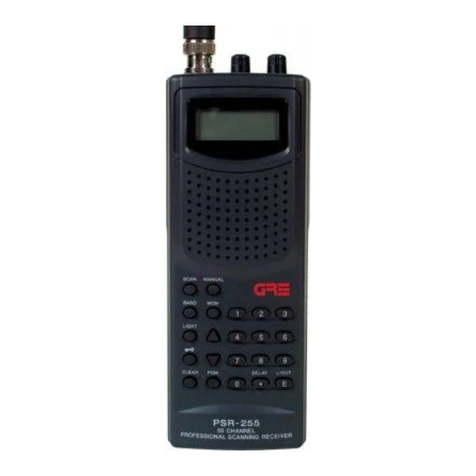
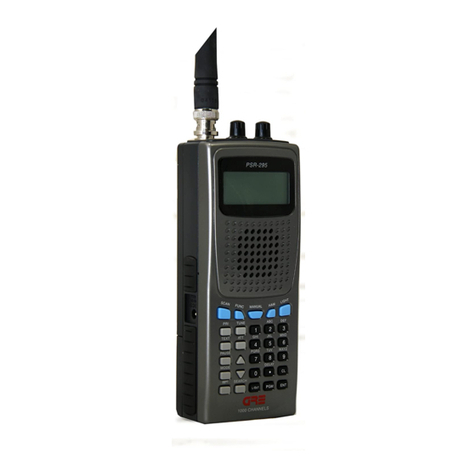
Your PSR-282 scanner can receive these bands:
66–88 MHz 118–136.9916 MHz
137–174 MHz 380–512 MHz
CONTENTS
PREPARATION ......................................................................... 4
Installing Batteries ............................................................. 4
Using AC Power ................................................................ 6
Using Vehicle Battery Power ............................................. 6
Connecting the Supplied Antrenna .................................. 7
Connecting an Earphone/Headphones ............................ 7
Connecting Extension Speaker ........................................ 8
Using the Belt Clip............................................................. 8
ABOUT YOUR SCANNER ........................................................ 9
A Look at the Keyboard .................................................... 9
A Look at the Display ...................................................... 10
UNDERSTANDING BANKS .................................................... 12
OPERATION ........................................................................... 13
Turning on the Scanner/Setting Volume and Squelch ... 13
Storing Known Frequencies into Channels .................... 13
Searching the One Touch Banks .................................... 14
Using Tune ...................................................................... 15
Scanning the Stored Channels ....................................... 16
Monitoring a Stored Channels ........................................ 17
Clearing a Stored Channels ............................................ 18
SPECIAL FEATURES ............................................................. 19
Delay ............................................................................... 19
Locking Out Channels or Frequencies ........................... 20
Using Priority ................................................................... 21
Using the Display Backlight ............................................ 21
Turning the Key Tone On and Off .................................... 21
Using the Key Lock ......................................................... 22
Resetting/Initializing the Scanner .................................... 22
GENERAL HINTS ................................................................... 24
Birdies ............................................................................. 24
CARE ..................................................................................... 25
IN CASE OF FAULT ............................................................... 25
SPECIFICATIONS .................................................................. 26
Manual01.p65 2003/03/11, 15:46Page 3 AdobePageMaker6.5J/Win