Step 3: Place the lid rmly on the water tank and put the tank back on the base. It is normal to hear
a rippling sound when a full water tank is put on the base. This occurs when the water runs
from the water tank into the water container. Wait a while until the water container is full.
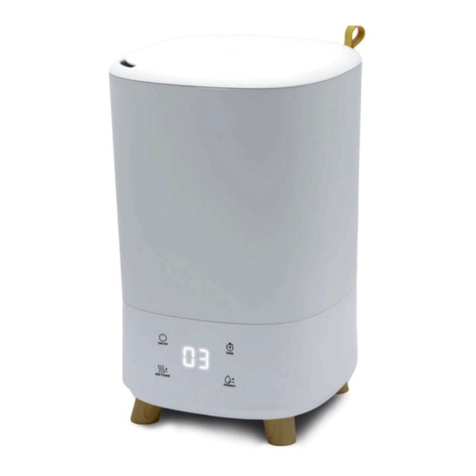
Step 4: Choose a stable surface for the humidier to stand on. Connect the plug to the mains and
switch on the humidier. There is an audible signal. Press the“POWER”button and the
humidier will start in automatic mode. Further information can be found under
“FUNCTIONS”. Press the“POWER” button again when you want to switch the humidier o.
The humidier may stop automatically in the following instances:
1. The programmed relative humidity has been reached.
2. Insucient water.
3. Power outage.
Cleaning and maintenance
Recommended maintenance
We recommend cleaning and maintenance of the MJS-900 at least once a week.
Before you start:
- Do not use cleaning agents, solvents or abrasives to clean the humidier.
- Do not use brushes or rags that would scrape or scratch the humidier.
- Do not leave water in the tank for more than one week.
Cleaning the cover
The MJS-900 should be regularly maintained and cleaned. Use a damp cloth and dry the surface so
that it will not collect dust.
Cleaning the water tank
Remove deposits and akes by lling the water tank and shaking it vigorously. Tip the water out and
dry the inside of the tank carefully with a soft cloth.
Cleaning the water container
Tip the water out of the water container (see photo). Do not allow any water to run into the fan vent.
Remove deposits and akes from the water container with a damp cloth.
Cleaning the nebuliser
Clean the entire surface of the nebuliser using the supplied brush or a soft cloth
IMPORTANT
1. If the nebuliser is not cleaned regularly, the humidier will become less ecient and could even
become damaged.
2. Do not clean the nebuliser with solvent or abrasives.
3. Do not scratch the surface of the nebuliser.
Storage
If you put the humidier away in storage, you must rst empty it completely of water and dry the
water tank and water container. Store in a cool, dry place.
TROUBLESHOOTING
PROBLEM POSSIBLE CAUSE REMEDY
The humidier is not working • The plug is not plugged in
• The humidier is not switched on
• There is insucient water in the tank (the
No Water indicator lights up)
• Connect the cable
• Press the“POWER”button.
• Add water to the tank.
No misting • The desired humidity level has been
reached.
• There is insucient water in the tank
(the No Water indicator lights up)
• Deposits have collected in the nebuliser
• Turn up the desired humidity level or wait until
the ambient humidity level falls.
• Add water to the tank.
• Regular maintenance of the humidier.
The mist has a bad odour • The humidier has been poorly maintained.
• The water is not clean
• Stale water
• Regular maintenance of the humidier.
• Empty out all the water from the tank and the
base, clean with tap water and rell with clean
tap water.
The No Water indicator is on even
though there is enough water.
• The water level sensor (oat) has got stuck • Carefully release the oat.
WARNINGS AND RECOMMENDATIONS
Do not add any additives to the water
tank unless as directed.
Do not use the humidier if the ex is
damaged.
Do not use cleaning agents, solvents
or abrasives to clean the humidier.
The humidier should only be repaired
by a competent service technician.
Non-expert repair can pose a danger
to the user.
Do not cover any apertures and do
not insert any foreign objects into the
apertures of the humidier.
Always place the humidier on a
stable, level surface.
17 18