manuals.online logo
Brands
  1. Home
  2. •
  3. Brands
  4. •
  5. Harman Kardon
  6. •
  7. Stereo Receiver
  8. •
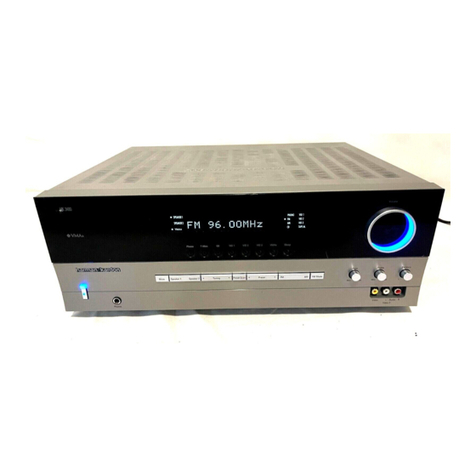
  9. Harman Kardon AVR 155 User manual

Harman Kardon AVR 155 User manual

Other manuals for AVR 155

3

This manual suits for next models

1

Other Harman Kardon Stereo Receiver manuals

Harman Kardon HK 670 User manual

Harman Kardon

Harman Kardon HK 670 User manual

Harman Kardon HK580I User manual

Harman Kardon

Harman Kardon HK580I User manual

Harman Kardon HK330I User manual

Harman Kardon

Harman Kardon HK330I User manual

Harman Kardon HK 3480 User manual

Harman Kardon

Harman Kardon HK 3480 User manual

Harman Kardon HK385I User manual

Harman Kardon

Harman Kardon HK385I User manual

Harman Kardon AVR137 User manual

Harman Kardon

Harman Kardon AVR137 User manual

Harman Kardon HK 3370 Quick start guide

Harman Kardon

Harman Kardon HK 3370 Quick start guide

Harman Kardon HK3375 User manual

Harman Kardon

Harman Kardon HK3375 User manual

Harman Kardon HK550VXI User manual

Harman Kardon

Harman Kardon HK550VXI User manual

Harman Kardon HK3500 User manual

Harman Kardon

Harman Kardon HK3500 User manual

Harman Kardon AVR 7000 User manual

Harman Kardon

Harman Kardon AVR 7000 User manual

Harman Kardon HK 3470 User manual

Harman Kardon

Harman Kardon HK 3470 User manual

Harman Kardon HK 3470 User manual

Harman Kardon

Harman Kardon HK 3470 User manual

Harman Kardon HK 3485 User manual

Harman Kardon

Harman Kardon HK 3485 User manual

Harman Kardon hk440 Vxi User manual

Harman Kardon

Harman Kardon hk440 Vxi User manual

Harman Kardon HK690I User manual

Harman Kardon

Harman Kardon HK690I User manual

Harman Kardon HK590I User manual

Harman Kardon

Harman Kardon HK590I User manual

Harman Kardon HK 3770 User manual

Harman Kardon

Harman Kardon HK 3770 User manual

Harman Kardon AVR 7000 User manual

Harman Kardon

Harman Kardon AVR 7000 User manual

Harman Kardon 330c User manual

Harman Kardon

Harman Kardon 330c User manual

Harman Kardon HK580I User manual

Harman Kardon

Harman Kardon HK580I User manual

Harman Kardon HK 3390 User manual

Harman Kardon

Harman Kardon HK 3390 User manual

Harman Kardon HK3350 User manual

Harman Kardon

Harman Kardon HK3350 User manual

Harman Kardon HK3270 User manual

Harman Kardon

Harman Kardon HK3270 User manual

Popular Stereo Receiver manuals by other brands

Teac AG-680 Service manual

Teac

Teac AG-680 Service manual

Kenwood KR-V888D instruction manual

Kenwood

Kenwood KR-V888D instruction manual

Teac AGV1050 owner's manual

Teac

Teac AGV1050 owner's manual

Sony STR-435 operating instructions

Sony

Sony STR-435 operating instructions

Pioneer Elite SC-68 Service manual

Pioneer

Pioneer Elite SC-68 Service manual

Pioneer SX-1250 operating instructions

Pioneer

Pioneer SX-1250 operating instructions

Marantz CINEMA 70S owner's manual

Marantz

Marantz CINEMA 70S owner's manual

Kenwood KMDX92 instruction manual

Kenwood

Kenwood KMDX92 instruction manual

Yamaha RX-830 owner's manual

Yamaha

Yamaha RX-830 owner's manual

Pioneer AVH-Z7250BT owner's manual

Pioneer

Pioneer AVH-Z7250BT owner's manual

Denon AVR-1311 owner's manual

Denon

Denon AVR-1311 owner's manual

Denon AVR-S760H owner's manual

Denon

Denon AVR-S760H owner's manual

Denon AVR-X7200W Service manual

Denon

Denon AVR-X7200W Service manual

Sony XAV-1500 operating instructions

Sony

Sony XAV-1500 operating instructions

Radio Shack DX-399 owner's manual

Radio Shack

Radio Shack DX-399 owner's manual

Sony STR-DE535 - Fm Stereo/fm-am Receiver operating instructions

Sony

Sony STR-DE535 - Fm Stereo/fm-am Receiver operating instructions

Pioneer SX-1000TA operating instructions

Pioneer

Pioneer SX-1000TA operating instructions

Yamaha MusicCast TSR-5B3D owner's manual

Yamaha

Yamaha MusicCast TSR-5B3D owner's manual

manuals.online logo
manuals.online logoBrands
  • About & Mission
  • Contact us
  • Privacy Policy
  • Terms and Conditions

Copyright 2025 Manuals.Online. All Rights Reserved.

harman/kardon Service Manual
AVR 155/230
5 x 40W 5.1 CHANNEL A/V RECEIVER
CONTENTS
ESD WARNING 2
BASIC SPECIFICATIONS 3
TROUBLESHOOTING GUIDE 4
PROCESSOR RESET 4
REMOTE AND PROCESSOR RESET 5
PACKAGE LIST AND PARTS 6
DISASSEMBLY 7
EXPLODED VIEW AND PARTS 8
ELECTRICAL PARTS LIST 9
SEMICONDUCTOR PINOUTS 35
PCB DRAWINGS 76
BLOCK DIAGRAM 82
WIRING DIAGRAM 83
AMP BIAS ADJUSTMENT 84
SCHEMATIC DIAGRAMS 85
Released EU2008 harman/kardon, Inc. Rev 0, 07/2008
250 Crossways Park Dr.
Woodbury, New York, 11797
harman/kardon
AVR 155/230 Service Manual
Page 1 of 92
Each precaution in this manual should be followed during servicing.
Components identified with the IEC symbol in the parts list are special significance to safety. When replacing a component identified with
, use only the replacement parts designated, or parts with the same ratings or resistance, wattage, or voltage that are designated in the
parts list in this manual. Leakage-current or resistance measurements must be made to determine that exposed parts are acceptably
insulated from the supply circuit before retuming the product to the customer.
Some semiconductor (solid state) devices can be damaged easily by static electricity. Such components commonly are called
Electrostatically Sensitive (ES) Devices. Examples of typical ES devices are integrated circuits and some field effect transistors and
semiconductor "chip" components.
The following techniques should be used to help reduce the incidence of component damage caused by static electricity.
1. Immediately before handling any semiconductor component or semiconductor-equipped assembly, drain off any electrostatic charge on
your body by touching a known earth ground. Alternatively, obtain and wear a commercially available discharging wrist strap device,
which should be removed for potential shock reasons prior to applying power to the unit under test.
2. After removing an electrical assembly equipped with ES devices, place the assembly on a conductive surface such as aluminum foil, to
prevent electrostatic charge build-up or exposure of the assembly.
3. Use only a grounded-tip soldering iron to solder or unsolder ES devices.
4. Use only an anti-static solder removal device. Some solder removal devices not classified as "anti-static" can generate electrical charges
sufficient to damage ES devices.
5. Do not use freon-propelled chemicals. These can generate electrical change sufficient to damage ES devices.
6. Do not remove a replacement ES device from its protective package until immediately before you are ready to install it. (Most replacement
ES devices are packaged with leads electrically shorted together by conductive foam, aluminum foil or comparable conductive material.)
7. Immediately before removing the protective material from the leads of a replacement ES device, touch the protective material to the
chassis or circuit assembly into which the device will be installed.
Be sure no power is applied to the chassis or circuit, and observe all other safety precautions.
8. Minimize bodily motions when handling unpackaged replacement ES devices. (Otherwise harmless motion such as the brushing together
or your clothes fabric or the lifting of your foot from a carpeted floor can generate static electricity sufficient to damage an ES devices.
CAUTION :
harman/kardon
AVR 155/230 Service Manual
Page 2 of 92
TECHNICAL SPECIFICATIONS 49
ENGLISH
Technical Specifications
Audio Section
Stereo Mode
Continuous Average Power (FTC)
50 Watts per channel, 20Hz–20kHz,
@ < 0.07% THD, both channels driven into 8 ohms
5 Channel Surround Modes
Power Per Individual Channel, all channels driven simultaneously
Front L&R channels:
40 Watts per channel,
@ < 0.07% THD, 20Hz–20kHz into 8 ohms
Center channel:
40 Watts, @ < 0.07% THD, 20Hz–20kHz into 8 ohms
Surround channels:
40 Watts per channel,
@ < 0.07% THD, 20Hz–20kHz into 8 ohms
Input Sensitivity/Impedance
Linear (High Level) 200mV/47kohms
Signal-to-Noise Ratio (IHF-A) 100dB
Surround System Adjacent Channel Separation
Analog Decoding 40dB
(Pro Logic, etc.)
Dolby Digital (AC-3) 55dB
DTS 55dB
Frequency Response
@ 1W (+0dB, –3dB) 10Hz–130kHz
High Instantaneous
Current Capability (HCC) ±25 Amps
Transient Intermodulation
Distortion (TIM) Unmeasurable
Rise Time 16 µsec
Slew Rate 40V/µsec**
FM Tuner Section
Frequency Range 87.5–108MHz
Usable Sensitivity IHF 1.3 µV/13.2dBf
Signal-to-Noise Ratio Mono/Stereo: 70/68dB (DIN)
Distortion Mono/Stereo: 0.2/0.3%
Stereo Separation 40dB @ 1kHz
Selectivity ±400kHz: 70dB
Image Rejection 80dB
IF Rejection 90dB
AM Tuner Section
Frequency Range 522–1620kHz
Signal-to-Noise Ratio 45dB
Usable Sensitivity Loop: 500µV
Distortion 1kHz, 50% Mod: 0.8%
Selectivity ±10kHz: 30dB
Video Section
Video Format PAL/NTSC
Input Level/Impedance 1Vp-p/75 ohms
Output Level/Impedance 1Vp-p/75 ohms
Video Frequency Response
(Composite and S-Video) 10Hz–8MHz (-3dB)
Video Frequency
Response (Component) 10Hz–100MHz (-3dB)
HDMI™Switching
General
Power Requirement AC 220–240V/50Hz
Power Consumption 65W idle, 540W maximum
(5 channels driven)
Dimensions (Max)
Width 440mm
Height 165mm
Depth 382mm
Weight 9.7kg
Depth measurement includes knobs, buttons and terminal connections.
Height measurement includes feet and chassis.
All features and specifications are subject to change without notice.
Harman Kardon, The Bridge and Logic 7 are
registered trademarks of Harman International Industries, Incorporated.
is a trademark of Harman International Industries, Inc.
*Manufactured under license from Dolby Laboratories.
“Dolby,” “Pro Logic” and the Double-D symbol are trademarks of Dolby Laboratories.
"DTS" and "DTS Neo:6" are registered trademarks of DTS,
Inc. "96/24" is a trademark of DTS, Inc.
SA-CD is a trademark of Sony Electronics, Inc.
Apple and iPod are registered trademarks of Apple Computer, Inc.
Cirrus is a registered trademark of Cirrus Logic Corp.
**Without input anti slewing and output isolation networks.
HD-DVD is a trademark of the DVD Format/Logo Licensing Corporation (DVD FLLC).
HDMI, the HDMI logo and High-Definition Multimedia Interface are trademarks or
registered trademarks of HDMI Licensing, LLC.
33639_AVR147_ENG 10/07/07 13:45 Side 49
harman/kardon
AVR 155/230 Service Manual
Page 3 of 92
48 TROUBLESHOOTING GUIDE
Troubleshooting Guide
Processor Reset
In the rare case where the unit’s operation or the
displays seem abnormal, the cause may involve
the erratic operation of the system’s memory or
microprocessor.
To correct this problem, first unplug the unit from
the AC wall outlet and wait at least three
minutes. After the pause, reconnect the AC
power cord and check the unit’s operation. If the
system still malfunctions, a system reset may
clear the problem.
To clear the AVR’s entire system memory
including tuner presets, output level settings,
delay times and speaker configuration data, first
put the unit in Standby by pressing the System
Power Control button
2
. Next press and hold
the Tone Mode button
8
for five seconds,
then release the button.
The unit will turn on automatically. Note that
once you have cleared the memory in this manner,
it is necessary to re-establish all system
configuration settings and tuner presets.
NOTE: Resetting the processor will erase any
configuration settings you have made for
speakers, output levels, surround modes, digital
input assignments as well as the tuner presets.
After a reset the unit will be returned to the
factory presets, and all settings for these items
must be reentered.
If the system is still operating incorrectly, there
may have been an electronic discharge or severe
AC line interference that has corrupted the
memory or microprocessor.
If these steps do not solve the problem, consult
an authorized Harman Kardon service depot.
SYMPTOM CAUSE SOLUTION
Unit does not function when Main • No AC Power • Make certain AC power cord is plugged
Power Switch
2
is pushed into a live outlet
• Check to see if outlet is switch controlled
Display lights, but no sound • Intermittent input connections • Make certain that all input and speaker
or picture connections are secure
• Mute is on • Press Mute button

• Volume control is down • Turn up volume control
The Main Information Display shows the • Amplifier is in protection mode • Check speaker-wire connections for shorts at receiver
word "PROTECT", and there is no sound. due to possible short and speaker ends
• Amplifier is in protection mode • Contact your local Harman Kardon service depot
due to internal problems
No sound from surround or • Incorrect surround mode • Select a mode other than Stereo
center speakers • Input is mono • There is no surround information from mono sources (except with
Theater and Hall surround modes)
• Incorrect configuration • Check speaker mode configuration
• Stereo or Mono program material • Some surround modes may not create rear-channel information
from nonencoded programs
Unit does not respond to • Weak batteries in remote • Change remote batteries
remote commands • Wrong device selected • Press the AVR Selector
5
• Remote sensor
Ú
is obscured • Make certain front-panel sensor is visible to remote or
connect remote sensor
Intermittent buzzing in tuner • Local interference • Move unit or antenna away from computers, fluorescent lights,
motors or other electrical appliances
Letters flash in the Channel Indicator • Digital audio feed paused • Resume play for DVD
Display
$
and Digital Audio stops • Check that Digital Signal is fed to the Digital Input selected
0014CSK HK AVR 155 OM UK Final.qxp:33639_AVR147_ENG 15/02/08 11:23 Side 48
harman/kardon
AVR 155/230 Service Manual
Page 4 of 92
Erase a macro as follows:
1. Simultaneously press and hold the Mute Button and the Macro Button
containing the macro until the LED flashes.
2. Press the Surround Button to erase the macro.
Resetting the Remote
To reset the remote to its factory defaults, simultaneously press and hold any
Input Selector and the “0” Numeric Key. When the Program LED flashes in
amber, enter the code “333”. When the green LED goes out, the remote will have
been fully reset.
Processor Reset
There may be instances when you wish to fully reset the AVR 154 to its factory
defaults, or the unit may behave erratically after a power surge. To correct erratic
behavior, first try turning the Master Power Switch off and unplugging the AC
power cord for at least three minutes. Plug the cord back in and turn the receiver
back on. If this doesn’t help, try a system reset.
NOTES:
•A system reset erases all user configurations, including video resolution,
speaker and level settings, and tuner presets. After a reset, you will need
to reenter all of these settings.
To reset the AVR 154, place the receiver in Standby mode (press the front-
panel Standby/On Switch so that the Power Indicator turns amber).
Press and hold the front-panel Surround Mode Button for 5 to 10 seconds
until the RESET message appears in the display.
Follow the directions in the owner’s manual on page 32 to restore the picture if
necessary.
Memory
If the AVR 154 is unplugged or experiences a power outage, it will retain user
settings for up to four weeks.
AVR154 harman/kardon
harman/kardon
AVR 155/230 Service Manual
Page 5 of 92
2. Package Drawing AVR155/230
SNOW PAD (R)
3
BOX ,OUT CARTON
5
SET
4
SNOW PAD (L)
2
MICROPHONE ASS'Y
7
ACCESSORY-2
6
1. Instruction manual ass'y - Accessories
MANUAL ASS'Y
1
ACCESSORY-1
BOX,OUT CARTON
3
4
1
DESCRIPTIONNO
CPS5A564
CQXAVR155/230
CPG1A855W
1
1
1
Q,tyPARTS NO.
CPS5A565SNOW,PAD(R)
2
1
SNOW,PAD(L)
SET AVR155/230SET 1
5
ACCESSORY-26 CQXAVR155/230 1
MICROPHONE ASS'Y7 CJXAVR340MICRO 1
NO DESCRIPTION PARTS NO. Q,ty
1
2
3
4
5
1
7
1
1
FM 1 POL ANT CSA1A020Z 1
NO DESCRIPTION PARTS NO. Q,ty
9
10
11
12
13
1CPB1061WPOLY BAG
CQX1A1317ZMANUAL,INSTRUCTION
MANUAL ,SETUP GUIDE
1
1
BOOKLET,INFORMATION CQE1A180Z 1
STAPLE CPL0905 3
ACCESSORY-2ACCESSORY-1
CPB1061WPOLY BAG
CSA1A027ZAM LOOP ANTENNA ASS'Y 1
CABR03P3BATTERY 3
COVER ASS'Y CGRAV350/230ZA
REMOCON ASS'Y CARTAVR155/230 1
POLY BAG
123
AM LOOP ANTENNA ASS'Y BATTERY ASS'Y
4
FM 1 POLE ANT
5
COVER ASS'Y
POLY BAG
9
1
1CGR2A437
CQE1A220Z
CPS1A676 1
CPB1A176Z 1
1
2
5
6
7
CGR2A436 1
PAD , COVER
COVER A
COVER B
SHEET,FRONT COVER
BAG , POLY
CQX1A1320Z
MICROPHONE ASS'Y
A
A MICROPHONE ASS'T CJXAVR340MICRO 1
6
BOOKLET,INFORMATION MANUAL INSTRUCTION
11
MANUAL SETUP GUIDE
12
13
STAPLE
6 IMAGE BROCHURES HQE1A273Z 1
IMAGE BROCHURES
10
STAPLE
8
REMOCON ASS'Y
7
8 STAPLE CPL0905 3
1CGX1A392C66
3
4
CGX1A391C66 1ORNAMENT , AL A
ORNAMENT , AL B
harman/kardon
AVR 155/230 Service Manual
Page 6 of 92
1
1. Removing the Top Cabinet
Remove the Screws
DISASSEMBLY
~
13
Remove the Screws
2. Removing the Front Panel
1 9
~
Remove the Screws
4. Removing the Main PCB
~
1 7
~
1
27
Remove the Screws
3. Removing the Rear Panel
AVR155/230
1
2
5
4
6
11
10
7
9
13
3
12
8
7
5
6
8
9
4
3
2
1
6
3
4
7
1
25
25
14
13
12
19
11 10
20 21 22
9 8 4 2
23 24
3
15
16
17
0N
OFF
1567
18
26 27
harman/kardon
AVR 155/230 Service Manual
Page 7 of 92
S1
4
5
26
27
28
29
36
30
32
S1
S6
S5
S15
S5
S10
S9 x2
S6
S5
S13
43
19
S1
1
S1
S14
S15
S9
S12
S10
S7
S8
S6
S5
S4
S2
S3
NO
13CTB3+8JFZRSCREW
SCREW
SCREW
CHD4A012ZR
CHD1A023R
CHD1A012R
SCREW,TRANS
SCREW
SCREW
SCREW
SCREW
SCREW
SCREW
SCREW
CTB3+8JR
CTW3+8JR
CTB3+6FFZR
CTW3+12JR
CTB4+6FFZR
CTB3+6JR
CTB3+10JFZR
CTWS3+10GR
5
4
21
2
6
10
12
15
26
1
6
DESCRIPTION PARTS NO. Q,ty
S3
S7
15
37-2
S3
S5
37-3
S2
S13
40-2
S14
37-6
S15
16 PLATE , SHIELD CMC1A323
BRACKET,PCB(H/T)
SUPPORT,CUSHION
FRONT PCB ASS'Y
29 BRACKET,TRANS
36
37
30
31
32
33
35
34
TRANS,POWER
PANEL,REAR
BRACKET,PCB
CORD,POWER
23
24
25
26
28
27
17
18
19
20
22
21
HOLDER,PCB
BRACKET,PCB
HEAT SINK
FOOT A
FOOT B
BRACKET,FIP
CHASSIS,BOTTOM
CABINET,TOP
CMD2A487
CKF6A337Z
COP12024H
CJA2B043ZA
CMD1A387
CMD1A398
CMY2A269
CUA3A229
CKL1A095
CKC6B145S60
CMD1A209
CHE170
CMD1A417
CHG1A104Z
CKL1A094
INDICATOR,VOLUME
BADGE,AVR155
3
10
11
12
13
15
14
7
6
5
4
9
8
PANEL, FR ONT
WINDOW , FIP
BADGE,HARMAN/K ARDON
FILTER , FIP
NO
2
1
HOLDER,VOLUME
CAP,VOLUME
DESCRIPTION
CGL1A222
CGB1A158Y
CMZ1A127
CGW2A440RHWB24
CGB1A192Z
CGU1A410A25X
CGX1A338MBC63
PARTSNO.
CMH1A214
1
1
1
1
2
1
2
1
1
2
2
2
2
2
2
1
1
1
11
1
1
1
1
1
1
Q,ty
1
1
46
37-1
37-2
37-3
37-4
37-5
37-6
FIP & KEY PCB
POWER LED PCB
PHONE PCB
VOLUME PCB
GUIDE PCB(CARD CABLE)
38 MAIN PCB ASS'Y COP12026H 1
38-1 MAIN PCB
1
1
1
1
1
1
1
1
1
1
39 INPUT PCB ASS'Y COP12028H 1
POWER PCB ASS'Y
40 COP12027H 1
40-1 DIGITAL IN/OUT PCB 1
47
ORNAMENT,VOLUME CGU1A318Y 1
CHG1A160ZCUSHION 1
1
1
CGX1A390C66YSHEET,AL FRONT 1
REMARK
VIDEO PCB ASS'Y
41 COP12030H 1
TUNER MODULE
42 1
43
44 1
1
48
49
50
CLT5V045ZE
38-2 GUIDE PCB(CARD CABLE) 1
40-2 REGULATORPCB(A) 7
40-3 TRANS PCB 1
40-4 TRANS PCB 1
40-5 REGULATORPCB(B) 1
CNVM9004MS1J73L
45
HDMI MUX PCB ASS'Y COP12034H 1
51
30
52
2
3
KNOB , STANDBY CBT3A1056 1
KNOB ,TUNING CBT2A1057
INDICATOR, POWER CGL1A265Y
BRACKET , SIDE CMD2A443 2
1
HOLDER , LED CMH2A215 1
44
45
CUSHION , FOOT CHG1A373 4
37-1
37-5
37-4
VIDEO PCB
SCREW CTB3+10JR 29
SCREW
S3
S11 SCREW CT33+8JFZR 4
S16 CHD1A036RSCREW,SPECIAL 4
S13 SCREW CHD3A012R 21
S10
S10
S10
S10
PLATE , EARTH CMC2A325
2
S2
53
PLATE,EARTH CMC2A326 1
S3
46
S16
34
35
S2
S5
S8
S8
33
BUSHING , AC CORD KHR1A028 1
PLATE , EARTH CMC2A338
48
47
HEAT SINK CMY1A249 1
HEAT SINK CMY2A249 1
S3
MOMS SW ASS'Y CSHAVR155ZA 2
40-3
40-4
40-5
40-1 41
42
39
38-1
40-6
40-6 REGULATORPCB(C) 1
MOMS SW ASS'Y CSHAVR155ZA 1
38-2
S2
12
21
22
8
6
9
13
10
24
25
23
25
23
25
25
24
11
15
20
7
S11
S11
S11
S11
17
16
18
14
AVR155/230 EXPLODED VIEW
harman/kardon
AVR 155/230 Service Manual
Page 8 of 92
AVR155/230 Electrical Parts List
Ref. # Part Number Description Value
CGB1A192Z BADGE , AVR155 BADGE
CGL1A222 INDICATOR , VOLUME INDICATOR
CGU1A318Y ORNAMENT , VOLUME AVR255 ORNAMENT
CGU1A410A25T WINDOW , FIP WINDOW
CGX1A338MBC63 CAP , VOLUME CAP
CGX1A390C66Y SHEET , AL FRONT AVR155 SHEET
CHE36-3 CLAMPER , WIRE CLAMPER
CKC6B145S60 CABINET , TOP AVR350 CABINET
CMH1A214 HOLDER , VOLUME HOLDER
CMZ1A127 FILTER , FIP AVR255 FILTER
CMZ2A090 SHEET , VOLUME SHEET
CQB1A549Y LABEL , ATTENTION DVD48 LABEL
CQB1A551Z LABEL , BAR CODE LABEL
CQB1A622 LABEL , SERIAL NO LABEL
CTB3+8JFZR SCREW SCREW
CTB4+6FFZR SCREW SCREW
CHE154 CLAMPER , ARM CLAMPER
CJXAVR340MICRO MICRO PHONE ASS'Y ASS'Y
CPG1A855W BOX , OUT CARTON AVR155/230 BOX
CQB1A551Z LABEL , BAR CODE LABEL
CQB1A876Z LABEL , COUNTRY DVD29/230 LABEL
CQS1A001 RIBON , BAR CODE SONY(TR-4070)
CQXAVR155/230 INSTRUCTION MANUAL ASS'Y ASS'Y
CARTAVR155/230 REMOCON TRANSMITTER ASS'Y REMOCON
CGRAVR350/230ZA COVER ASS'Y COVER ASS'Y
CGR2A436 COVER , A AVR350 COVER A
CGR2A437 COVER , B AVR350 COVER B
CGX1A391C66 ORNAMENT , AL A AVR350 ORNAMENT
CGX1A392C66 ORNAMENT , AL B AVR350 ORNAMENT
CQX1A1317Y MANUAL , INSTRUCTION AVR155/230 MANULAL
CQX1A1320Z MANUAL , SETUP AVR155/230 MANULAL
CSA1A018Z FM 1 POLE ANT FM ANT
CSA1A020Z ANT , AM LOOP AM ANT
FRONT PANEL ASSY
Ref. # Part Number Description Value
CGWAVR155/230 FRONT PANEL ASS'Y ASS'Y
CBT2A1057 KNOB , TUNING AVR350 KNOB
CBT3A1056 KNOB , STANDBY AVR155 KNOB
CGB1A158Y BADGE , FRONT HARMAN/KARDON BADGE
CGL1A265Y INDICATOR , POWER AVR155 INDICATOR
CGW2A440RHWB24 PANEL , FRONT AVR350/230 PANEL
CHR301 CLAMPER CLAMPER
CHS1A032 TAPE , HEMELON TAPE
CHS1A165 TAPE , HEMELON TAPE
CMC1A323 PLATE , SHIELD AVR350 PLATE
CMC2A326 PLATE , EARTH AVR350 PLATE
CMC2A338 PLATE , EARTH AVR350 PLATE
CMD2A443 BRACKET , SIDE BRACKET
CMH2A215 HOLDER , LED AVR350 HOLDER
CPE1A009 SHEET , BLIND SHEET
CTB3+10JR SCREW SCREW
CTWS3+10GR SCREW SCREW
CB72 CWC4F2A17A250B CABLE , CARD(17P, 1MM, 250MM) CRAD CABLE
BOTTOM CHASSIS ASS'Y
Ref. # Part Number Description Value
CUAAVR155/230 BOTTOM CHAASIS ASS'Y ASS'Y
CHD1A012ZR SCREW , SPECIAL SCREW
CHD1A023R SCREW , SPECIAL SCREW
CHD4A012R SCREW , SPECIAL SCREW
CHE170 HOLDER , PCB HOLDER
CHE36-3 CLAMPER , WIRE CLAMPER
CHG1A104Z CUSHION , RUBBER CUSHION
CHG1A160Z CUSHION , RUBBER CUSHION
CHG1A373 CUSHION , FOOT AVR350 CUSHION
CHS1A032 TAPE , HEMELON TAPE
CJA2B043WA CORD , POWER CRX-E320/G(1.8M, FERRITE) H03VVH2-F 2X0.75MM2 BK
CKF6A337Y PANEL , REAR AVR155/230 PANEL
harman/kardon
AVR 155/230 Service Manual
Page 9 of 92
BOTTOM CHASSIS ASS'Y
Ref. # Part Number Description Value
CKF6A337Z PANEL , REAR AVR155/230 PANEL
CKL1A094 FOOT , A AVR350 FOOT
CKL1A095 FOOT , B AVR350 FOOT
CMD2A487 BRACKET , TRANS BRACKET
CNVM9004MS1J73L TUNER , EUR MODULE TUNER MODULE
CTB3+10JFZR SCREW SCREW
CTB3+6FFZR SCREW SCREW
CTB3+6JR SCREW SCREW
CTB3+8JR SCREW SCREW
CTS3+8JFZR SCREW SCREW
CTW3+12JR SCREW SCREW
CTW3+8JR SCREW SCREW
CUA3A229 CHASSIS , BOTTOM AVR350/230 CHASSIS
KHR1A028 BUSHING , AC CORD BUSHING
BN90 CSHAVR155ZA MOMS SW ASS'Y SW ASS'Y
CSH1A009ZV SWITCH , MOMS SWITCH
CWZAVR255ZA WIRE , ASS'Y(2P,150mm) WIRE
CB11 CWC4F2A13A100B CABLE , CARD(13P, 100mm) CARD CABLE
CB12 CWC1C4A21B110B CABLE , CARD CARD CABLE
CB13 CWC4C4A13B100B CABLE , CARD CARD CABLE
CB14 CWC4F2A13A100B CABLE , CARD(13P, 100mm) CARD CABLE
CB19 CWC4F2A07A080B CABLE , CARD(7P, 80mm, B TYPE) CARD CABLE
CB45 CWC4F2A07A080B CABLE , CARD(7P, 80mm, B TYPE) CARD CABLE
CB47 CWC4F2A07A120B CABLE , CARD (7P, 120MM, 1MM) CARD CABLE
F901 KBA2C4000TLEZ FUSE(233TYPE, 4A,250V) LITTEL FUSE
T901 CLT5V045ZE TRANS , POWER MAIN(AVR145/230) AVR145/230
FRONT PCB ASSY
Ref. # Part Number Description Value
CUP12024Z PCB , FRONT AVR155(330X163, FR-1) PCB
C714 CCBS1H151KBT CAP , CERAMIC(150PF/50V) 150UF 50V K
C716 CCEA1AH331T CAP , ELECT 330UF 10V
C719 CCBS1H102KBT CAP , CERAMIC(1000PF/50V) 1000PF 50V K
C720 CCBS1H102KBT CAP , CERAMIC(1000PF/50V) 1000PF 50V K
C721 CCBS1H102KBT CAP , CERAMIC(1000PF/50V) 1000PF 50V K
C723 CCBS1H104ZFT CAP , CERAMIC 0.1UF 50V Z
C728 CCBS1H104ZFT CAP , CERAMIC 0.1UF 50V Z
C729 CCBS1H473ZFT CAP , CERAMIC(47000PF/50V) 0.047UF 50V Z
C735 CCEA1CKS100T CAP , ELECT 10UF 16V
C742 CCBS1H223ZFT CAP , CERAMIC(22000PF/50V) 2200PF 16V
C793 CCBS1H104ZFT CAP , CERAMIC 0.1UF 50V Z
C794 CCBS1C222MXT CAP , CERAMIC(2200PF/16V) 2200PF 16V
C795 CCBS1H102KBT CAP , CERAMIC(1000PF/50V) 1000PF 50V K
C796 CCBS1H102KBT CAP , CERAMIC(1000PF/50V) 1000PF 50V K
C805 CCBS1H223ZFT CAP , CERAMIC(22000PF/50V) 0.022UF 50V Z
C806 CCBS1H223ZFT CAP , CERAMIC(22000PF/50V) 0.022UF 50V Z
C807 CCBS1H104ZFT CAP , CERAMIC 0.1UF 50V Z
C808 CCBS1H181KBT CAP , CERAMIC(180PF/50V) 180PF 50V
C809 CCEA1AH471T CAP , ELECT 470UF 10V
C812 CCBS1H104ZFT CAP , CERAMIC 0.1UF 50V Z
C817 CCBS1H100JCT CAP , CERAMIC(10PF/50V) 10PF 50V
C820 CCEA1HH100T CAP , ELECT 10UF 50V
C821 CCEA1EH470T CAP , ELECT 47UF 25V
C822 CCEA1EH470T CAP , ELECT 47UF 25V
C823 CCEA1HH100T CAP , ELECT 10UF 50V
C824 CCBS1H471KBT CAP , CERAMIC(470PF/50V) 470PF 50V
C825 CCBS1H151KBT CAP , CERAMIC(150PF/50V) 150PF 50V
C828 CCBS1H470JT CAP , CERAMIC(47PF/50V) 47PF 50V
C830 CCBS1H473ZFT CAP , CERAMIC(47000PF/50V) 0.047F 50V
C841 CCEA1HH100T CAP , ELECT 10UF 50V
C842 CCEA1HH100T CAP , ELECT 10UF 50V
C843 CCEA1HH100T CAP , ELECT 10UF 50V
C850 CCBS1H471KBT CAP , CERAMIC(470PF/50V) 470PF 50V
C851 CCBS1H471KBT CAP , CERAMIC(470PF/50V) 470PF 50V
C852 CCBS1H104ZFT CAP , CERAMIC 0.1UF 50V Z
C855 CCBS1H101KBT CAP , CERAMIC(100PF/50V) 100PF 50V K
C856 CCBS1H101KBT CAP , CERAMIC(100PF/50V) 100PF 50V K
C857 CCBS1H104ZFT CAP , CERAMIC 0.1UF 50V Z
C862 CCBS1H101KBT CAP , CERAMIC(100PF/50V) 100PF 50V K
C863 CCBS1H101KBT CAP , CERAMIC(100PF/50V) 100PF 50V K

harman/kardon
AVR 155/230 Service Manual
Page 10 of 92