
HighPoint RocketRAID 3520 User manual

RocketRAID 3520
SATAII Host Adapter
User’s Guide
Revision:1.0
Date:September2007
HighPointTechnologies,Inc.

Copyright
Copyright © 2007 HighPoint Technologies, Inc. This document contains materials
protected by International Copyright Laws. All rights reserved. No part of this
manual may be reproduced, transmitted or transcribed in any form and for any
purpose without the express written permission of HighPoint Technologies, Inc.
Trademarks
Companies and products mentioned in this manual are for identification purpose only.
Product names or brand names appearing in this manual may or may not be registered
trademarks or copyrights of their respective owners. Backup your important data
before using HighPoint’s products and use at your own risk. In no event shall
HighPoint be liable for any loss of profits, or for direct, indirect, special, incidental or
consequential damages arising from any defect or error in HighPoint’s products or
manuals. Information in this manual is subject to change without notice and does not
represent a commitment on the part of HighPoint.
Notice
Reasonable effort has been made to ensure that the information in this manual is
accurate. HighPoint assumes no liability for technical inaccuracies, typographical, or
other errors contained herein.

Table of Contents
I
Table of Content
Chapter 1
Introduction
About this Guide .......................................................................................................1-1
Introducing the RocketRAID 3520 Host Adapter ......................................................1-1
RocketRAID 3520 – Features and Specifications.......................................................1-2
Understanding RAID Concepts and Terminology.....................................................1-4
Chapter 2
RocketRAID 3520 Hardware Description/Installation
1 - RocketRAID 3520Adapter Layout........................................................................2-1
2 - LED Connections ..................................................................................................2-2
3 - Installing the RocketRAID 3520 HostAdapter .....................................................2-2
4 - Verifying Installation .............................................................................................2-4
5 - Battery Backup......................................................................................................2-4
Chapter 3
RocketRAID 3520 BIOS Utility
1- BIOSCommand Overview .....................................................................................3-1
2 - Creating RAIDArrays ...........................................................................................3-4
3 -Adding/Remove Spare Disks ................................................................................3-6
4 - Updating the Firmware ..........................................................................................3-7
Chapter 4
RocketRAID 3520 Driver and Software Installation
MicrosoftWindows
(2000, XP, 2003 Server, x64 versions, Vista)

II
Driver and Software CD .............................................................................................4-1
Windows Driver Installation ......................................................................................4-3
Chapter 5
RocketRAID 3520 Web-RAID Management Interface
1 - Web RAID Management Interface........................................................................5-1
2 - Preparing Hard disks .............................................................................................5-2
3 - Array Management ...............................................................................................5-2
4 - Device Management .............................................................................................5-7
5 - Configuring Spare Disks .....................................................................................5-11
6 - Managing Events and Tasks...............................................................................5-11
7 - Settings ............................................................................................................... 5-13
Chapter 6
LinuxDriverSupport
1 - Fedora Core 7 Linux installation Overview............................................................6-1
2 - Red Hat Enterprise 5 Overview .............................................................................6-5
3 - SuSE Linux Enterprise Server (SLES) installation Overview..................................6-9
Chapter 7
FreeBSD Driver Support
1- Installing FreeBSD on the RocketRAID 3520 Controller .......................................7-1
2 - Installing the RocketRAID 3520 Driver on an Existing System .............................7-4
3 - Updating the Driver ..............................................................................................7-7
4 - Uninstalling the Driver ..........................................................................................7-7
Chapter 8
Mac OSX Driver
Installing the driver and RAID utility.........................................................................8-1
Appendix
Customer Support .................................................................................................... A-1
Table of Contents

Chapter 1
Introduction
Contents of this Chapter:
About this guide
Introducing the RocketRAID 3520 Host Adapter
RocketRAID3520 - Features and Specifications
Understanding RAID Concepts and Terminology

Introduction
1-1
About this Guide
The RocketRAID 3520 SATAII HostAdapter’s User’s Guide provides information
about the functions and capabilities of the host adapter, and instructions for
installing, configuring and maintaining RAID arrays hosted by the adapter.
Introducing the RocketRAID 3520 Host Adapter
The HighPoint RocketRAID 3520 is an 8-channel PCI-E x8 to SerialATAII RAID
controller. The RocketRAID 3520 solution designed for enterprise storage applica-
tions such as NAS solutions, workgroup and web servers, video streaming / video
editing workstations, data archiving/back up, and security systems.
TheRocketRAID 3520 deliversoptimized performance and featuresthrough the use
ofHighPoint’sindustry-leadingRAIDtechnology.
The HighPoint RocketRAID 3520 PCI-E SATAII RAID Controller offers the features
needed for enterprise level storage environments. The RocketRAID 3520 is the latest
product in storage technology, combining the outstanding high-performance capabili-
ties of SATA II, with enterprise storage features, such as Native Command Queuing
(NCQ), staggered drive spin-up, and SAF-TE enclosure management.
Themini-SASInterconnect System- Unparalleledflexibilityandoutstanding
performance
The RocketRAID 3520 supports a variety of connectors and cable assemblies that
make installation a snap, and ensure compatibility with a wide array of storage chassis
and enclosures. These assemblies enable flexible approach to speed-dependent
applications, ranging from 1.5 to 6.0 Gpbs, with maximum capabilities up to 10.0 Gbps.
The RocketRAID 3520 is an ideal and versatile multi-faceted solution for the growing
server storage market.
Intel81341 I/O ProcessorandRAID Off-load Engine
The RocketRAID 3520 utilizes the Intel 81341 hardware I/O processor for RAID 6 and
5 parity calculations. The Off-load engine relieves the mainboard’s CPU from the
burden of RAID-related computations, allowing it to attend to other important system
tasks.

Introduction
1-2
OnboardCacheandOptionalBatteryBackupforoptimalperformanceandadded
security
256MB of DDR SDRAM with ECC protection is integrated into the RocketRAID 3520
for improved performance, and provides additional security in the case of critical
system failure, when used in conjunction with the optional battery back up unit.
RocketRAID 3520 – Features and Specifications
HostAdapterArchitecture
•TerabyteStream™ for Blazing Performance
• Intel IOP 81341
•PCI-Express x8(x16 slotcompatible)
•256 MB of DDR II memory with ECC protection
•Write through and write back cache
•8 SATAII channels at 3Gb/s per port
•Multi -adapter support up to 4 adapters
•BIOS booting support
•BIOS PnP and BBS (BIOS boot specification) support
•Intel RAID 6 Engine for large capacity RAID arrays
•Battery Backup Unit (BBU) Optional
•RoHScomplaint
Advance RAID Features
•Support RAID 0, 1, 5, 10, 50, 6 and JBOD
•Multiple RAID support
•Multiple Logical Drive Support
•Online array roaming
•Online capacity expansion (OCE) and Online RAID level migration (ORLM)
•Quick and Background initialization for instant RAID configuration
•Automatic drive insertion / removal detection and rebuild
•64bit LBA support greater than 2TB per volume
•S.M.A.R.T monitoring hard drive status for reliability
•Staggered Spinup with user selection in BIOS
•(MAID) spin down drives in array is idle

Introduction
1-3
Array Monitors,Alerts and Indicators
•Active/FailedLED
•SMTP for email notification
•Alarm / Buzzer alerts for array activity
RAID Management
•TerabyteSaver™ and TerabyteGuard™ for Data Protection and Reliability
•Firmware update in the Operating System
•Hot key (ctrl-h) boot-up RAID manager via BIOS
•API library for customizingAP
•CommandLineInterface (CLI)
•Web browser-base RAID management software
•Disk scrubbing to prevent degraded RAID arrays
•Bad sector repair and re-mapping to reduce dropped drives
•ATA pass-through mode support
OperatingSystem Support
•Windows (2000, XP, x64, Vista (32 and 64) BIT)
•Linux (native support start from Kernel 2.6.18)
•MacOSX10.4.x
•FreeBSD
•Open Source Driver (GPL Licensed) into Linux Kernel 2.6.18
PHYSICALSPECIFICATIONS
Size: (160.0mmx66.0mm) 6.26”Lx2.59”
WEMI : FCC Part 15 Class B and CE
ThermalandAtmosphericCharacteristics:
Work Temperature Range : +5C ~+ 55C
Relative Humidity Range : 5% ~ 60% non condensing
Storage Temperature : ~20 ~ 80C
MTBF:920,585Hours
Electrical Characteristics:
PCI-e: 3.3v
Power: 10 W

Introduction
1-4
Understanding RAID Concepts and Terminology
The following concepts and terminology is commonly used when describing the
functions of the RocketRAID 3520 Host Adapter.
Diskinitialization
Initializing a disk writes necessary RAID configuration information to that disk. Disks
must be initialized before configuring them into RAID arrays. The initialization
process will destroy all data on the disk.
Disk Status
New The disk contains no data and has not been initialized.
Initialized The disk has been initialized and can be used for array creation.
Configured The disk has been assigned to one or more arrays, or configured as a
spare disk.
Legacy The disk was used on other controllers before use with the
RocketRAID 3520 (see legacy disk below).
Arrayinitialization
A redundant array (RAID5, RAID1, RAID10, RAID50/6) needs to be initialized to
ensure full performance and reliability. Non-redundant arrays (RAID0, JBOD) do not
need to be initialized.
When you create a redundant array using the RocketRAID 3520 controller’s BIOS
Configuration Utility, it will automatically start the initialization process. When
creating an array using the HighPoint RAID Management Console software, you can
specify an initialization option (Skip initialization, foreground and background).
OnlineCapacity Expansion(OCE)
This feature allows disks to be added to existing RAID arrays, in order to increase the
array’s capacity, without fear of data loss. Any number of disks can be added to an
array, at any time. Data can be accessed and utilized even while being redistributed.

1-5
Online RAID Level Migration
This term describes the ability to change one type of array (RAID level), into a different
type of array (changing a RAID 1 array into a RAID 10 array for example). Data is still
accessible during the migration process, and a base level of security is still active.
OCE, ORLM and the RocketRAID 3520
The RocketRAID 3520 supports both Online Capacity Expansion (OCE), and Online
RAID Level Migration (ORLM). Both features are supported by a single function - an
array can be transformed from one RAID level to another RAID level while simulta-
neously being resized, even under I/O load.
Spare disk
A spare disk is a single disk that can be used to automatically rebuild a redundant array
in case of drive failure. Spare disks may also be members of a RAID array.Any available
space on these disks may be used to rebuild other broken arrays.
Legacy disk
Disks attached to the RocketRAID 3520 that contain valid partition tables will be
identified as legacy disks. Alegacy disk attached to the RocketRAID 3520 can be
accessed by the operating system, but cannot be used to create RAID arrays. A
legacy disk must be initialized before assigning it to an array.
Introduction
Table of contents
Other HighPoint Adapter manuals
HighPoint
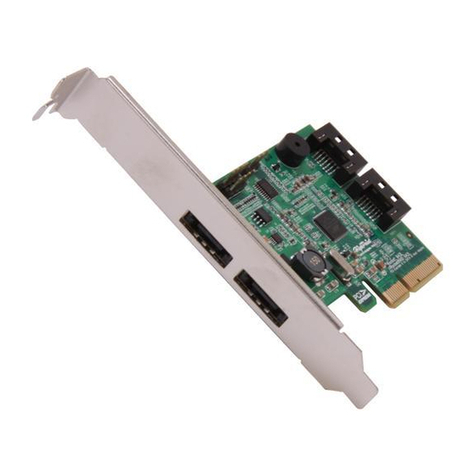
HighPoint RocketRAID 600L User manual
HighPoint
HighPoint RocketStor 6328L User manual
HighPoint
HighPoint RocketRAID 152x Host Adapter User manual
HighPoint
HighPoint RocketU 1144CM User manual
HighPoint
HighPoint RocketStor 6351A User manual
HighPoint
HighPoint HighPoint RocketRAID 2700 Series User manual

HighPoint
HighPoint RocketRAID 64xL User manual

HighPoint
HighPoint Thunderbolt RocketStor 6324U User manual
HighPoint
HighPoint RocketStor 6661A-eSATA User manual

















