manuals.online logo
Brands
  1. Home
  2. •
  3. Brands
  4. •
  5. Hitachi
  6. •
  7. Plasma TV
  8. •
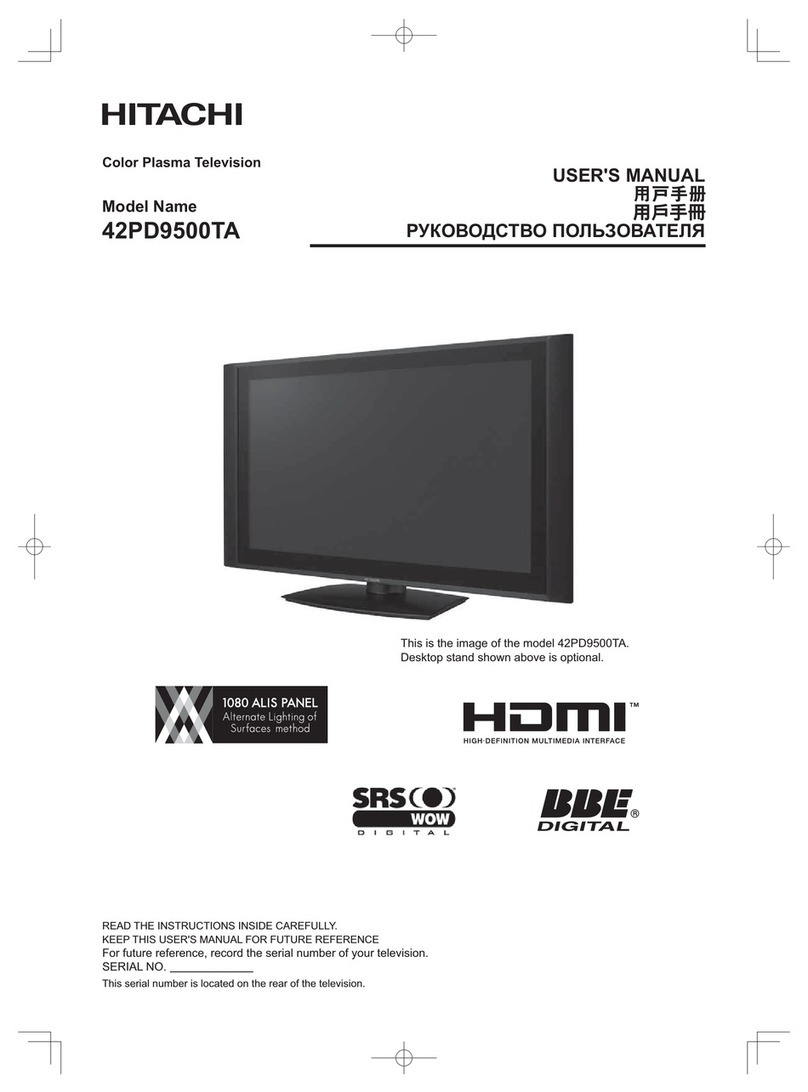
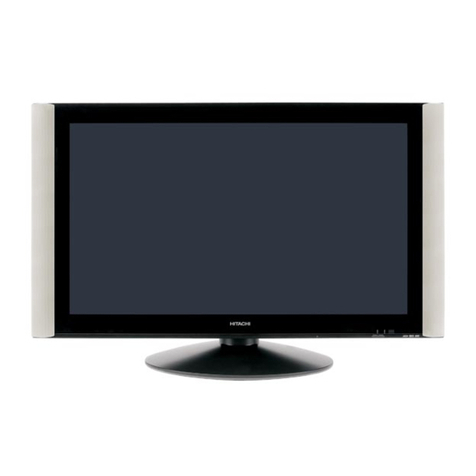
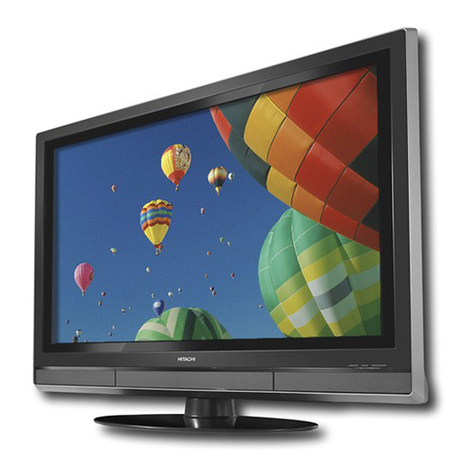
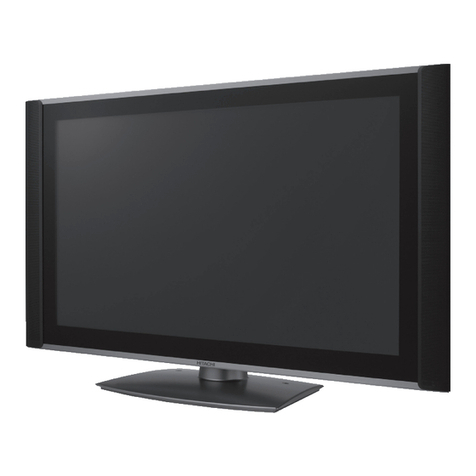
  9. Hitachi UltraVision 42HDX62 User manual

Hitachi UltraVision 42HDX62 User manual

Other manuals for UltraVision 42HDX62

1

This manual suits for next models

3

Other Hitachi Plasma TV manuals

Hitachi P50H4011 User manual

Hitachi

Hitachi P50H4011 User manual

Hitachi 50PD9800TA User manual

Hitachi

Hitachi 50PD9800TA User manual

Hitachi Ultravision P50T501 User manual

Hitachi

Hitachi Ultravision P50T501 User manual

Hitachi 42PD580DTA User manual

Hitachi

Hitachi 42PD580DTA User manual

Hitachi 42PD3200A User manual

Hitachi

Hitachi 42PD3200A User manual

Hitachi 42PD6700U User manual

Hitachi

Hitachi 42PD6700U User manual

Hitachi 42PD9R10 User manual

Hitachi

Hitachi 42PD9R10 User manual

Hitachi P60X01AU User manual

Hitachi

Hitachi P60X01AU User manual

Hitachi 42PD3200A User manual

Hitachi

Hitachi 42PD3200A User manual

Hitachi PW2 42PD7500A User manual

Hitachi

Hitachi PW2 42PD7500A User manual

Hitachi CMP4202E User manual

Hitachi

Hitachi CMP4202E User manual

Hitachi P50H01AU User manual

Hitachi

Hitachi P50H01AU User manual

Hitachi 32PD3000E User manual

Hitachi

Hitachi 32PD3000E User manual

Hitachi P42T01E User manual

Hitachi

Hitachi P42T01E User manual

Hitachi 42EDT41A User manual

Hitachi

Hitachi 42EDT41A User manual

Hitachi 42HDT79 - UltraVision CineForm - 42" Plasma... User manual

Hitachi

Hitachi 42HDT79 - UltraVision CineForm - 42" Plasma... User manual

Hitachi 32HDT55 User manual

Hitachi

Hitachi 32HDT55 User manual

Hitachi Director's P50X901 User manual

Hitachi

Hitachi Director's P50X901 User manual

Hitachi 50PD9800TA User manual

Hitachi

Hitachi 50PD9800TA User manual

Hitachi P50XR01E User manual

Hitachi

Hitachi P50XR01E User manual

Hitachi CMP5000WXE User m User manual

Hitachi

Hitachi CMP5000WXE User m User manual

Hitachi 42PD8A10 User manual

Hitachi

Hitachi 42PD8A10 User manual

Hitachi 42PD8700U User manual

Hitachi

Hitachi 42PD8700U User manual

Hitachi 42HDS69 - 42" Plasma TV User manual

Hitachi

Hitachi 42HDS69 - 42" Plasma TV User manual

Popular Plasma TV manuals by other brands

Sony WEGA KE-P42M1 Service manual

Sony

Sony WEGA KE-P42M1 Service manual

LG 60PA5500 Specifications

LG

LG 60PA5500 Specifications

VisionQuest PVQ-32VGB owner's manual

VisionQuest

VisionQuest PVQ-32VGB owner's manual

LG PJ550N Specifications

LG

LG PJ550N Specifications

Samsung PA43H4000 user manual

Samsung

Samsung PA43H4000 user manual

LG 42LG70ER owner's manual

LG

LG 42LG70ER owner's manual

Samsung 7+ series quick start guide

Samsung

Samsung 7+ series quick start guide

Panasonic Viera TH-37PA60EY operating instructions

Panasonic

Panasonic Viera TH-37PA60EY operating instructions

LG DU-42PZ60H Service manual

LG

LG DU-42PZ60H Service manual

Panasonic Viera TH-42PX80A operating instructions

Panasonic

Panasonic Viera TH-42PX80A operating instructions

Panasonic VIERA TH-P50X30D Service manual

Panasonic

Panasonic VIERA TH-P50X30D Service manual

Samsung PS43F4510AW manual

Samsung

Samsung PS43F4510AW manual

Panasonic TH-50PX20U/P Service manual

Panasonic

Panasonic TH-50PX20U/P Service manual

Panasonic TH-37PW7BX operating instructions

Panasonic

Panasonic TH-37PW7BX operating instructions

Nexus NX422 owner's manual

Nexus

Nexus NX422 owner's manual

Panasonic TX-PR42U10 Service manual

Panasonic

Panasonic TX-PR42U10 Service manual

Panasonic TH42PV500EY operating instructions

Panasonic

Panasonic TH42PV500EY operating instructions

Panasonic Viera TH-50PE8U Service manual

Panasonic

Panasonic Viera TH-50PE8U Service manual

manuals.online logo
manuals.online logoBrands
  • About & Mission
  • Contact us
  • Privacy Policy
  • Terms and Conditions

Copyright 2025 Manuals.Online. All Rights Reserved.

O
nsplre
PLASMA TELEVISION
Operating Guide for
42HDX62, 42HDX62A and
55HDX62
MPORTANT SAFETY INSTRUCTIONS ....................................................................................... 2-3
FIRST TIME USE ........................................................................................................... 4-23
THE REMOTE CONTROL ................................................................................................... 24-43
ON-SCREEN DISPLAY .......................................................................................... 44-93
USEFUL INFORMATION .................................................................................. 94-101
END USER LICENSE AGREEMENT FOR HITACHI DTV SOFTWARE ................................. 102
APPENDIXES ............................................................................................................................... 103
NDEX ........................................................................................................................................... 104
As an Energy Star_Partner,
Hitachi, Ltd. has determined
that this product meets the
Energy StaF_guidelines for
energy efficiency4
SAFETY POINTS YOU SHOULD KNOW ABOUT
YOUR HITACHI PLASMA TELEVISION
Our reputation has been built on the quality,
performance, and ease of sewice of HITACHI plasma
televisions.
Safety is also foremost in our minds in the design of
these units. To help you operate these products
properly, this section illustrates safety tips which will be
of benefit to you. Please read it carefully and apply the
knowledge you obtain from it to the proper operation of
your HITACHI plasma television.
Please fill out your warranty card and mail it to
HITACHI. This will enable HITACHI to notify you
promptly in the improbable event that a safety problem
should be discovered in your product model.
Follow all warnings and instructions marked on
this plasma television.
CAUTION
CAUTION: TO REDUCE THE RISK OF ELECTRIC SHOCK,
DO NOT REMOVE COVER (OR BACK).
NO USER SERVICEABLE PARTS INSIDE.
REFER SERVICING TO QUALIFIED SERVICE PERSONNEL.
The lightning flash with arrowhead symbol,
within an equilateral triangle, is intended to
alert the user to the presence of
uninsulated "dangerous voltage" within the
product's enclosure that may be of a sufficient
magnitude to constitute a risk of electric shock to a
person.
The exclamation point within an equilateral
triangle, is intended to alert the user to the
presence of important operating and
maintenance (servicing) instructions in the
literature accompanying the appliance.
READ BEFORE OPERATING EQUIPMENT
Follow all warnings and instructions marked on this
plasma television.
1. Read these instructions.
2. Keep these instructions.
3. Heed all warnings.
4. Follow all instructions.
5. Do not use this apparatus near water.
6. Clean only with a dry cloth.
7. Do not block any ventilation openings. Install in
accordance with the manufacturer's instructions.
8. Do not install near any heat sources such as
radiators, heat registers, stoves, or other apparatus
(including amplifiers) that produce heat.
9. Do not defeat the safety purpose of the polarized or
grounding-type plug. A polarized plug has two
blades with one wider than the other. A grounding
type plug has two blades and a third grounding
prong. The wide blade or the third prong are
provided for your safety. If the provided plug does
not fit into your outlet, consult an electrician for
replacement of the obsolete outlet.
10. Protect the power cord from being walked on or
pinched particularly at plugs, convenience
receptacles, and the point where they exit from the
apparatus.
11. ©nly use the attachments/accessories specified by
the manufacturer.
12. Use only with the cart, stand, tripod,
I bracket, or table specified by the
manufacturer, or sold with the
apparatus. When a cart is used, use
caution when moving the cart/apparatus
combination to avoid injury from tip-over.
13. Unplug this apparatus during lightning storms or
when unused for long periods of time.
14. Refer all servicing to qualified service personnel.
Servicing is required when the apparatus has been
damaged in any way, such as power-supply cord or
plug is damaged, liquid has been spilled or objects
have fallen into apparatus, the apparatus has been
exposed to rain or moisture, does not operate
normally, or has been dropped.
15. Televisions are designed to comply with the
recommended safety standards for tilt and stability.
Do not apply excessive pulling force to the front, or
top, of the cabinet which could cause the product
to overturn resulting in product damage and/or
personal injury.
16. Follow instructions for wall, shelf or ceiling
mounting as recommended by the manufacturer.
17. An outdoor antenna should not be located in the
vicinity of overhead power lines or other electrical
circuits.
18. If an outside antenna is connected to the receiver
be sure the antenna system is grounded so as to
provide some protection against voltage surges and
built up static charges. Section 810 of the National
Electric Code, ANSl/NFPA No. 70-1984, provides
information with respect to proper grounding for the
mast and supporting structure, grounding of the
lead-in wire to an antenna discharge unit, size of
grounding connectors, location of antenna-
discharge unit, connection to grounding electrodes
and requirements for the grounding electrode.
./Ant_ma leadoinwire
//A_ltef_na discha ge unit(N_CSection 810-20}
Electricserviceequp neT}t
Note to the CATV system installer: This reminder is
provided to call the CATV system installer's attention to
Article 820-44 of the NEC that provides guidelines for
proper grounding and, in particular, specifies that the
cable ground shall be connected to the grounding
system of the building, as close to the point of cable
entry as practical.

Power source
This plasma television is designed to operate on 120
volts 60 Hz, AC current. Insert the power cord into a
120 volt 60 Hz outlet.
To prevent electric shock, do not use the plasma
television's (polarized) plug with an extension cord,
receptacle, or other outlet unless the blades and
ground terminal can be fully inserted to prevent blade
exposure.
Never connect the plasma television to 50 Hz, direct
current, or anything other than the specified voltage.
Caution
Z_ ever remove the back cover of the
plasma television as this can expose you
to very high voltages and other hazards. If
the television does not operate properly,
unplug the plasma television and call your authorized
dealer or service center.
Caution
Adjust only those controls that are covered in the
instructions, as improper changes or modifications not
expressly approved by HITACHI could void the user's
warranty.
Warning
•To reduce the risk of fire or electric shock, do not
expose this apparatus to rain or moisture.
• The plasma television should not be exposed to
dripping or splashing and objects filled with liquids,
such as vases, should not be placed on the
television.
Modifications
The FCC requires the user to be notified that any
changes or modifications made to this device that are
not expressly approved by Hitachi America, Ltd. Home
Electronics Division may void the user's authority to
operate the equipment.
Note
This plasma television will display television closed
captioning, (_ or[_), in accordance with paragraph
15.119 and 15.122 of the FCC rules.
Public viewing of copyrighted material
Public viewing of programs broadcast by TV stations
and cable companies, as well as programs from other
sources, may require prior authorization from the
broadcaster or owner of the video program material.
This product incorporates copyright protection
technology that is protected by U.S. patents and other
intellectual property rights. Use of this copyright
protection technology must be authorized by
Macrovision Corporation, and is intended for home and
other limited consumer uses only unless otherwise
authorized by Macrovision. Reverse engineering or
disassembly is prohibited.
Note
This digital television is capable of receiving analog
basic, digital basic and digital premium cable television
programming by direct connection to a cable system
providing such programming. A CableCARD provided
by your cable operator is required to view encrypted
digital programming. Certain advanced and interactive
digital cable services such as video-on-demand, a cable
operator's enhanced program guide and data-enhanced
television services may require the use of a set-top box.
For more information call !our local cable company.
Note
• There are no user serviceable parts inside the
plasma television.
• Model and serial numbers are indicated on back side
of the plasma television.
Prevention of screen damages
Continuous on-screen displays such as video games,
stock market quotations, computer generated graphics,
and other fixed (non-moving) patterns can be
permanently imprinted onto your TV screen. Such
"SCREEN DAMAGES" constitute misuse and are NOT
COVERED by your HITACHI Factory Warranty.
Lead Notice
This product contains lead. Dispose of this product in
accordance with applicable environmental laws. For
product recycling and disposal information, contact
your local government agency or www.eRecylcle.org
(in California), the Electronic Industries Alliance at
www.eiae.org (in the US) or the Electronic Product
Stewardship Canada at www.epsc.ca (in Canada).
FOR MORE INFORMATION, CALL 1-800-HITACHI.
Checktomakesureyouhavethefollowingaccessoriesbeforedisposingofthepackingmaterial.
O Remote Control _ Simple Remote
o
®@@
HITACHI
E_ J
Power Cord _ Cleaning Cloth
O Two "AA" size,
1.5V batteries
O Two "AAA" size,
1.5V batteries
IR Mouse Cable or _ Power Swivel Cable
Table Top Stand @ 2 Ferrite Core
(42" models only) (see page 14)
For U.S. models:
For optional accessories, please access our web site at:
www.hitachi.us/tv
Note: Please visit our
website for optional
accessories for the
55" models.
Remote Control Unit CLU-3851WL
(Part No. HL02065).
Simple Remote Control Unit CLU-123S
(Part No. HL01864).
Two "AA" size, 1.5V batteries (P# FQ00021).
Two "AAA" size, 1.5V batteries (P# FR00061)
Power Cord (P# EV01841).
Two IR Mouse cables (P# EY01641).
Table Top Stand (P# QJ01831K).
Cleaning Cloth (P# MS00931).
Power Swivel Cable (P# EW08431).
_) 2 (2 pcs.) Ferrite Core (P#2169513).
REMOTE CONTROL BATTERY INSTALLATION
AND REPLACEMENT
Open the battery cover of the remote control by
pushing down and sliding the back cover off.
Insert two new "AA" and "AAA" size batteries for
the remote control and Simple Remote Control.
When replacing old batteries, push them
towards the springs and lift them out.
3. Match the batteries to the (+) and (-) marks in the battery compartment.
4. Replace the cover.
To take measures to prevent the Plasma Display from tipping over and prevent possible injury it
is important to mount the unit in a stable and flat surface.
Securing to a table-top
1. Using wood screws (two) fasten the set to the
clamping screw holes on the rear of the Plasma
Display stand as shown below.
2. Using commercially available wood screws, secure
the set firmly in position.
Wire
ood screw
we places
Securing to a Wall
1. Keep the Plasma television 4 inches away from the
wall except when mounted using the wall mount
bracket.
2. Secure the television to the wall as shown in fig. (a)
or (b).
l Ocm (4 inches) 30cm (118 inches)
or more F_4 or more I-_
ANTENNA
Unless your Plasma Television is connected to a cable
TV system or to a centralized antenna system, a good
outdoor color TV antenna is recommended for best
performance. However, if you are located in an
exceptionally good signal area that is free from
interference and multiple image ghosts,
an indoor antenna may be sufficient.
LOCATION
Select an area where sunlight or bright indoor
illumination will not fall directly on the picture screen.
Also, be sure that the location selected allows a free
flow of air to and from the perforated back cover of the
set. In order to prevent an internal temperature
increase, maintain a space of 10 cm (4 inches) from the
sides/back of the television, and 30 cm (12 inches)
from the top of the television to the wall. To avoid
cabinet warping, cabinet color changes, and increased
chance of set failure, do not place the TV where
temperatures can become excessively hot, for
example, in direct sunlight or near a heating appliance,
etc.
(a) Power Swive4 (b) Power Swivel
NOT USED USED
Caution when moving the main unit
As this product is heavy, whenever it is moved, two
people are required to transport it safely. Whenever the
unit is moved it should be lifted forward using the top
and base on both sides of the television for stability.
When moving the television, lift the handles and the
bottom frame as shown below. Do not grab the
speakers or the back cover when lifting.
CONNECT POWER SWIVEL CABLE
Connect one end of cable (Arrow mark facing left) to
the swivel slot of the Plasma Rear Panel. Connect the
other end (Arrow mark facing front)to the swivel slot of
the Table Top Stand.
TURNING RADIUS
The maximum turning radius is 30° (left and right). Do
not place any objects on the path of the monitor when
using the power swivel feature.
42" 55" I
5
VIEWING
The major benefit of the HITACHI Plasma Television
is its large viewing screen. To see this large screen
at its best, test various locations in the room to find
the optimum spot for viewing.
The best picture is seen by sitting directly in front of
the TV and about 10 to 18 feet from the screen.
Picture brightness decreases as the viewer moves
to the left and right of the receiver.
During daylight hours, reflections from outside light
may appear on the screen. If so, drapes or screens
can be used to reduce the reflection or the TV can
be located in a different section of the room.
If the TV's audio output will be connected to a Hi-Fi
system's external speakers, the best audio
performance will be obtained by placing the
speakers equidistant from each side of the receiver
cabinet and as close as possible to the height of
the picture screen center. For best stereo
separation, place the external speakers at least
four feet from the side of the TV, place the surround
speakers to the side or behind the viewing area.
Differences in room sizes and acoustical
environments will require some experimentation
with speaker placement for best performance.
ANTENNA CONNECTIONS TO REAR JACK PANEL
VHF (75-Ohm) antenna/CATV (Cable TV)
When using a 75-Ohm coaxial cable system, connect
CA'FV coaxial cable to the CABLE (75-Ohm) terminal. If
you have an antenna, connect the coaxial cable to the
AIR terminal. To second antenna _
VHF (300-Ohm) antenna/UHF antenna
When using a 300-Ohm twin lead from an outdoor
antenna, connect the VHF or UHF antenna leads to
screws of the VHF or UHF adapter. Plug the adapter
into the antenna terminal on the TV.
When both VHF and UHF antennas are
connected
Attach an optional antenna cable mixer to the TV
antenna terminal, and connect the cables to the
antenna mixer. Consult your dealer or service store for
the antenna mixer.
To outdoor VHF
or UHF antenna
To UHF
al'/tenna To outdoorantenna
AIR or CATVsystem
1,
Ar_termaMixer
I
6
Mostvideo/audioconnectionsbetweencomponentscanbemadewithshieldedvideoandaudiocablesthathave
phonoconnectors.Forbestperformance,videocablesshoulduse75-Ohmcoaxialshieldedwire.Cablescanbe
purchasedfrommoststoresthatsellaudio/videoproducts.Belowareillustrationsandnamesofcommon
connectors.Beforepurchasinganycables,besureoftheoutputandinputconnectortypesrequiredbythe
variouscomponentsandthelengthofeachcable.
300-Ohm Twin Lead Connector
This outdoor antenna cable must be connected to an
antenna adapter (300-Ohm to 75-Ohm).
Phono Connector
Used on all standard video and audio cables which
connect to inputs and outputs located on the
television's rear jack panel and side control panel.
"F" Type 75-Ohm Coaxial Antenna Connector
For connecting RF signals (antenna or cable TV) to the
antenna jack on the television.
S-Video (Super Video) Connector
This connector is used on camcorders, VCRs and laser-
disc players with an S-Video feature in place of the
standard video cable to produce a high quality picture.
Optical Cable
This cable is used to connect to an audio amplifier with
an Optical Audio In jack. Use this cable for the best
sound quality.
®
HDMI Cable
This cable is used to connect your external devices
such as Set-Top-Boxes or DVD players equipped with
an HDMI output connection to the TV's HDMI input. !
Stereo Cable (3.8mm plug to 3.5mm plug)
Used to connect equipment with mini stereo audio jack
to the left and right audio inputs on the rear and side
panels.
_= ©
3 atom 2
STEREO ROA TYPE
MINI PLUG PLUGS
USB Cable
This cable is used to connect your digital camera to the
Photo Input in the side of the Plasma television.
IR Mouse Cable/G-LINK Cable (Provided)
Connect the IR Mouse to the IR Blaster output of your
Plasma Television when A/V Network is used. You
must place the IR Mouse in front of the corresponding
IR window of your cable box and VCR. This
connection allows your TV, and the TV Guide On
Screen TM system, to control your cable box and/or VCR.
Power Swivel Cable (Provided with 42" models
only)
This cable is used to connect the swivel stand to the
rear panel of the Plasma Television.
IEEE1394 Cable
This cable is used to connect your digital television to
external digital devices.This cable will carry both the
video and audio information.
Sub-Woofer Cable
Used to connect the Sub-Woofer Out to the Sub-
Woofer Input of an audio amplifeier (not included).
In addition to controlling all of the functions on your HITACHI Plasma TV, the new remote control is designed to
operate different types of devices, such as, DVD Players, CBL (Cable Boxes), set-top-boxes, satellite receivers,
and VCRs. The remote control must be programmed to control the chosen device. Please see pages 24-43 for a
complete description of all features and programming of the Remote Control.
POWER BUTTON
(TV, DUD, CBL, STB, PVR/VCR, AM P/CD) .............
Turns the selected device on and off,
MODE INDICATOR
Turns on or blinks to show remote control
mode when the SOURCE ACCESS buttons
are pressed,
SOURCE ACCESS BUTTONS ....
_TV, DUD, CBL, STR, PVR/VCR, AMP/CD)
Changes the mode of the Universal Remote
Control to control the device selected,
ASPECT BUTTON
(TV}
Changes the aspect ratio of the TV_
DAY/NIGHT,
TV)
Toggles picture mode settings between
DAY and NIGHT mode,
MENU BUTTON
(TV, DVD, CBL, STB, PVB/VCR)
Accesses the OSD menu system,
CURSOR PAD/SELECT BUTTON
(TV, DUD, CBL, STB, PVR/VGR)
The Cursor Pad is used as a cursol to navigate
through the OSD and INPUT menu systems.
The Select button is used to Select/ActNate
f'lighlighted men_l items,
(TV, STB, CBL, PVR)
Displays vario_ls information on the screen,
such as charlnel Niformatiorl,
(TV, AMP/CD}
NUMERIC BUTTONS ...........
("IV, DUD, CBL, STB, PVB/VCR, AMP/CD)
Used to manually enter the TV channel, and used
for numeric entry when navigating through the OSD,
iNPUTS, and AV NET menu systems,
(-) BUTTON
(TV, STB)
The (-) button is used when the remote is in
Set-Top-Box (STB) mode or when the TV uses
a digital input,
SOURCEACCESS
@@
@@
\\ ASPECT DAY/NiGHT PUP
GUIDE
HNPUTS
i@]@.....
H|TACH|
DVb/VCR CONTROL BUTTONS
/(DUD, PVR/VCR, AMP/CD)
Controls the functions of your VCR, DVD
and audio devices,
/PAUSE BUTTON
(TV, PVR/VCR, DVD, AMP/OD)
DVD, PVR/VCR, or AMP/CD mode.
,PiP CONTROL BUTTONS
(TV)
Press to show and change the Picture-in-Picture mode,
GUUDE BUTTON
(TV, STB, OBL, PVR)
Accesses the TV Guide On Screen _ system (see page 57)
of the TV or the program guide of other devices,
EXUT BUTTON
(TV, DBL, STB, PVR/VCR)
Exits out of the QSD, INPUTS or AV NET menu
systems if their menu is displayed,
LAST CHANNEL BUTTON
(TV, CBL, STB, PVR)
Switches between the current and last channel
viewed.
INPUTS BUTTON
(TV, AMP)
Accesses the INPUTS menu system,
CHANNEL WHEEL
(TV, CBL, STB, PVR/VCR, AMP/CD)
Scroll up or down to change channel. Push down on
the wheel to access (FAV) Favorite Channel mode,
(Favorite channel is only available for 1%' mode,)
LIGHT BUTTON
(TV, CBL, STB, PVR)
Press to use the back light feature. Carl
also be used to change backiight mode,
LEGEND
"IV - Television
CBL - Cable Box
STB - Set-Top-Box
VCR -Video Cassette Recorder/Player
DVD - Digital Video Disc Player
SAT - Satellite Receiver
I
8
FRONT VIEW
O
@
®
®
®
®
REAR/SIDE VIEW
SIDE POWER button
Press this button to turn the Plasma Television
ON/OFE It can also be turned ON/OFF by remote
control. The "MAIN POWER" button must be at
stand-by mode.
]° (b-
Firmly bind the cables
Thread the band through H_k the band
_/_/f the square hole /_._/_ the claw
@,
i_ '¸,
MENU/SELECT button
This button allows you to enter the MENU, making
it possible to set TV features to your preference
without using the remote. This button also serves
as the SELECT button when in MENU mode.
PHOTO INPUT
Insert USB cable from your Digital Camera, USB
memory or memory card USB drive to view your
digital still pictures (see pages 28-29).
INPUT/EXIT button
Press this button to access the INPUT menu.
Press again to exit the MENU mode.
CHANNEL selector
Press these buttons until the desired channel
appears in the top right corner of the TV screen.
These buttons also serve as the cursor down (T)
and up (A) buttons when in MENU mode.
®POWER button
Display Monitor "MAIN POWER" button
This power button is for the complete system, and
must be turned ON/OFF manually. It is
recommended to leave the "MAIN POWER" to ON
condition (lights red) for stand-by mode.
L he Main Power
button is located on
.... the broadside
bottom, under the
label "MAIN
POWER".
VOLUME level
Press these buttons to adjust the sound level. The
volume level will be displayed on the TV screen.
These buttons also serve as the cursor left (<) and
right (1_)buttons when in MENU mode.
®POWER light indicator
To turn the monitor ON, press the main power
switch located on the lower right side of the
monitor. A red stand-by indicator tamp located on
the lower right corner of the front bezel will
illuminate. The Plasma TV is now ready for remote
ON/OFF operation.
Hndicating Lamp Power Status
Off Off
Lights Red
Lights Green
Lights Orange
Off
(Stand-by)
On
Off
Power Saving)
Operating
When the main power switch is set to
OFR
When the main power switch on the display
monitor is ON+
Display monitor MAHNPOWER is ON+
Display monitor MAHNPOWER is ON
with no signal input except antenna
(no sync+ signal)+
®
®
®
®
REMOTE CONTROL sensor
Point your remote at this area when selecting
channels, adjusting volume, etc.
LEARNING AV NET sensor
Point your equipment's remote control at this area
while using the AV NET Learning Wizard.
SIDE INPUT JACKS (for INPUT: 5)
Use these audio/video jacks for a quick hook-up
from a camcorder or VCR to instantly view your
favorite show or new recording. Press the INPUTS
button then use the CURSOR PAD and the SELECT
button on the remote control to select INPUT 5. If
you have mono sound, insert the audio cable into
the left audio jack.
IEEE1394 (DV Input)
This input provides a digital interface for your
external digital devices such as your digital video
(DV) camcorder.
10