- Page 3 -
Construction Step by Step:
1. Compare all the parts against the parts list on page 11.
2. Insert the (7) 10K (R1, R2, R3, R4, R5, R6, R9. Brown Black Black Red
Brown) resistors. Simply bend the leads over to fit the PCB holes (0.40”)
and solder in. ALWAYS use an Ohmmeter to verify values before soldering
in place. Trim the leads.
3. Install (1) 6.04K (R10. Blue Black Yellow Brown Brown) resistor. Trim the
leads.
4. Install (1) 249R resistors (R11. Red Yellow White Black Brown). Trim the
leads.
5. Install (6) .1uF (C1, C2, C3, C5, C6, C7) Capacitors. These have NO
orientation. Trim the leads.
6. Install (4) 10K Resistor Networks (RN1, RN2, RN3, RN5). Orient the dot on
the part with the PCB silkscreened dot.
7. Install (3) BS250P MOSFETs (Q1, Q2, Q3) Orient the case as shown on
the PCB silkscreen. Spread the leads apart to fit the PCB holes. Trim the
leads.
8. Install (3) Capacitors 10uF 50V (C8, C9, C10). Orient the longest lead into
the hole marked “+”. The body of the capacitor has “-“ marked on it to help
identify the proper orientation. Trim the leads.
9. Install (3) Potentiometers (VR1, VR2, VR3).
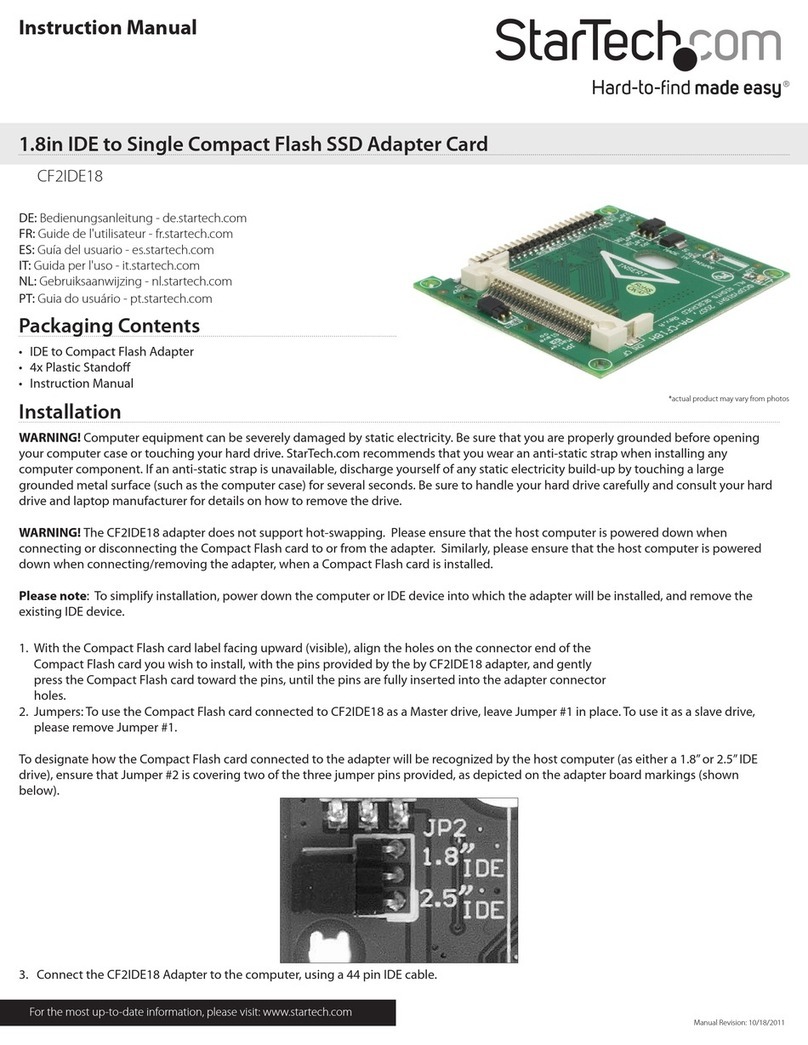
10. Install (3) 2x4 Header Pin (P2, P3, P4). Short leads go into the PC Board,
longer leads point ‘up’.
Note: Only 3 jumper shunts maximum are required for each 2x4 pin
header to satisfy all stepping modes. (See Microstepping, page 8)
11. Install P1 DB25 Male connector. Take your time as many pins are close
together. Solder the two mounting lugs for an even more robust mounting.
12. Install (4) 6-Position Terminal Blocks (TB1, TB2, TB3, TB5). Orient the
holes for the wires facing “out”. These may require a little extra heat to flow
the solder as a lot of copper is present.
13.Install (2) 2-Position Terminal Blocks (TB6, TB7). Orient the holes facing
“out”. These may require a little extra heat to flow the solder as a lot of
copper is present.
14.Install LM317HV (U7). Orient the tab towards R10. The PCB silkscreen
shows this as a wide white band. Trim the leads.
15.Install 7805 (U5). Orient the tab towards C5/C6. The PCB silkscreen shows
this as a wide white band. Trim the leads.
16.Install 7824 (U6). Orient the tab towards U5. The PCB silkscreen shows
this as a wide white band. Trim the leads.
17.Install (3) 680uF Capacitors (C12, C13, C14). Orient the long lead into the
hole marked “+”. The capacitor body is marked with “-”to help with
orientation. Trim the leads.
- Page 4 -
This completes the basic construction. DO NOT INSTALL U1, U2, U3 or U8
UNTIL THE FOLLOWING TEST IS MADE!
To make sure no errors were made, apply at least 12VDC BUT less than
42VDC to TB6 labeled + and -.
With a voltmeter, the black test lead touches the “-”on TB6 (indicated with a
purple circle on page 7) and the red lead touches the pad labeled +5VDC
(highlighted in red on page 7). Verify that +4.9 to 5.2VDC is present.
If not, review all the above steps and correct them. Failure to insure that +4.9 to
5.2VDC is present will BLOW the driver chips!
Go no further until +5VDC is achieved with this test.
18. Install (1) 74HC14N Hex Inverter (U8). Orient the notch as shown in the
PCB silkscreen.
19. Install (3) 23 pin Driver Chips (U1, U2, U3) only after the above test is
successful. They can only go one way.
a. Leave the leads as long as possible by inserting the chips just far
enough through the board to solder them (about 3/32”).
b. It is recommended to attach the heatsink before soldering the driver
chips to avoid stress on the leads (see page 10 for heatsink design)
20. Clean the PCB with alcohol or a flux remover and inspect all solder
connections with a MAGNYFING glass to assure against any solder
bridges. These will resolve ALMOST ALL failures!
Interfacing With the Printer Port
This section explains the connections the driver board makes to your computers
parallel port. This is where the printer plugs into. The pinouts cannot be
changed. These are as follows: