manuals.online logo
Brands
  1. Home
  2. •
  3. Brands
  4. •
  5. Holux
  6. •
  7. GPS
  8. •
  9. Holux GR-213 User manual

Holux GR-213 User manual

Other manuals for GR-213

6

Other Holux GPS manuals

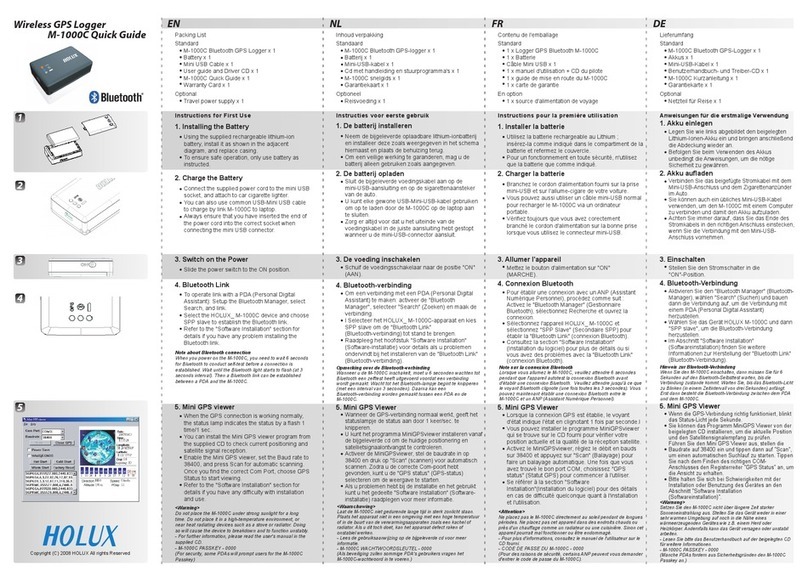
Holux M-1000C - User manual

Holux

Holux M-1000C - User manual

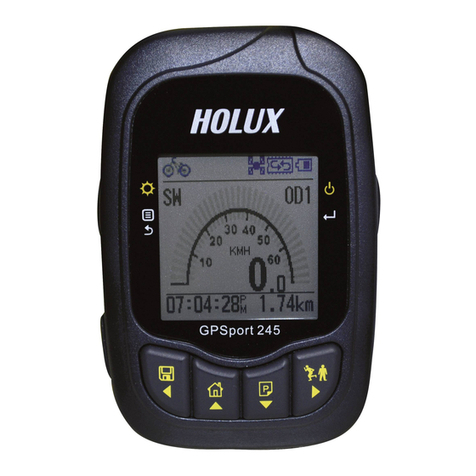
Holux GPSPORT 245 BIKE - User manual

Holux

Holux GPSPORT 245 BIKE - User manual

Holux GPSmile 53 Operational manual

Holux

Holux GPSmile 53 Operational manual

Holux GPSPORT 245 BIKE - User manual

Holux

Holux GPSPORT 245 BIKE - User manual

Holux GR-83 User manual

Holux

Holux GR-83 User manual

Holux FunTrek 132 User manual

Holux

Holux FunTrek 132 User manual

Holux GM-270 User manual

Holux

Holux GM-270 User manual

Holux GPSport 260 User manual

Holux

Holux GPSport 260 User manual

Holux GR-89 User manual

Holux

Holux GR-89 User manual

Holux M 1200E User manual

Holux

Holux M 1200E User manual

Holux M-1000B User manual

Holux

Holux M-1000B User manual

Holux GR-88 User manual

Holux

Holux GR-88 User manual

Holux GR-271 User manual

Holux

Holux GR-271 User manual

Holux Tracker-007 User manual

Holux

Holux Tracker-007 User manual

Holux M-9329 - User manual

Holux

Holux M-9329 - User manual

Holux GR-86 User manual

Holux

Holux GR-86 User manual

Holux M-215+ User manual

Holux

Holux M-215+ User manual

Holux M-1200A User manual

Holux

Holux M-1200A User manual

Holux M-89 - User manual

Holux

Holux M-89 - User manual

Holux GM-83 User manual

Holux

Holux GM-83 User manual

Holux 236 User manual

Holux

Holux 236 User manual

Holux GM-82 User manual

Holux

Holux GM-82 User manual

Holux M-1000 User manual

Holux

Holux M-1000 User manual

Holux GM-82 User manual

Holux

Holux GM-82 User manual

Popular GPS manuals by other brands

Polar Electro RCX3 Getting started guide

Polar Electro

Polar Electro RCX3 Getting started guide

Tobii Pro Spectrum user manual

Tobii Pro

Tobii Pro Spectrum user manual

Gosafe G91I user manual

Gosafe

Gosafe G91I user manual

Fisher TW-8800 operating manual

Fisher

Fisher TW-8800 operating manual

LG LN740 Series Specifications

LG

LG LN740 Series Specifications

Prestigio GeoVision 430 user manual

Prestigio

Prestigio GeoVision 430 user manual

JVC KW-NT3HDT instructions

JVC

JVC KW-NT3HDT instructions

Yoctopuce Yocto-GPS user guide

Yoctopuce

Yoctopuce Yocto-GPS user guide

RightWay GPS Navigator RW 200 user manual

RightWay

RightWay GPS Navigator RW 200 user manual

TomTom VIA user guide

TomTom

TomTom VIA user guide

Garmin ECHOMAP PLUS owner's manual

Garmin

Garmin ECHOMAP PLUS owner's manual

Telit Wireless Solutions GM862GPS Series Hardware user's guide

Telit Wireless Solutions

Telit Wireless Solutions GM862GPS Series Hardware user's guide

Hama 53118 Operating	 instruction

Hama

Hama 53118 Operating instruction

Garmin DEZL 580 owner's manual

Garmin

Garmin DEZL 580 owner's manual

Jigabot EX quick start guide

Jigabot

Jigabot EX quick start guide

Pointer Cellocator CelloTrack XT LTE overview

Pointer

Pointer Cellocator CelloTrack XT LTE overview

Queclink GV55LITE user manual

Queclink

Queclink GV55LITE user manual

Starcom Systems Kylos Compact user guide

Starcom Systems

Starcom Systems Kylos Compact user guide

manuals.online logo
manuals.online logoBrands
  • About & Mission
  • Contact us
  • Privacy Policy
  • Terms and Conditions

Copyright 2025 Manuals.Online. All Rights Reserved.

GPS Receiver
HOLUX
Technology,.Inc
No. 1-1, Innovation Road 1,Science-Based Industrial Park, Hsinchu Taiwan
Phone: + 6-3-66 7000 Fax: + 6-3-66 7111
E-Mail: [email protected].tw Web: www.holux.com.tw
All Right Reserved
User’s Guide
GR
-
213
HOLUX
HOLUX
2
TAB E OF CONTENTS
1. Introduction............................................................................................................................................. 3
1.1 Overview.......................................................................................................................................... 3
1.2 Features ............................................................................................................................................ 3
1.3 Technology specifications ................................................................................................................ 3
1.3.1 Physical Dimension............................................................................................................... 3
1.3.2 Environmental Characteristics............................................................................................... 3
1.3.3 Electrical Characteristics....................................................................................................... 3
1.3.4 Performance .......................................................................................................................... 3
2. Operational characteristics ...................................................................................................................... 4
2.1 Initialization...................................................................................................................................... 4
2.2 Navigation........................................................................................................................................ 4
3. Hardware interface .................................................................................................................................. 5
3.1 Dimension ........................................................................................................................................ 5
3.2 Hardware Interface ........................................................................................................................... 5
3.3 Connector ......................................................................................................................................... 5
3.3.1 Function definition of PS-2 female composite connectors.................................................... 6
3.4 Accessories............................................................................................................................... 6
3.5 Optional Cigarette Adapter............................................................................................................ 7
4. USB Driver ............................................................................................................................................. 7
4.1 System Requirements ....................................................................................................................... 7
4.2 Installation........................................................................................................................................ 7
4.3 Important .......................................................................................................................................... 8
5. Software Interface ................................................................................................................................... 8
5.1 NMEA Transmitted Messages.......................................................................................................... 8
NMEA Record ............................................................................................................................... 8
5.1.1 Global Positioning System Fix Data (GGA) ......................................................................... 8
5.1.2 Geographic Position with Latitude/Longitude(GLL)............................................................. 9
5.1.3 GNSS DOP and Active Satellites (GSA) .............................................................................. 9
5.1.4 GNSS Satellites in View (GSV).......................................................................................... 10
5.1.5 Recommended Minimum Specific GNSS Data (RMC) ...................................................... 10
5.1.6 Course Over Ground and Ground Speed (VTG) ................................................................. 11
6. Earth Datums......................................................................................................................................... 12
6.2.1 Manufacturing Default: ....................................................................................................... 13
6.2.2 Datum change syntax:......................................................................................................... 13
7. Ordering Information ............................................................................................................................ 14
Explanation of product Number............................................................................................................. 14
8. Warranty................................................................................................................................................ 14
HOLUX
3
1. Introduction
1.1 Overview
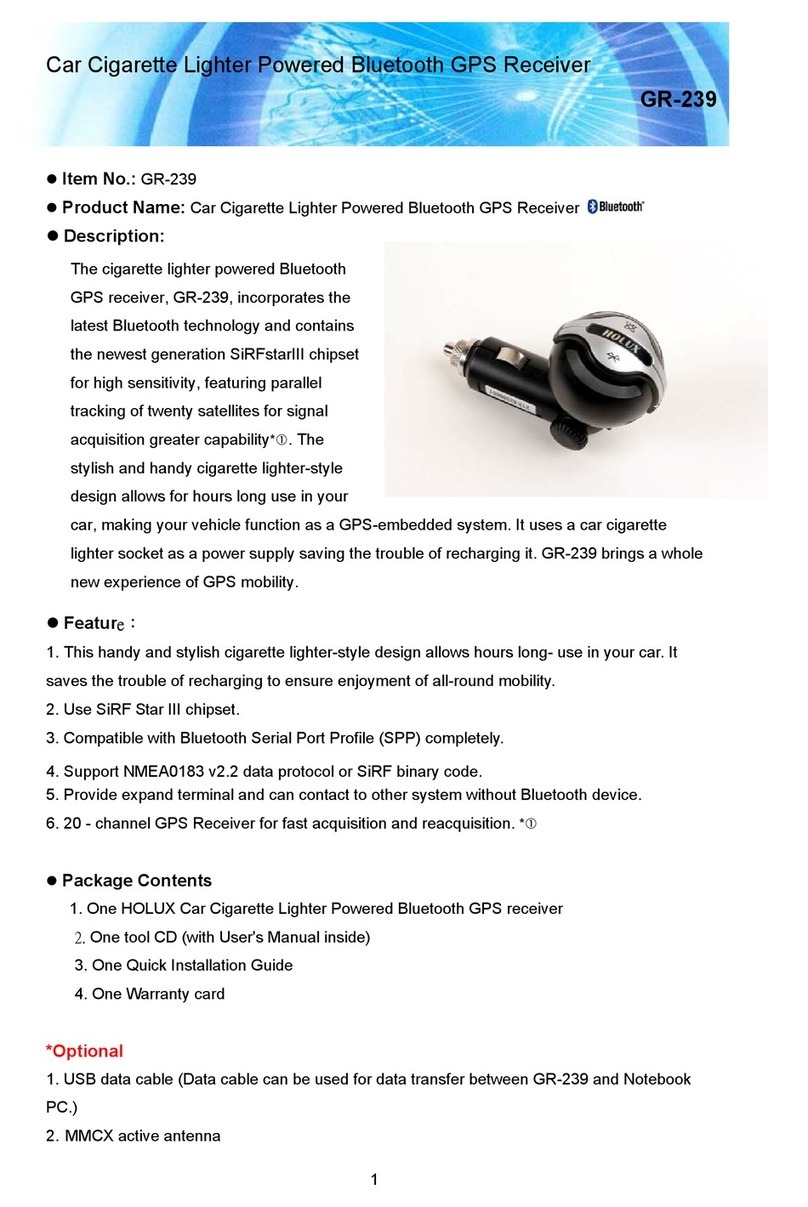
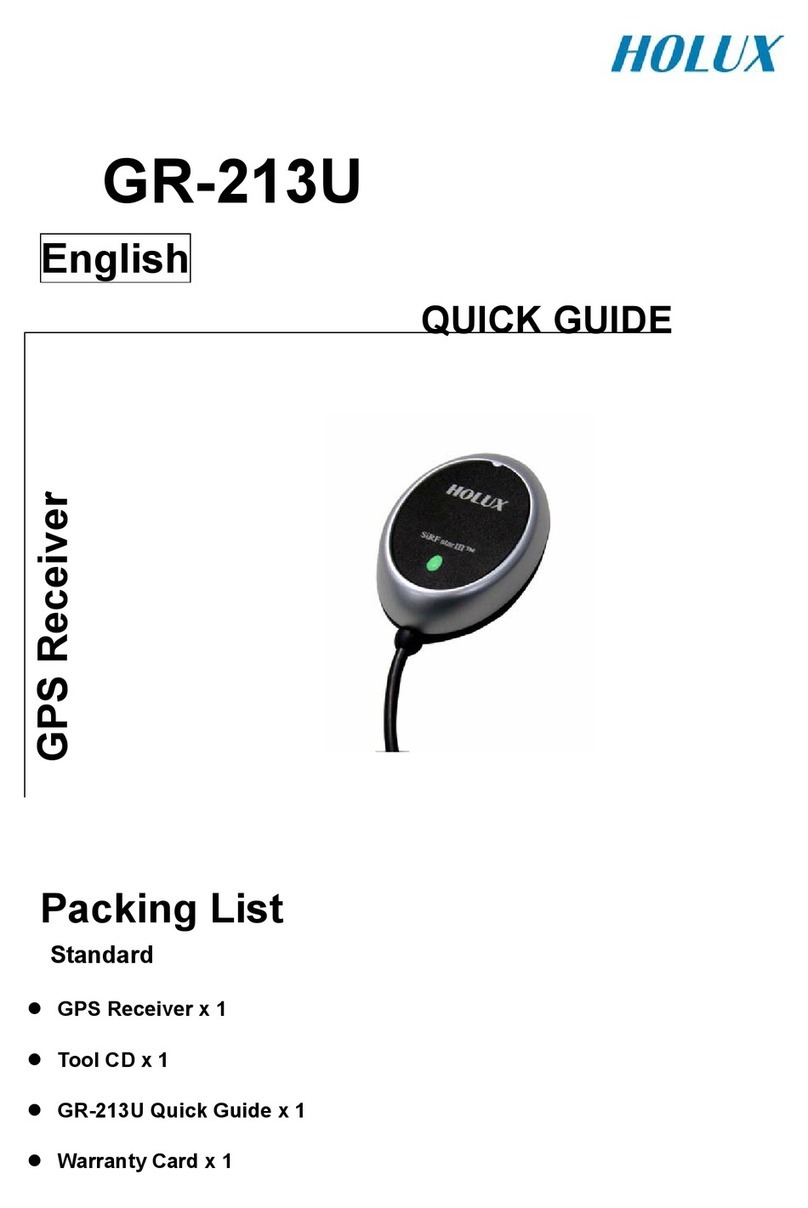
The HOLUX GR-213 Smart GPS Receiver is a total solution GPS receiver, designed based on SiRF Star III
Architecture. This positioning application meets strict needs such as car navigation, mapping, surveying,
security, agriculture and so on. Only clear view of sky and certain power supply are necessary to the unit. It
communicates with other electronic utilities via compatible dual-channel through RS-232 or TTL and saves
critical satellite data by built–in backup memory. With low power consumption, the GR-213 tracks up to 20
satellites at a time, re-acquires satellite signals in 100 ms and updates position data every second.
Trickle-Power allows the unit operates a fraction of the time and Push-to-Fix permits user to have a quick
position fix even though the receiver usually stays off.
1.2 Features
The GR-213 provides a host of features that make it easy for integration and use.
1. SiRFstarIII chipset with embedded ARM7TDMI CPU available for customized applications in firmware。
2. High performance receiver tracks up to 20 satellites while providing first fast fix and low power
consumption.
3. Differential capability utilizes real-time RTCM corrections producing 1-5 meter position accuracy.
4. Compact design ideal for applications with minimal space.
5. A rechargeable battery sustains internal clock and memory. The battery is recharged during normal
operation.
6. User initialization is not required.
7. Dual communication channels and user selectable baud rates allow maximum interface capability and
flexibility.
. Optional communication levels, RS-232 and TTL meet ordinary application and new fashions of connecting
PDA with TTL or RS-232 output.
9. FLASH based program memory: New software revisions upgradeable through serial interface.
10. LED display status: The LED provides users visible positioning status. LED “ON” when power connected
and “BLINKING” when GR-213 got positioned.
11. Built-in WAAS Demodulator.
12. Water proof design for industry standard.
1.3 Technology specifications
1.3.1 Physical Dimension
Single construction integrated antenna/receiver.
Size: 64.5 x 42 x 17. (mm)
2.54" x 1.65 x 0.7 (Inch).
1.3.2 Environmental Characteristics
1) Operating temperature: -10
o
C to +60
o
C (internal temperature).
2)
Storage temperature: -20
o
C to +70
o
C
.
1.3.3 Electrical Characteristics
1) Input voltage: +4.5 ~ 5.5 VDC without accessories.
2) Backup power: 3V Rechargeable Lithium cell battery, up to 500 hours discharge.
1.3.4 Performance
1) Tracks up to 20 satellites.
2) Update rate: 1 second.
3) Acquisition time
Reacquisition 0.1 sec., averaged
Hot start 1 sec., averaged
Warm start 3 sec., averaged
HOLUX
4
Cold start 42 sec., averaged
4) Position accuracy:
A) Non DGPS (Differential GPS)
Position 5-25 meter CEP without SA
Velocity 0.1 meters/second, without SA
Time 1 microsecond synchronized GPS time
B) DGPS (Differential GPS)
Position 1 to 5 meter, typical
Velocity 0.05 meters/second, typical
C)EGNOS/WAAS/Beacon
Position < 2.2 meters, horizontal 95% of time
< 5 meters, vertical 95% of time
5) Dynamic Conditions:
Altitude 1 ,000 meters (60,000 feet) max
Velocity 515 meters / second (700 knots) max
Acceleration 4 G, max
Jerk 20 meters/second, max
1.3.5 Interfaces
1) Dual channel RS-232 or TTL compatible level, with user selectable baud rate (4 00-Default, 9600, 19200,
3 400).
2) NMEA 01 3 Version 2.2 ASCII output (GGA, GSA, GSV, RMC, option GLL, VTG, ZDA).
3) Real-time Differential Correction input (RTCM SC-104 message types 1,2 and 9).
4) SiRF binary protocol.
2. Operational characteristics
2.1 Initialization
As soon as the initial self-test is complete, the GR-213 begins the process of satellite acquisition and
tracking automatically. Under normal circumstances, it takes approximately 42 seconds to achieve a position fix,
3 seconds if ephemeris data is known. After a position fix has been calculated, information about valid position,
velocity and time is transmitted over the output channel.
The GR-213 utilizes initial data, such as last stored position, date, time and satellite orbital data, to achieve
maximum acquisition performance. If significant inaccuracy exists in the initial data, or the orbital data is
obsolete, it may take more time to achieve a navigation solution. The GR-213 Auto-locate feature is capable of
automatically determining a navigation solution without intervention from the host system. However, acquisition
performance can be improved as the host system initializes the GR-213 in the following situation:
1) Moving further than 500 kilometers.
2) Failure of data storage due to the inactive internal memory battery.
2.2 Navigation
After the acquisition process is complete, the GR-213 sends valid navigation information over output
channels. These data include:
1) Latitude/longitude/altitude
2) Velocity
3) Date/time
4) Error estimates
5) Satellite and receiver status
The GR-213 sets the default of auto-searching for real-time differential corrections in RTCM SC-104
standard format, with the message types 1, 5, or 9. It accomplishes the satellite data to generate a differential
(DGPS) solution. The host system, at its option, may also command the GR-213 to output a position whenever
a differential solution is available.

HOLUX
5
3. Hardware interface
3.1 Dimension








star
3.2 Hardware Interface
The GR-213 includes an antenna in a unique style waterproof gadget. Simply connect PS-2 female
connector to one of the accessories linking to your notebook PC, PDA or other devices. The one-piece
cigarette adapter allows you to connect GR-213 to your PDAs. Optional color, input voltage and output
connector are listed and described below:
3.3 Connector
The GR-213 is equipped with optional connectors.
HOLUX
6
Cable Length: 2 meter
3.3.1 Function definition of PS-2 female composite connectors
3.4 Accessories
3.4.1 CA-RS232: DB 9 pins Female and PS-2 male connector:
Cable ength: To GR-213: 1 meter
RS-232 to PS-2: 45 cm
3.4.1.1 DB 9 pins Female connector function definition:
Pin
Signal Name
1 N.C
2
Tx
3
Rx
4
N.C
5 接地
6
N.C
7
N.C
N.C
9 DGPS in
N.C = No connection
3.4.1.2 PS2 composite connector function definition:
Pin
Signal Name
1
+5V
2
N.C
3
N.C
4
Ground
5
N.C
6 N.C
N.C = No connection
Signal
Pin RS-232 RS232+TT
1 Tx TX(RS232)
2 +5VDC +5VDC
3 NC Tx(TTL)
4 Ground Ground
5 DGPS IN Rx(TTL)
6 Rx RX(RS232)
N. C. = No Connection
HOLUX
7
3.4.2 Cigarette adapter and PDA connector:
reference section 7.2
3.4.3 CA-USB: USB connector
The USB A Type is equipped with GR-213. The function definition is as follows:
Pin
Signal Name
1
+5V
2
D
+
3
D
-
4 Ground
3.4.4 CA-6V30V: High power connector
3.5 Optional Cigarette Adapter
The optional cigarette adapter is with 2-meter cable for using in a car or boat.
Input voltage: DC12V - 26V
4. USB Driver
4.1 System Requirements
IBM, Pentium or above and other compatible PC; 16 MB and above memory; Windows 9 /Me/2000; VGA
Graphic Adapter.
4.2 Installation
1. Copy entire <GR-213 USB> folder from CD to hard disk.
2. Connect GR-213 USB connector to computer. While the computer automatically starts the installation
program, please direct the driver to the <GR-213 USB> folder.
Color Signal
Black Ground
Red +6~30VDC
Green Tx
White Rx
Orange DGPS IN
HOLUX
3. After the installation is complete, go to <Device Manager> and select <Ports (COM & LPT)> to verify if a
virtual COM port <USB to Serial Port> was created.
4.3 Important
Verify the COM port # to start using your own navigating software.

1. Click <Start> menu, select <Settings>, then enter <Control Panel>.

2. After entering <Control Panel>, select <System>.
3. Select <Device Manager>.
4. Find the <Connect port> and check the Virtual COM Port, which was created by the USB driver,
Please note that the Virtual COM Port number might be different from every computer. Before using
navigating software, please confirm the COM Port numbers created by your computer and provided by
your navigation software. Otherwise, the navigating software won’t receive the satellite signal, because of
the un-match COM Port setting.
5. Software Interface
The GR-213 interface protocol is based on the National Marine Electronics Association's NMEA 01 3 ASC
Ⅱinterface specification, which is defined in NMEA 01 3, Version 2.2 and the Radio Technical Commission for
Maritime Services (RTCM Recommended Standards For Differential Navstar GPS Service, Version 2.1, RTCM
Special Committee No.104, Type 1,2,9) or WAAS (in USA area) or EGNOS (in European area).
5.1 NMEA Transmitted Messages
The GR-213 supported by SiRF Technology Inc. also outputs data in NMEA-01 3 format as defined by the
National Marine Electronics Association (NMEA), Standard.
The default communication parameters for NMEA output are 4 00 baud, data bits, stop bit, and no parity.
Table 5-1 NMEA-01 3 Output Messages
NMEA Record
Description
GPGGA Global positioning system fixed data
GPGLL Geographic position- latitude/longitude
GPGSA GNSS DOP and active satellites
GPGSV GNSS satellites in view
GPRMC Recommended minimum specific GNSS data
GPVTG Course over ground and ground speed
5.1.1 Global Positioning System Fix Data (GGA)
Table 5-2 contains the values for the following example:
$GPGGA,161229.487,3723.2475,N,12158.3416,W,1,07,1.0,9.0,M, , , ,0000*18
Table 5-2 GGA Data Format
Name Example Units Description
Message ID $GPGGA GGA protocol header
UTC Time 161229.4 7
hhmmss.sss
Latitude 3723.2475
ddmm.mmmm
N/S Indicator N N=north or S=south
Longitude 1215 .3416
dddmm.mmmm
E/W Indicator W E=east or W=west
Position Fix Indicator 1 See Table 5-3
Satellites Used 07 Range 0 to 20
HDOP 1.0 Horizontal Dilution of Precision
HOLUX
9
MSL Altitude 9.0 Meters
Units M Meters
Geoid Separation Meters
Units M Meters
Age of Diff. Corr. second Null fields when DGPS is not used
Diff. Ref. Station ID 0000
Checksum *1
<CR> <LF> End of message termination
Table 5-3 Position Fix Indicator
Value Description
0 0 Fix not available or invalid
1 GPS SPS Mode, fix valid
2 Differential GPS, SPS Mode, fix valid
3 GPS PPS Mode, fix valid
5.1.2 Geographic Position with atitude/ ongitude(G )
Table 5-4 contains the values for the following example:
$GPG ,3723.2475,N,12158.3416,W,161229.487,A*2C
Table 5-4 GLL Data Format
Name Example Units Description
Message ID $GPGLL GLL protocol header
Latitude 3723.2475
ddmm.mmmm
N/S Indicator N N/S Indicator N N=north or S=south
Longitude 1215 .3416
dddmm.mmmm
E/W Indicator W E=east or W=west
UTC Position 161229.4 7
hhmmss.sss
Status A A=data valid or V=data not valid
Checksum *2C
<CR> <LF> End of message termination
5.1.3 GNSS DOP and Active Satellites (GSA)
Table 5-5 contains the values for the following example:
$GPGSA,A,3,07,02,26,27,09,04,15, , , , , ,1.8,1.0,1.5*33
Table 5-5 GSA Data Format
Name Example Units Description
Message ID $GPGSA
GSA protocol header
Mode 1 A See Table 5-6
Mode 2 3
See Table 5-7
Satellite Used(1) 07 Sv on Channel 1
Satellite Used(1) 02 Sv on Channel 2
…… ….
Satellite Used Sv on Channel 20
PDOP 1. Position Dilution of Precision
HDOP 1.0 Horizontal Dilution of Precision
VDOP 1.5 Vertical Dilution of Precision
Checksum *33
<CR> <LF> End of message termination
1. Satellite used in solution.
HOLUX
10
Table 5-6 Mode 1
Value Description
M Manual—forced to operate in 2D or 3D mode
A 2DAutomatic—allowed to automatically switch 2D/3D
Table 5-7 Mode 2
Value Description
1 Fix Not Available
2 2D
3 3D
5.1.4 GNSS Satellites in View (GSV)
Table 5- contains the values for the following example:
$GPGSV,2,1,07,07,79,048,42,02,51,062,43,26,36,256,42,27,27,138,42*71
$GPGSV,2,2,07,09,23,313,42,04,19,159,41,15,12,041,42*41
Table 5-8 GSV Data Format
Name Example Units Description
Message ID $GPGSV GSV protocol header
Number of Messages 2 Range 1 to 3
Message Number 1 Range 1 to 3
Satellites in View 07 Range 1 to 12
Satellite ID 07 Channel 1 (Range 1 to 32)
Elevation 79 degrees Channel 1 (Maximum 90)
Azimuth 04 degrees Channel 1 (True, Range 0 to 359)
SNR (C/No) 42 dBHz Range 0 to 99, null when not tracking
.... ....
Satellite ID 27 Channel 4 (Range 1 to 32)
Elevation 27 degrees Channel 4 (Maximum 90)
Azimuth 13 degrees Channel 4 (True, Range 0 to 359)
SNR (C/No) 42 dBHz Range 0 to 99, null when not tracking
Checksum *71
<CR> <LF> End of message termination
NOTE: Items <4>,<5>,<6> and <7> repeat for each satellite in view to a maximum of four (4) satellites per
sentence. Additional satellites in view information must be sent in subsequent sentences. These fields will be
null if unused.
5.1.5 Recommended Minimum Specific GNSS Data (RMC)
Table 5-9 contains the values for the following example:
$GPRMC,161229.487,A,3723.2475,N,12158.3416,W,0.13,309.62,120598, ,*10
Table 5-9 RMC Data Format
Name Example Units Description
Message ID $GPRMC
RMC protocol header
UTC Time 161229.4 7
hhmmss.sss