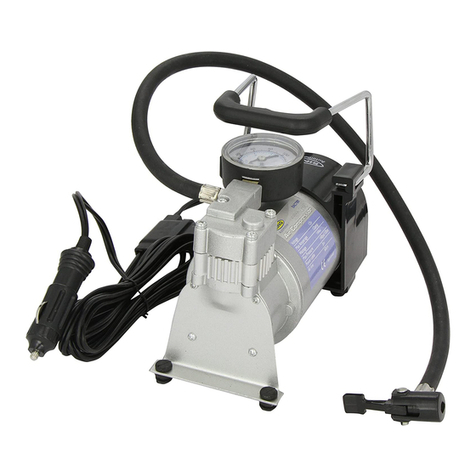
HOTO QWCQB001 User manual

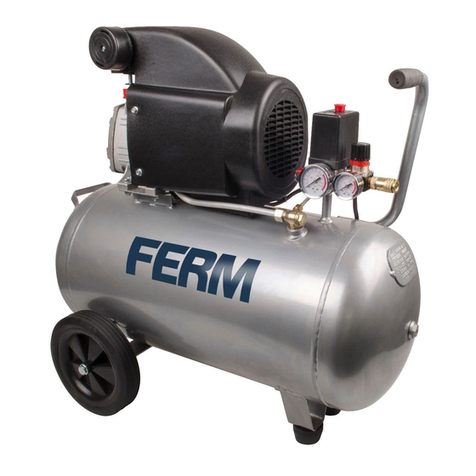
User Manual for HOTO Portable
Electric Air Compressor ·16
Scan the WeChat code and pay 1
cent to extend the product warranty.

16
01 Product Overview
Light
2
Display
4
1Air hose connector
Charging port
8
Power/start-stop key
7
5Mode key/numeric knob/
unit toggling function key
Heat dissipation vent
3
6Light On/Off button
Components
Read this manual carefully before use, and retain it for future reference.
Thank you for choosing HOTO Portable Electric Air Compressor.
The air compressor generates an operating noise of 75-80dB. Please take appropriate
precautions to protect your hearing. The air compressor and air hose will get very hot
after running for a long time. Please cool it before use again. This appliance can be
used by children aged from 8 years and above and persons with reduced physical,
sensory or mental capabilities or lack of experience and knowledge if they have been
given supervision or instruction concerning use of the appliance in a safe way and
understand the hazards involved. Children shall not play with the appliance. Cleaning
and user maintenance shall not be made by children without supervision.
This appliance contains batteries that are non-replaceable.
6
7
4
2
1
3
8
5

17
Battery indicator
Accessories
Schrader air hose
×1
Presta valve
×1
Schrader valve
Adapting valve
×1
Needle valve adapter
×1
Type-C charging cable
×1
Storage pouch
×1
psi
bar
psi
bar
9
Air hose

18
02 How to Use
Battery Level Indicator & Charging
Turning On
Charging State
White indicator ON (battery capacity ≥60%)
Red indicator flashing (flash every 3 seconds):
charging
White indicator ON: fully charged
Battery Level Indicator Battery
indicator
Power
button
Fully charge the air compressor before first
use. Connect the charging cable to a 5V USB
charger (sold separately) to charge the HOTO
Portable Electric Air Compressor.
Press the "Power" button for two seconds,
and the air compressor will start inflating
automatically. Short press again and the air
compressor will start working. If the air
compressor is not operated for 3 minutes
after power-on, it will automatically power off.
Battery level indicator while charging
Note: The air compressor cannot be used while
charging.
Orange indicator ON (30%≤battery capacity<60%)
Red indicator ON (battery capacity<30%).
Charging is required.
psi
bar

Connecting the high-pressure air hose to the air valve
Schrader valve
19
Inflate: Directly connect the air compressor
to a "Schrader valve" for inflation.
Deflate: Use an appropriate tool to press the
needle valve adapter inside the air valve for
deflation.
Mountain bicycles, electric bicycles,
motorcycles, and cars will be equipped with a
"Schrader valve".
Presta valve adapter
Inflate: Unscrew the Presta valve, connect the
"Presta valve" for inflation. After inflation,
screw on the valve.
Deflate: Unscrew the Presta valve, and press
the screw for deflation.
Road bicycles and certain mountain bicycles
may use a "Presta valve".
Screw the "Presta valve" onto the "Schrader
valve" and connect the "Presta valve" to the tire.
Valve type Inflation
adapter
Valve type Inflation
adapter

20
Detecting Air Pressure
The current air pressure will automatically be displayed after the air hose is
connected to an item while the air compressor is powered on.
Needle valve adapter
Inflate: Screw the "needle valve adapter"
onto the "Schrader valve", and insert the
needle into the air hole for inflation.
Deflate: Insert the "needle valve adapter" into
the valve of the ball for deflation.
The "needle valve adapter" should be used to
inflate balls like basketballs and footballs.
Valve type Inflation
adapter
Valve type Inflation
adapter
0
.
8
b
a
r
1
2
p
s
i
Adapting valve
Swimming ring and other inflatable items
should use a "Adapting valve" when inflating.

21
Determining the Correct Air Pressure
To ensure safety and prevent injuries from bursting items due to over-inflation,
always refer to the user manual or relevant directions accompanying the item to
be inflated before inflation, in order to determine the correct air pressure.
Tires
The recommended air pressure of tires for
cars, bicycles, and motorcycles is indicated on
the sidewall of the tire.
The recommended tire pressure for cars is
also indicated on the driver's side door jamb.
For details concerning load carrying capacity
and recommended air pressure, refer to your
vehicle's instructions or manual.
Balls
The recommended air pressure for footballs,
basketballs, volleyballs, and other balls is
indicated near the ball's air valve.
3
6
p
s
i
/
2
5
0
k
P
a
/
2
.
5
b
a
r
0
.
8
b
a
r
1
2
p
s
i

Air Pressure Reference Table
Note: Pressure range values are for reference only. Please refer to the user
manual of the item being inflated. (The data above is from the lab of HOTO.)
Category
Bicycles
Motorcycles
Cars
12-, 14-, and 16-inch bicycle tires
20-, 22-, and 24-inch bicycle tires
26-, 27.5-, and 29-inch mountain
bicycle tires
700c road bicycle clincher tires
700c road bicycle tubular tires
Motorcycle and electric
motorcycle wheels
30-50psi
40-50psi
45-65psi
100-130psi
120-145psi
1.8-3.0bar
2.2-2.8bar
Type Recommended Pressure
Range
Car tires
Balls
Basketball
Football
Volleyball
Football
7-9psi
8-16psi
4-5psi
12-14psi
22

Presetting Pressure
Mode toggling
Press the “Numeric Knob" to toggle between the five inflation
modes below. Select the preferred air pressure unit beforeinflating.
Press and hold the “Numeric Knob" to toggle between psi and bar.
No mode indicator ON: User-specified pressure presetting
(pressure value and unit will be saved)
Adjustable range: 3-150psi
Indicator ON in ball mode: default 8psi
Adjustable range: 4-16psi
Indicator ON in bicycle mode: default 45psi
Adjustable range: 30-65psi
Indicator ON in motorcycle mode: default 2.4bar
Adjustable range: 1.8-3.0bar
Indicator ON in car mode: default 2.5bar
Adjustable range: 1.8-3.5bar
23
5

Inflating
After power-on, short press the "Power” button to start inflation, and
the digital display will show the real time pressure change during
inflation. When inflating, the air compressor will generate an operating
noise of 75-80dB. Please take appropriate precautions to protect your
hearing.
Start Inflating
Once the preset pressure has been reached, the air compressor will
automatically stop inflating. The air compressor can also be stopped at
any time while inflating by short pressing the “Power key”.
Stop Inflating
After selecting the scenario mode, turn the "Numeric
Knob" clockwise to "+" and counterclockwise to "-" to
adjust the preset pressure value.
When adjusting a preset pressure, the number flashing
indicates the target pressure, and after flashing for 5s, the
number being “ON” indicates the real-time pressure.
Adjusting the Preset Pressure
Short press the “Light ON/OFF”button to turn the air compressor's
light on/off. The light makes it easy to see in the dark when you have
any operations, such as connecting the air compressor to a valve.
Light
24
Table of contents