EnglishDeutsch
 logo
Brands
  1. Home
  2. •
  3. Brands
  4. •
  5. Hotpoint
  6. •
  7. Microwave Oven
  8. •
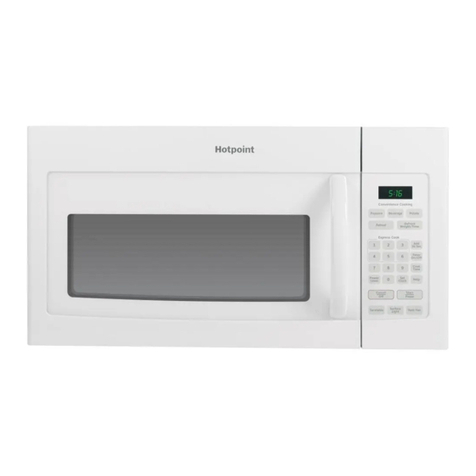
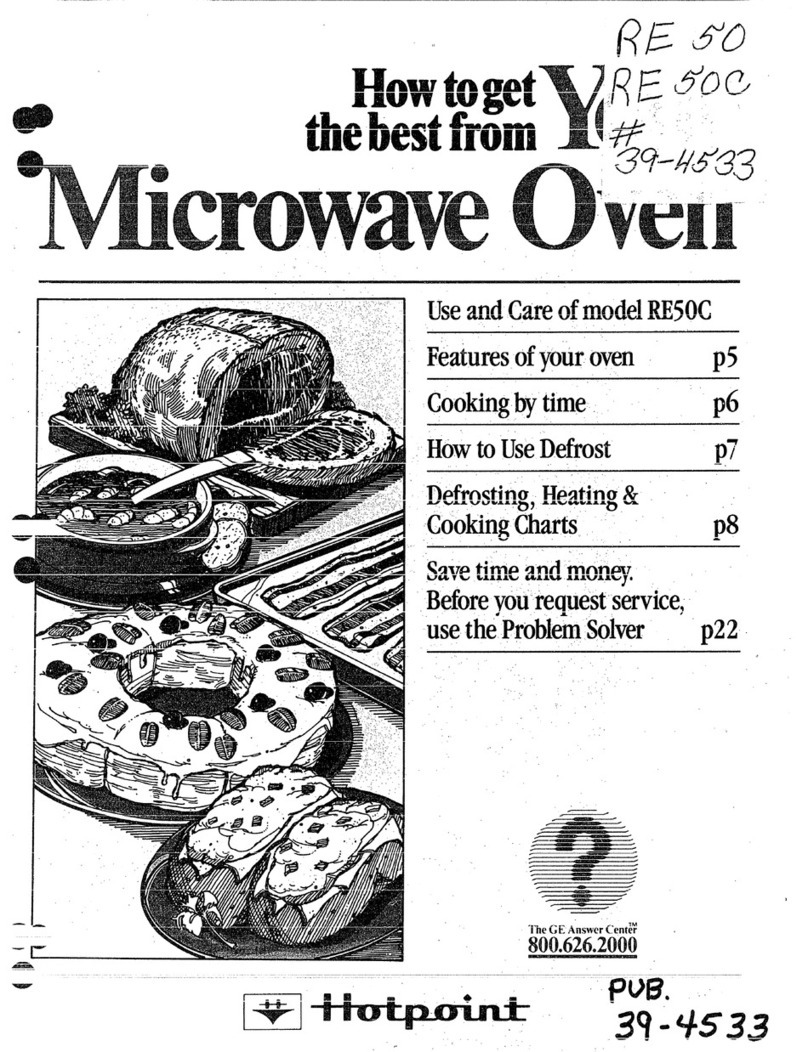
  9. Hotpoint RE926 Product guide

Hotpoint RE926 Product guide

This manual suits for next models

2

Other Hotpoint Microwave Oven manuals

Hotpoint RVM5160 User manual

Hotpoint

Hotpoint RVM5160 User manual

Hotpoint MWH 2524 B User manual

Hotpoint

Hotpoint MWH 2524 B User manual

Hotpoint RVM5160MPSA User manual

Hotpoint

Hotpoint RVM5160MPSA User manual

Hotpoint Counter Saver RVM12 Series Installation instructions

Hotpoint

Hotpoint Counter Saver RVM12 Series Installation instructions

Hotpoint Counter Saver RVM122H Installation instructions

Hotpoint

Hotpoint Counter Saver RVM122H Installation instructions

Hotpoint RE50C Specification sheet

Hotpoint

Hotpoint RE50C Specification sheet

Hotpoint MP996IXH Installation and operation manual

Hotpoint

Hotpoint MP996IXH Installation and operation manual

Hotpoint RVM1335WC Service manual

Hotpoint

Hotpoint RVM1335WC Service manual

Hotpoint 6660 User manual

Hotpoint

Hotpoint 6660 User manual

Hotpoint MW11P Instruction Manual

Hotpoint

Hotpoint MW11P Instruction Manual

Hotpoint RE1410 Installation instructions

Hotpoint

Hotpoint RE1410 Installation instructions

Hotpoint RVM1435 User manual

Hotpoint

Hotpoint RVM1435 User manual

Hotpoint CZ5700950 User manual

Hotpoint

Hotpoint CZ5700950 User manual

Hotpoint REM4F Installation instructions

Hotpoint

Hotpoint REM4F Installation instructions

Hotpoint RVM1535 - 1.5 cu. Ft. Microwave Oven User manual

Hotpoint

Hotpoint RVM1535 - 1.5 cu. Ft. Microwave Oven User manual

Hotpoint JES636 User manual

Hotpoint

Hotpoint JES636 User manual

Hotpoint 6665 User manual

Hotpoint

Hotpoint 6665 User manual

Hotpoint RE1440 Specification sheet

Hotpoint

Hotpoint RE1440 Specification sheet

Hotpoint RVM120G Installation instructions

Hotpoint

Hotpoint RVM120G Installation instructions

Hotpoint RH966G User manual

Hotpoint

Hotpoint RH966G User manual

Hotpoint RVM1435 User manual

Hotpoint

Hotpoint RVM1435 User manual

Hotpoint MD344IXH Installation and operation manual

Hotpoint

Hotpoint MD344IXH Installation and operation manual

Hotpoint RVM44 Series Installation instructions

Hotpoint

Hotpoint RVM44 Series Installation instructions

Hotpoint RE962 Installation instructions

Hotpoint

Hotpoint RE962 Installation instructions

Popular Microwave Oven manuals by other brands

Samsung CE2815NR null

Samsung

Samsung CE2815NR null

Panasonic NN-S553WF null

Panasonic

Panasonic NN-S553WF null

Daewoo KOG-574R0S Service manual

Daewoo

Daewoo KOG-574R0S Service manual

LG MH7040SS instruction manual

LG

LG MH7040SS instruction manual

Sharp R-895(AL)M Service manual

Sharp

Sharp R-895(AL)M Service manual

Dometic DOTRM13W installation instructions

Dometic

Dometic DOTRM13W installation instructions

Sanyo EM-X680 instruction manual

Sanyo

Sanyo EM-X680 instruction manual

Sharp R-393M quick start guide

Sharp

Sharp R-393M quick start guide

KitchenAid KMCX4510 Use and care

KitchenAid

KitchenAid KMCX4510 Use and care

Smeg S45MCX1 Instructions for use

Smeg

Smeg S45MCX1 Instructions for use

Russell Hobbs RHM2044 user guide

Russell Hobbs

Russell Hobbs RHM2044 user guide

Sunbeam SMW759 owner's manual

Sunbeam

Sunbeam SMW759 owner's manual

Bosch CEG732X.1B User manual and installation instructions

Bosch

Bosch CEG732X.1B User manual and installation instructions

Dometic Roadmate 230 operating manual

Dometic

Dometic Roadmate 230 operating manual

Samsung SJ0396W Owner's instructions

Samsung

Samsung SJ0396W Owner's instructions

Sanyo EM-P494WS Supplement of service manual

Sanyo

Sanyo EM-P494WS Supplement of service manual

Sharp R-240 Operation manual

Sharp

Sharp R-240 Operation manual

Electrolux EMS2840 user manual

Electrolux

Electrolux EMS2840 user manual

https://manuals.online logo
https://manuals.online logoBrands
  • About & Mission
  • Contact us
  • Privacy Policy
  • Terms and Conditions

Copyright 2026 Manuals.Online. All Rights Reserved.

.
..-——“
al
ur
c
oven
Readandsavethis book
UseandCareBookforModels
RE926,RE928,RE931
7~
a
@
flea----------
Time Cooking-page 8.
Temperature Cookin$-pages 9-11.
Care dYour Microwave Oven-pages 12-13.
—
z2i
Before you call for service,
see pages 14 and 15. 3q-vii7
I
———
.—.. -
BeforeUsingYour
-, Oven.@
Wad ‘T’his-the and (Mm Book
Takethe time to read this book and learn how to
enjoyyour newMicrowaveOven.it containsdetailed
o~erating instructions and recommended mainte-
nance,as well as handytips to helpyou gain max-
imum benefits from your Microwave’ Oven. Once
you have read the book, keep it handy to answer
any questions you may have.
Hyouhave any additional questions concerning the
operationof your Microwave Oven,write—including
your phonenumber–to:
ConsumerAffairs
I-fotpoint
Appliance Park
Louisville, Kentucky40225
iF YOU RECEIVEDADAMAGEDOVEN,immediately
contact the dealer (or builder) from whom you pur-
chased it. They have beeninformed of the proper
IImcedure to take care of such matters and can
andleit for you.
Before YW (Ml for Service:
Check “Before YouCall for Service” section. (See
page 14.) It lists many minor causes of operating
problems that you can correct yourself and may
saveyou an unnecessary service call.
,If You Need Service
In many cities, there’s aHotpoint Factory Service
Center.Calland a radio-dispatched truck will come
to your home by appointment–morning or after-
noon. Charge the work, if you like. All the centers
acceptboth Master Cardand Visacards.
Or look fo[ the Hotpoint franchised Customer
Care@ servicers, You’ll find them in the Yellow
Pages under “HOTPOINT CUSTOMER CARE@
SERVICE” or “GENERAL ELECTRIC–HOTPOINT
CUSTOMERCARE@SERVICE.”
If youneed$wvicoIitorature,partslists; partsor accos-
sorle$,contact oneof the Factory Service Ct?nters,a
f#.e;ised CustomerCare?serwceroryourf-lotpoint
.
ExtendedSwvico Contracts:Theterms of your war-
ranty provide free service covering failures dueto
manufacturing defects for adefinite periodof time.
After this warrant expires oumay purchase an
(!! iExtendedService ontractw ichwillenable youto
budget your service needs.This coverage beyond
warranty is available from our Factory Service
Centersandfrommany franchised CustomerCare@
servicers. It is a,good idea to apply for this cov-
eragebefore your warranty expires.
Steps to Follow for Further Help
First, contact the peoplewho serviced your micr~
wave oven. Explain why you,are dissatisfied. ~-
most cases,this will solve the problem.
Next, if you are still dissatisfied, write=all
detaiis–mcluding ytiur phonenumber–to:
Manager,ConsumerRelations B
Hot omt
WC~-312
Appliance Park
Louisville, Kentucky 40225 -‘
Finally,ifyourproblem isstill notresolved, wri t,
w
Ma’or Ap lianceConsumerAction P
20horth hacker Drive
Chicago,lllinois 60606
This pane[, known as MACAP,is agt’oup of inde-
pendent consumer experts under the sponsorship
of several industry associations. Its purpose is to
study practices and advise the industry of ways to
improve customer service. BecauseMACAPis free
of industry control and influence, it is ableto make
d’
im artialrecommendations andconsider eachcase
in ividually. —
..
TABLEOFCONTENTS
Features of Your
MicrowaveOven . .... .. .. .... . ...... 2
Important Notice...................... 3
e’ ~mpo-rtantPrecautions
‘* ‘“~ ForSafe Use...,., !., o.......o . ....4-5
S~&y TipsTo Follow’ ‘
‘“”’ While Microwaving. ... . .. .. . ....... . 6
Multi-Power Levels.. .... .. ...... .... .. 7
1
Operating Instructions ...Foods ,---
Cookedby ’’TIME’’ .................. 8
UsingThe Temperature Probe ...... 9-11
Care Of YourMicrowave
OvenandTemperatureProbe.... 12-13
BeforeYouCall ForService,., ........ 14 e
FactoryServiceCenters........... 17-18
Warranty ,,..................BackCover e
@INTRODUCTIONTOYOUR
MICROWAVEOVEN
—
&‘1
v
/
vIair
?“ -.
7/
1-
/
wMODEL Iwxm
2
FEATURESOF W3!cm
MlbkowAwE93WW
@DOORHANllLE-Ovari dO$$ll’t
qtq;:: ‘im10s8doorissecurely
@DOORiLATClt-Pushintoop$n
door
@ililf)ilGASKET
@WINDOW-METAL SiflELiJ–
allowscookingtobevkiwd
whilek$epingmicrowaves
confinedinovon
@LIGHT ~
@PLASTICCOVER-Protects
StirrerMa!io.
@OVENVENT==R6mov8smoisture
~OVENSHELF
@TEMPERATUREPROBE
@RECEPTACLEFORTEMPERATURE
PROBE
@TIMECONTitOL
@TIME/TEfiP SWITCH-TO cookby
Tim@,pushup,.$ettimer.To
cookbyTemperature,pushdown,
settemperaturedial. ~
@FOODTEMPCONTROLKNOB
@POWER-SELE6TilUTT41NS–
SoleotLOW/DEFROST,MEDor
tflfiHsottlngbeforeeachuse.
@PoweronINDICATORLIGHT
(Indicatesoven18on)
@“START”BUTTON-Push to
startalloookingoperations.
@COOKiNG/Defrosting 6UIDE(on
modelsequippedwithrotating
gukie)—Turningknobcausas
guidetorevolve,showingMMfir
temperatureforcookingor
defrostingmanyfoodtypes.
@lltOi)Ei.andSERiALNUMBERSare
eitfiorinsideovenattopieft
sideoronrearoutsideofcase.
@SHELFSUPPORTS
@SHELF[Onmedalssoequipped)
————
—
.———
MICROWAVE OVEN
It is essentialthat we, the manufacturer,knowat all times the locationof
themicrowaveovenyou arenowusing.
Weaskthatyou—
1.
2.
3.
Checkwithyoursupplierto besurehe hasregisteredyou as an ownerof -
this appliance.(He shouldhave doneso by sendingin the cardon the
outsideof the cartonwhen this appliancewas deliveredor by maintain-
ing his ownregistrationfile).
Ifyoumove,pleaserenewyourregistration~ywritingtotheaddressbelow.
Ifyouarenottheoriginalpurchaserof thisappliance,pleaseestablishthe
factthatyouarenowthe ownerofthisapplianceby writingto—
Hotpc!nt
RangeI%oduatService
AP2-210
AppliancePark
Louisville,Kentucky40225
Please state-lVIODELand SERIAL NUMBERS.Nameplate may be located
eitherinsideovenat top-leftside,oronrearoutsideof case.
Spacesareprovidedon page 1for each customerto recordthe modeland
serialnumberof his orher ownmicrowaveoven,forfuturereference.
This appliance must be registerd-plaas~ be cwtain that It is.
o
“---
—
IMPORTANT e
e
—
—..—....—... !1
1
~ORTAMT
&%,EASEREADCAREFULLY)
I. FOR PERSONAL SAFETY, THISAPPL!ANCE MUST BEOPROPERLY GROUNDED.
The power cord of this appliances equipped with athree-prong (grounding) plug
which mates with astandard three-prong (grounding) wall receptacle (Fig. 1) tomin-
imize the possibility ofekxtrics hock hazard from this appliance. The customer should
have the wall receptacle and circuit checked by aqualifiedelectrician to make sure the
receptacle is properly grounded.
a
e[m;
IPREFERRED MET140D
v
@Q(
#J3
t\
..
INSUREPROPERGROUND
EXISTSBEFOREUSE,
Where astandard two-prong wall receptacle is encountered, .it is
Fig. 1
the personal respon-
sibility and obligation of the customer to have it replaced with aproperly grounded
three-prongwall receptacle.
DO NOT, UNDER ANY CIRCUMSTANCES, CUT OR REMOVE THE THIRD
m(GROUND) PRONG FROM THE POWER CORD.
A.. USAGE SITUATIONS WHEREAPPLIANCE% POWER CORD WILL BE IMS(X3NNECTED
—
e
e
Fig. 2
WMPTERPLUGSMN’PERIVHTTEIIIN CANADA) —
Because of potential safety hazards under certain conditions, we strongly recommend
against the use of an adapter plug. However, if you still elect to use an adapter, where
local codes permit, aTEMPORARY CONNECTION may be made to aproperly
grounded two-prong wall receptacle by the use of aUL listed adapter which is available
at most local hardware stores (Fig. 2). The larger slot in the adapter must be aligned
withthe larger slot in the wall receptacle to provide proper polarity in the connection
of thepowercord.
CAUTION: Attaching the adapter. ground terminal to the wall receptacle cover screw
does not ground the appliance unless the cover screw is metal, and not insulated, and
the wall receptacle Is grounded through the house wiring. The customer should have the
circuit checked by aq;alified electrician to makesure the receptacle isproperlygrounded.
4
.. ..,.-.—
.“.—.-.—......-..-...—. —————-—-—————. —...-.-....-L—..—.—_—-
,,-...—-.._—..._—_—.—._—_— -.
When disconnecting the power cord from the adaptxw,always hold the adapter with *
one hand. Ii’this is not done, the adapter groundterminal is very likely to break with
repeated use. Should this happen, DO NOT USE the appliance until aproperground
has again been established.
ELUSAGE SITUATIONS WHERE APPLIANCE’S POWER U3RII MLL 131ZKMSfXli14hiHY1’H3
FREQUENTLY.
Ilo not use an adapter plug in these situations because frequent dimonnecting of the
powercordplaces undue strainon the ad~pterandleadsto eventual failureofthe adapter
ground terminaLThe customer should have the two-prongwall receptaclereplacedwith
athree-prong @rounding)receptacleby aqualifiedelectricianbeforeusingthe appliance.
~. IJSEOF EXTENSION CORDS. Because of potential safety hazards under certaincon-
ditions we strongly recommend against the use of an extension cord. However, if you
still elect to use an extension cord,it is absolutely necessarythat it be aUL listed 3-wire
groundingtype applianceextension cord and that the currentcarryingrating ofthe cord
in amperesbe equal to or greaterthan the branchcircuitsize shownon the ratingname-
plate of this appliance. Such extension cords are obtainable through your local service
organization.
3. BE CERTAIN‘ill PLACE THE FRONT SURFACE OF THE DOOR THREE INCHES OR @
MORE BACK FROM THE COUNTERTOP EDGE TO AVOID ACCIDENTAL TIIPPING OF THE
APPLIANCE IN NORMAL USAGE. @
4. Cooking utensils may become hot because of heat transferredfrom the heated food.
Pot holders may be needed to handle them.
AIso,undersome cookingoperationsthe glassshelfcanbecometoo hot to touch. THEItE-
FORE, DURING AND AFTER COOKING,CAUTIONSHOULDBE EXERCISED
IN TOUCHINGTHE SHELF. *
5
.-————— .. ... ..
—
1. For personalsafety the oven must be properly
grounded.Seegrounding instructions on page 4of
thisbook.Forbestoperation,plugthis applianceintc
itsownelectricaloutlet,to preventflickeringof lights,
blowingof fuseortrippingofcircuit breaker.
2. Use of ExtensiorI Cords. Because of potential
safetyhazardsundercertain conditionswe strongly
recommendagainstthe use of an ‘extensioncord.
However,if youstill electto useanextensioncord, it
is absolutelynecessarythat it be a U1.listed 3-wire
groundingtypeapplianceextensioncord andthatthe
current carryingrating of the cord in amperesbe 15
amperesor greater.Suchextensioncordsareobtain-
ablethroughFiotpointservice.If youdo use an exten-
sion cord withyour microwave oven, the interior light
mayflicker andtheblowersoundmayvarywhenoven
isin use.
3, Be certain to place the front surface of the door
three jnches or more back from the countertop edge
to avoid accidental tipping of the appliance in normal
usage.
4. Use metal oniy as directed in cookbook. Metal
stripsas used on meat roasts are helpful in cooking
foodwhenusedasdirected.Metaltraysmaybe used
for TV dinners. However,when using metal in the
microwaveoven, keep metal at least l-inch away
from sides of microwaveoven. ~
5. Do not operatethe oven while empty to avoid dam-
age to the oven and the danger of fire. If byaccident
theovenshouldrunemptyaminuteortwo,noharmis
done. However,try to avoidoperatingtheovenempty
at all times—itsavesenergyand prolongslife of the
oven.
6. Cooking utensilsmay become hot becauseof heat
transferredfrom the heatedfood. This is especially
true if plastic wrap has beencovering the t~p and
handlesof the utensil.Pothoidersmaybe neededto
handletheutensil,
7. Sometimes, the oven shelf can become too hot to
touch. Be carefultouchingthe shelfduring and after
cooking.
9. Do not use any thermometer in food You are
microwavingunles; that thermometer is designed or
recommended for use inthemicrowaveoven.
9. Remove the temperature probe from the oven
when not using it tocook with. Ifyou leavethe probe
insidethe ovenwithout insertingit in food or liquid,
andturn on microwaveenergy,it cancreateelectrical
arcinginthe oven,anddamageovenwalls.
10. Removewire twist-ties onpaperandplasticbags
ebefore placing in oven. Twist-tiessometimescause
bagto heat,andmaycausefire.
m11, Don’t defrost frozen liquids-especially carbo-
nated ones-in the oven. Even if the container is
opened,pressurecan build up. This can causethe
containerto burst,resultingininjury.
*OrI mode kso equ ippecl 6
,. ——..
12. Qon’t overcook food, Excessive overcooking
driesfoodout,andcanevenigniteinsomecases.
13. If food should ever ignite: Keep the oven door
closed. Turn off the power hnmediatehy Touch
CLEA13/OFFor disconnect power cord or shut off
poweratthefusecircuit breakerpanel.
14, Boiling eggs (in and out of shell) Is not recom-
mended for microwavecooking,Pressurecan build
upinsideeggyoikandmaycauseit to burst,resulting
ininjury.
15. Foods with unbroken outer “skin” such as po-
tatoes, hot dogs or sausages,tomatoes, apples,
chickenliversandothergiblets,andeggs(seeabove)
shouldbe piercedto allow steamto escapeduring
cooking.
16. “Boilable” cook!ngpouches and tightiy closed
plasticbagsor plasticwrap tightly coveringcontain-
ersshouldbe slit, prickedor ventedas otherwisedi-
rected in Cookbook.If they are not, plastic could
burstduringor immediatelyaftercooking,resultingin
injury. Also, plasticstoragecontainersshouldbe at
least partially uncoveredbecausethey form such a
tightseal.
17. Do not pop popcorn in your microwave oven un-
lessin aspecialmicrowavepopcornaccessoryor un-
lessyouusepopcornin apackagelabeledfor micro-
waveovens.Becauseof the heat generatedwithout
theseprecautions,thecontainercouldcatchfire. —
18. Plastic !Jtenslls-Plastic utensilsdesignedfor mi-
crowavecookingare veryuseful,but shouldbe used
carefully.Evenmicrowaveplasticmaynotbeastoler-
antof overcookingconditionsasareglassor ceramic
materialsandmaysoftenor char if subjectedto short
periodsof overcooking,In longerexposuresto over-
cooking,the food and utensilsma~evenignite, for
these reasons:1) Use microwaveplastics only and
usethem in strict compliancewith the utensilmanu-
facturer’srecommendations.2) Donot subjectempty
utensilsto microwaving,3) Do not permitchildrento
useplasticutensilswithoutcompletesupervision,
19. Do not use your microwave oven to dry news-
papers, Ifoverheated, it can catch fire, ——.
20. Use ~f Shelf Accessory4.Topositionshelfsothat
it is securely “seated,” insert into the oven cavity
aboveshelfsupportsandcompletelytothe backoven
wall. Dropinto placeso that the recessedareasare
over the shelf supports.To remove shelf, lift she!f
abovesupportsandthenpull forwardandout.Donot
piacefoodon shelfunlessit is securely“seated” on
thesupports.
21. When cooking pork either conventionally or in
the microwaveoven, follow our directions exactiy
and always cook the meat to at ieast 170°. This
assuresthat, in the remote possibility that trichina
maybepresentin the meat,it wiil bekilled andmeat
wili besafeto eat,

Steamor vaporescapingfromaroundthe 2. Light reflecting around door or outer
door. case.
With your Multi-PowerMicrowaveOvenyou have the versatilityyto cookjust
aboutany type offood.Usethe cookbookprovidedwithyourovento guideyou.
HIGH or “Full On%?{1dOYO)Power,about 625 watts output (2-qt. water heating test). Boil-
ing candy, puddingsand sauces,cookingsmaHto medium-sizevegetables,pastry she~s, m
chickenpieces,fish,hamburgers,bringingto boilsoups,stewsand simmered-typemeats.
Also, cookingbaked-type fruits such as apples, beverages,many moist cakes and bar *
cookiessuch as brownies,appetizers and fast meltingof butter.
MED about 2/3(70Yo) the ovens full power. Cookingcustard-type vegetablecasseroles,
whole head of cauliflower,omelets, commerciallyfrozen soties, some cookies,finish —
cookingfudge,bread pudding and other dessert custards, dryinghomemadenoodles,and m
roasting somemeats with automatic temperaturecontrol.- -
LOWW/DEFROST about V2(50Yo) the ovens full power. Use for most defrosting.Alsodried
. . . beans and peas, pot roasting ...even poached eggs...are possibleat this setting.
And softening and melting at this powerlevel, although longer than at higher power
levels,may be preferred because the product is more evenly heated.
e
e
7
..——...
—...—.—
e
5El
The
The operatinginstructions belowtell you how to start, interruptand stop cookingin the
oven. While you are reading these instructions why not make acup of coffee or other
hot beverage as you learn to use the controls?Use aplastic-coated paper cup for hot
drinks,orpottery orchinacup not decoratedwith metal. Fillcup ~fullofwaterandadd
ateaspoon of freeze driedcoflee. Remove spoon.
P!ace food (or cup of coffee) in oven. Oveninteriorlight
comes on automatically when door is open. Close oven
door;it latches automatically. .
WeCt Power Level. See recipe for suggested powerlevels
for foods. For your cup of coffee, set at HIGH.
On models so equipped, select Tlh4E/T’EMP setting.
NOTE: Models riot equipped with temperature control
do not have time-temp switch. Foryour cup of coifee, set
switch to TIME by pushing Time/Temp Switch up. SEE
SPECIAL OPERATING INSTRUCTIONS PAGE 10
for setting Temp Control.
Set Time Control (1~to 1~minutes forcoffee). Digital
timer, on models so equipped, goes up to 59 minutes and
59 seconds. Wheel at left of timer sets increments of 10
minutes; knob at rightof timer sets minutes and seconds.
To set minute knob, grasp knob and push in. ‘I’urnto
desired time setting. Timer can be reset during cooking
if needed. Circular timers may be rotated manually.
NOTE: When setting atime of less than 3minutes, ro-
tate circulartimers ~turn and then back to desiredtime
setting.
~WS~ “START” button on models with Temp Contm~o
When ovenis cooking,interiorlight comes on, afanstarts
to operateand an indicatorlight comes onto tell you oven
is operating. On models without Temp Control,oven will
start when the dooris shut and the timer is set.
timer indicator moves toward “0’} onlv when the oven
is cooking or defrosting with microwave ene&y.
When the timer reaches “O,” cooking is completed and the
power, the indicator light, interior light and fan are shut off
automatica~lyand an end of cycle signal is sounded.
Remember...if you open the doorbeforethe timerhas reached
“OJ’cooking or defrosting stops, the timer stops and oven in-
dicator light goes out. When you close the door and push
e“START” button again (on models with Temp Control) cook-
ing resumes where you left ofl! On models without T’emp
Cimtrol, cooking resumes when ycm shut the door if time is
remaining on the timer.
MODELRE931
MODELRE928
MODELRE926
-—
——
——
8
—-—. —.-.. .
—. ..———...—.
#-————— “—?——.—.—
\e
[
USINGTHETEMPERATUREPROBE
FO~
AUTOMATtCTEMPERATURECOOKING 1
—— J
(MImode[s soequipped
The temperature probe is designed to help makeyourmicrowavecookingmoreaccurate
ad requiring less attention %~=qqp~tiptiatefoods. Up to now, microwavecooking has
been done by TIME. Now you can cook many foods to apre-set internal TEMPERA-
TURE, and be assured that they are as hot as you want them to be for serving.
See page 11 for may foods recommended for cooking with your automatic temperature
probe. Page 11 also lists foods not recommended for use with the probe.
/’ d
In general insert probe into centermost e
part of food as horizontally as possible.
Insert at least l-inch into food.
Place foodwith probeinto oven.
Insert cable end into receptacle on oven
wall until “seated.’)
BE SURE PROBE IS ATTACHED
SECURELY TO OVEN RECEPTACLE.
If probeis not attached securely, oven will
not start when “Start” button is pressed,
as areminderto secure cable end of probe
to ovenreceptacle.
Use clip on cable to loop cable where ap-
propriate.Looping cablenot only controls e
length of cable but also supplies moresta-
bility of probe in food (helps prevent e
probe slipping in food). Close oven door
firmly to insure proper latching.
9(continuednextpage) ———
—