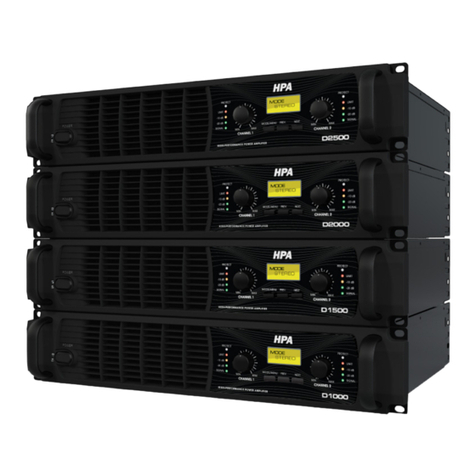
D1000 / D1500 / D2000 / D2500
3
Front Panel
Front Panel
1. AC POWER SWITCH
This button triggers the relay that provides power to the amplifier.This power
switch wil make turn on LCD indicating AC power has been connected to the
amplifier.
2. SIGNAL LED, -20dB, -10dB.
These LED lights when its channel produces an output signal of -33dB or more
(-20dB, -10dB). These LED indicates whether a signal is reaching and being ampi-
fied by the ampifier.
3. LIMIT
A channel's LIMIT LED will flash at the clipping. If the LEDs are flashing quickly
and intermittenty the channel is just at the clip threshold.A steady bright means
the amp is clip limiting, or reducing gain to prevent clipped waveforms from
reaching the speakers. When the amplifier goes to protection mode, this LED wil
steady bright.
4. PROTECT
In the event of abnormal operating conditions, D series have built-in amplifier
protection. Under conditions that would normally damage the power amplifier,
this LED will illuminate.
5. Channel Volume control.
These channel volume controls, located at the front panel, adjust gain for their
respective amplifier channels in all mode.
6. LCD screen
Back-lit LCD screen allows all DSP configurations.
7. MODE/MENU, PREV, NEXT buttons.
Three buttons located under LCD screen that are used to configure and access
the integrated processing.
ON
OFF
D2500
HIGH-PERFORMANCE POWER AMPLIFIER
MODE/MENU
MIN MAX MIN MAX
PREV. NEXT
LIMIT
-10 dB
-20 dB
SIGNAL
PROTECT PROTECT
LIMIT
-10 dB
-20 dB
SIGNAL
STEREO
STEREO
22
45654
17
33