manuals.online logo
Brands
  1. Home
  2. •
  3. Brands
  4. •
  5. Karella
  6. •
  7. Video Gaming Accessories
  8. •
  9. Karella Premium Silver User manual

Karella Premium Silver User manual

This manual suits for next models

1

Popular Video Gaming Accessories manuals by other brands

VENOM VS3057 user guide

VENOM

VENOM VS3057 user guide

LINK-MI HDVC01 operating instructions

LINK-MI

LINK-MI HDVC01 operating instructions

Thrustmaster T60 user manual

Thrustmaster

Thrustmaster T60 user manual

Avermedia C875 quick guide

Avermedia

Avermedia C875 quick guide

VENOM VS2728 user guide

VENOM

VENOM VS2728 user guide

DGT 960 user manual

DGT

DGT 960 user manual

Sega Visual Memory Unit instruction manual

Sega

Sega Visual Memory Unit instruction manual

Datel Go-tcha Expedition user guide

Datel

Datel Go-tcha Expedition user guide

TruGolf TruFlight 2 manual

TruGolf

TruGolf TruFlight 2 manual

CH Products CH PRO THROTTLE quick start

CH Products

CH Products CH PRO THROTTLE quick start

Thrustmaster T2PA manual

Thrustmaster

Thrustmaster T2PA manual

Cube Controls Mercedes-AMG - GT Edition SIM Wheel user guide

Cube Controls

Cube Controls Mercedes-AMG - GT Edition SIM Wheel user guide

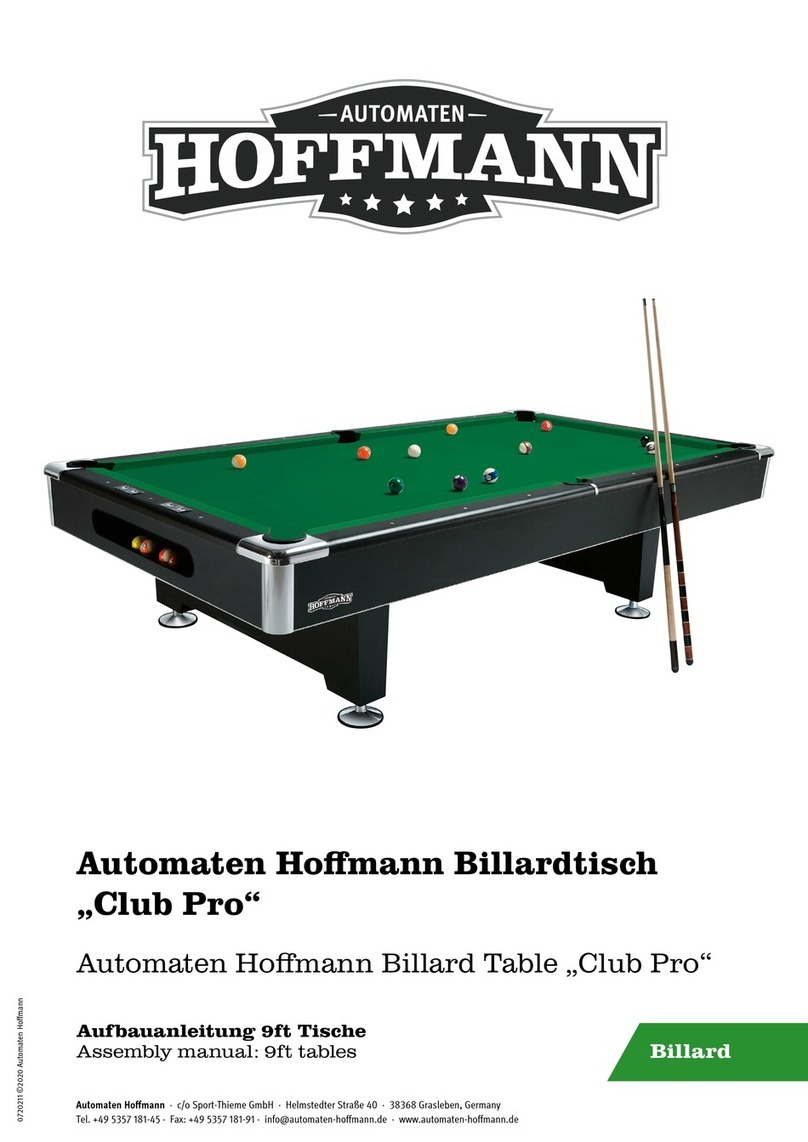
Hoffmann Club Pro Assembly manual

Hoffmann

Hoffmann Club Pro Assembly manual

Pokemon GO Plus user manual

Pokemon

Pokemon GO Plus user manual

All In 1 Gaming Pro SE Sim Frame Assembly instructions

All In 1 Gaming

All In 1 Gaming Pro SE Sim Frame Assembly instructions

TREQ FORMULA SEAT instruction manual

TREQ

TREQ FORMULA SEAT instruction manual

BDA MOGA PRO POWER user manual

BDA

BDA MOGA PRO POWER user manual

Scuf Gaming EXO SCUF quick start guide

Scuf Gaming

Scuf Gaming EXO SCUF quick start guide

manuals.online logo
manuals.online logoBrands
  • About & Mission
  • Contact us
  • Privacy Policy
  • Terms and Conditions

Copyright 2025 Manuals.Online. All Rights Reserved.

Art.Nr. 8075.01
Owner´s Manual and Game Instructions
Karella Premium Silver
Electronic Dartboard Manual
Electronic Dartboard Karella Premium Silver 2
Art.Nr. 8075.01
We congratulate you on the purchase of this Electronic Dartboard
„Karella premium Silver“.
With 41 plays and more than 218 play variations,with LED-Display, with vocal announcement and sound
effects as well as the specially wide catch ring let arise the biggest play joy under professional condition.
IMPORTANT SERVICE TIPS AND USE REGULATIONS
Unpack your new Dartboard carefully and examine whether the following additional scope of supply is
included:
12 Softdarts approx. 16 g., Substitute-soft tips, A/C adapter, 2 fixing bolts with rawl plug
Operating instructions
Please, check immediately after the purchase of this electronic dartboard all functions and play options for
functional ability.
This Dartboard is designated for the private use and not for commercial purposes or commercial use which
would limit the durability by an overloading.
With this Dartboard it concerns a consumer goods purchase and, on this occasion, the guarantee claim cannot
be given immediately after the purchase or at the end of 6 months any more, if you have not observed during
the use the following operating instructions.
This device is planned basically only for the use in the inside area. Should you use it in the outside
area, take care for no solar irradiation as well as no humidity.
Close to magnetic fields it can come to malfunctionings of the message display.
Darts: Only the provided soft tip darts with plastic tips may be used or similar soft darts with a weight not
higher then 18 g. The soft tip may be no longer as 12 mm of disc penetration depth.
Turn darts clockwise as you pull them from the board. This makes it easier to remove darts and extends the life
of the tips.
It is not allowed to use Darts with steel tips (steeldarts). They would damage the electronics of this soft
dartboard.
The soft darts may be thrown only in intended distance 244 cm (board distance) and with sensible effort.
The Dartsegments may not be cleaned with abrasive cleaners or similar chemicals.
The segments are produced in a good quality, however, they are a wear product,which you can buy from your
trader and therefore can be exchanged very easily.
Occasionally, a dart will cause a segment to become wedged within the segment separator web. If this happens,
all games will be suspended and the LCD display will indicate the segment number that is stuck.
To free the segment, simply remove the dart or broken tip from the segment. If the problem is still not solved,
try wigging the segment until it is loose. The game will then resume where it left off.
From time to time a tip will break off and become stuck in the segment. Try to remove it with a pair of pliers or
Electronic Dartboard Karella Premium Silver 3
Art.Nr. 8075.01
tweezers by grasping the exposed end and pulling it out of the segment. If this is not possible, you can attempt
to push the tip through to the back of the segment. Use a nail that is smaller than the hole and gently push the
tip until it falls through the other side. Be careful not to push too far and damage the circuitry behind the
segment. Don’t be alarmed if tips break. This is a normal occurrence when playing soft tip darts. We included a
pack of replacement tips which should keep you supplied for quite some time. When replacing tips, make sure
you use the same type of tips that come with this dartboard.
TECHNICAL SECURITY TIPS
Connect the device only in an according to regulation installed outlet, which voltage agrres with the technical
data of the net adapter. Use exclusively the net adapter, which is included in the scope of supply.
On no account start running the device, if the device itself shows visible damages or the connecting pipe. This
would be a considerable security risk.
Please, pull after ending of the play or by any disturbance always the net plug (adapter) from the outlet.
We recommend the connecting lead to let be in the device socket, because constant, improper pulling out could
cause on a continuing basis a loose contact.
Let make any repair in the device or in the adapter only from a professional workshop. With independent,
improper repair after opening the dartboard considerable dangers for the user can originate. Besides, in this case
there will be lost any guarantee claims.
ASSEMBLY –INSTRUCTIONS
Hang up the dartboard with the provided fixing bolts incl. rawl plug according to the following measurements.
Respect to the fact, that the screws are directly on a horizontal line, so that the dartboard just hangs correct
later.
With the throwing the distance of the front surface of the dartboard is to the dropping line 2.44 m.
Dimensions of the dartboard:
Height 68,4 cm
Width 52,0 cm
Depth 7,0 cm
Electronic Dartboard Karella Premium Silver 4
Art.Nr. 8075.01
GUARANTEE / REPAIR
The Guarantee begins with the date of the invoice or the date of shipment.
A free exchange, change or repair can only occur, if the „Important service tips and use regulations“ were
considered.
The guarantee refers to production mistake and material defect.
Should the play device have been put into operation more than 6 months without complaints, we will claim a
proof, that you have kept to the proper use according to the service tips and use regulations.
Returns because disturbances (complaints) are only possible after previous communication or arrangement with
your trader. Announce to us please immediately all defects of the product.
Returns please very well packed in original packaging with invoice (purchase document) and failure description
to the trader´s address!
Please, request in addition from the trader for the form „mistake description / complaint dartboard“.
The better the mistake description, the service team can easier localise the reason of a defect and work on it.
Should repair efforts with approved complaints are not successfull during the guarantee time or be
uneconomical the repair, the right on cancellation of the bill of sale or lowering the purchase price (decrease) is
entitled alternatively.
With an evident damage during tranport you reject please the acceptance or announce to us immediately a
possible damage.
General security tips
This Dartboard is no toy.
Attention: Danger for children. Use only for children more than 3 years!
Keep away children from this Dartboard
Keep the small parts like darts or spare tips beyond their reach. There is the danger of
swallow small parts and suffocation.
Electronic Dartboard Karella Premium Silver 5
Art.Nr. 8075.01
1
Catch Ring
14
Power button
25
Double Out Indicators
2
Singles Ring
15
Double/Miss button
26
Master Out Indicators
3
Doubles Ring
16
Cybermatch button
27
Temporary Score
4
Triples Ring
17
Game button
<display
5
Speaker
18
Quick-Pick button
28
Cricket Scoring
6
Start/Hold button
19
Built-in Dart Holders
Display
7
Reset button
20
Storage Drawer/
29
Cricket Segment
8
Player/Page button
Game Menü
Display
9
Bounce Out button
21
Score Display
30
External Speaker
10
Sound button
Indicators
Jack (on side)
11
Select button
22
Player Indicators
31
Power Switch and
12
Dart Out/Score button
23
Hold Indicators
Adapter Jack (on side)
13
Game Guard button
24
Double In Indicators
Electronic Dartboard Karella Premium Silver 6
Art.Nr. 8075.01
Dartboard Functions
POWER switch/button - Be sure the AC Adapter is plugged into the jack or batteries are installed. Press the
POWER switch to turn game on or off.
START/HOLD button - This multi-function button is used to:
START the game when all options have been selected.
Put dartboard in HOLD status between rounds to allow player to remove darts from the target area.
GAME GUARD button –After the START button has been pressed and play has begun, the GAME GUARD
feature can be activated. When the button is pressed, all of the keys will ‘lock’. When GAME GUARD is active,
a misguided dart hitting a button will not affecting your game. To deactivate the GAME GUARD, simply press
the button again and the keys will unlock.
BOUNCE OUT button - Decide before play if you want to count darts that do not remain in board
(“bounce-outs”) or not. If not, simply press the BOUNCE OUT button immediately after a bounce out occurs to
deduct the score that registers
DART-OUT/SCORE button - The DART-OUT feature is active only during the “01” games (301, 401, etc.).
When a player’s score falls below 160, he/she can press the DART OUT button to get a suggestion from the
dartboard as to the 3 darts needed to finish the game. Note: doubles and triples are indicated with 2 and 3
dashes to the left of the number respectively. The SCORE feature allows player to access score not current on
display.
SOUND button –Sound level adjustable from 0-7 levels (8 levels).
DOUBLE/MISS button –This button is used to activate the Double In/Double Out and Master Out options for
the “01” games. This function is only active when selecting 301, 401, etc. games. Note: not all models have
Master Out option. The MISS feature is active during play of any game. Press button to register a “missed” dart.
Player can press when dart lands outside target area so computer registers a thrown dart.
PLAYER/PAGE button –This button is used at the start of each game to select the number of players you want
to play the game. In addition, this button allows players to see other player scores of not on active display.
LCD dartboard keeps track of scores for up to 8 players or up to 4 two-person teams. LED dartboard keeps
track of scores for up to 16 players or up to 8 two-person teams.
GAME button –Press to page through the on-screen game menu and select game.
SELECT button –Press to select various difficulty settings for games. Many games contain several difficulty
options that can be accessed by pressing this button
QUICKPICK buttons –These four game buttons launch you directly into the indicated games. These buttons
launch you directly into the game indicated below the button. With the large selection of available games
included in this dartboard, these buttons are a convenient way to jump directly into a game. The default setting
is for 2 players. Button names are BIG SIX, CUT-THROAT, CRICKET and 301 501.
RESET button –Press to clear display and reset dartboard to opening sound.
Electronic Dartboard Karella Premium Silver 7
Art.Nr. 8075.01
SCROLLING DISPLAY: This dartboard includes a scrolling message display located on the display panel.
The unique display adds an interactive element to your dart games. From the moment you turn the power on;
you will see the visual and audio excitement. An inspirational opening theme will play as the scrolling display
flashes through a list of all the features of the dartboard- with a fell special effects mixed in.
The scrolling display will be your name source of information throughout play. Here are a few examples of
what will be displayed:
When selecting games, the display will indicate the name of the game.
During play, each dart’s score will be displayed in the scrolling display.
Aspecial visual effect will appear when a bullseye is scored.
You can enter each player’s name on the display (see Text Entering section).
TEXT ENTERING feature: The scrolling display is set up so players names can be entered to appear at the
start of their respective rounds.
To enter player names:
1. Select the game you want to play by pressing GAME button or by using QuickPick buttons.
2. Select the number of players by pressing PLAYER/PAGE button.
3. Put text entering overlay over the button area (all holes should line up with the buttons). The overlay
indicates the different functions for each button when in text entering mode.
4. Press SET/ESC –this will activate text entering mode. The scrolling display will show: 1:_
5. Enter player 1 name. Each button represents several letters of the alphabet. Pressing a button once will get
the 1st letter, pressing button twice gets the second letter, the pressing the button three times gets the 3rd
letter. You must press the right arrow (→) to move to the next letter of the name you are entering. The left
arrow allows you to go back to correct error. When finished with play1 name, press down arrow to enter
player 2 name. Display will show: 2._ After all names are entered, press SET/ESC button once and remove
overlay. Then press START button to begin play. Each player’s name will appear before his or her round.
CyberMatch Feature
This exciting feature allows solo player to play against the computer at one of five different levels of skill –only 1
player can compete against the CyberMatch competitor. This adds a level of competition to normally routine
practice sessions.
To activate the CyberMatch opponent:
1. Select the Game you wish to play
2. Press CYBERMATCH button
Select CyberMatch opponent skill level by pressing the CYBERMATCH button continually
CyberMatch Levels
Level 1 Professional
Level 2 Advanced
Level 3 Intermediate
Level 4 Novice
Level 5 Beginner
3. Press START to begin play
Electronic Dartboard Karella Premium Silver 8
Art.Nr. 8075.01
When play begins:
The ‘human’ player throws first. After 3 darts are thrown, go to the board to take darts out and press START
to change to the next player (CyberMatch). Watch as the CyberMatch opponent’s dart scores are registered on
the display. After the CyberMatch opponent completes his round, the board will automatically reset for the
“human” player. Play continues until one player wins. Good luck!
Electronic Dartboard Operation
1. Press the POWER or switch to ON position (|) to activate dartboard. Ashort musical introduction is played
as the display goes through power-up test.
2. Press GAME button until desired game is displayed –or press any of the QuickPick buttons.
3. Press DOUBLE button (optional) to select starting and/or ending on doubles or Master Out (used only in
301 - 901 games). This is explained in the game rules section.
4. Press PLAYER button to select the number of players (1, 2 ... 16). The default setting is 2 players. Or select
Cybermatch option by pressing CYBERMATCH button.
5. Press START/HOLD button (red) to activate game and begin play.
6. Throw darts: When all 3 darts have been thrown, a voice command will indicate “Remove Darts” and the
score will flash. The darts can now be removed without affecting the electronic scoring. When all darts are
removed from the playing surface press the START button to go to next player. Voice command will indicate
which player is up. Also, the player indicator lights will illuminate to show which player’s turn it is.
Game Content
1
301
22
Golf
2
Cricket
23
Football
3
Scram
24
Baseball
4
Cut Throat
25
Steeple chase
5
Eng Cri
26
Bowling
6
PK-Cri
27
Car Rally
7
Low-Cri
28
Shove Pen
8
Adv-Cri
29
Nine Darts
9
Shooter
30
G & R
10
Trapshoot
31
Gold Hunt
11
Big Six
32
Cas-A
12
Overs
33
Cas-B
13
Unders
34
Cas-C
14
Count Up
35
Elimination
15
High Score
36
Horse She
16
Round Clk
37
Warfare
17
Killer
38
Adv War
18
Doub DN
39
Paintball
19
41
40
Fox Hunt
20
All Fives
41
Tic-Tac-Toe
21
ShangHai
Electronic Dartboard Karella Premium Silver 9
Art.Nr. 8075.01
GAME 1: 301
This popular tournament and pub game is played by subtracting each dart from the starting total until the player
reaches exactly 0 (zero). If a player goes past zero it is considered a “Bust” and the score returns to where it was
at the start of that round. For example, if a player needs a 32 to finish the game and he/she hits a 20, 8, and 10
(totals 38), the score goes back to 32 for the next round.
In playing the game, the double in / double out option can be chosen (double out is the most widely used
option). Simply press the “DOUBLE” button to change this setting. LED indicators will display your current
setting: Note: you can adjust total score of this game.
• Double In - A double must be hit before points are subtracted from the total. In other words, a player’s scoring
does not begin until a double is hit.
• Double Out - A double must be hit to end the game.
• Double In and Double Out - A double is required to start and end scoring of the game by each player.
• Master Out - A double or triple is required to finish the game.
Dart-Out Feature (“01” games only)
This electronic dartboard has a special “Dart Out” feature. When a player requires less than 160 to reach zero,
the estimate feature becomes active. The player can press the DART OUT button to view the darts necessary to
throw to finish the game (reach zero exactly). Doubles and triples are indicated with 2 or 3 lines to the left of
each number respectively.
GAME 2: CRICKET
Cricket is a strategic game for accomplished players and beginners alike. Players throw for numbers best suited
for them and can force opponents to throw for numbers not as suitable for them. The object of Cricket is to
“close” all of the appropriate numbers before one’s opponent while racking up the highest number of points.
Only the numbers 15 through 20 and the inner/outer bullseye are used. Each player must hit a number 3
times to “open” that segment for scoring. A player is then awarded the number of points of the “open” segment
each time he/she throws a dart that lands in that segment, provided their opponent has not closed that segment.
Hitting the double ring counts as two hits, and the triple ring counts as 3 hits. Numbers can be opened or closed
in any order. A number is “closed” when the other player(s) hit the open segment 3 times. Once a number has
been “closed”, any player for the remainder of the game can no longer score on it.
Winning - The side closing all the numbers first and accumulating the highest point total is the winner. If a
player “closes” all numbers first but is behind in points, he/she must continue to score on the “open” numbers.
If the player does not make up the point deficit before the opposing player(s) “closes” all the numbers, the
opposing side wins. Play continues until all segments are closed.
GAME 2-1: NO-SCORE CRICKET
(Press SELECT button when Cricket is displayed) Same rules as standard
Cricket except there is no point scoring. The object of this version is to be
the first to simply “close” all the appropriate numbers (15 through 20 and
the bullseye). Note: LCD models have cricket and no-score cricket as
separate games, but LED models have these games as 1 game.
Cricket Scoring Display: This dartboard utilizes a dedicated scoreboard
that keeps track of each player’s segment status when playing Cricket. The
Electronic Dartboard Karella Premium Silver 10
Art.Nr. 8075.01
exclusive Tournament Cricket Scoring display on this dartboard utilizes traditional X and O style characters to
track ‘marks’. When Cricket is selected, the lights on the Cricket scoreboard are not lit –they will illuminate as
‘marks’ are scored. There are 3 separate lights within each number (15 through 20 and bullseye). During play,
one of the status lights will turn on as a segment is hit. If a double or triple of an active number is hit, 2 or 3
lights will turn on respectively.
GAME 3: SCRAM (For 2 players only)
This game is a variation of Cricket. The game consists of two rounds. The players have a different objective in
each round. In round 1, player 1 tries to “close” (score 3 hits in each segment - 15 to 20 and bullseye). During
this time, player 2 attempts to rack up as many points in the segments that the other player has not yet closed.
Once player 1 has closed all segments, round 1 is complete. In round 2, each player’s roles are reversed. Now,
player 2 tries to close all the segments while player 1 goes for points. The game is over when round 2 is
complete (player 2 closes all segments). The player with the highest point total is the winner.
GAME 4: CUT-THROAT CRICKET
Same basic rules as standard Cricket except once scoring begins, points are added to your opponent(s) total.
The object of this game is to end up with the fewest points. This variation of Cricket offers a different
psychology to the players. Rather than adding to your own score and helping your own cause as in standard
Cricket, Cut-Throat offers the benefit of racking up points for your opponent(s), digging him in a deeper hole.
Competitive players will love this variation!
GAME 5: ENGLISH CRICKET (For 2 players only)
This game is another variation of Cricket that requires precision dart throwing. The game consists of two
rounds. The players have a different objective in each round. During the first round, player 2 attempts to throw
bullseyes –with the objective of needing 9 to complete round 1. Double bull (red center) counts as 2 scores.
Any throw that does not hit bullseye is credited to player 1’s point total. For example, if player 2 throws a 20, a
single bullseye, and a 7 during his/her turn, player 2 will have one bullseye subtracted from the 9 needed, and
27 points will be credited to player 1’s point total. Player 2 must exhibit accurate bullseye dart throwing!
Meanwhile, player 1 attempts to score as many points as possible during this first round. Doubles and triples
count 2x and 3x their respective values. However, to score points, player 1 must score over 40 points in each
turn (3 throws) to amass points against player 2. Only those points over 40 are counted toward the cumulative
score. Player 1 must also exhibit precision dart throwing and avoid hitting any bullseyes during this first round
because any hits scored by player 1 in the bullseye area will be subtracted from player 2’s needed total of 9
bullseyes. Once player 2 reaches the objective of getting 9 bullseyes, the roles are reversed for round two.
GAME 6: PICK IT CRICKET
This game is very similar to standard cricket. Instead of using the traditional segments used in standard cricket,
(15, 16, 17,18,19,20, & Bullseye) players face new and unfamiliar targets randomly selected by the computer.
The game will consist of six random segments and Bullseye. All other rules apply as detailed in standard
Cricket.
GAME 7: LOW PITCH CRICKET
This version of Cricket utilizes the lower numbered segments on the board for a change of pace from the
standard Cricket segments. Players will need to “close” segments 1, 2, 3, 4, 5, 6 and Bullseye. All other rules
apply as detailed in standard Cricket.
GAME 8: ADVANCED CRICKET