If OFF is selected, you will move onto AL 2 (Alert 2).
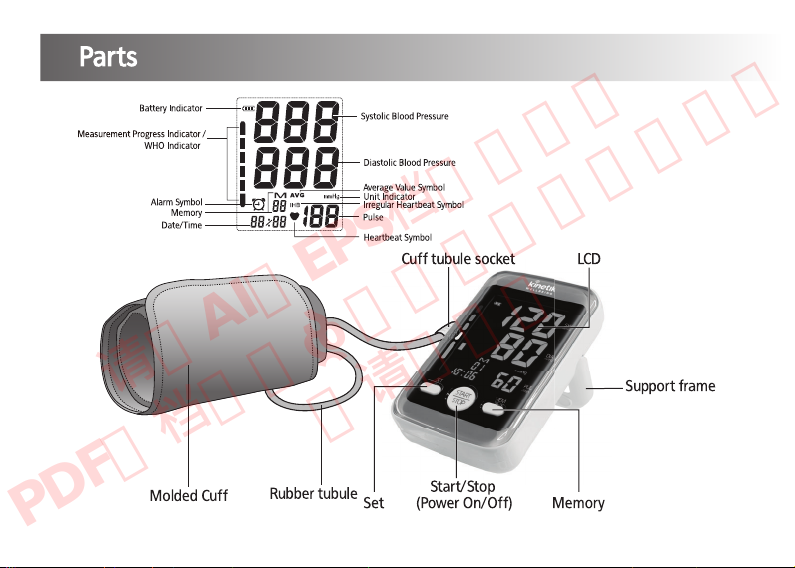
If ON is selected, the time in the bottom left corner will flash. Press the MEM button to adjust the minutes/hours and press the SET
button to confirm and move onto AL 2 (Alert 2).
Setting Alert 2
After setting Alert 1, AL 2 (Alert 2) will be displayed on screen. Press MEM to select if the alert should be ON or OFF. Once you have
made a selection, press the SET button to confirm.
If OFF is selected, you will move onto AL 3 (Alert 3).
If ON is selected, the time in the bottom left corner will flash. Press the MEM button to adjust the minutes/hours and press the SET
button to confirm and move onto AL 3 (Alert 3).
Setting Alert 3
After setting Alert 2, AL 3 (Alert 3) will be displayed on screen. Press MEM to select if the alert should be ON or OFF. Once you have
made a selection, press the SET button to confirm.
If OFF is selected, the setup process will be complete.
If ON is selected, the time in the bottom left corner will flash. Press the MEM button to adjust the minutes/hours and press the SET
button to confirm. The setup process will then be complete.
Once setup is complete, press START/STOP to turn off the monitor.
9
请用AI或EPS档案印刷。
PDF文档只供参考,不可用于印刷,
敬请留意。