Low Battery
(only for WatchmanSonic products)
When the Low Battery has been
detected on the transmitter unit,
the battery and triangle icons are
displayed on the screen.
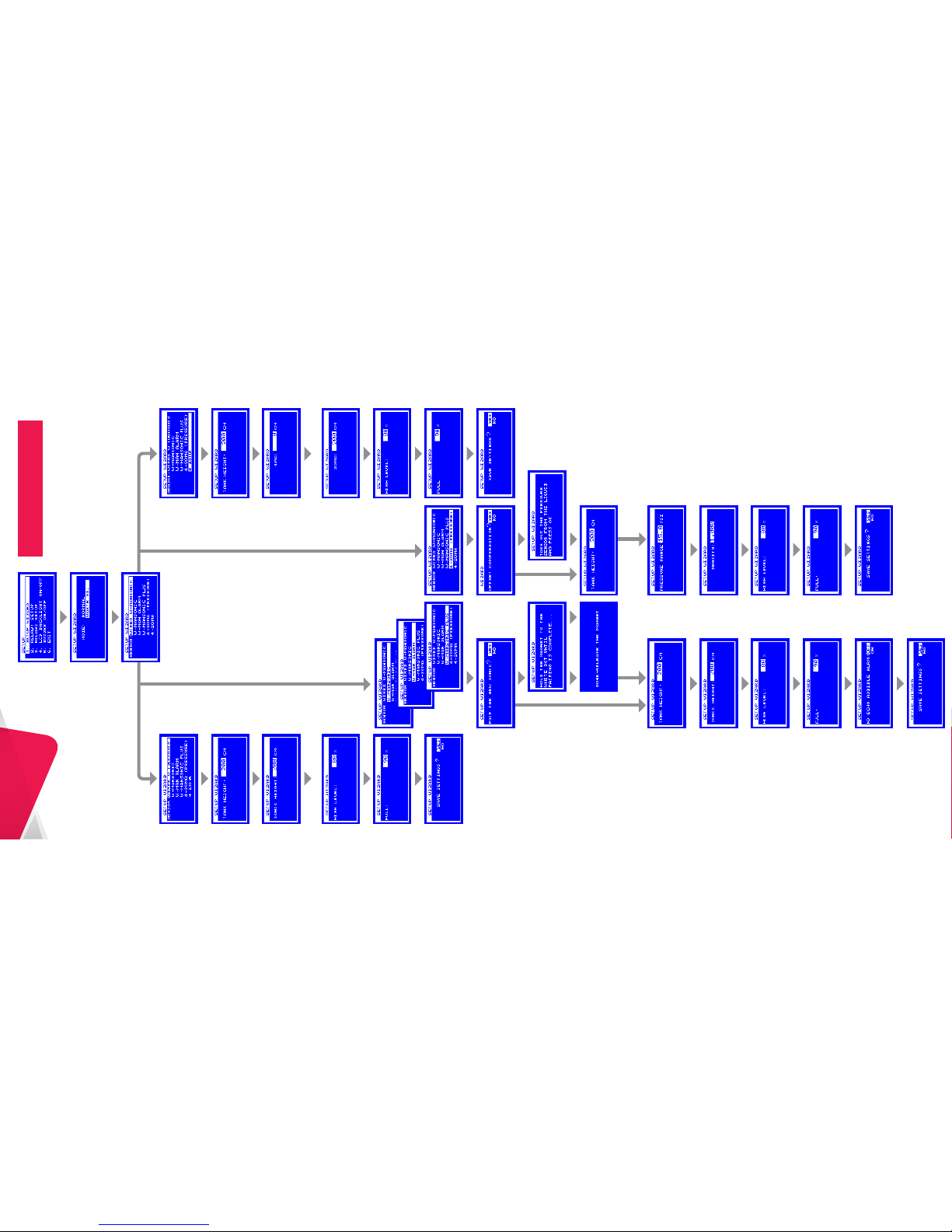
2.1 Setup Wizard
Using the Setup Wizard, set
the sensor type, tank details
and thresholds. To start, select
your sensor type and follow
the instructions on the screen.
Theft rate alarm
(only for WatchmanAlarm)
When the level drop is detected
(more than 3cm/2 hours) the ‘tank’
icon is displayed on the screen,
alarm led flashes and the buzzer
sounds continuously.
To switch OFF the audible alarm
press any key. Alarm will reset at the
next good reading, up to 30 minutes.
Leak alarm
(only for WatchmanSonic Plus)
When a leak is detected the ‘drop’
icon is displayed on the screen,
alarm led flashes and buzzer sounds
three times every one hour.
No echo (wireless unit )
or no connection (wired unit)
(only for normal mode)
When the No Echo is detected the
triangle icon and middle bars are
displayed and level is not available.
2. Setup Screen
To enter the Setup Screen press
the button on Main Screen
OK
No signal from the transmitter
heard in last 12 hours
(Only for WatchmanSonic products)
When the unit detects a
transmission not heard for
a long time the triangle icon
is displayed on the screen.
65
UniWatchmanRX
User Guide