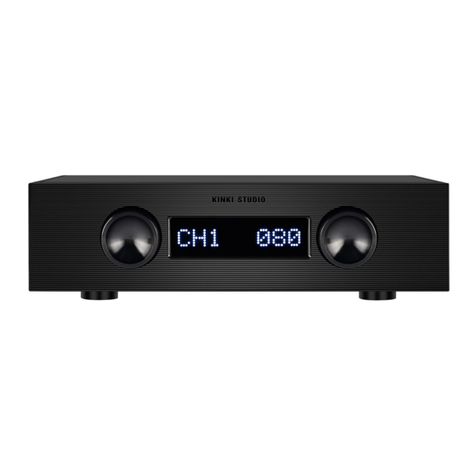
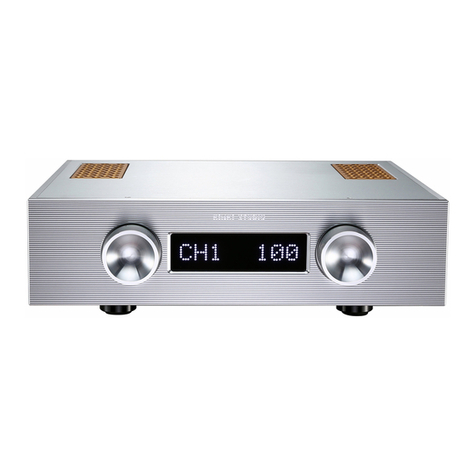
Kinki Studio EX-P7 User manual

KINKI STUDIO
EX-P7 PREAMPLIFIER
INSTRUCTION MANUAL
- We are from China -

PREFACE 前言
Thank you for purchasing the KINKI STUDIO EX-P7 Pre-Amplifier.
Please take some time to read this manual. It can provide you with useful information to enjoy more fun while
listening music with the KINKI STUDIO EX-P7.
Introduction
Founded in 2008, KINKI STUDIO is dedicated to the design and manufacture of high-quality audio equipment. The
core design philosophy is to reproduce the sound to its original recording intent and avoid distortion caused by
excessive rendering. In order to obtain the best results, KINKI STUDIO insists on using the advanced technology in
the audio industry, continuous improvement and refinement over the years,createdKINKISTUDIOtoday.
The high standards and concepts to reproduce sound that have been pursued in the design and manufacturing
process, technology and quality have become the core values of KINKI STUDIO.

WARNING 警告
These instructions must be read before starting the connection or operation, otherwise the
amplifier may be risk to mis-operational damage.
Please read and understand the operation and application in detail below.
This is a very high quality amplifier, features with new technology. It is the industry leading audio
system for reproducing accurate sound. Only careful installation and correct operation can provide
you with the satisfaction you expected. The installation instructions and precautions must be
strictly followed to achieve the desired results without affecting the performance of the amplifier.

CONTENT 目录
01 Unpacking---------------------------------------------------------------------------1
02 Placement & Cold Start---------------------------------------------------------------------2
03 Operational Voltage-------------------------------------------------------------------------2
04 Connections----------------------------------------------------------------------------3
05 Control--------------------------------------------------------------------------------4-5
06 Optimization---------------------------------------------------------------------------------6
07 Remote Control-----------------------------------------------------------------------------7
08 Product Care---------------------------------------------------------------------------------7
09 Technical Parameters-----------------------------------------------------------------------8
10 Block Diagram---------------------------------------------------------------------------9-10

KINKI STUDIO
01
1. Unpacking
KINKI STUDIO EX-P7 comes with:
- Preamplifier
- Remote Control
- Instruction Manual
- El cheapo Power Cord (Please use your own audiophile power cord for best sound)
Note:
If the preamplifier needs to be returned to the factory for servicing/warranty or secondary
transportation, please use the original packaging. The packaging is specially designed and manufactured
by KINKI STUDIO, which can better protect the amplifier during transportation, so please keep the
original after unpacking the package.

KINKI STUDIO
02
2. Placement & Cold Start
KINKI STUDIO EX-P7 preamplifier, like all high-quality amplifiers, generates a certain amount
of heat and must be properly dissipated. To ensure good heat dissipation and cooling, do not
place temperature sensitive equipment on top of the amplifier.
3. Operational Voltage
The normal working voltage of the EX-P7 is AC 100-120V for AC110 option, and AC
200V~245V for AC230 option. If your normal operating voltage is outside the above range,
please consult us.
The EX-P7 is protected by a fuse located at the IEC inlet, rated at 2A slow blow fuse.

KINKI STUDIO
03
4. Connections
Connect the power cord to the IEC inlet of the amplifier and plug it into the power plug socket.
For safety reasons, a 3-wire grounding (earth) plug must be used, whenever possible.
In order to get the best sound from the amplifier, avoid using any multiple plugs socket or
extension cords.
The signal input connections are located at the center of the rear panel withindicationof
“LEFT IN” and “RIGHT IN” respectively.
You may use either RCA or XLR connection to source devices. The XLR Pinout is as follow:
- Pin 1 (Shield)
-Pin2(Hot)
- Pin 3 (Cold)
Note: The same set of inputs pair should be connected. For example, LEFT IN uses CH1, and
RIGHT IN must also use CH1.

KINKI STUDIO
04
5. Control
Power Up
The power inlet IEC of the EX-P7 is located at the rear panel. After the power is supplied to the
amplifier, it will be in Standby state.
Press the front panel left knob (SELECT) once. The display indicator light flashes signify a Start Up
sequence. The input signal source (CH1-3) and volume display appear once the amplifier is started
in Operational state.
Under normal working conditions, press and hold the left button (SELECT) onthefrontpanelfor
five seconds, then release it, the amplifier will go into Standby. The indicator in the lower right
corner lights up.
Note: Whenever you turn it on, the volume will be automatically set to 10 position to avoid
damage to the speaker caused by excessive volume.
Volume adjustment
Rotate the front panel right knob (VOLUME) to adjust the volume, to reduce volume, turn left; to
increase volume, turn right. Each step is 0.5db, there are total 256 steps.

KINKI STUDIO
05
5. Control – Con’t
Mute
Under normal working conditions, press the right knob (VOLUME) once, the display will show MUTE,
the input source number and volume display will disappear, the amplifier will be in the Mute state.
To un-mute, press the right knob again to return the amplifier to the Operational state.
Input Source Selection
By turning the left knob(SELECT)to switch between Input CH1, CH2, CH3.

KINKI STUDIO
06
6. Optimization
Placement platform
The EX-P7 has extraordinary dynamic capabilities and sound transparency. To fully unleash its
performance, it must be placed on a rigid platform or proper HiFi rack. Please avoid the use of
any soft materials such as carpets underneath the amplifier.
Warm Up
When the preamplifier has not been used for a while, it will take 20 to 45 minutes to "warm-up".
In order to achieve the best operating temperature, the circuit must be warmed up to
approximately 40 degrees Celsius. It is advisable to keep the supply power on all the time for
optimal performance.
Note: The EX-P7 amplifier takes about 300 hours to burn in. Please don't worry, the sound will
and can only be improved as it burns in.
Table of contents
Other Kinki Studio Amplifier manuals