manuals.online logo
Brands
  1. Home
  2. •
  3. Brands
  4. •
  5. kuzco lighting
  6. •
  7. Fan
  8. •
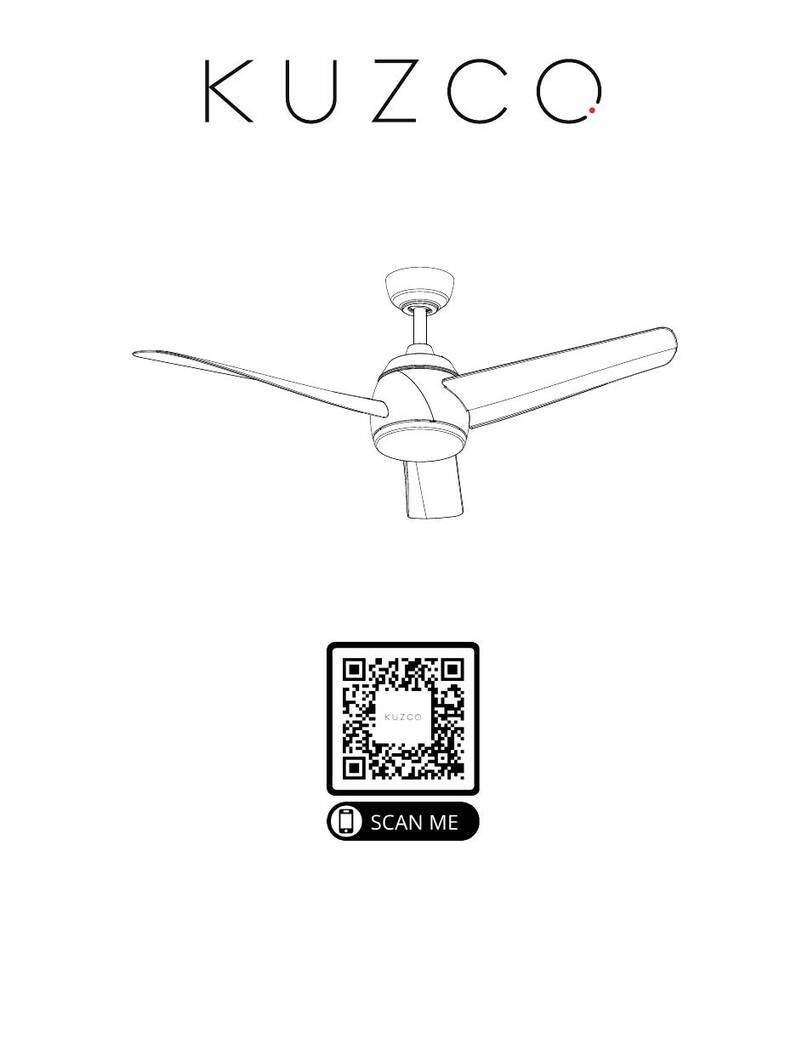
  9. kuzco lighting OWENS User manual

kuzco lighting OWENS User manual

This manual suits for next models

2

Other kuzco lighting Fan manuals

kuzco lighting Owens CF94956 User manual

kuzco lighting

kuzco lighting Owens CF94956 User manual

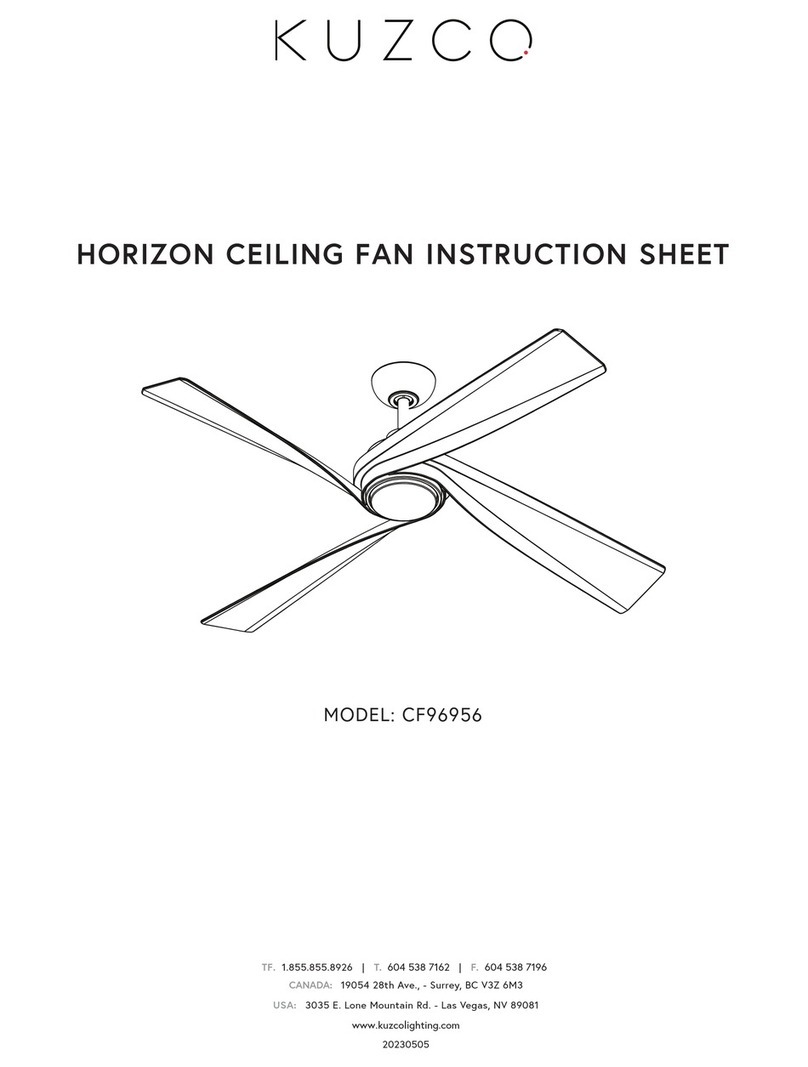
kuzco lighting HORIZON User manual

kuzco lighting

kuzco lighting HORIZON User manual

kuzco lighting CORONADO CF90955 User manual

kuzco lighting

kuzco lighting CORONADO CF90955 User manual

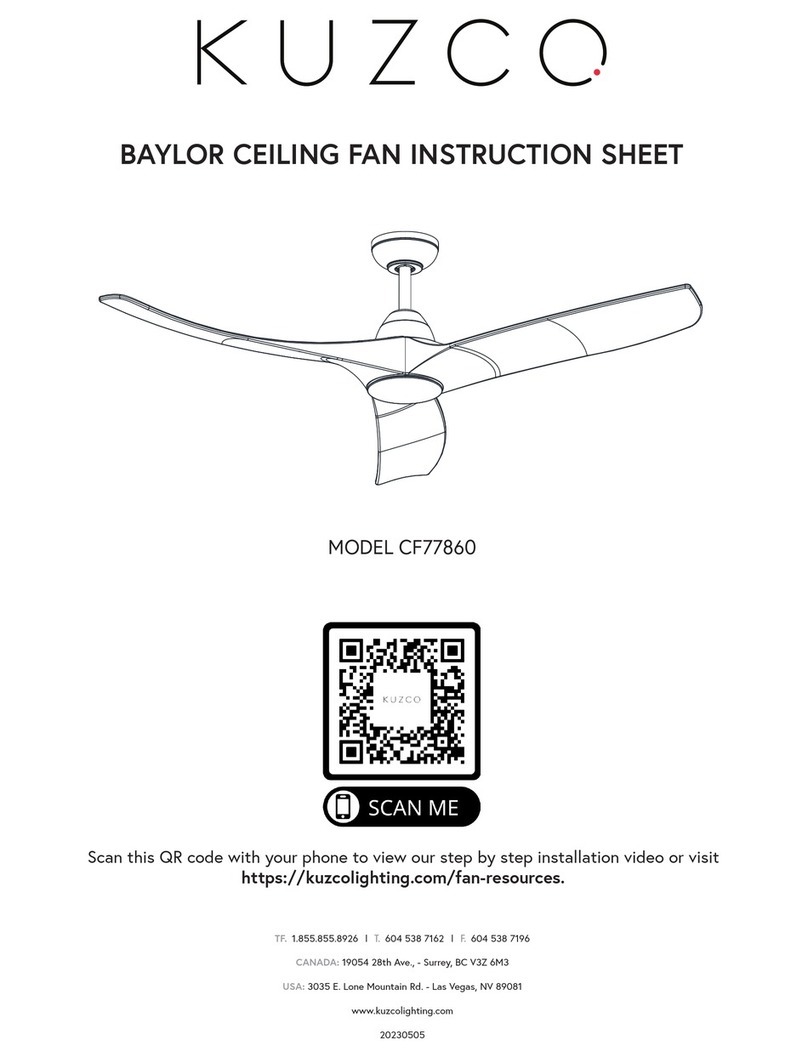
kuzco lighting BAYLOR CF77860 User manual

kuzco lighting

kuzco lighting BAYLOR CF77860 User manual

kuzco lighting HUGO User manual

kuzco lighting

kuzco lighting HUGO User manual

kuzco lighting CF96956 User manual

kuzco lighting

kuzco lighting CF96956 User manual

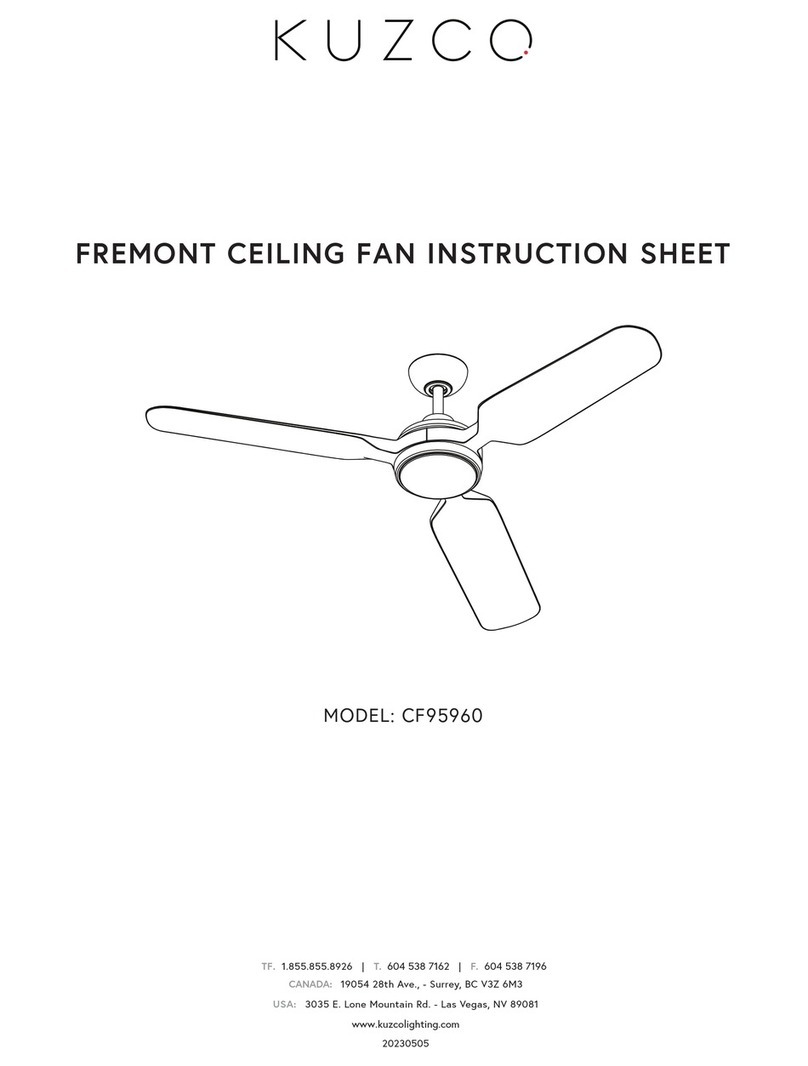
kuzco lighting FREMONT CF95960 User manual

kuzco lighting

kuzco lighting FREMONT CF95960 User manual

kuzco lighting FREMONT User manual

kuzco lighting

kuzco lighting FREMONT User manual

kuzco lighting THALIA User manual

kuzco lighting

kuzco lighting THALIA User manual

kuzco lighting THALIA HF91954 User manual

kuzco lighting

kuzco lighting THALIA HF91954 User manual

Popular Fan manuals by other brands

Minka Group minkaAire Wave F843 instruction manual

Minka Group

Minka Group minkaAire Wave F843 instruction manual

Airflow Adroit DV50 instruction manual

Airflow

Airflow Adroit DV50 instruction manual

Vornado 270 Series owner's guide

Vornado

Vornado 270 Series owner's guide

comfort air TH-10D instruction manual

comfort air

comfort air TH-10D instruction manual

Livoo DOM386 instruction manual

Livoo

Livoo DOM386 instruction manual

Holmes BLIZZARD HAOF-90 owner's guide

Holmes

Holmes BLIZZARD HAOF-90 owner's guide

Taurus GRECO 16 ELEGANCE manual

Taurus

Taurus GRECO 16 ELEGANCE manual

Quorum PINNACLE installation instructions

Quorum

Quorum PINNACLE installation instructions

Monte Carlo Fan Company 3DIR58RBD-V1 Owner's guide and installation manual

Monte Carlo Fan Company

Monte Carlo Fan Company 3DIR58RBD-V1 Owner's guide and installation manual

Craftmade UH52 installation guide

Craftmade

Craftmade UH52 installation guide

Jocel JVA030658 instruction manual

Jocel

Jocel JVA030658 instruction manual

MIKA MFB1211/GR user manual

MIKA

MIKA MFB1211/GR user manual

Harbor Breeze RLG52NWZ5L manual

Harbor Breeze

Harbor Breeze RLG52NWZ5L manual

Allen + Roth L1405 instruction manual

Allen + Roth

Allen + Roth L1405 instruction manual

ViM KUBAIR F400 ECOWATT Technical manual

ViM

ViM KUBAIR F400 ECOWATT Technical manual

HIDRIA R10R-56LPS-ES50B-04C10 user guide

HIDRIA

HIDRIA R10R-56LPS-ES50B-04C10 user guide

BLAUBERG Ventilatoren CENTRO-M 100 L user manual

BLAUBERG Ventilatoren

BLAUBERG Ventilatoren CENTRO-M 100 L user manual

Triangle Engineering HEAT BUSTER SPL Series owner's manual

Triangle Engineering

Triangle Engineering HEAT BUSTER SPL Series owner's manual

manuals.online logo
manuals.online logoBrands
  • About & Mission
  • Contact us
  • Privacy Policy
  • Terms and Conditions

Copyright 2025 Manuals.Online. All Rights Reserved.

OWENS CEILING FAN INSTRUCTION SHEET
MODEL: CF94956
CANADA: 19054 28th Ave., - Surrey, BCV3Z 6M3
USA: 3035 E. Lone Mountain Rd. - Las Vegas, NV 89081
www.kuzcolighting.com
20230505
TF. 1.855.855.8926 | T. 604 538 7162 | F. 604 538 7196
Page 1 of 14
READ AND SAVE THESE INSTRUCTIONS
SAFETY RULES
To reduce the risk of electric shock, ensure electricity
has been turned off at the circuit breaker or fuse box
before beginning.
All wiring must be in accordance with the National
Electrical Code and local electrical codes. Electrical
installation should be performed by a qualified licensed
electrician.
CAUTION: Read all instructions and safety information
before installing your new fan. Review accompanying
assembly diagrams.
WARNING: To reduce the risk of electrical shock and
fire, do not use this fan with any solid-state fan speed
control device.
WARNING: To reduce the risk of fire, electric shock, or
personal injury, mount to UL Listed outlet box marked
“acceptable for fan support of 15.9 kg (35 lbs.) or less”
and use mounting screws provided with the outlet box.
Most outlet boxes commonly used for the support of
light fixtures are not acceptable for fan support and may
need to be replaced. Due to the complexity of the
installation of this fan, a qualified licensed electrician is
strongly recommended.
AVERTISSEMENT: Pour réduire les risques d'incendie, de
choc électrique ou de blessure, posez le ventilateur
seulement sur une boîte de sortie électrique ou tout
autre support portant une mention selon laquelle elle
peut supporter un ventilateur de 35 lb (15,9 kg) ou
moins, utilisez les vis de montage accompagnant la
boîte de sortie électrique. La plupart des boîtes de
sortie électriques généralement utilisées pour la pose
d'un appareil d'éclairage ne conviennent pas à la
suspension d'un ventilateur et peuvent nécessiter un
remplacement. En cas de doute, adressez-vous à un
électricien qualifié.
The outlet box and support structure must be securely
mounted and capable of reliably supporting a minimum
of 50 pounds.
The fan must be mounted with a minimum of 7 feet
clearance from the trailing edge of the blades to the
floor. The tip of the fan blade to the nearest
wall/obstruction: 30 inches
Avoid placing objects in the path of the blades.
To avoid personal injury or damage to the fan and other
items, be cautious when working around or cleaning the
fan.
Do not use water or detergents when cleaning the fan or
fan blades. A dry dust cloth or lightly dampened cloth
will be suitable for most cleaning.
After making electrical connections, spliced conductors
should be turned upward and pushed carefully up into
outlet box. The wires should be spread apart with the
grounded conductor and the equipment- grounding
conductor on one side of the outlet box.
Electrical diagrams are for reference only. Light kits that
are not packed with the fan must be UL and cUL Listed
and marked suitable for use with the model fan you are
installing. Switches must be UL and cUL General Use
Switches. Refer to the Instructions packaged with the
light kits and switches for proper assembly.
1.
2.
3.
4.
5.
6.
7.
8.
9.
10.
12.
11.
WARNING: TO REDUCE THE RISK OF ELECTRIC
SHOCK, THIS FAN MUST BE INSTALLED WITH AN
ISOLATING WALL CONTROL/SWITCH.
WARNING: TO REDUCE THE RISK OF PERSONAL
INJURY, DO NOT BEND THE BLADE ARMS (ALSO
REFERRED TO AS FLANGES), WHEN INSTALLING
THE BRACKETS, BALANCING THE BLADES OR
CLEANING THE FAN.

Page 2 of 14
x 10x 2 x 2
x 2 x 2
x 3 x 1x 1
1a. 1b. 1c. 2a. 3a. 4a.
1d. 1e.
• Safety
•Tools Needed
•Package Contents
•Hardware Included
•Fan Assembly
•Electrical Connections
• Philips screw driver
• Flat screw driver
• Step Ladder
• Wire Cutter
•Fan Blade Installation
•Light Kit Installation
• Fan Operation
•Care and Cleaning
•Troubleshooting
•Warranty Information
CONTENTS
TOOLS NEEDED
• Bracket Mounting Hardware
- wood screws (1a)
- screws (1b)
- wire nuts (1c)
- lock washers (1d)
- flat washers (1e)
• Blade to Motor Screws and Lock Washers (2a)
• Balance Kit (3a)
• Safety Cable Hardware
- wood screw, flat washer (4a)
HARDWARE INCLUDED
Page 3 of 14
PACKAGE CONTENTS
PART DESCRIPTION QTY
A Mounting Bracket 1
B Canopy 1
C Canopy Screw Cover 1
D Hanger Ball/Downrod Assembly 1
E Coupling Cover 1
F Fan Motor 1
G Blade 3
H Blade Support Plate 3
I LED Light kit Assembly 1
J Receiver 1
K Remote Control 1
A
B
C
D
E
FG
H
IJ K
Page 4 of 14
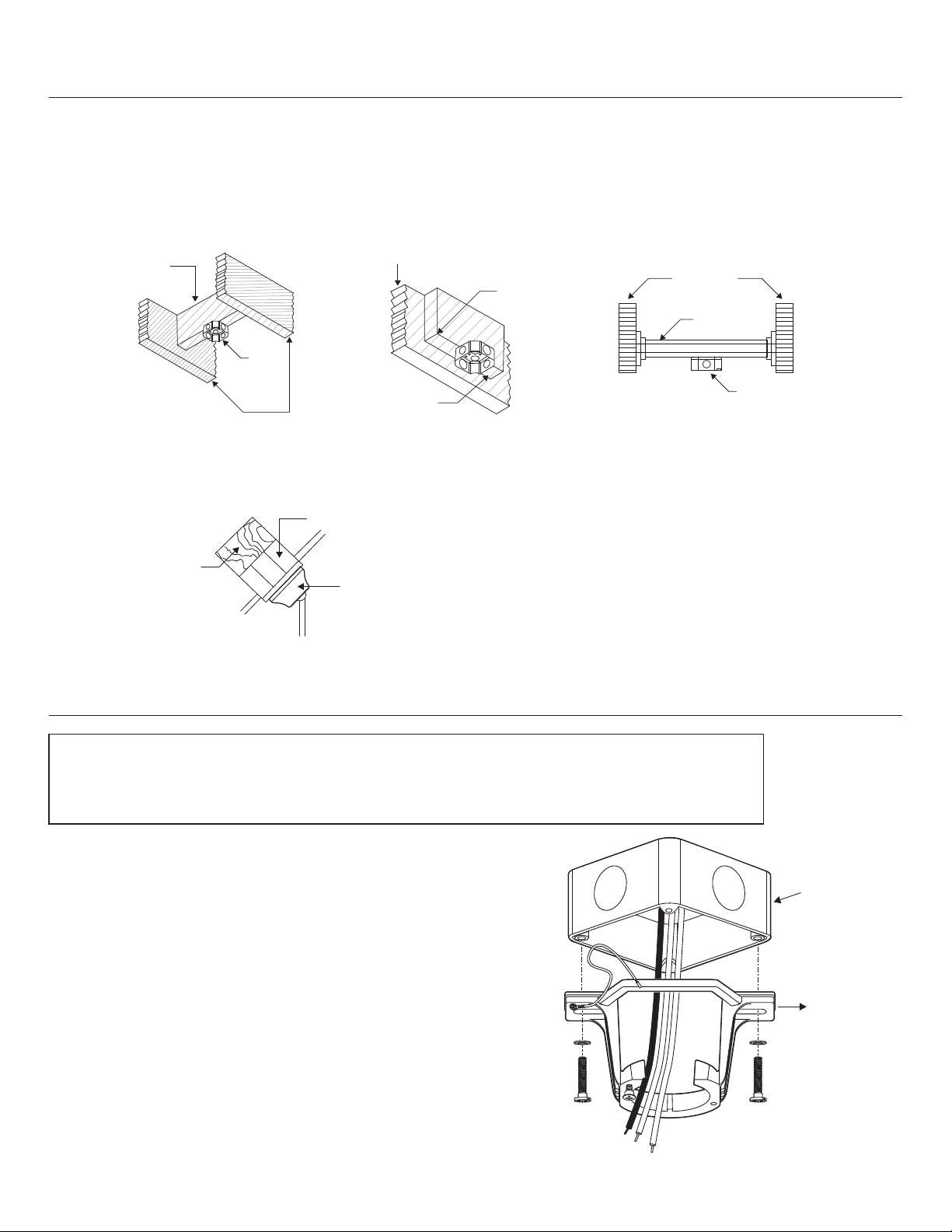
Outlet Box Mounting Options
If there isn’t an existing UL Listed octagonal mounting box marked “Acceptable for Fan Support” follow the
instructions below. (REMINDER: an electrical junction box for use with luminaires is not acceptable for this
application)
• Before you begin installing the mounting box, shut off the power at the circuit breaker of the fuse box.
• Secure the box directly to the building structure. The figures below show 3 example methods.
• For Sloped Ceiling Installation
Angled Ceiling Maximum 25ºAngle
PREPARING THE MOUNTING HARDWARE
Cross brace
Outlet
box
Ceiling joist
Ceiling joist or Cross brace
Min 2”
Thick
Parallel
wood
brace
Ceiling joist
Hanger bar
Outlet
box
Outlet box
Mounting
bracket
Provide Strong Support
Recessed Outlet Box
Hanger opening must be facing upside
INSTALLING THE HANGING BRACKET
Locate ceiling joist where fan is to be mounted,
being sure location agrees with the requirements
in the minimum clearance section of this guide.
Wood joists must be sound and of adequate
size to support 35 lbs.
If not already present, mount a UL listed outlet
box marked “suitable for fan support” following
the instructions provided with the outlet box.
The outlet box must be able to support a minimum of
35 lbs.
Attach hanging bracket to outlet box using screws
provided with the outlet box.
1.
2.
3.
CAUTION: To avoid possible electrical shock, be sure electricity is turned off at the main power box
before wiring. All wiring must be in accordance with National and Local Electrical Codes and the
ceiling fan must be grounded as a precaution against possible electric shock.
Page 5 of 14
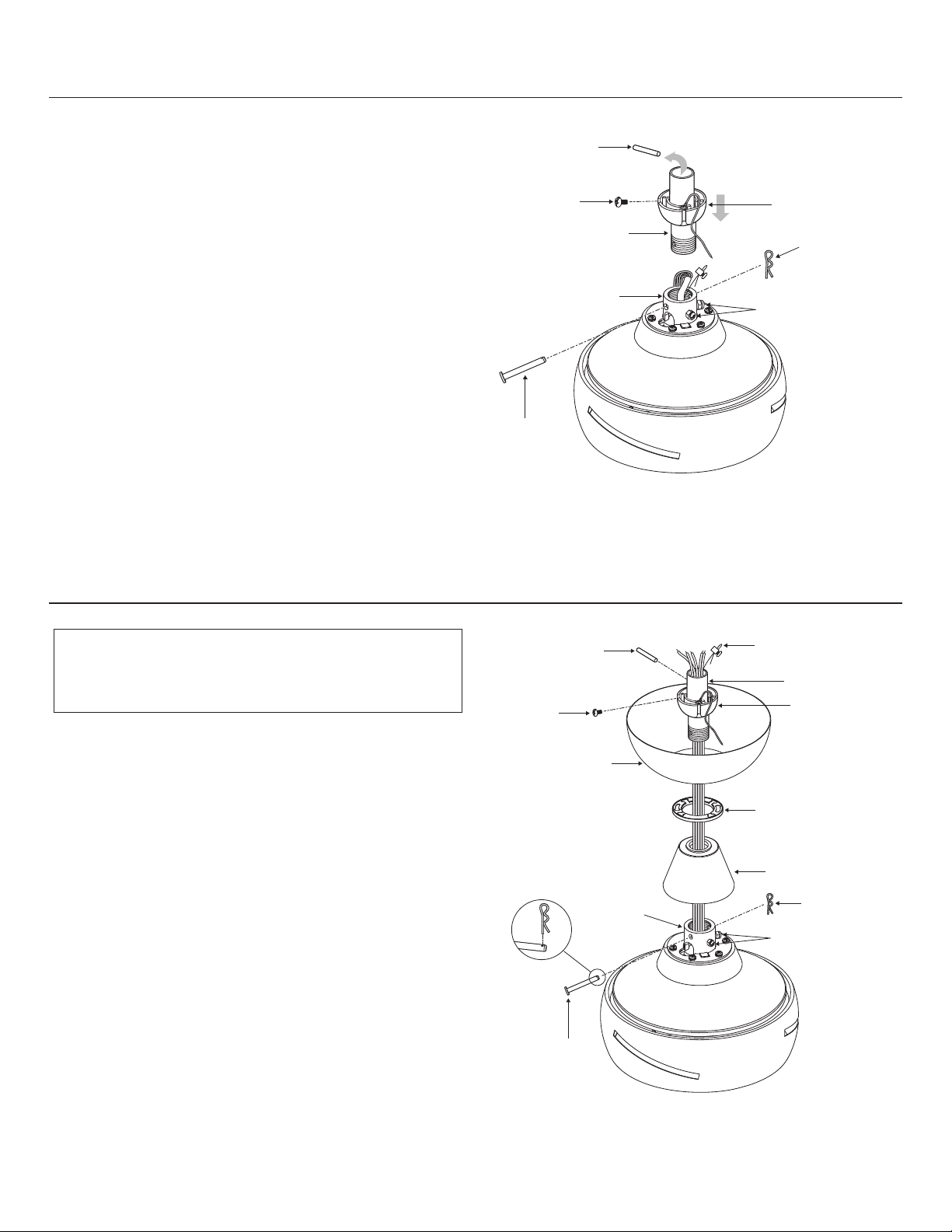
Cross pin
Set screw
Downrod
Motor collar
Cotter pin
Hanger ball
Collar set screws
Clevis pin
Cotter pin
Motor collar
Clevis pin
Canopy screw
cover
Canopy
Coupling cover
Collar set screws
Cross pin Safety cable
Set screw
Downrod
Hanger ball
PREPARING THE MOTOR
ASSEMBLING THE FAN
Remove the cotter pin and clevis pin, and
loosen the two collar set screws from the
motor collar.
Take out the set screw located in the hanger
ball, lower the hanger ball and remove the
cross pin. Remove the hanger ball from the
hanger ball/downrod assembly.
1.
2.
Carefully feed the motor wires and safety
cable up through the downrod. Thread the
downrod into the collar.
Align the holes and replace the clevis pin and
cotter pin. Tighten the two collar set screws.
Slip the coupling cover, the canopy screw cover, and
the canopy onto the downrod.
Carefully reinstall the hanger ball onto the
downrod. Being sure that the cross pin is in
the correct position, the set screw is tightened
and wires are not twisted.
1.
2.
3.
4.
WARNING: Failure to properly install the cotter
pin could result in the fan loosening and possibly
falling.
Page 6 of 14
Mounting
bracket
Groove
Tab
Wood ceiling joist
Safety Cable Clamp
Wood screw and washer
Safety cable
Safety cable loop
HANGING THE FAN
Carefully lift the fan motor assembly up to the
mounting bracket and seat the hanger ball/
downrod assembly in the mounting bracket
socket. Make sure the tab on the mounting
bracket socket is properly seated in the groove
in the hanger ball/downrod assembly. This will
help to balance the ceiling fan.
1.
WARNING: The tab in the ring must rest in the
groove of the hanger ball/downrod assembly.
Failure to properly seat the tab in the groove
could cause damage to the wiring.
INSTALLATION OF SAFETY CABLE SUPPORT
Attach the wood screw and the flat washer to
the ceiling joist as shown (do not fully tighten).
Slide the cable clamp onto the safety cable
from the fan. Loop the safety cable around
the wood screw that was just attached to
ceiling joist. Feed the end of the cable into
the clamp and pull as much cable through as
possible. Firmly tighten screw in the clamp.
Cut off excess cable.
You are now ready to make the electrical
connections.
1.
Page 7 of 14
YELLOW / GRN (hanger bracket)
Receiver
Outlet box
Ceiling
WH (AC IN)
GROUND
WH
BLK
BLK (AC IN)
YELLOW / GRN
RED
RED
YELLOW
YELLOW
GRAY
GRAY
WHITE
BLACK
WHITE
BLUE
YELLOW / GRN (downrod)
Fan
ELECTRICAL CONNECTIONS
Insert the receiver into the ceiling fan canopy
with the flat side of the receiver facing the ceiling.
Make wire connections from the fan to the receiver unit.
For this step use the bundle of 5 wires on the receiver
•Connect the YELLOW fan wire to the YELLOW
receiver wire.
• Connect the GRAY fan wire to the GRAY receiver
wire.
• Connect the RED fan neutral wire to the RED
receiver neutral wire.
• Connect the WHITE fan neutral wire to the WHITE
receiver neutral wire.
•Connect the BLACK fan neutral wire to the BLUE
receiver neutral wire.
Connect the wiring from the ceiling to the receiver unit.
(Use the 2 wire bundle on the receiver.) Secure with
supplied wire nuts.
•Connect the BLACK building supply wire to
the BLACK receiver wire.
•Connect the WHITE receiver neutral wire to
the WHITE building neutral wire.
•Connect the COPPER building ground wire to
the 3 YELLOW/GREEN ground wires from the
fan and receiver.
1.
2.
3.
WARNING: To avoid possible electrical shock, be sure
electricity is turned off at the main fuse box before
installation.
WARNING: Check to see that all connections are tight,
including ground, and that no bare wire is visible at the
wire nuts, except for the ground wire.
CAUTION: To reduce the risk of electric shock,
this fan must be installed with an isolating,
general-use wall control/switch.
NOTE: Control must be installed within 30 feet of fan.
Page 8 of 14
Canopy mounting
screw
Canopy mounting
screw
Canopy
Mounting bracket
Canopy screw cover
Canopy
Canopy mounting
screw
INSTALLING THE CANOPY
WARNING: Make sure the tab on the mounting
bracket properly sits in the groove in the hanger
ball/downrod assembly before attaching the
canopy to the mounting bracket by turning the
canopy until it drops into place.
INSTALLING THE CANOPY SCREW COVER
NOTE: Adjust the canopy mounting screws as
necessary until the canopy and canopy screw
cover are snug.
Make sure connections are neatly tucked into
the ceiling outlet box.
Slide the canopy up to the mounting bracket
and place the key hole on the canopy over the
loose canopy mounting screw on the mounting
bracket. Turn the canopy clockwise until the
canopy locks in place at the narrow section of
the key holes.
Align the circular hole on the canopy with the
remaining hole on the mounting bracket.
Secure by tightening two canopy mounting
screws.
1.
Attach the canopy screw cover to the canopy
by inserting the screw heads into the key slots
in the canopy screw cover and rotating it
clockwise.
1.
2.
3.
Page 9 of 14
INSTALLATION OF THE BLADES
WARNING: To reduce the risk of personal
injury, do not bend the blades while installing,
balancing the blades, or cleaning the fan.
INSTALLING THE LED ASSEMBLY
WARNING: Before starting installation, disconnect
the power by turning off the circuit breaker or
removing the fuse at fuse box. Turning power off
using the fan switch is not sufficient to prevent
electric shock.
Insert the blade through the slot in the
housing. Align the holes from the blade to
the holes from the fan motor assembly, and
secure the blade in place with blade support
plate with screws and lock washers provided.
Repeat this procedure with the remaining
blades.
Note: flip fan blades for mahogany finish
1.
While holding the LED assembly under your
fan, make the polarize plug connections:
• White to white
• Black to black
Raise glass LED assembly against light kit
mounting plate and secure it to the fan by
turning the LED assembly clockwise until snug.
Restore power and your light kit is ready for
operation.
1.
2.
3.
2.
Screws
Blades
LED assembly
Wire
connectors Light kit
mounting
plate
Blade support plates