6
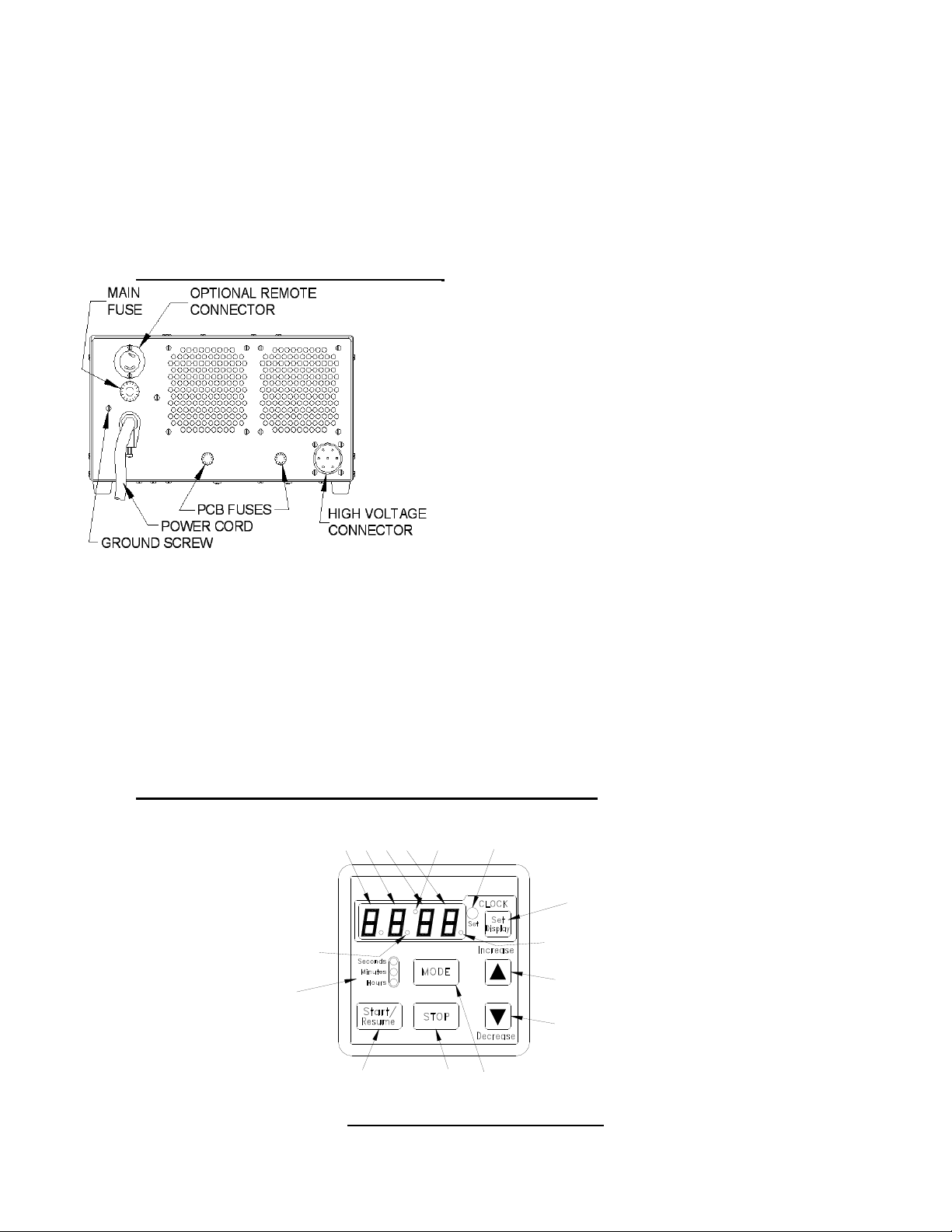
1. After applying an appropriate AC to the power input terminals, the display will be blank and
the beeper will beep for ¼ second giving the user notification that the timer is now activated.
The units’ default is in Minute [Mode].
2. Setting Time of Day - Push and hold the button [SET/DISPLAY] for 1 second, the unit will
default the time to 12:00am and enter the ‘Clock Set’ mode. While in this mode, buttons
[MODE], [STOP] & [START/RESUME] are disabled and the clock set LED will be turned ON.
The user now can set the time by pressing and holding either [INCREASE] or [DECREASE]
button until the desired time is achieved. If you do not wish to set the time of day,
skip step number 3.
The clock mode is a 12-hour with an am/pm display element. When the clock is being
displayed and the clock is in the pm time frame, the decimal point of number 1-seven segment
will be ON. Once the user has achieved the proper clock value, they need to exit the clock set
mode by pressing and holding the button [SET/DISPLAY] for 1 second. After the 1 second, the
beeper will beep for 1 second giving the user notification that the mode is now exited. Once the
clock is set, the display will go blank and the clock set LED will turn OFF.
If the clock has been set and the user presses the button [SET/DISPLAY] for less than 1
second, the display will show the current time for a 5 second period and revert back to what
was previously on the display.
3. Setting Interval Timer - In modes 1 – 3, the device functions as a simple countdown timer.
When you set the value, press the button [START/RESUME]. When the value reaches 0, the
relay is turned OFF and the beeper beeps 6 sets of 2 (250ms) beeps.
Repeat Feature- the timer will remember the last time set. If you desire to change the setting
from the original setting, press start switch to recall previous setting then input new setting.
To enter one of the 3 countdown modes, press and hold the button [MODE] for 1 second.
Holding down this button the mode will switch every 2 seconds. Each time the mode switches,
the appropriate LED of mode LEDs will be turned ON and the value displayed will change to
the modes default value. An audible ¼ beep will also be heard.
Mode 1 0 – 99 second: DEFAULT DISPLAY = 01
Mode 2 0 – 99 minute: DEFAULT DISPLAY = 00.00
Mode 3 0 – 99 hour: DEFAULT DISPLAY = 00.00
Once the countdown value has been set, you can now start the timer by pressing the button
[START/RESUME]. The relay is turned ON. While the timer is counting down the user can
stop the event by pressing the button [STOP]. The current countdown value will remain on
the display. If you want to resume the session you just need to press the start button again.
Counting will proceed from the point where stopped. During this operation, the run LED is
blinked at once a second.
Once the timer has counted down to 0 and stopped, you can execute the same session (time
value) by pressing the [START/RESUME] button again. This will recall the timer value and
display it. At this point, you have two options. The first being the ability to change the value
by using the [INCREASE] or [DECREASE] buttons and the second being the ability to use
the same value and starting the event again by pressing the [START/RESUME] button.