manuals.online logo
Brands
  1. Home
  2. •
  3. Brands
  4. •
  5. LaserPegs
  6. •
  7. Toy
  8. •
  9. LaserPegs HELICOPTER V2.0 1270 User manual

LaserPegs HELICOPTER V2.0 1270 User manual

Other LaserPegs Toy manuals

LaserPegs 1070 User manual

LaserPegs

LaserPegs 1070 User manual

LaserPegs 1270 User manual

LaserPegs

LaserPegs 1270 User manual

LaserPegs Asian Pacific Crocodile User manual

LaserPegs

LaserPegs Asian Pacific Crocodile User manual

LaserPegs G9000B User manual

LaserPegs

LaserPegs G9000B User manual

LaserPegs Crane RN 2170B User manual

LaserPegs

LaserPegs Crane RN 2170B User manual

LaserPegs Runners 1320 A User manual

LaserPegs

LaserPegs Runners 1320 A User manual

LaserPegs Brachiosaur User manual

LaserPegs

LaserPegs Brachiosaur User manual

LaserPegs 1000 User manual

LaserPegs

LaserPegs 1000 User manual

LaserPegs Excavator PB 1420B User manual

LaserPegs

LaserPegs Excavator PB 1420B User manual

LaserPegs 1000 User manual

LaserPegs

LaserPegs 1000 User manual

LaserPegs 9040 User manual

LaserPegs

LaserPegs 9040 User manual

LaserPegs 1670 User manual

LaserPegs

LaserPegs 1670 User manual

LaserPegs MPS 300B User manual

LaserPegs

LaserPegs MPS 300B User manual

LaserPegs Patrol Truck 1070 User manual

LaserPegs

LaserPegs Patrol Truck 1070 User manual

LaserPegs Lion User manual

LaserPegs

LaserPegs Lion User manual

LaserPegs PRO STOCK PULLER ZD 110B User manual

LaserPegs

LaserPegs PRO STOCK PULLER ZD 110B User manual

LaserPegs PB 1430B User manual

LaserPegs

LaserPegs PB 1430B User manual

LaserPegs DOLPHIN TAIL PB 2150B User manual

LaserPegs

LaserPegs DOLPHIN TAIL PB 2150B User manual

LaserPegs Plesiosaurus G1710B User manual

LaserPegs

LaserPegs Plesiosaurus G1710B User manual

LaserPegs mps 700b User manual

LaserPegs

LaserPegs mps 700b User manual

LaserPegs C1500 User manual

LaserPegs

LaserPegs C1500 User manual

LaserPegs Eagle ZD 140B User manual

LaserPegs

LaserPegs Eagle ZD 140B User manual

LaserPegs FACTOID 1000 User manual

LaserPegs

LaserPegs FACTOID 1000 User manual

LaserPegs ZD 130B User manual

LaserPegs

LaserPegs ZD 130B User manual

Popular Toy manuals by other brands

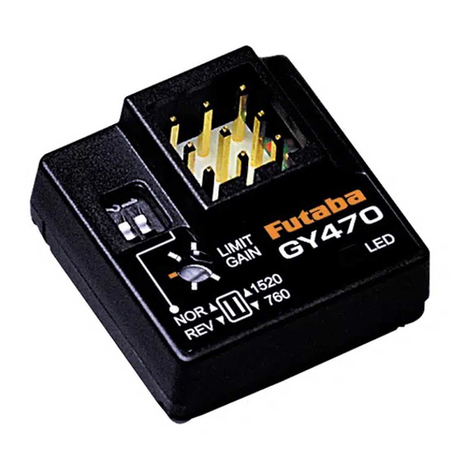
FUTABA GY470 instruction manual

FUTABA

FUTABA GY470 instruction manual

LEGO 41116 manual

LEGO

LEGO 41116 manual

Fisher-Price ColorMe Flowerz Bouquet Maker P9692 instruction sheet

Fisher-Price

Fisher-Price ColorMe Flowerz Bouquet Maker P9692 instruction sheet

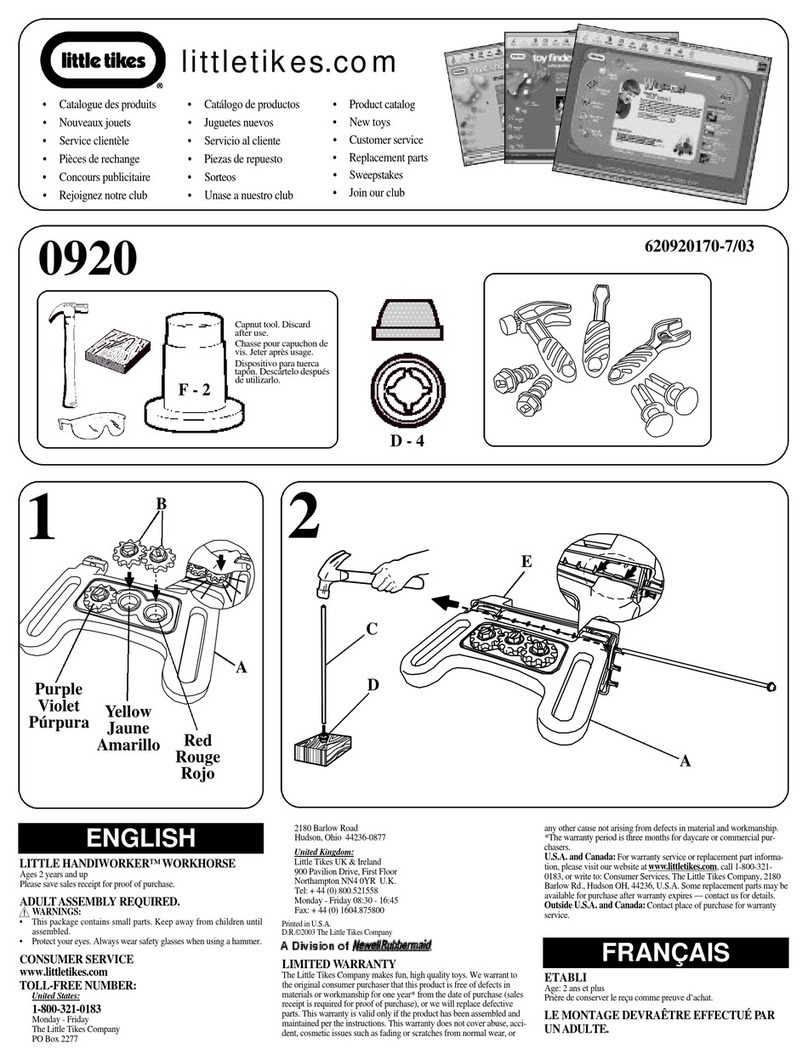
Little Tikes LITTLE HANDIWORKER 0920 Assembly instructions

Little Tikes

Little Tikes LITTLE HANDIWORKER 0920 Assembly instructions

Eduard EF-2000 Two-seater exterior Assembly instructions

Eduard

Eduard EF-2000 Two-seater exterior Assembly instructions

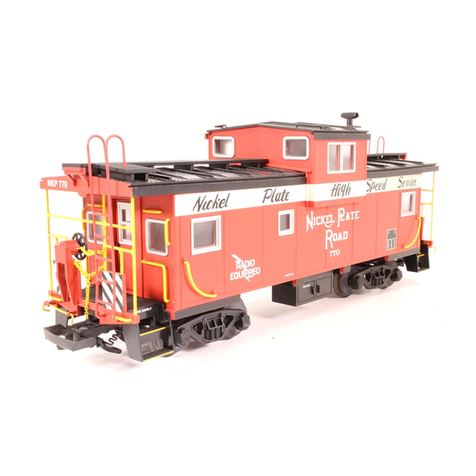
USA Trains EXTENDED VISION CABOOSE instructions

USA Trains

USA Trains EXTENDED VISION CABOOSE instructions

Modellbau Laffont Z1601 Assembly instructions

Modellbau Laffont

Modellbau Laffont Z1601 Assembly instructions

NOCH 12905 instruction manual

NOCH

NOCH 12905 instruction manual

Eduard Ki-61-Id quick start guide

Eduard

Eduard Ki-61-Id quick start guide

Viessmann Vollmer 45616 Mounting instruction

Viessmann

Viessmann Vollmer 45616 Mounting instruction

Vollmer 42004 Mounting instruction

Vollmer

Vollmer 42004 Mounting instruction

Phoenix Model CLASSIC-EP instruction manual

Phoenix Model

Phoenix Model CLASSIC-EP instruction manual

H-KING Sopwith Camel British WW1 Fighter instruction manual

H-KING

H-KING Sopwith Camel British WW1 Fighter instruction manual

MODSTER Predator 4x4 Crawler user manual

MODSTER

MODSTER Predator 4x4 Crawler user manual

DHK Hobby 8136 User instruction manual

DHK Hobby

DHK Hobby 8136 User instruction manual

THUNDER TIGER Raptor 50 V2 kit manual

THUNDER TIGER

THUNDER TIGER Raptor 50 V2 kit manual

Timberkits Skateboarder instructions

Timberkits

Timberkits Skateboarder instructions

Hangar 9 Funtana 125 Assembly manual

Hangar 9

Hangar 9 Funtana 125 Assembly manual

manuals.online logo
manuals.online logoBrands
  • About & Mission
  • Contact us
  • Privacy Policy
  • Terms and Conditions

Copyright 2025 Manuals.Online. All Rights Reserved.

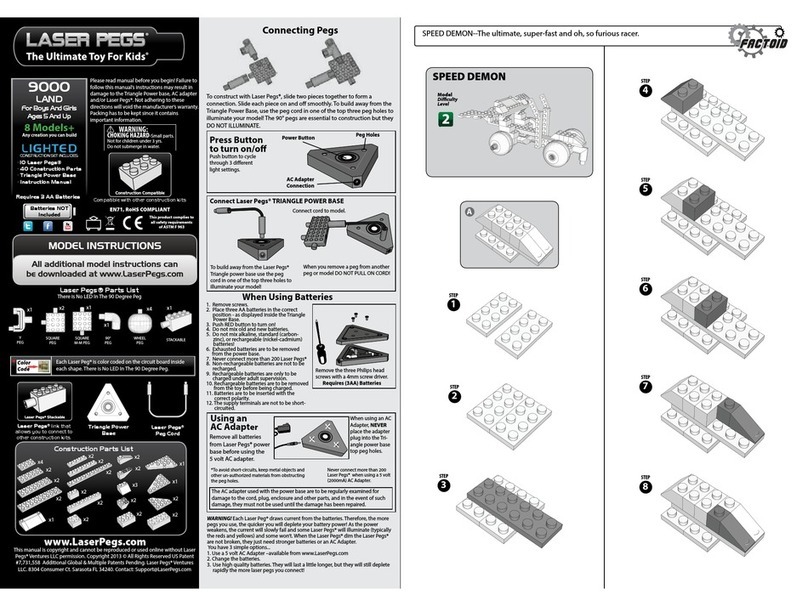
Laser Peg®Parts List
Compatible with other construction kits
Each Laser Peg® is color coded on the circuit board inside
each shape.
Laser Pegs®link that
allows you to connect to
other construction kits.
Triangle Power
Base
www.LaserPegs.com
Laser Pegs®
Peg Cord
Color
Code
WARNING:
CHOKING HAZARD-Small parts.
Not for children under 3 yrs.
Do not submerge in water.
All additional model instructions can
be downloaded at www.LaserPegs.com
MODEL INSTRUCTIONS
Construction Compatible
Laser Pegs
®
Stackable
EN71, RoHS COMPLIANT
This product complies to
all safety requirements
of ASTM F 963
1270
For Boys And Girls
Ages 5 And Up
6 Models+
LIGHTED
CONSTRUCTION SET INCLUDES:
• 10 Laser Pegs®
• 78 Construction Parts
• Laser Pegs® Peg Cord
• Triangle Power Base
• Instruction Manual
Requires 3-AA Batteries
Batteries NOT
Included
Construction Parts List
SQUARE
PEG
WHEEL PEG Stackable
Y PEG
ANY CREATION YOU CAN BUILD
x5
x4
x3
x1
x2
x1
x6
x4
x4
x9
x8
x7
x4
x14
x6
x2
x2
x2
x2
x2
Please read this manual before you begin!
Failure to follow this manual’s instructions may
result in damage to the Triangle Power Base,
AC adapter and/or Laser Pegs®. Not adhering to
these instructions will void the manufacturer’s
warranty. The packaging must be kept because
it contains important information.
This manual is copyright and cannot be reproduced or used online without Laser
Pegs®Ventures LLC permission. Copyright 2013 © All Rights Reserved US Patent
#7,731,558 Additional Global & Multiple Patents Pending. Laser Pegs®Ventures
LLC. 8304 Consumer Ct., Sarasota FL 34240. Contact: Suppor[email protected]om
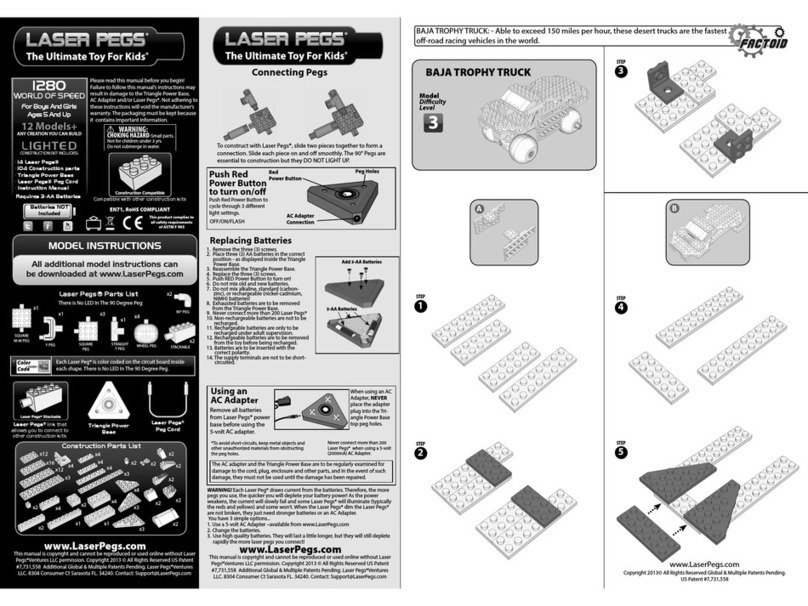
To construct with Laser Pegs®, slide two pieces together to
form a connection. Slide each piece on and o smoothly.
This manual is copyright and cannot be reproduced or used online without Laser
Pegs®Ventures LLC permission. Copyright 2013 © All Rights Reserved US Patent
#7,731,558 Additional Global & Multiple Patents Pending. Laser Pegs®Ventures
LLC. 8304 Consumer Ct Sarasota FL. 34240. Contact: Suppor[email protected]
www.LaserPegs.com
Connecting Pegs
Red
Power Button
OFF/ON/FLASH
Peg Holes
AC Adapter
Connection
Using an
AC Adapter
Remove all batteries
from Laser Pegs® power
base before using the
5-volt AC adapter.
When using an AC
Adapter, NEVER
place the adapter
plug into the Tri-
angle Power Base
top peg holes.
WARNING! Each Laser Peg® draws current from the batteries. Therefore, the more
pegs you use, the quicker you will deplete your battery power! As the power
weakens, the current will slowly fail and some Laser Pegs® will illuminate (typically
the reds and yellows) and some won’t. When the Laser Pegs® dim the Laser Pegs®
are not broken, they just need stronger batteries or an AC Adapter.
You have 3 simple options...
1. Use a 5-volt AC Adapter –available from www.LaserPegs.com
2. Change the batteries.
3. Use high quality batteries.They will last a little longer, but they will still deplete
rapidly the more laser pegs you connect!
*To avoid short-circuits, keep metal objects and
other unauthorized materials from obstructing
the peg holes.
The AC adapter and the Triangle Power Base are to be regularly examined for
damage to the cord, plug, enclosure and other parts, and in the event of such
damage, they must not be used until the damage has been repaired.
Never connect more than 200
Laser Pegs® when using a 5-volt
(2000mA) AC Adapter.
Replacing Batteries
1. Remove the three (3) screws.
2. Place three (3) AA batteries in the correct
position - as displayed inside the Triangle
Power Base.
3. Reassemble the Triangle Power Base.
4. Replace the three (3) screws.
5. Push RED Power Button to turn on!
6. Do not mix old and new batteries.
7. Do not mix alkaline, standard (carbon-
zinc), or rechargeable (nickel-cadmium,
NiMH) batteries!
8. Exhausted batteries are to be removed
from the Triangle Power Base.
9. Never connect more than 200 Laser Pegs®
10. Non-rechargeable batteries are not to be
recharged.
11. Rechargeable batteries are only to be
recharged under adult supervision.
12. Rechargeable batteries are to be removed
from the toy before being recharged.
13. Batteries are to be inserted with the
correct polarity.
14. The supply terminals are not to be short-
circuited.
Push Red
Power Button
to turn on/o
Push Red Power Button to
cycle through 3 dierent
light settings.
Add 3-AA Batteries
3-AA Batteries
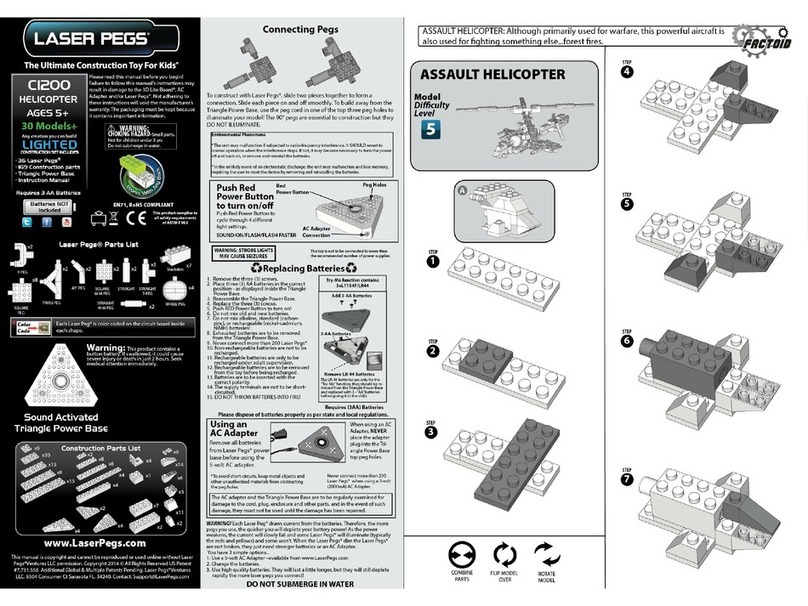
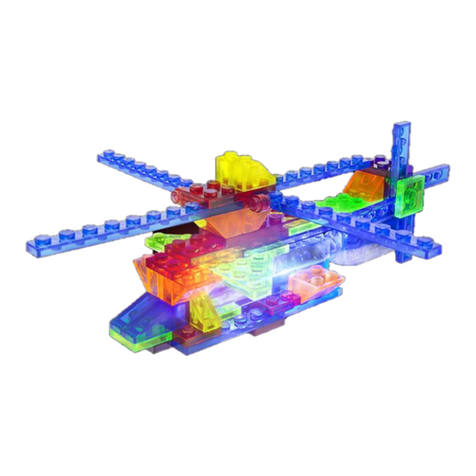
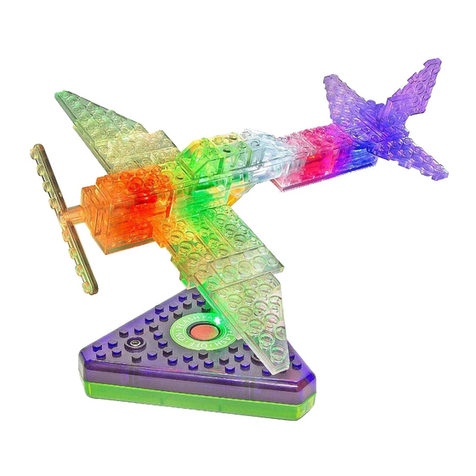
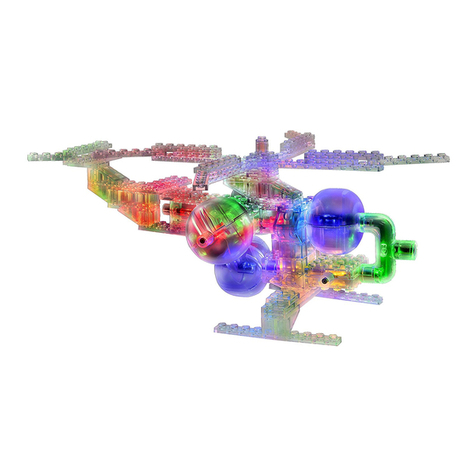
HELICOPTER — An aircraft that moves vertically and horizontally, using lift and propulsion
derived from revolving rotors.
Model
Diculty
Level
HELICOPTER V2.0
A
B
C
D
1
STEP
2
STEP
3
STEP
4
STEP
5
STEP
6
STEP
7
STEP
8
STEP
9
STEP

Copyright 2013© All Rights Reserved Global & Multiple Patents Pending.
US Patent #7,731,558
www.LaserPegs.com
G
A D
E
B E
F
10
STEP
18
STEP
19
STEP
11
STEP
14
STEP

12
STEP

20
STEP

21
STEP

22
STEP
23
STEP
24
STEP
25
STEP
26
STEP
16
STEP
15
STEP
13
STEP
17
STEP
COMBINE
COMBINE
27
STEP
35
STEP
28
STEP
29
STEP
36
STEP
30
STEP
37
STEP
31
STEP 38
STEP
32
STEP 39
STEP
33
STEP
40
STEP
41
STEP
34
STEP
H
I
COMBINE
COMBINE
C G
F H
Copyright 2013© All Rights Reserved Global & Multiple Patents Pending.
US Patent #7,731,558
www.LaserPegs.com
SATELLITE TOWER
SAND ROVER
S5-RUNNER
MEDIC SPACE
CRUISER
R2-SPEEDSTER
All additional model instructions can
be downloaded at www.LaserPegs.com
MODEL INSTRUCTIONS
48
STEP
49
STEP
43
STEP
50
STEP
44
STEP
51
STEP
45
STEP
52
STEP
46
STEP
53
STEP
47
STEP
42
STEP
J
J I
K
K
COMBINE
ATTACH MODEL TO THE
TRIANGLE POWER BASE
WITH THE PEG CORD
COMBINE
Copyright 2013© All Rights Reserved Global & Multiple Patents Pending.
US Patent #7,731,558
www.LaserPegs.com