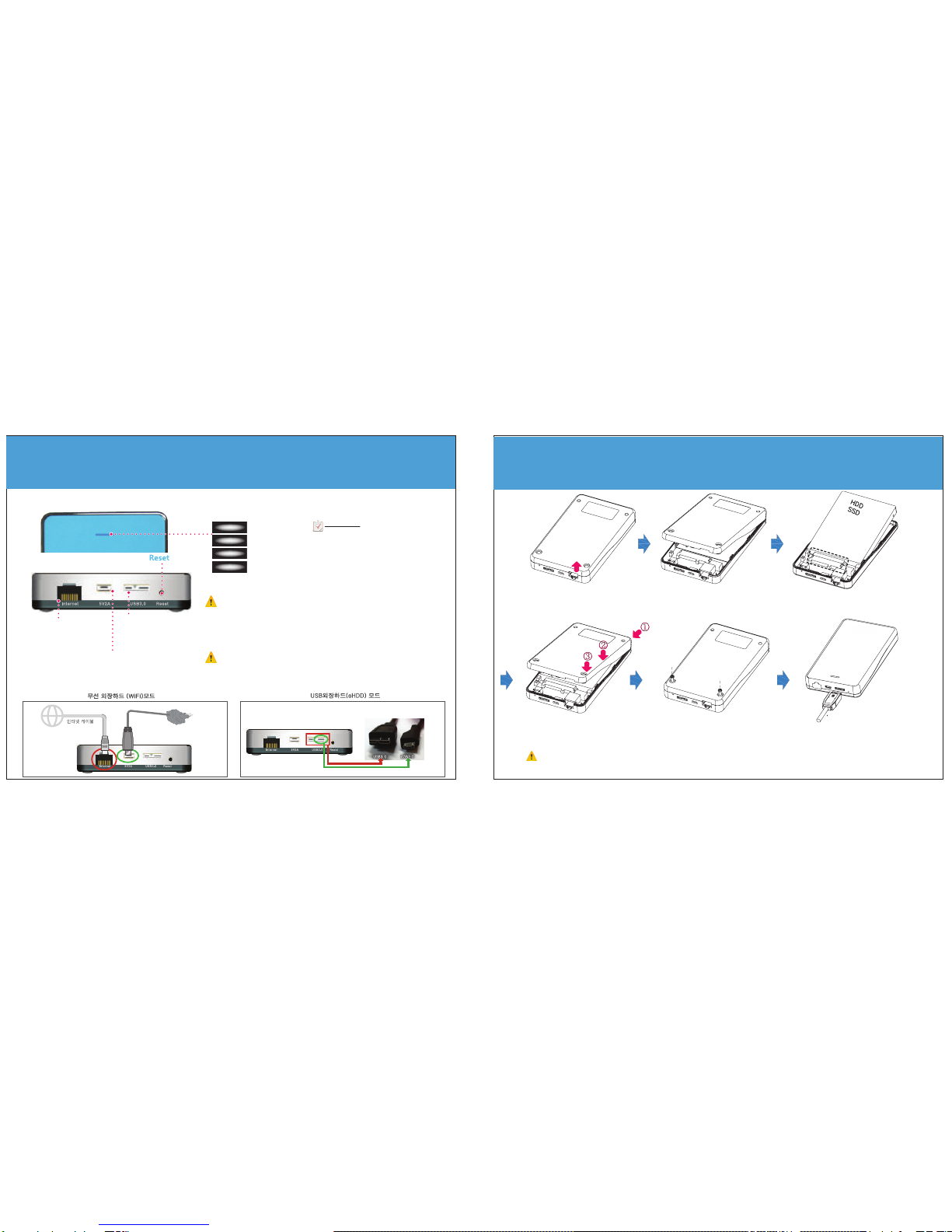
wireless external hard connection
LETO wifi external hard setting
termination
show mNAS setting page
if you press the button, program is ended.
cloud connection
LETO mNAS app beginning run screen search window
smart phone file management
if you run LETO mNAS app, the beginning screen is shown. - can check folder and data list
- choose wanted data and play media
or see the document
.
work choice button
arrange, copy, and manage folder
and data by copy, new folder,
delete, etc. buttons
home button
if you press home button, move to top
for detail using method, please refer [cloud connection]
for detail using method, please refer
[wifi external hard connection]
for detail using method, please refer
[smart phone file management]
- you can copy stored file at mNAS
- various file managements
when directly connect wifi from smart device,
choose this menu and enter user name and pw
- you can research, up/download and play files
- choose when access through internet
- enter ip, user name, and pw
- you can research, up/download and play files
- if you use DDNS service, you can connect
without ip check conveniently
you do not have to use the function.
you can access by entering access
address at browser
wifi external hard connection
when smart device is connected to mNAS directly choose this menu and enter manager account and pw through installation wizard.
you can access to mNAS and research, up/download, and play files
when access to mNAS through internet, refer [cloud connection]
if you choose this menu when access at remote, you cannot access.
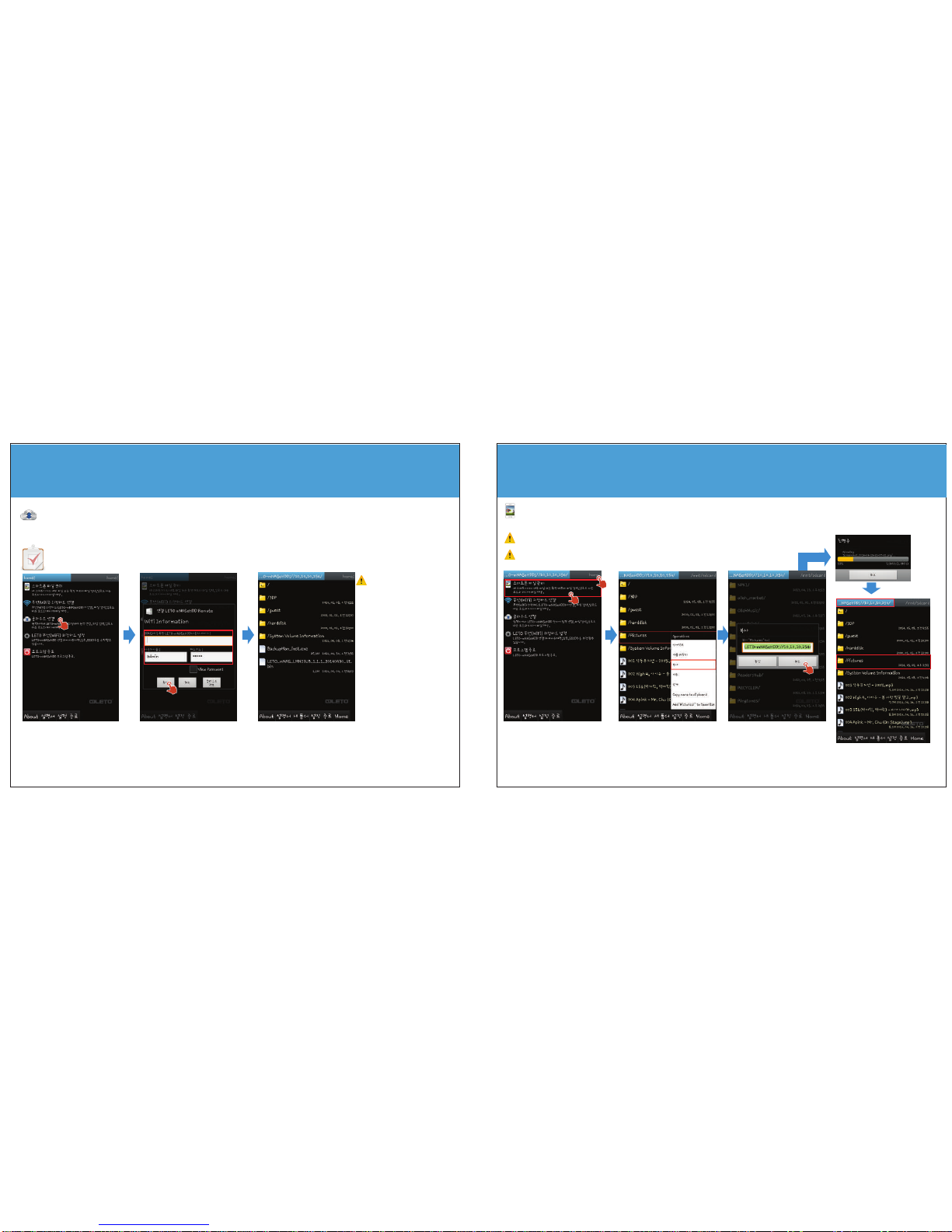
1. wifi external hard connection
choose [wifi external hard connection]
at the beginning screen
2. enter user name / pw
- enter user name / pw at installation
wizard and press "ok" button
- basic value :admin/admin
3. folder research
if connection is completed, folder list
is displayed and research wanted media
.
please check when you cannot
access
1. is smart device's wifi on ?
2. is smart device connected
with mNAS ?
3. did you enter user name
and pw correctly ?
4. the hard is format as NTFS ?
5. did you use mNAS adapter ?
if you connect USB 3.0 cable,
it is automatically changed to USB
external hard mode from wifi.
please check USB 3.0 cable
connection.
sometimes it is not accessed at a time, depending on wireless communication environment.
if you try again, you can access normally..