manuals.online logo
Brands
  1. Home
  2. •
  3. Brands
  4. •
  5. LG
  6. •
  7. Car Receiver
  8. •
  9. LG LAC2800R User manual

LG LAC2800R User manual

Other manuals for LAC2800R

1

Other LG Car Receiver manuals

LG LAC3700 User manual

LG

LG LAC3700 User manual

LG TCH-M540 User manual

LG

LG TCH-M540 User manual

LG NCS400UR User manual

LG

LG NCS400UR User manual

LG LAC3700R User manual

LG

LG LAC3700R User manual

LG LAC-M4510R User manual

LG

LG LAC-M4510R User manual

LG NCS710BR User manual

LG

LG NCS710BR User manual

LG LAC6710R User manual

LG

LG LAC6710R User manual

LG LAB5900RN User manual

LG

LG LAB5900RN User manual

LG LCS300AR User manual

LG

LG LCS300AR User manual

LG LCS700BNH User manual

LG

LG LCS700BNH User manual

LG LAN9700R User manual

LG

LG LAN9700R User manual

LG LCS311UR User manual

LG

LG LCS311UR User manual

LG LAC5800R User manual

LG

LG LAC5800R User manual

LG LAC5900IN User manual

LG

LG LAC5900IN User manual

LG LACM0600R User manual

LG

LG LACM0600R User manual

LG LAC7901N User manual

LG

LG LAC7901N User manual

LG LCS311URPA User manual

LG

LG LCS311URPA User manual

LG LAC-M2500 User manual

LG

LG LAC-M2500 User manual

LG LAC6700R User manual

LG

LG LAC6700R User manual

LG LCS700BN User manual

LG

LG LCS700BN User manual

LG LAC3800RN User manual

LG

LG LAC3800RN User manual

LG LAC6900N User manual

LG

LG LAC6900N User manual

LG LDF900UN User manual

LG

LG LDF900UN User manual

LG LCS300ANS User manual

LG

LG LCS300ANS User manual

Popular Car Receiver manuals by other brands

Linear Series LS5050 Operation and installation manual

Linear Series

Linear Series LS5050 Operation and installation manual

Kenwood KRC-160 instruction manual

Kenwood

Kenwood KRC-160 instruction manual

Sony XR-CA430X Service manual

Sony

Sony XR-CA430X Service manual

T+A Elektroakustik K1 CD-RECEIVER operating instructions

T+A Elektroakustik

T+A Elektroakustik K1 CD-RECEIVER operating instructions

SoundMax SM-CDM1052 instruction manual

SoundMax

SoundMax SM-CDM1052 instruction manual

Xtrons HD107HD user manual

Xtrons

Xtrons HD107HD user manual

Mopar RB3 manual

Mopar

Mopar RB3 manual

Clarion ADDZEST DMZ615 owner's manual

Clarion

Clarion ADDZEST DMZ615 owner's manual

Sony XAV-601BT Specifications

Sony

Sony XAV-601BT Specifications

PIE GM12-POD/S Operation manual

PIE

PIE GM12-POD/S Operation manual

Hyundai H-910H instruction manual

Hyundai

Hyundai H-910H instruction manual

Sony XR-C6100 Service manual

Sony

Sony XR-C6100 Service manual

Sony CDX-L600X - Fm/am Compact Disc Player Installation/connections

Sony

Sony CDX-L600X - Fm/am Compact Disc Player Installation/connections

Motorola VWA63 Service manual

Motorola

Motorola VWA63 Service manual

Sound Storm STM93R user manual

Sound Storm

Sound Storm STM93R user manual

Nextar D3201 instruction manual

Nextar

Nextar D3201 instruction manual

Alpine CDE-163BT owner's manual

Alpine

Alpine CDE-163BT owner's manual

Kenwood KDC-X303 quick start guide

Kenwood

Kenwood KDC-X303 quick start guide

manuals.online logo
manuals.online logoBrands
  • About & Mission
  • Contact us
  • Privacy Policy
  • Terms and Conditions

Copyright 2025 Manuals.Online. All Rights Reserved.

ENG
LAC2800R.DROMLLR_ENG_MFL41655313
MODEL : LAC2800R
2CAR CD/MP3/WMA Receiver
2Table of Contents
3Safety Note
4Front Panel
5About Detachable Control Panel
Attaching the control panel
Detaching the control panel
6Installation
Basic installation
Removing the existing receiver unit
ISO-DIN installation
7Connection
8Basic operation
Mute
Changing the general settings
Using the EQ
Adjusting the sound level
XDSS+
Checking the clock
9Listening to the radio
Auto search memory
Storing and recalling broadcast frequencies
To scan the preset stations
To tune in the preset stations
9Listening RDS broadcasting
RDS broadcasting information
9Connecting an Auxiliary Equipment
10 Listening a CD
Pause or restart a CD
Search for a section within a track / file
Skip to another track / file
Intro scan
Repeat
Shuffle
MP3/WMA TRACK -10 / +10
MP3/WMA Folder UP/DOWN
See information about your music
11 Troubleshooting
12 Specifications
Table of Contents
ENG
Safety Note
CAR CD/MP3/WMA Receiver 3
This lightning flash with arrowhead symbol within an equilateral triangle is
intended to alert the user to the presence of uninsulated dangerous voltage
within the product’s enclosure that may be of sufficient magnitude to consti-
tute a risk of electric shock to persons.
The exclamation point within an equilateral triangle is intended to alert the
user to the presence of important operating and maintenance (servicing)
instructions in the literature accompanying the product.
Always operate the vehicle in a safe manner.
Do not become distracted by the vehicle while driving, and always be fully
aware of all driving condition. Do not change settings, or any functions.
Pull over in a safe and legal manner before attempting such operations.
Do not use for many hours at extremely low or high temperature.
(-10~60°C)
To reduce the risk of electric shock, do not remove the cover or back of
this product. There are no user-serviceable parts inside.
Refer servicing to qualified service personnel.
To reduce the risk of fire or electric shock, do not expose this product to
dripping or splashing water, rain, or moisture.
The temperature of unit’s outside can be extremely high, please use the
unit after proper installation in your vehicle.
This unit cannot play 8cm disc (use 12cm disc only).
CAUTION : TO REDUCE THE RISK OF ELECTRIC
SHOCK DO NOT SPLIT COVER(OR BACK) NO USER
SERVICEABLE PARTS INSIDE. REFER SERVICING
TO QUALIFIED SERVICE PERSONNEL.
CAUTION
RISK OF ELECTRIC SHOCK
DO NOT OPEN
CAUTION : This product uses a Laser System.
To ensure proper use of this product, please read this owner’s manual carefully
and retain it for future reference.
Should the unit require maintenance, contact an authorized service center.
Performing controls, adjustments, or carrying out procedures other than those
specified herein may result in hazardous radiation exposure.
To prevent direct exposure to laser beam, do not try to open the enclosure. Visible
laser radiation when open. DO NOT STARE INTO BEAM.
Disposal of your old appliance
1. When this crossed-out wheeled bin symbol is attached to a product it
means the product is covered by the European Directive 2002/96/EC.
2. All electrical and electronic products should be disposed of separately
from the municipal waste stream via designated collection facilities
appointed by the government or the local authorities.
3. The correct disposal of your old appliance will help prevent potential
negative consequences for the environment and human health.
4. For more detailed information about disposal of your old appliance,
please contact your city office, waste disposal service or the shop where
you purchased the product.
Caution
When being connected in a wrong way, the unit displays as follows.
1. Antenna port short : “ANTENNA ON PORT SHORT CIRCUIT CHECK”
After connecting it again, restart the unit.
You have to set the disc format option to [Mastered] in order to make the
discs compatible with the LG players when formatting rewritable discs.
When setting the option to Live File System, you cannot use it on LG players.
(Mastered/Live File System : Disc format system for Windows Vista)
This product is manufactured to comply with Directive
2006/28/EEC(ANNEX I, 3.2.9), 72/245/EEC, and
2006/95/EC.

8 cm
4CAR CD/MP3/WMA Receiver
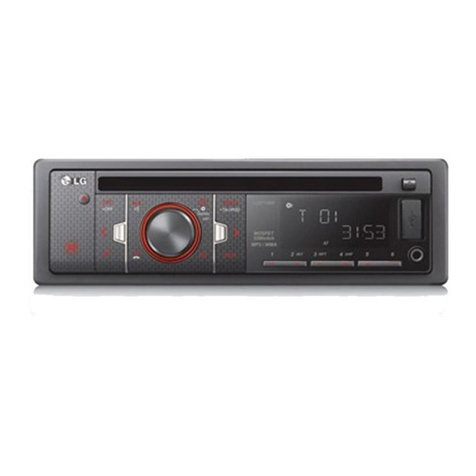
Front Panel
1[PWR]/[MUTE]
2Volume UP/DOWN [+/-]
3•Skip / Search II/ii
• Seek/ Tune II/ii
• Auto Store [UU/AS]
• Preset Scan [uu/PS]
• MP3/WMA Track +10/-10 UU/uu
• Folder Up/Down UU/uu
4Disc slot
5Display Window
6Eject Z
7Release
8•[PTY] Programme Type
• [TA] Traffic Announcement
• Display [DISP]
9AUX In [AUX]
10 Preset Station [1-6]
11 Shuffle [SHF]
12 Repeat [RPT]
13 Intro Scan [INT]
14 Play/Pause B/X
15 • Equalizer [EQ]
• Extreme Dynamic Sound System [XDSS]
16 [BAND]
17 Source [SRC]
18 Select [SEL] / [MENU]
ENG
About Detachable Control Panel
CAR CD/MP3/WMA Receiver 5
Attaching the control panel
1
2
Caution
• The control buttons may not work properly if the control panel is not attached
properly. If this occurs, gently press the display.

• Do not leave the control panel in any area exposed to high temperatures or
direct sunlight.
• Do not drop the control panel or otherwise subject it to strong impact.
• Do not allow such volatile agents as benzine, thinner, or insecticides to come
into contact with the surface of the control panel.
Detaching the control panel
1
2
3
4
Protective Case
Control panel
Periodically wipe the contacts on the back of the control
panel with a cotton swap moistened with alcohol. For safety,
turn off the ignition before cleaning, and remove the key
from the ignition switch.
1Align the left side of the panel with
the stopper.
2Push the right side or panel into the
unit until it clicks.
1Press the “ ” (RELEASE) to
open the control panel.
2Hold the right part of the control
panel.
3Pull out the control panel.
4Place the control panel in the
supplied protective case.
Note
6CAR CD/MP3/WMA Receiver
Installation
A
A
If there is already an installation
sleeve for the receiver unit in the
dashboard, it must be removed.
1Remove the rear support from the
unit.
2Remove the control panel and trim
ring from the unit.
3Insert the lever Ainto the hole on
one side of the unit.
Perform the same operation on
the other side and pull the unit out
from the mounting sleeve.
5
4
3
1
2
6
Control panel
1Slide the unit into the ISO-DIN
frame.
2Fit screws removed from the old
unit.
3Slide the unit and frame into the
dash opening.
4Install the dash panel or adapter
plate.
5Install the trim ring to the unit.
6Install the control panel to the unit.
Removing the existing receiver unit
ISO-DIN Installation
Before installing, make sure that the
ignition-switch is set to OFF and
remove the terminal of the car battery
to avoid short-circuiting.
1Remove the existing receiver unit.
2Make the necessary connections.
3Install the installation sleeve.
4Install the unit into the installation
sleeve.
Bend the claws
according to
the thickness
of the
dashboard
Control panel
Basic Installation
ENG
Connection
CAR CD/MP3/WMA Receiver 7
Before connecting, make sure that the ignition switch is set to OFF, and remove the battery # terminal to avoid short circuits.
BATTERY
B 1
B 2
B 3
B 4
B 5
B 6
B 7
B 8
1
2
3
4
5
6
7
8
4
5
6
7
8
B
A
1
2
3
B 1Violet : Rear Right +
B 2Violet/ Black Stripe : Rear Right –
B 3Gray : Front Right +
B 4Gray / Black Stripe : Front Right –
B 5White : Front Left +
B 6White/Black Stripe : Front Left –
B 7Green : Rear Left +
B 8Green/ Black Stripe : Rear Left –
A5
Power Antenna(Blue)
A6
Dimmer(Pink)
A7
To Ignition(Red)
A4
To Battery(+)(Yellow)
A8
Ground(-)(Black)
Power
Antenna Control Relay
Ignition Switch
Dimmer Switch
A1, A2, A3: Not connected
8CAR CD/MP3/WMA Receiver
Basic operation - more you can do
Mute
Press PWR/MUTE to cut the sound. To cancel it, press again.
Changing the general settings
1 Press and hold SEL/MENU so that one of menu items appears.
2 Press SEL/MENU and press + or - to select one of the settings specified
belows.
3 Press and hold SEL/MENU finish the setting.
AF(Alternative frequency) ON / OFF
When the reception quality drops, the tuner automatically changes to anoth-
er station in the network, broadcasting a better reception quality, using the
PI and AF codes.
REG (Region) ON / OFF
REG ON : The unit switches to another station, within the same network,
broadcasting the same program when the receiving signals from the current
station become weak.
REG OFF : The unit switches to another station, within the same network
when the receiving signals from the current station become weak. (This
mode, the program may differ from the one currently received.)
TA(Traffic Announcement) ALARM / SEEK
TA ALARM : When a newly tuned station has no TP information for 5 sec-
onds, a double beep sound is output.
TA SEEK : When the newly tuned station does not receive TP information
for 5 seconds, the receiver retunes to the next station which has the same
PI as the last station, but has the TP information.
PI (Programme Identification) SOUND / MUTE
PI SOUND : If the sound of a station with different PI is heard intermittently,
the receiver mutes the sound after 1 second. PI MUTE : If the sound of a
station with different PI is heard intermittently, the receiver mutes the sound
right now.
AUX (Auxiliary) ON / OFF
It is possible to use auxiliary equipment with this unit. Activate the auxiliary
setting when using auxiliary equipment connected to this unit.
AUX (Auxiliary) 00dB / +6dB
You can adjust the volume level of each source to prevent radical changes
in volume when switching between sources.
You can set to 0 dB or +6 dB. You may be surprised at a loud sound when
you change the source from the external component to another source.
DEMO OFF/ ON
You can change the initial indication on the display to information name
(function name, EQ name, etc...) while listen to a source.
BEEP 2ND / ALL
BEEP 2ND : The beep is generated when a key is long pressed. (1 sec)
BEEP ALL : The beep is generated when any key is pressed.
Using the EQ
EQ is to increase or decrease the signal strength of audio frequencies. The func-
tion helps you to enjoy sound more plentifully. Press XDSS/EQ repeatedly. The
indicator lights up in the following order.
POP tCLASSIC tROCK tOFF(Not displayed.)
Note
When XDSS+ is set to “Off”, you can adjust the EQ settings.
Adjusting the sound level
Press SEL/MENU repeatedly to select the mode you want to adjust from vol-
ume, balance and fader.
Note
When EQ and XDSS+ is set to “Off”, you can adjust the sound level (BAS,
TRB) settings.
XDSS+ (Extreme Dynamic Sound System)
Press and hold XDSS/EQ for more 2 seconds. (XDSS+ : Improves the treble,
bass sound.)
Checking the clock
You can see the clock pressing DISP.
Basic Operation
ON PLAYER
1. Turn the unit on.
2. Select a source.
3. Adjust the volume.
PWR/MUTE
SRC
VOLUME + or -
CAR CD/MP3/WMA Receiver 9
ENG
Listening to the radio - more you can do
Auto search memory
Press UU/AS. The six strongest broadcast frequencies will be stored under preset
button 1-6 in the order of their signal strength.To cancel, press UU/AS.
Storing and recalling broadcast frequencies
1 Press BAND to select desired band you want to store.
2 Select the desired frequency and press one of preset buttons 1-6 and hold
until the beep sound.
3 Repeat steps 1-2 to preset other stations.The next time, you press the same
preset button, the radio station frequency is recalled from the memory.
To scan the preset stations
Press uu/PS. Each preset station appears. To cancel it, press uu/PS again.
To tune in the preset stations
Press BAND to select the desired band and press the desired preset button 1-
6.
Note
• Up to 24 stations, 6 for each of three FM bands and 6 MW(AM) stations can
be stored in the memory.
• When a station is stored on the preset numbers on which another station of
the same band has already been preset, the previously preset station is auto-
matically erased.
RDS broadcasting information.
Press the PTY repeatedly for selecting each mode.
Music group
t Speech Group tSearch off
Listening to the radio
ON PLAYER
1. Select a source to tuner.
2. Select a band.
3. Auto seek.
Manual seek.
SRC
BAND
< / >
< / > (Press and hold)
Connecting an Auxiliary Equipment
ON PLAYER
1. Select a source to AUX.
2. Play the connected Auxiliary Equipment.
3. Adjust the volume.
SRC
-
VOLUME + or -
Line out
MP3 Player, etc
Auxiliary input
Listening RDS broadcasting
ON PLAYER
1. Select a source to tuner.
2. Select a band to FM.
3. Select a programme types.
4. Select a station in PTY type.
SRC
BAND
Press and hold PTY
1-6
NO. MUSIC GROUP
1. POP M, ROCK M
2. EASY M, LIGHT M.
3. CLASSICS, OTHER M
4. JAZZ, COUNTRY
5. NATION M, OLDIES
6. FOLK M
NO. SPEECH GROUP
1. NEWS, AFFAIRS, INFO
2. SPORT, EDUCATE, DRAMA
3. CULTURE, SCIENCE, VARIED
4. WEATHER, FINANCE, CHILDREN
5. SOCIAL, RELIGION, PHONE IN
6. TRAVEL, LEISURE, DOCUMENT
10 CAR CD/MP3/WMA Receiver
Listening a CD - more you can do
Pause or restart a CD
Press
BB[]
on the player during playback. Press this button again to resume play.
Search for a section within a track / file
Press and hold < / > on the player for about 1 second during playback and then
release at the point you want.
Skip to another track / file
Press < / >on the player. If you want to skip to previous track or file, press briefly
< within 3 seconds of playing time.
Intro scan
Press or press and hold INT on the player. Each files in the current selected
folder ( INT) or the first 10 seconds of each tracks/files (INT) on the disc are
played. Press the INT again to cancel it.
Repeat
Press or press and hold RPT on the player. The current selected tracks/files (1
RPT) or folder ( RPT) on the disc is played repeatedly. Press RPT again to
cancel it.
Shuffle
Press or press and hold SHF on the player. Each files in the current selected
folder ( SHF) of all of the tracks/files (SHF) on the disc is played randomly.
Press SHF again to cancel it.
Note
During random playback, if you press < , you won’t go back to the previous
track.
MP3/WMA Track -10 / +10
(If there is no folder or one folder.) During playback press uuto go back 10
tracks, and press UUto go forward 10 tracks.
MP3/WMA Folder UP/DOWN
(If there are more than two folders.) During playback, press uuto go back to the
previous folder, and press UUto go forward to the next folder.
See information about your music
MP3/WMA files often come with tags. The tag gives the Title, Artist or Album.
Press DISP repeatedly during MP3/WMA/CD TEXT file playback. If there is no
information, “NO TEXT” will be shown in the display window.
Note
• : The icon is displayed during MP3/WMA playback.
• MP3/WMA Disc compatibility with this unit is limited as follows:
1. Sampling Frequency / 8 - 48kHz (MP3) 22.05 - 48kHz (WMA)
2. Bit rate / within 8 - 320kbps (include VBR) (MP3) 32 -320kbps (WMA)
3. CD-R/CD-RW file system should be “ISO 9660”
4. If you record MP3/WMA files using software which cannot create a FILE
SYSTEM, for example “Direct-CD” etc., it will not be possible to playback
MP3/WMA files. We recommend that you use “Easy-CD Creator” which cre-
ates an ISO9660 file system.
5. WMA decoder is supported until “Class 2A”.
Customers should also note that permission is required in order to down-
load MP3/WMA files and music from the Internet. Our company has no
right to grant such permission. Permission should always be sought from
the copyright owner.
Listening a CD
ON PLAYER
1. Insert a CD.
2. Adjust the Volume.
-
VOLUME + or -