6
ENGLISH
CAUTION
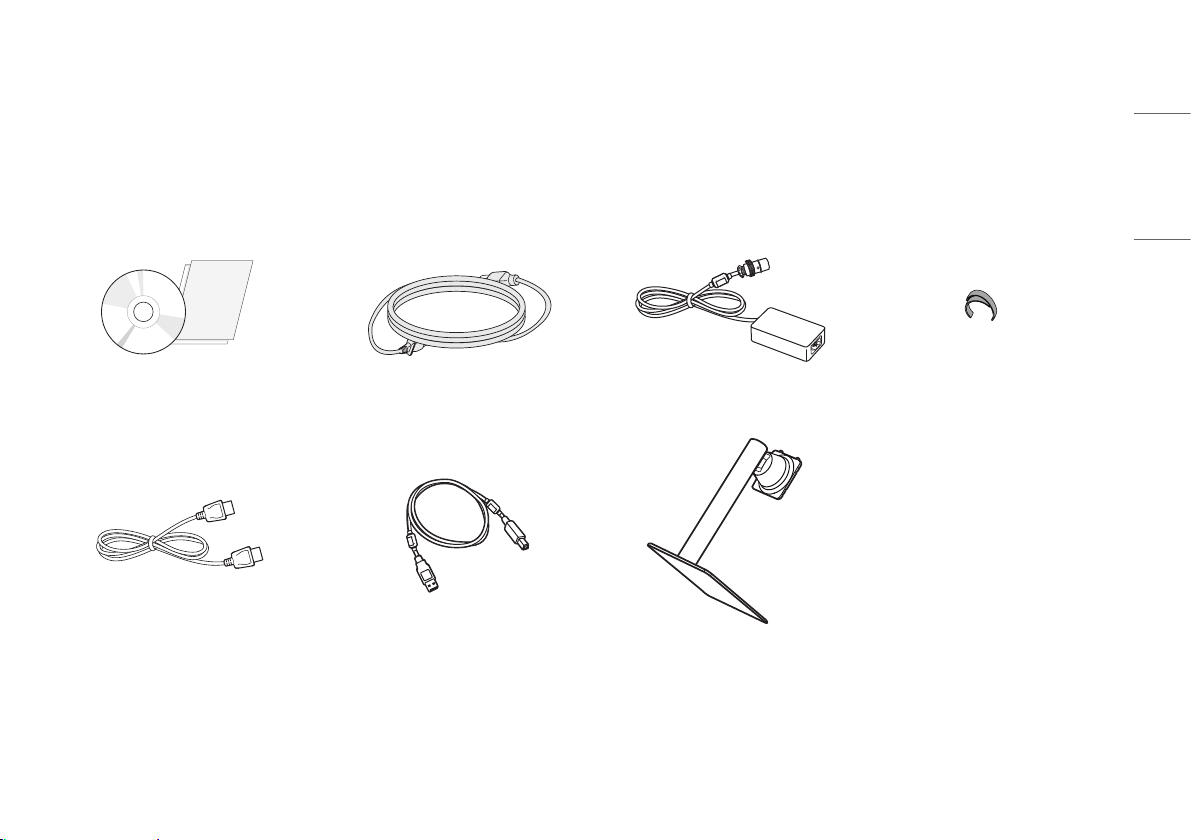
• Always use genuine LG components to ensure safety and product performance.
• The product warranty will not cover damage or injury caused by the use of unauthorized components.
• It is recommend that use the supplied components.
• If you use generic cables not certified by LG, the screen may not display or there may be image noises.
NOTE
• The components may look different from those illustrated here.
• Without prior notice, all product information and specifications contained in this manual are subject to
change to improve the performance of the product.
• To purchase optional accessories, visit an electronics store or an online shopping site, or contact the retailer
from which you purchased the product.
• The power cord provided may differ depending upon the region.
Supported Software
Drivers and Software Installation Priority
LG Calibration Studio Medical / PerfectLum Recommended
Optional
Optional
• The [PerfectLum Serial Number] can be found in [General] > [Information].
• LG Calibration Studio Medical / PerfectLum calibrate the color output of the monitor using Hardware
Calibration.The program supports USB communication, so connect your PC and monitor using a USB cable
and launch the LG Calibration Studio Medical / PerfectLum program.
• Required and Recommended:You can download and install the latest version from the enclosed CD or from
the LGE website (www.lg.com).
• Optional: You can download and install the latest version from the LGE website (www.lg.com).