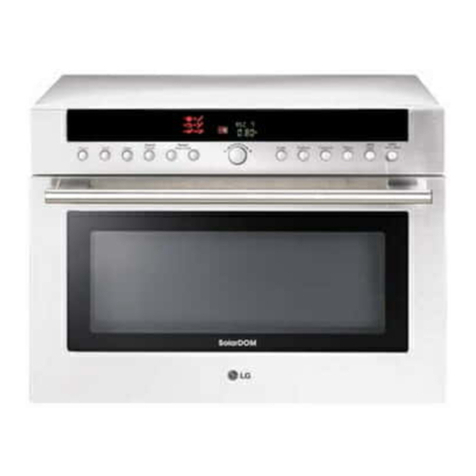
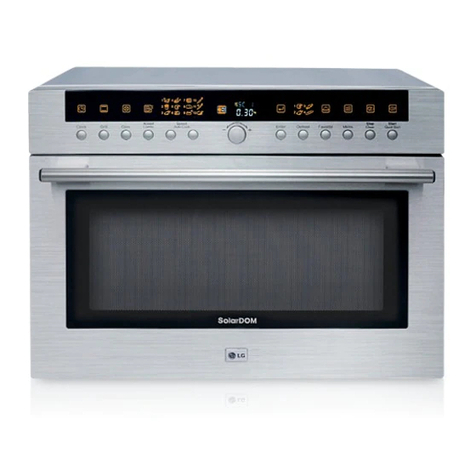
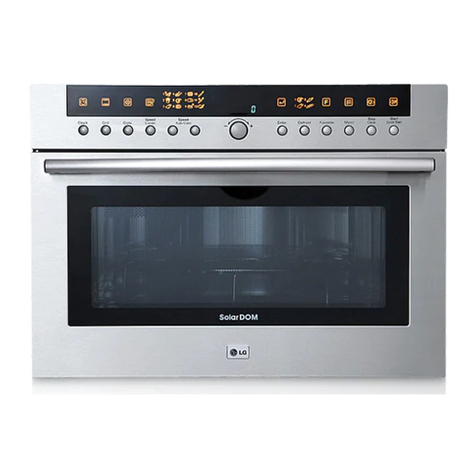
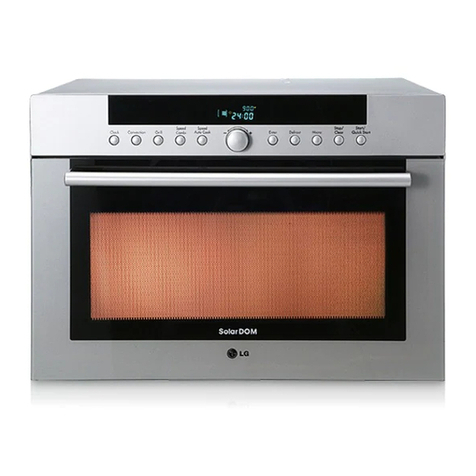
LG SolarDOM MP-9485S User manual

LIGHT OVEN “
S
olarDOM
”
OWNER’S MANUAL
PLEASE READ THIS OWNER’S MANUAL THOROUGHLY BEFORE OPERATING.
MP-9485S
MP-9485SA
MP9489SB
P/No: 3828W5A4713
http://au.lge.com (Australia)
http://nz.lge.com (New Zealand)

Precautions
2
Precautions to avoid possible exposure to excessive microwave energy.
You cannot operate your oven with the door open due to the safety interlocks
built into the door mechanism. These safety interlocks automatically switch off
any cooking activity when the door is opened; which in the operation of
microwave function could result in harmful exposure to microwave energy.
It is important not to tamper with the safety interlocks.
Do not place any object between the oven front face and the door or allow
food or cleaner residue to accumulate on sealing surfaces.
Do not operate your oven if it is damaged. It is particularly important that the
oven door closes properly and that there is no damage to the: (1) door(bent),
(2) hinges and latches (broken or loosened), (3) door seals and sealing
surfaces.
Your oven should not be adjusted or repaired by anyone except qualified
service personnel.
Warning
When heating liquids, e.g. soups, sauces and beverages in your oven with
microwave function, delayed eruptive boiling can occur without evidence of
bubbling. This could result in a sudden boil over of the hot liquid. To prevent
this possibility the following steps should be taken:
1 Avoid using straight sided containers with narrow necks.
2 Do not overheat.
3 Stir the liquid before placing the container in the oven and again halfway
through the heating time.
4 After heating, allow to stand in the oven for a short time, stir or shake
them(especially the contents of feeding bottles and baby food jars) again
carefully and check the temperature of them before consumption to avoid
burns (especially, contents of feeding bottles and baby food jars).
Be careful when handling the container.
Warning
Always allow food to stand after being cooked by
microwaves and check the temperature of them
before consumption. Especially contents of feeding
bottles and baby food jars.
Please ensure cooking times are correctly set as
over cooking may result in the FOOD catching fire
and subsequent damage to your oven.

3
Contents
How the Microwave Function Works
Microwaves are a form of energy similar to radio and television waves and
ordinary daylight. Normally, microwaves spread outwards as they travel
through the atmosphere and disappear without effect. This ovens, however,
have a magnetron which is designed to make use of the energy in
microwaves. Electricity, supplied to the magnetron tube, is used to create
microwave energy.
These microwaves enter the cooking area through openings inside the oven.
A turntable or tray is located at the bottom of the oven. Microwaves cannot
pass through metal walls of the oven, but they can penetrate such materials
as glass, porcelain and paper, the materials out of which microwave-safe
cooking dishes are constructed.
Microwaves do not heat cookware, though cooking vessels will eventually get
hot from the heat generated by the food.
A very safe appliance
Your oven,
S
olar
DOM, is one of the safest of all home
appliances. When the door is opened, the oven
automatically stops producing microwaves. Microwave
energy is converted completely to heat when it enters
food, leaving no “left over” energy to harm you when
you eat your food.
Precautions_______________________________________________2
Contents _________________________________________________3
Unpacking & Installing _____________________________________4 ~ 5
Control Panel _____________________________________________6
Setting the Clock __________________________________________7
Child Lock _______________________________________________8
Convection Cooking _______________________________________9
Speed Combi Cooking _____________________________________10 ~ 12
Speed Auto Cooking ______________________________________13 ~ 17
Defrost __________________________________________________18
Defrosting Guide _________________________________________19
Grill Cooking ____________________________________________20
Micro Power Cooking _____________________________________21
Micro Power Level ________________________________________22
Two Stage Cooking _______________________________________23
Quick Start ______________________________________________24
More or Less Cooking ______________________________________25
Important safety instructions ________________________________26 ~ 27
Microwave - safe Utensils __________________________________28
Food characteristics & Microwave cooking ____________________29 ~ 30
Cleaning_________________________________________________31
Questions & Answers ______________________________________32
Plug Wiring Information/Technical Specifications _______________33
Terms of Warranty & Important Notice________________________34
Warranty _______________________________________________35

Unpacking &
Installing
4
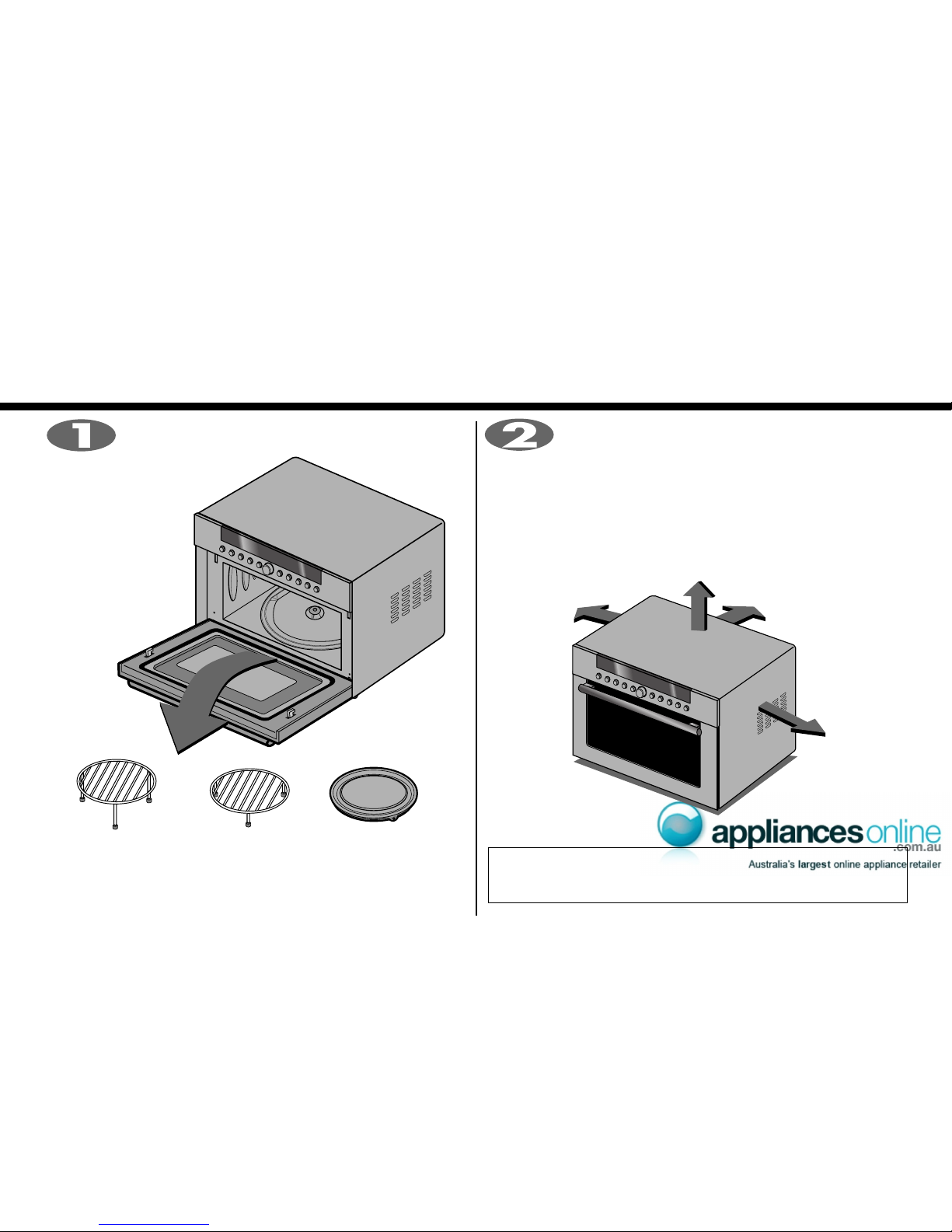
By following the basic steps on these two pages you will be able to quickly check that your oven is operating
correctly. Please pay particular attention to the guidance on where to install your oven. When unpacking your
oven make sure you remove all accessories and packing. Check to make sure that your oven has not been
damaged during delivery.
Place the oven in the level location of your choice with
more than 85cm height but make sure there is at least
20cm of space on the top and 10cm at the rear for proper
ventilation. The front of the oven should be at least min. 8cm/max.
22cm from the edge of the surface to prevent tipping.
An exhaust outlet is located on bottom or side of the oven. Blocking
the outlet can damage the oven.
Unpack your oven and place it on a flat level
surface.
* THIS OVEN SHOULD NOT BE USED FOR COMMERCIAL
CATERING PURPOSES.
HIGH RACK
(For grill mode)
LOW RACK
(For microwave and
convection mode)
METAL TRAY

5
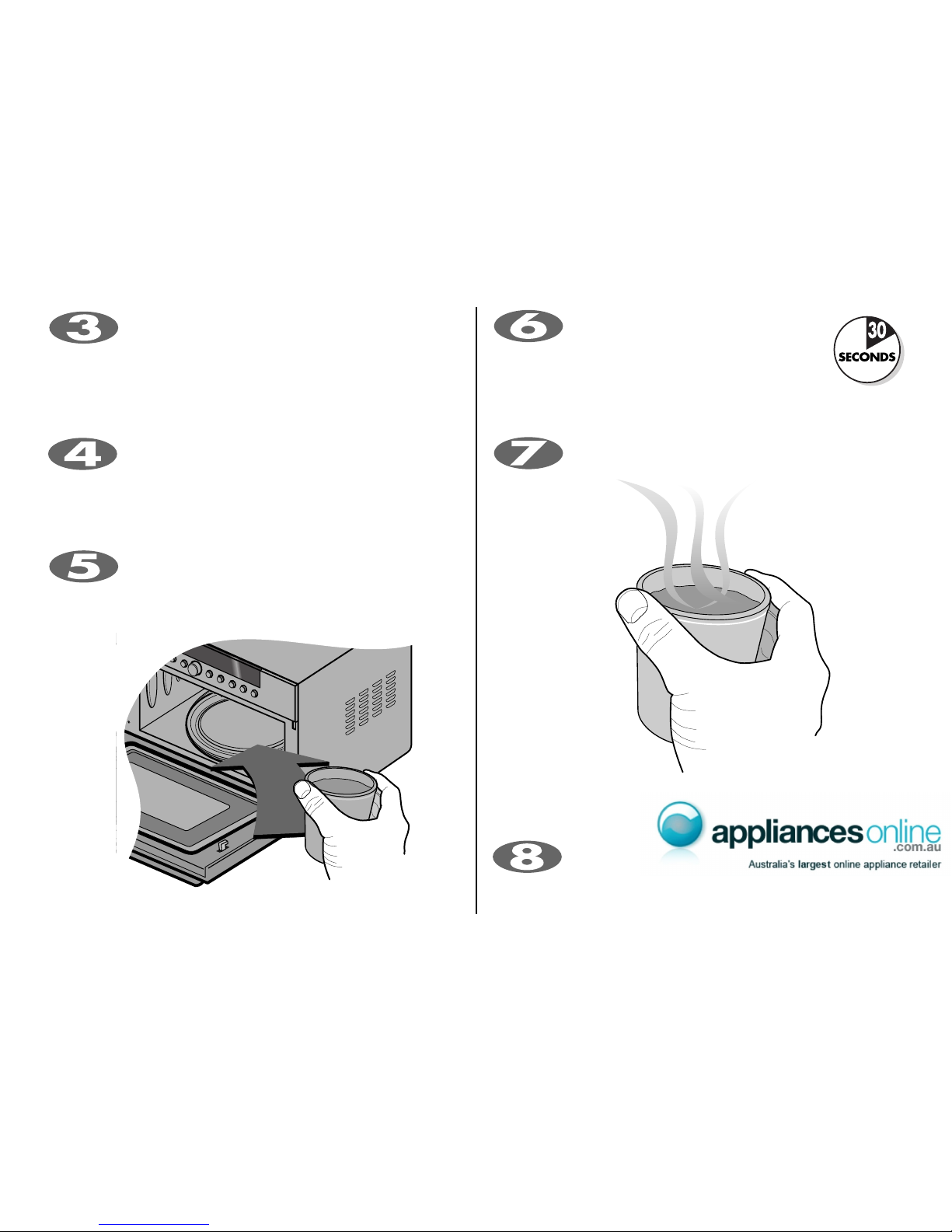
The DISPLAY will count down from 30 seconds. When it
reaches 0 it will sound BEEPS. Open the oven door and
test the temperature of the water. If your oven is operating the water
should be warm. Be careful when removing the container it may
be hot.
YOUR OVEN IS NOW INSTALLED
Fill a microwave safe container with 300 ml (1/2 pint)
of water. Place on the METAL TRAY and close the oven
door. If you have any doubts about what type of container to
use please refer to page 28.
Open your oven door by pulling the DOOR HANDLE.
Place the METAL TRAY inside the oven.
Plug your oven into a standard household socket. Make
sure your oven is the only appliance connected to the
socket. If your oven does not operate properly, unplug it
from the electrical socket and then plug it back in.
The contents of feeding bottles and baby food jars shall
be stirred or shaken and the temperature checked
before consumption, in order to avoid burns.
Press the STOP/CLEAR button, and press
the START button one time to set 30
seconds of cooking time.

Control Panel
6
1 2 3 4 5 8 10 11 1267 9
1. Clock: You can set the time of day.
2. Convection: You can select temperature and time of convection.
3. Grill: You can select the grill categories.
4. Speed Combi: You can select the combination categories.
5. Speed Auto Cook: Speed auto cook allows you to cook most of your
favorite food quickly by selecting the food type and the weight of the food.
6. Dial Knob:
• You can set cooking times, temperature, weight and cooking categories.
• While cooking with auto and manual function, you can lengthen or
shorten the cooking time at any point by turning the dial knob(except
defrost mode).
7. Display Window: You can show time of day, cooking time, power level
and cooking categories.
8. Enter: You can determine the selected cooking category, microwave power
level or temperature.
9. Defrost: You can select the food type and the weight of the food.
10. Micro: You can select five power level settings.
11. Stop/Clear: You can stop over and clear all entries except time of day.
12. Start/Quick Start:
• In order to start cooking which is selected, press button one time.
• The quick start feature allows you to set 30 second intervals of HIGH
power cooking with a touch of the quick start button.

7
You can set either12 hour clock or 24 hour clock.
In the following example I will show you how to set the time for 14:35 when using the 24 clock.

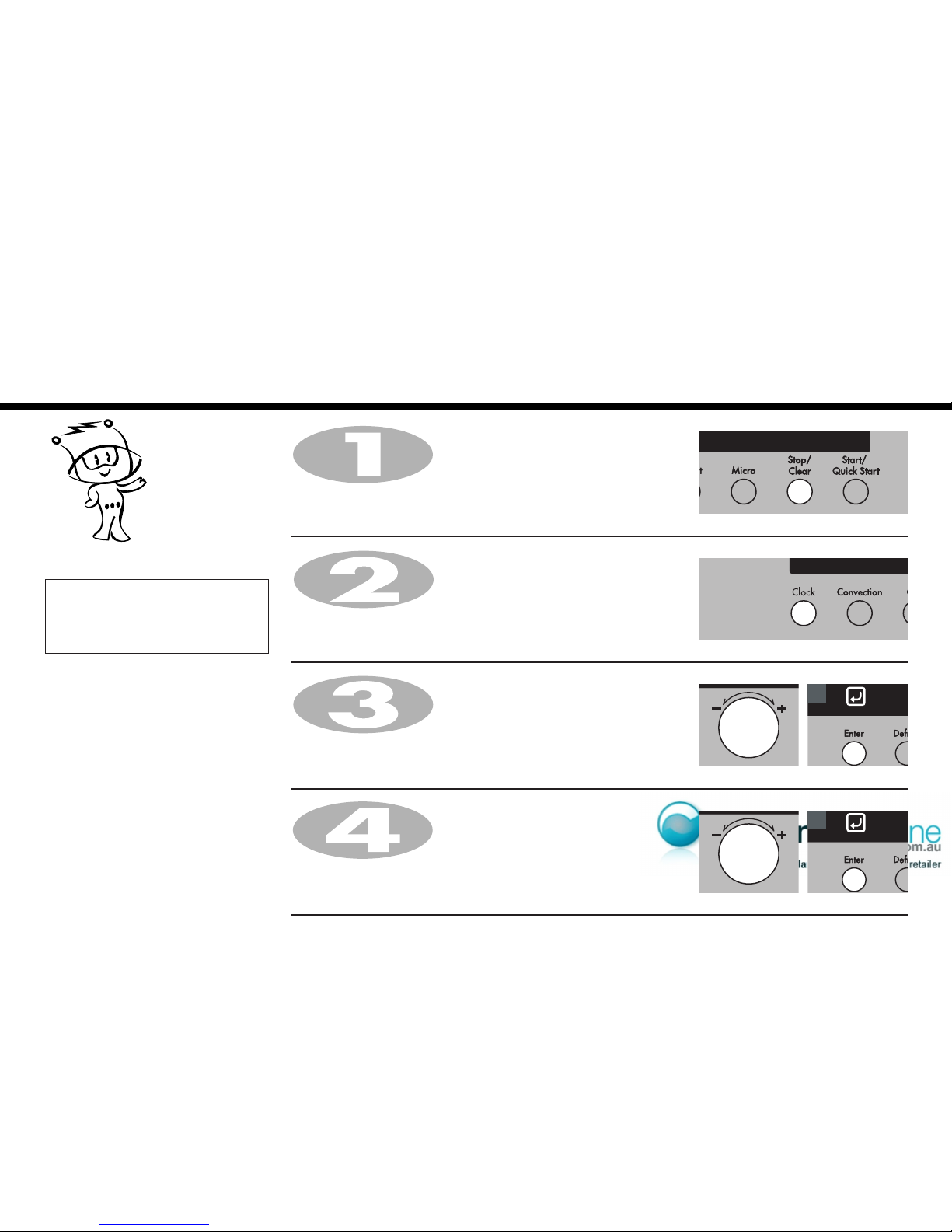
Make sure that you have removed all packaging from your oven.
When your oven is plugged in for the
first time or when power resumes after a
power cut, a ‘0’ will be shown in the
display; you will have to reset the clock.
If the clock (or display) shows any
strange looking symbols, unplug your
oven from the electrical socket and plug
it back in and reset the clock.
NOTE: Information Blink
Make sure that you have correctly installed your oven as described
earlier in this book.
Press Stop/Clear.
Press Clock once.
(If you want to use a 12 hour clock, Press Clock once more.
If you want to change different option after setting clock,
you have to unplug and plug it back in.)
Turn Dial knob until display shows “14:00”.
Press Enter for hour confirmation
Turn Dial knob until display shows “14:35”.
Press Enter.
The clock starts counting.
For mode setting, blink will
guide you through the next
steps.
Setting the
Clock

8
Child
Lock
Press and hold Stop/Clear until “L” appears on the display and
BEEP sounds.
The CHILD LOCK is now set.
The time will disappear on the display but will reappear on
the display a few seconds later.
If any button is pressed, “L” will appear on the display
To cancel CHILD LOCK press and hold Stop/Clear until “L” disappears.
You will hear BEEP when it’s released.
Your oven has a safety feature that
prevents accidental running of the oven.
Once the child lock is set, you will be
unable to use any functions and no
cooking can take place.
However your child can still open the
oven door.
Press Stop/Clear.

9
Convection
Cooking
In the following example I will show you how to use the convection to cook some food for 50 minutes for 220˚C
temp.
Press Stop/Clear.
1. To Preheat 2. To Cook
Press Start.
Display shows “Pr-H”.
The convection oven has a temperature
range of 40°C and 100°C~250°C
The oven has a ferment function at the
oven temperature of 40°C. You should
wait until the oven is cool because you
cannot use a ferment function if the oven
temperature is over 40°C.
It is available to extend the cooking time
up to 9 hours in the condition of 40°C at
convection function for the operating mwo.
Your oven will take a few minutes to reach
the selected temperature.
Once it has reached correct temperature,
your oven will BEEP to let you know that it
has reached the correct temperature.
Then place your food in your oven: then
tell your oven to start cooking.
Temperature Conversion: When baking
the kinds of dishes below, decrease
convection temperature by 30-40°C from
your own recipe temperature.
- Bakery (Cakes, Breads, Pies, Cookies
etc.), Casseroles (Pasta, Rice etc.)
Press Convection to select
convection mode.
Turn Dial knob until display shows
“220˚C”.
Press Stop/Clear.
Turn Dial knob until display shows
“50:00”.
Press Start.
After cooking you must wear
gloves and container to take
metal tray out oven, because
metal tray is very hot.
Press Enter for temp. confirmation.
Press Convection to select
convection mode.
Turn Dial knob until display shows
“220˚C”.

10
Speed combi
Cooking In the following example I will show you how to programme your oven with micro power 360W and grill for a
cooking time of 25 minutes.

Your oven has a combination cooking
feature which allows you to cook food
with heater and microwave at the same
time or alternately. This generally means
it takes less time to cook your food.
You can set three kinds of micro power
levels(180W, 360W and 600W) in
speed combi mode.
Press Speed Combi to select grill combination mode(Co-1, 2, 3).
Press Stop/Clear.Speed Combi
(Co-1, 2, 3)
Turn Dial knob until display shows “Co-1”.
Press Enter for grill-1 confirmation.
Turn Dial knob until display shows “360W”.
Press Enter for power confirmation.
Turn Dial knob until display shows “25:00”.
Press Start.
When cooking you can turn DIAL to increase or decrease cooking time.
After cooking you must wear gloves and container to take
metal tray out oven, because metal tray is very hot.
* Speed combi Category
* Grill mode: Refer to page 20
Co-1
Co-2
Co-3
Co-4
Co-5
Grill-1 + Microwave power
Grill-2 + Microwave power
Grill-3 + Microwave power
Upper Sheath + Halogen + Lower
Sheath + Microwave Power
Upper Sheath + Lower Sheath +
Microwave Power
Other manuals for SolarDOM MP-9485S
2
This manual suits for next models
2
Table of contents
Other LG Oven manuals

LG
LG WSES4728F User manual

LG
LG LWS3081ST - 30in Single Electric Wall Oven User manual

LG
LG SolarDOM MP-9483SLA User manual

LG
LG EM780SP User manual

LG
LG LB 651078S User manual

LG
LG PrintProof WCES6428 Series User manual

LG
LG LRE3027ST User manual

LG
LG SolarDOM MP-9482S User manual

LG
LG LRE3012S User manual

LG
LG LW71105SS User manual
Popular Oven manuals by other brands

Brandt
Brandt FC 222 user manual

aumate
aumate TOA20M04N-1E instruction manual

Maytag
Maytag CWE4100AC - 24" Single Electric Wall Oven Dimension Guide

Kernau
Kernau KBO 1076 S PT B instruction manual

Bosch
Bosch HB 37 N Series User manual and installation instructions

Electrolux
Electrolux EOD5420AA user manual