5 GT Series Installation Manual
2. System Installation
2.1 Short Circuit Protection
•The battery system must be protected by a DC fuse. The models listed in this document were evaluated and tested
by Underwriter Laboratories with external fuses as noted. UL Listed (JDDZ) Class J Fuse, rated 300A, 450Vdc or UL
Listed (JDDZ) Class T fuse rated 350A, 125Vdc. The fuse is to be provided downstream of the BMS before the load or
supply in all cases. The fuses should be used with a fuse holder, UL Listed (IZLT), suitable for single-pole, Type J or
Type T fuses, rated 600V, 400A. The use of any other fuse or non-fuse voids the UL Listing of the models.
•Examples of approved:
oFuse: Littelfuse JLLN-350 or Eaton DFJ-300
oFuse holder: Littelfuse LFT30400 or Eaton JM60400-1CR-1
oFuse placement must be directly after the positive power terminal on the BMS. (Fuse placement may be controlled
by other industry standards such as ABYC or RVIA.)
2.2 Disconnect Device Protection (only applies to GT51V150A system)
•Per UL1973 Revision 2 Section 7.8.1.4, the GT51V150A system must have 2 additional disconnect devices, one
located on the positive pole and one on the negative pole.
oThe disconnect devices shall not require the use of special tools or equipment to be operated.
oRecommended disconnect device: Gigavac HBD41 Hermetic Battery Disconnect.
oPlease see Figure 1 for the disconnect devices placement.
2.3 Battery Module and NeverDie BMS Unit Environment and Mounting orientation
•The Battery Module and BMS Unit should be mounted in an environment that does not receive direct sunlight,
pressurized water or road debris.
•To avoid power interruption, your installation may need to consider controlling the ambient operating temperature.
•Mount the Battery Module in an upright position, i.e. black lid faces up.
oOther orientations are NOT permitted and will void the warranty.
•The BMS Unit can be mounted in any orientation as long as all its features are accessible.
•Ensure that the BMS Unit is located in close proximity to the Battery Module so that all connectors can be mated in
the following steps.
2.4 Temperature Sensor Connector
•The temperature sensor cable and connector exiting the battery module must be connected to the BMS.
•Connect the two M8 circular connectors together by first aligning their pins and pressing them together, then rotate
the securing nuts until they stop snugly.
•Do not use the temperature probe from the inverter-charger manufacturer.
2.5 Main Power Connector
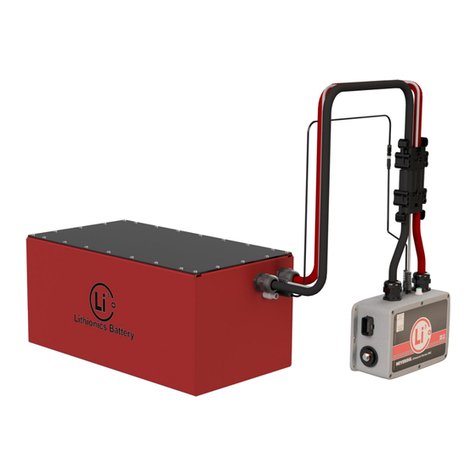
•The battery module has a large black female main power connector that must be inserted into the BMS’ male main
power connector. This is the connector with the large 4/0 red and black wires and single small gauge gray cable.
•Align the connectors and insert them together.
•Use 2 zip ties to bind the connectors together so that they may not separate during use.
2.6 NeverDie BMS Unit Power Terminals
•Connect the BMS Unit Power Terminals to your DC bus, both Positive (Red) and negative (Black).
oUse correctly sized wire conductors for the application.
oTorque to 80 INCH pounds
oNever stack ring terminals.
oNever place the stainless-steel washer between the Power Terminal and ring terminal lug (see Figure 1 on Page 7).