9
Turn on Bluetooth (on your phone)
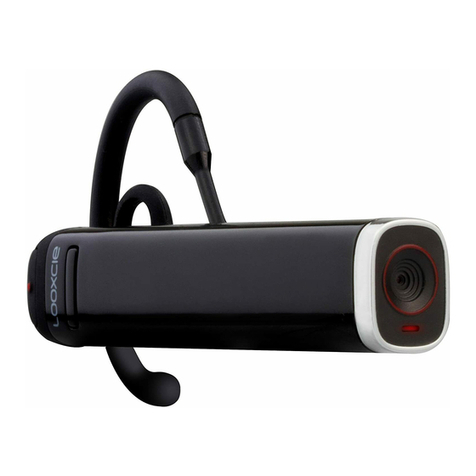
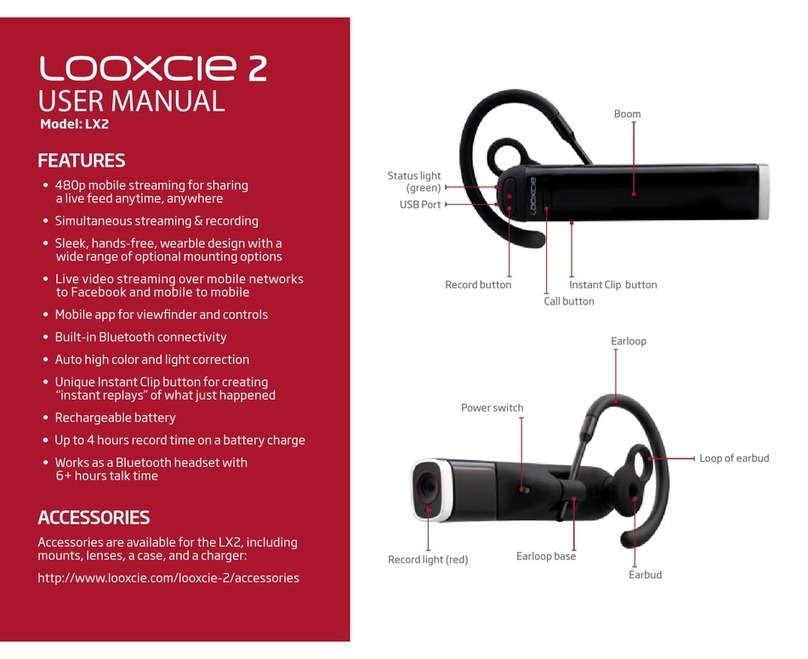
Power/Call Control button
Volume button
Indicator light (green)
Record light (red)
Pairing Looxcie to Your Smartphone
Like all Bluetooth®-enabled devices, you must pair Looxcie to your phone so they
can communicate. We recommend pairing Looxcie with your phone after you have
fully charged Looxcie and downloaded the LooxcieCam or LooxcieMoments App.
Pairing Looxcie for the First Time
Enter pairing mode
Press the Power/Call Control button for 5 seconds to turn on Looxcie.
If it’s the rst time you’ve turned Looxcie on, it will enter pairing mode
automatically (the green Indicator light and red Record light will ash).
If Looxcie doesn’t go into pairing mode, hold and press the Volume and
Power/Call Control buttons at the same time until the Indicator light (green)
and Record light (red) start ashing.
Turn on Bluetooth (on your phone)
On most phones, you turn on Bluetooth in Settings. You’ll likely nd the
Bluetooth feature in one of the following places, though it varies by phone:
Settings>General>Bluetooth
Settings>Tools>Bluetooth
Settings>Wireless & Networks>Bluetooth Settings>Scan for Devices
If you need more help, try looking in your phone’s user manual.