10
Displaying search results
Choose Looxcie when your iPhone shows search results
Your iPhone should show which Bluetooth-enabled devices are already paired with
it as well as any other close-by Bluetooth-enabled devices, including your Looxcie.
Select Looxcie to pair it with your iPhone. If you need a PIN or passkey, enter
“0000”.
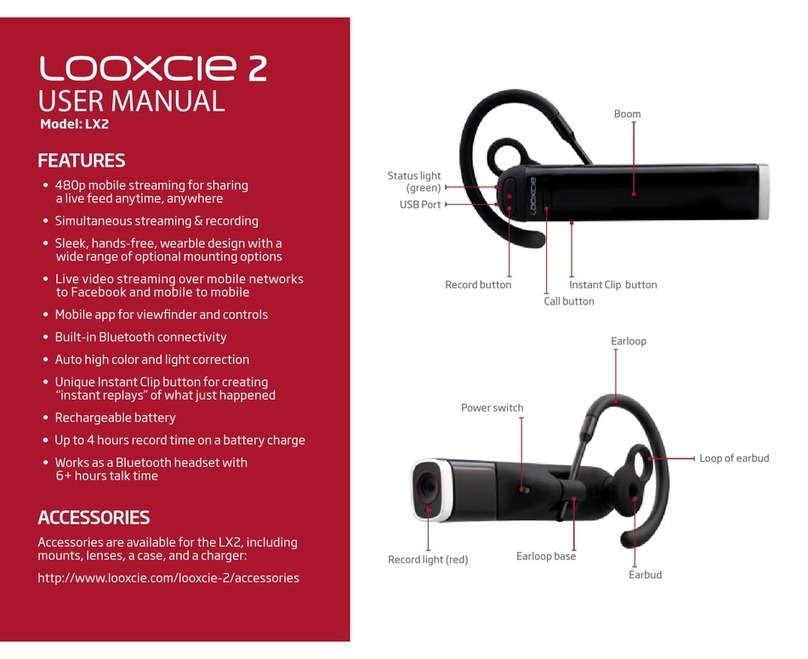
When your Looxcie and iPhone are successfully paired, the Record light (red)
will turn o and the Indicator light (green) on your Looxcie will pulse every three
seconds. Your iPhone will also list Looxcie under Bluetooth devices and note that
it’s paired and connected.
Manually pair Looxcie (if it has been previously
paired)
Make sure Looxcie is turned on. Enter the pairing mode manually by pressing and holding
the Volume and Power/Call Control buttons at the same time until the Indicator light
(green) and Record light (red) start ashing.
Follow the same steps as above: turn on Bluetooth on your iPhone and then choose
Looxcie from the iPhone’s search results. If you need a PIN or passkey, enter “0000”.
Tip: Check the iPhone user manual for more information on pairing devices with your
iPhone.
PIN/Passkey:
0000