5
OPERATING INSTRUCTIONS
Setting the clock and date manually
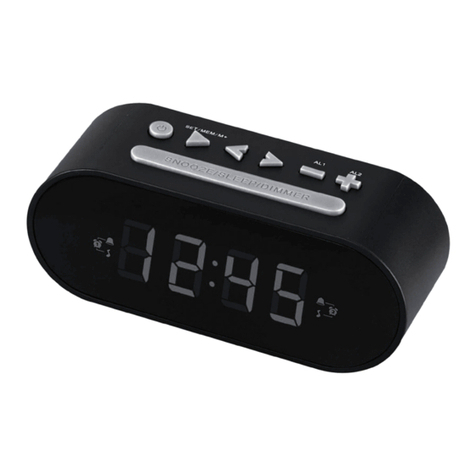
1.Press 12/24hr at the rear of the unit to choose 12/24 hr setting.
2.When 12 hr setting is chosen, AM/PM appears in the display along with the time.
3.Press TIM, the“hour”starts to flash in the display.
4.Press SET +/- to adjust the“hour.
5.Press ENTER to confirm the“hour”setting,“minute”starts to flash.
6.Press repeatedly SET+/- and ENTER to set the minute.
7.Press and hold TIME, the“yyyy”starts to flash in the display. Press SET+/- to set the year and ENTER
to exist.
8.Set the“mm”,“dd”like Step 7 to set the month and day respectively. Press ENTER to exist.
Note: When iPhone is docked with App activated, the time and date settings in App will override the
original settings in the unit.
Setting the Clock and Date by APP
1.Initiate the iDockSpeaker App in the iPhone/iPod Touch
2.PRESS Locate Me to update the time/ date information automatically
3.Once set, dock the iPhone into the unit with the App on.
4.Current time, date is synchronized and displayed into the unit automatically.
Tips:Go to the setting page in the App to select 12/24 hour made,and turn on/off of the time flash colon.
Setting the Alarm manually
1.Press and Hold ALARM, Alarm 1 “hour' flashes in the unit.
2.Press SET +/- to adjust and “hour”.
3.Press ENTER to confirm the “hour” setting, “minute” starts to flash.
4.Press repeatedly SET +/- and ENTER to set the minute. Wake-to source “BUZ/IP/FM”starts to flash
5.Wake-to source: BUZ/IP/FM ( Buzzer/iPod/FM) flashes in the unit by pressing SET+/- to adjust.
Press ENTER to confirm setting.
6.When Alarm 1 is set, press ALARM again to set Alarm 2.
Or press 2 times ALARM to enter the Alarm 2 setting.
7.Repeat the step 2-5 to set the Alarm 2.
Note: When iPhone is docked with App activated, the Alarm Settings in App will be synchronized to the
unit at the same time.
Note: When the unit is on, the default wake-to source is Buzzer. Other wake-to sources are
activated only in standby mode.
Setting the Alarm by APP
1.Initiate the iDockSpeaker App in the iPhone.
2.Go to the alarm setting in the iDockSpeaker App to select alarm 1 and alarm 2 setting.
3.The iDockSpeaker App allow you to set the wake up song from iPhone playlist. If no wake up
song is selected in the alarm setting, the App will shuffle a song from the playlist.
4.Once set, dock the iPhone into the unit with the App on.
5.Alarm setting is set and displayed into the unit automatically.
Note: When App is activated and the unit is in standby mode, App wake up song is the only wake-to
source.