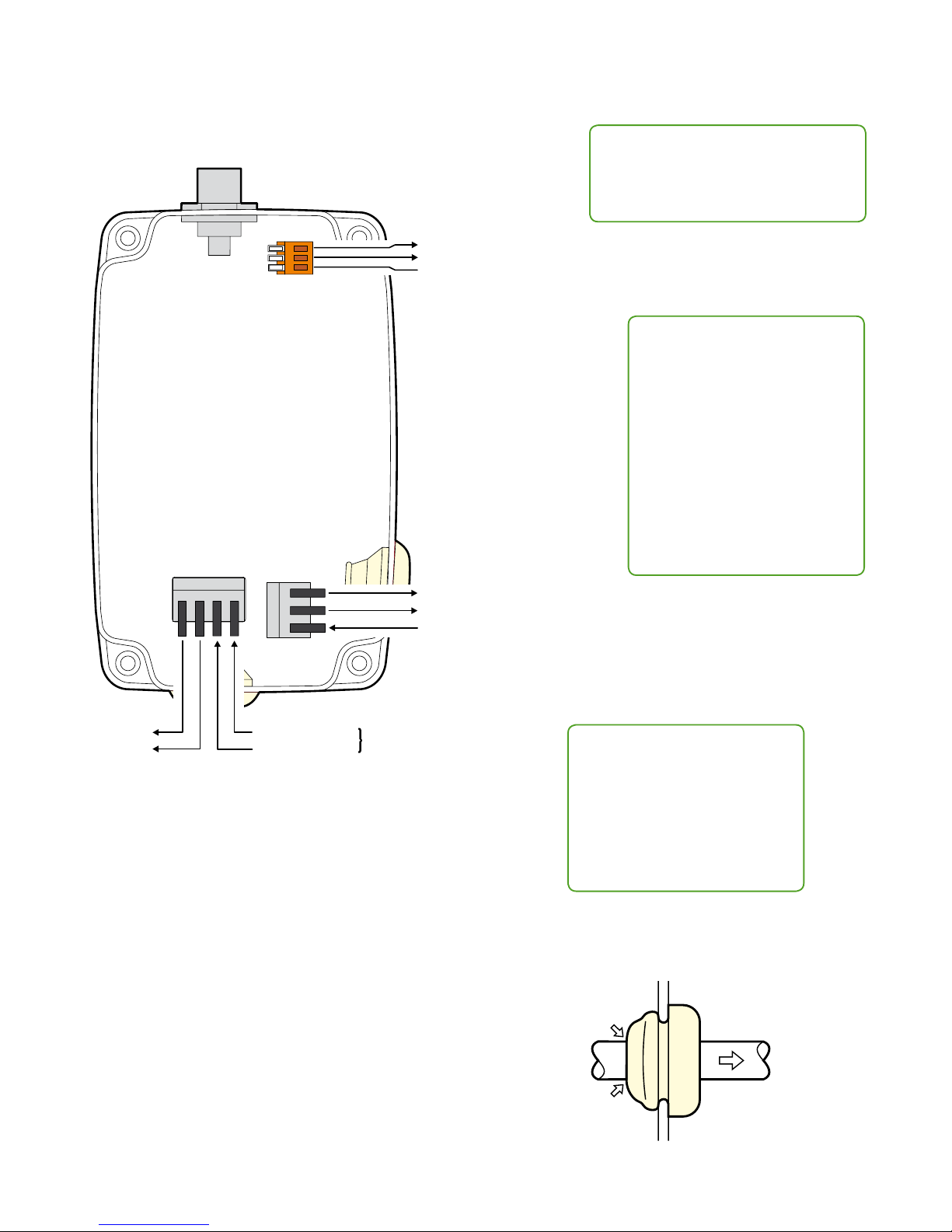
RF Link
DMX
RD M
DALI
Coexistenceassured
Using SuperNova
The default DMX address for the DALI/DSI interface is channel 1. After a discovery in SuperNova the Slim receiver will appear as
two units, the actual Slim wireless module as well as the DALI/DSI interface. The start address of the DALI/DSI interface can be set
in SuperNova. SuperNova runs on any Windows, Mac OS X or GNU/Linux computer with a Java runtime environment of at least
version 1.6. The latest version of SuperNova as well as detailed user guides can be accessed at www.lumenradio.com/supernova.
Operation
CRMX Slim units can link with any other CRMX units as well as legacy W-DMX™ (G2/G3/G4) transmitters (2.4 GHz only).
To unlink
• Unlink one: On the receiver, press and hold
its button for more than 3 seconds to
unlink it from a transmitter. The RF Link
indicator will extinguish.
• Unlink all: On the transmitter, press and
hold its button for more than 3 seconds
to unlink all of its receivers.
To link
1. Ensure the antenna is connected.
2. Power on the transmitter and receiver(s).
3. Ensure that the RF Link indicators on all receivers are o to
indicate that the receiver(s) are ready to be linked. (If
necessary, follow the unlink procedure.)
4. On the transmitter, press and release the button.
5. The transmitter will search for any unlinked receivers. Its RF
Link indicator will ash for 10 seconds and normal operation
will resume.
6. The RF Link indicator will change to a steady on-state on
successfully linked receivers.
Specications
Power input: 100-240VAC / 50-60Hz
Maximum consumption: 3W
Operation temperature range: -20°C to +50°C (-4°F to 122°F)
Environmental: IP65 (protected from water jets)
Frequency range: 2.402 to 2.480 GHz
Output power levels: 300mW (25dBm) (Permitted only
in North America), 100mW (20dBm),
35mW (15dBm), 10mW (10dBm)
Order code CRMX Slim receiver: 800-5001/OS-RRX1
Order code CRMX Slim transmitter: 800-5101/OS-DTX1
Control panel
Status indicators
RF Link on Transmitter:
On = Normal operation.
Fast ashing (~3Hz) = Linking.
Slow ashing (~1Hz) = Unlinking.
RF Link on Receiver:
On = Linked with RF signal.
O = Unlinked.
Fast ashing (~3Hz) = Linking or linked,
but with lost RF signal.
DMX: On when DMX is present.
RDM: Flashes to RDM activity.
DALI: On when a DALI conversion is
active. Flashes when DALI data is being
sent.
Link button - press to link with, or
unlink from, another unit.
Signal quality indicators
Transmitter:
Not used/All o.
Receiver:
Top green = 80% signal
quality.
Mid green = 60% signal
quality.
Bottom green = 40%
signal quality.
Amber = 20% signal
quality.
Red = Link problem.
Firmware upgrade
All CRMX units are upgradeable. Please
contact your local distributor for more
information.