manuals.online logo
Brands
  1. Home
  2. •
  3. Brands
  4. •
  5. LYNXTechnik
  6. •
  7. Amplifier
  8. •
  9. LYNXTechnik yellobrik DVD 1823 User manual

LYNXTechnik yellobrik DVD 1823 User manual

Other LYNXTechnik Amplifier manuals

LYNXTechnik Yellobrik IDC 1411 User manual

LYNXTechnik

LYNXTechnik Yellobrik IDC 1411 User manual

LYNXTechnik yellobrik DVD 1817 User manual

LYNXTechnik

LYNXTechnik yellobrik DVD 1817 User manual

LYNXTechnik D VO 5820 User manual

LYNXTechnik

LYNXTechnik D VO 5820 User manual

Popular Amplifier manuals by other brands

Magnat Audio EDITION FOUR Owner's manual/warranty document

Magnat Audio

Magnat Audio EDITION FOUR Owner's manual/warranty document

Inter-m PA-2000A Operation manual

Inter-m

Inter-m PA-2000A Operation manual

Yamaha TX6n owner's manual

Yamaha

Yamaha TX6n owner's manual

Peavey TNT 150 user guide

Peavey

Peavey TNT 150 user guide

Bosch LBB 1903/10 Installation and user instructions

Bosch

Bosch LBB 1903/10 Installation and user instructions

Avocent Emerge DA1200D Installer/user guide

Avocent

Avocent Emerge DA1200D Installer/user guide

Redgum RGi35 operating instructions

Redgum

Redgum RGi35 operating instructions

Cambridge Audio AXA25 user manual

Cambridge Audio

Cambridge Audio AXA25 user manual

Alpine MRP-M200 owner's manual

Alpine

Alpine MRP-M200 owner's manual

Technical Pro H1502UrBT user manual

Technical Pro

Technical Pro H1502UrBT user manual

FMS EMGZ307 operating manual

FMS

FMS EMGZ307 operating manual

Racal Instruments 5601 user manual

Racal Instruments

Racal Instruments 5601 user manual

Valcom V-1094A Technical specifications

Valcom

Valcom V-1094A Technical specifications

Cambridge Audio 851D user manual

Cambridge Audio

Cambridge Audio 851D user manual

QSC 3800 Specifications

QSC

QSC 3800 Specifications

NAD C300 owner's manual

NAD

NAD C300 owner's manual

Rotel RMB-1077 owner's manual

Rotel

Rotel RMB-1077 owner's manual

Peavey Monitor 300 Series operating guide

Peavey

Peavey Monitor 300 Series operating guide

manuals.online logo
manuals.online logoBrands
  • About & Mission
  • Contact us
  • Privacy Policy
  • Terms and Conditions

Copyright 2025 Manuals.Online. All Rights Reserved.

Technical Specications DVD 1823
3G Dual 1>3 SDI Reclocking Distribution Amplier
SDI Input 2 x SDI; 75 Ohm BNC connector
SMPTE 424M, SMPTE 292M, SMPTE 259M
Multi-standard operation from 270Mbit/s to 3Gbit/s; reclocking
Input present LED indication
Electrical Return Loss:
>15dB from 5MHz to 1.5GHz, >10dB from 1.5GHz to 3GHz
Automatic cable EQ
250m @ 270Mbit/s, 190m @ 1.5Gbit/s, 130m @ 3Gbit/s
SDI Outputs 2x 3 multi-rate reclocked SDI outputs ; 75 Ohm BNC connectors
SMPTE 424M, SMPTE 292M, SMPTE 259M
Electrical Return Loss:
>15dB from 5MHz to 1.5GHz, >10dB from 1.5GHz to 3GHz
Alignment Jitter:
< 0.2 UI @ 270Mbit/s, < 0.2 UI @ 1.5Gbit/s, < 0.3 UI @ 3Gbit/s
Power +12V DC @ 2.7W nominal - ( supports 7 - 24V DC input range )
Physical Size: 138mm x 90mm x 22mm (5.43” x 3.54” x 0.86”) including
connectors
Weight: 240g (8.46oz)
We are constantly adding more yellobrik modules.
Please visit our website for the latest product updates.
www.lynx-technik.com
Input Present
1
2
3
IN
1
2
3
3Gbit
Dual SDI Reclocking Distribution Amplifier
IN
USB
PC Control
Power
0V
12V
⎓
+–
SDI Input
Present LEDs
DC Power
Input
SDI Outputs
SDI Inputs
Power LED
USB Port
yellobrik
®
Quick
Reference
yellobrik
®
LYNX
Technik
AG
| Broadcast Television Equipment
Connections
All connections are clearly indicated on the module and self
explanatory. The I/O impedance is 75 Ohm.
Operation
The DVD 1823 has two fully independent multi-format SDI inputs,
with three SDI outputs per channel. Dierent SDI video formats and
standards (3G, 1.5G and 270M) can be transmitted and received. The
“Signal Present” LED (one per input) is illuminated when a valid input
signal is connected.
Operation is fully automatic. The SDI input rates are automatically detec-
ted, reclocked and provided on the SDI output connectors. No user set-
tings are provided for this module. The module supports hot swapping
and hot plugging of connections.
Power
The module requires a 12V DC power input and the LED conrms when
power is connected. A power supply is provided, however if you use
your own power supply, please provide a clean power source between
7 and 24V DC. Power consumption information can be found in the
technical specications table.
Power Lead Strain Relief
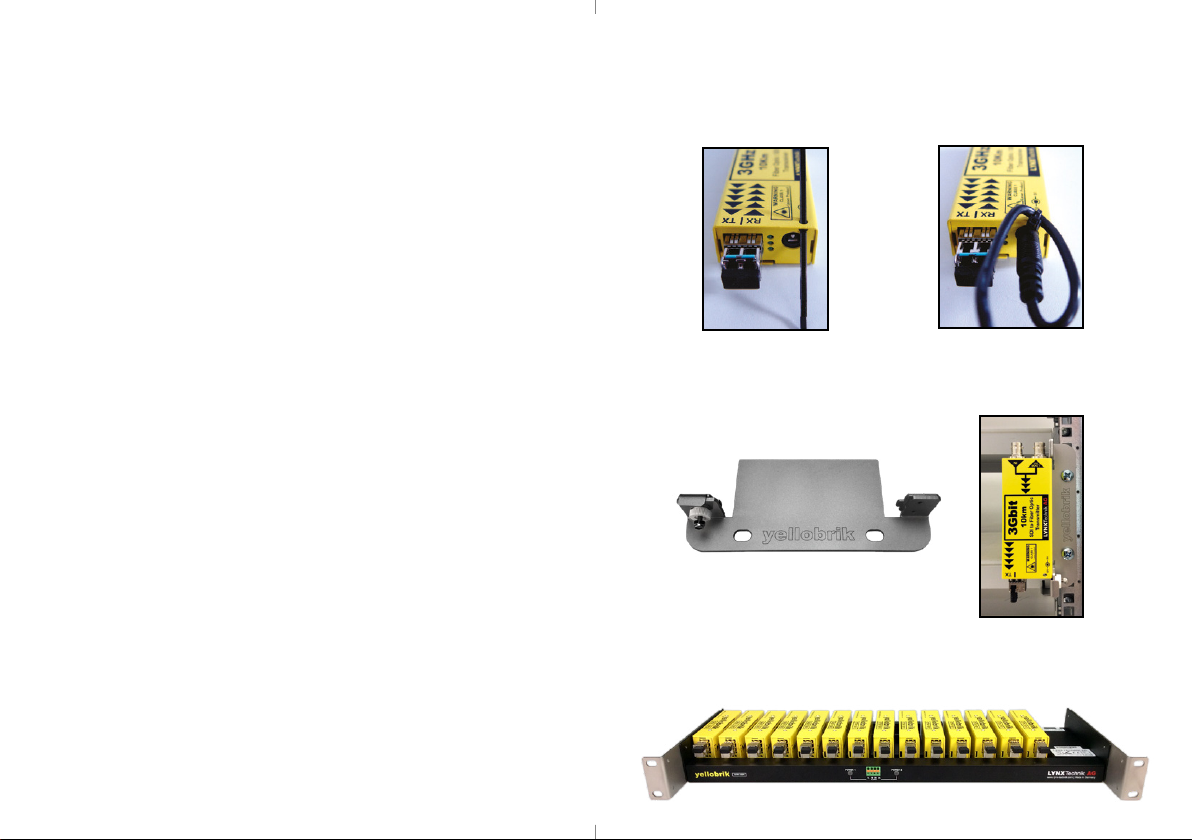
The module (dierent module shown here) has a small hole in the case
which is located above the power connection. Use the supplied tie-
wrap and secure the lead as shown below. This prevents the power lead
being accidentally pulled out.
Optional Mounting Solutions
The optional RFR 1001 mounting bracket can be used to permanently
mount the module on any surface or on 19” rack rails.
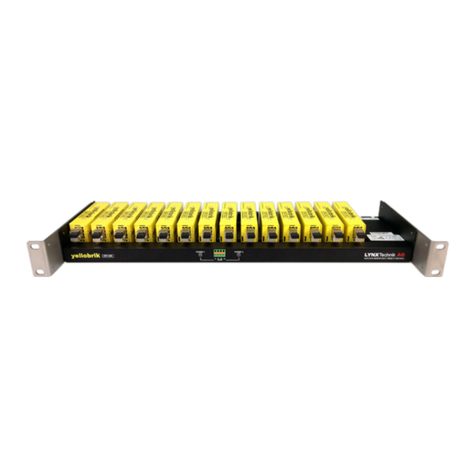
The optional RFR 1000-1 rack mount can be used to permanently
mount up to 14 yellobrik modules. In addition, the RFR 1000-1 can
provide full power redundancy for all mounted yellobriks.